

You installed the plugin. You clicked “Generate.” You got 800 words of confident-sounding, completely generic content that said absolutely nothing, and you wouldn’t dare put your name on it.
Sound familiar? You’re not alone. The WordPress AI plugin space has exploded in the last two years, and not in a good way. For every genuinely useful tool, there are three that produce the kind of output that makes you wonder if the AI has ever actually read the internet.
Here’s the honest truth: the quality gap between the best and worst AI content generation plugins for WordPress is enormous. Model support, editor integration, prompt design, and workflow fit all determine whether you get a publishable first draft or a recycling bin filler.
This guide cuts through it. We tested 12 of the most widely used AI content generation plugins for WordPress across identical content briefs, compared real output quality, tracked API costs, and organized everything by use case. Whether you’re a solo blogger, an SEO professional, a WooCommerce store owner, or a developer building for clients, you’ll find a clear recommendation here.
What Are AI Content Generation Plugins for WordPress?
AI content generation plugins for WordPress are tools that connect your WordPress dashboard directly to large language models (LLMs), such as OpenAI’s GPT-4o, Anthropic’s Claude, or Google Gemini, allowing you to generate blog posts, product descriptions, SEO meta content, images, and more without leaving your site. Instead of copying output from a separate AI chatbot, these plugins embed the generation workflow natively into the Gutenberg block editor, Classic Editor, or a dedicated WordPress admin panel.
In practical terms, they act as a bridge. Your WordPress site sends a request to an AI provider, the model generates content based on your prompt or template, and the output lands directly in your editor. Some plugins use a “bring your own API key” model, meaning you fund a separate OpenAI or Anthropic account. Others bundle AI access into their own subscription, so you never need to touch an external API. The spectrum runs from simple one-click draft generators to advanced platforms with knowledge bases, image generation, bulk content pipelines, and AI chatbots built in.
Why 2026 Is a Different Landscape Than Even Last Year
The plugin category has bifurcated sharply. Top-tier tools now rival standalone AI writing platforms in output quality. Model Context Protocol (MCP) is enabling AI agents to handle multi-step content tasks autonomously inside WordPress, not just generate a paragraph, but also research, outline, draft, and schedule. And Google has clarified its position: it evaluates content quality and helpfulness, not whether a human or an AI wrote it. That changes the calculus for anyone still sitting on the fence about using these tools.
How We Evaluated These 12 Plugins
| Criterion | What We Tested | Why It Matters |
|---|---|---|
| AI Model Flexibility | Which LLMs the plugin supports; multi-model switching | Locks you in or gives you freedom as models evolve |
| Editor Integration Depth | Gutenberg, Classic Editor, sidebar panel, shortcodes | Determines how naturally it fits your workflow |
| Output Quality | Coherence, accuracy, tone consistency across test prompts | The core reason you are using it at all |
| Ease of Use | Onboarding time, API setup complexity, learning curve | Critical for non-technical users |
| SEO Feature Integration | Yoast/Rank Math compatibility, meta generation, keyword targeting | Determines whether content is publish-ready |
| Pricing Transparency | Plugin cost plus estimated API usage cost combined | True cost of ownership |
| Performance Impact | Page load, admin speed, plugin conflicts | Often overlooked but critical for production sites |
| Support and Active Development | Update frequency, WordPress.org ratings, install base | Longevity and reliability signals |
All plugins were tested on a fresh WordPress 6.x install with Gutenberg as the default editor and evaluated using identical content briefs (blog post, product description, and SEO meta set), and API costs were tracked across equivalent generation tasks.
What to Look for Before You Install Anything
Not all models are equal for every task. GPT-4o handles long-form narrative well. Claude tends to produce a more nuanced tone and is strong for editorial content. Gemini 1.5 Pro offers the best cost-per-token at volume. Multi-model support is not a luxury feature; it is a practical hedge against the rapid shifts in model quality.
Avoid plugins locked to a single provider. Model quality shifts fast, and being forced to wait for a plugin update before accessing a better model is a real productivity cost. For users with privacy requirements or tight budgets, plugins supporting OpenRouter or local AI runtimes like Ollama and LM Studio are worth a look.
How Deep Is the WordPress Integration?
There is a meaningful UX difference between a Gutenberg native sidebar, a modal overlay, and a separate admin page. The closer the AI lives to your actual editing context, the less friction in your workflow. If you run a WooCommerce store, check whether the plugin generates content directly in product edit screens. If you use Elementor or Divi, you may be better served by a builder-native AI tool than a general content plugin.
Output Quality vs. Output Speed
Faster, cheaper models often produce thinner content that requires more editing. The single biggest factor in output quality, however, is not the model; it is the prompt. Plugins with well-engineered built-in prompt templates consistently outperform those that pass an empty text field to the model and let you figure it out.
The best results come from a human-AI collaboration model: AI generates the structure and draft, a human edits for voice, accuracy, and original insight. Plugins designed around this workflow produce more publishable content than fully automated pipelines.
The Hidden Cost Nobody Mentions
The plugin subscription is not your total cost. Where API keys are required, AI usage costs stack on top, and for high-volume users, they can exceed the plugin fee itself.
| AI Provider | Approximate Cost Per 1,000-Word Blog Post | Notes |
|---|---|---|
| OpenAI GPT-4o | $0.02–$0.08 | Varies by input/output token ratio |
| Anthropic Claude 3.5 Sonnet | $0.03–$0.10 | Higher quality per token at this tier |
| Google Gemini 1.5 Pro | $0.01–$0.04 | Most cost-efficient for volume |
| Bundled credit plans (e.g., WriteRush, GetGenie) | Fixed monthly rate | Predictable, no API account needed |
For beginners and small content operations, bundled-credit plugins remove billing anxiety entirely. For developers and power users who need model flexibility, bring-your-own-API is the better fit.
The 12 Best AI Content Generation Plugins for WordPress
AI content generation plugins for WordPress help you plan, write, optimize, and publish content faster without leaving your website. From AI blog writing and SEO optimization to product descriptions, meta titles, FAQs, and content outlines, these plugins can reduce manual writing work while keeping your content workflow organized inside WordPress.
1. WriteRush: Best for Bloggers and Non-Technical Users
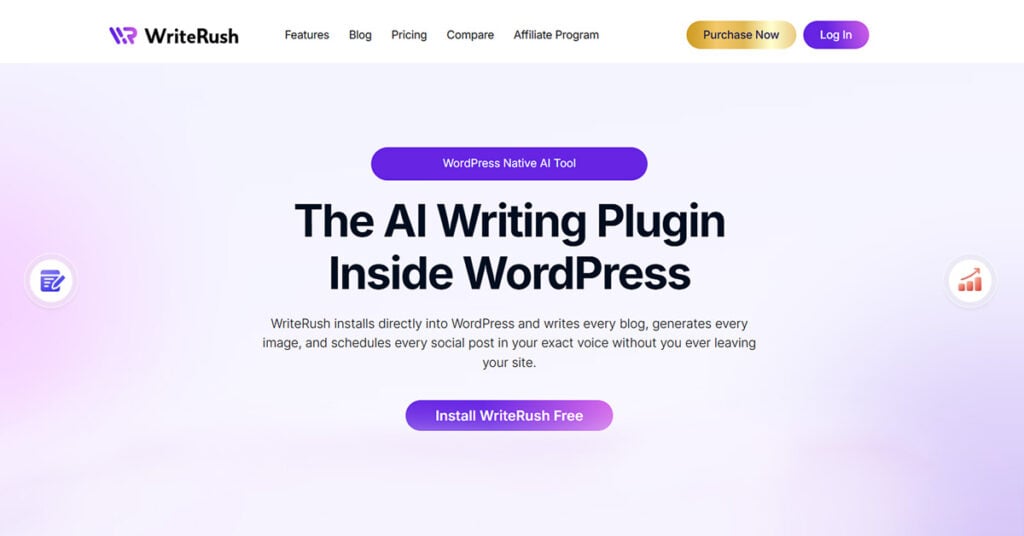
Most AI WordPress plugins ask you to do three things before writing a single word: create an OpenAI account, generate an API key, and figure out what a token limit means. WriteRush takes the opposite approach.
What it does: WriteRush brings AI writing assistance natively into the WordPress content workflow, from generating blog outlines and full drafts to SEO-aware content refinement, without requiring external API account setup or prompt engineering expertise.
Key Features
- One-click blog post drafting from a title or content brief
- Built-in SEO content awareness: meta description generation and heading structure suggestions
- Content rewriting, expansion, and tone adjustment within the editor
- Bundled AI access, no separate API key required, no surprise billing
- Clean, minimal interface designed for writers, not developers
- Seamless Gutenberg integration within the standard post/page editor experience
Pros: Zero onboarding friction, install and generate immediately. Output quality is tuned for editorial and blog content. Predictable monthly pricing eliminates the anxiety of tracking API token consumption. Strong fit for individual bloggers and small editorial teams who found “bring-your-own-API” plugins genuinely frustrating.
Cons: Less configuration depth than AI Engine for technical users. Multi-model switching is not the primary value proposition. Best suited for blog and editorial content rather than WooCommerce bulk operations.
Best for: Individual bloggers, content creators, freelance writers, small business owners managing their own WordPress site, and anyone who has been burned by the complexity of API-dependent plugins.
Unlike most plugins in this list, WriteRush does not require you to create an OpenAI account, manage API keys, or understand token pricing. It is built around the assumption that you are a writer first, not a developer.
Pricing: Bundled subscription plans with no separate API billing. Visit WriteRush.com for current pricing.
Quick Verdict: The lowest-friction, highest-quality option for solo bloggers and non-technical WordPress users. If the setup complexity of other plugins has stopped you before, start here.
2. AI Engine by Meow Apps: Best All-Around for Developers and Agencies
AI Engine is the most technically capable WordPress AI plugin available today, with over 80,000 active installs and 836+ reviews on WordPress.org, the strongest community trust signal in this category.
What it does: Full LLM integration, chatbot builder, image generation, vector embeddings for knowledge bases, REST API access, custom AI forms, and WooCommerce support. It supports more AI models than any other plugin in this list.
Key Features
- Multi-model switching: GPT-4o, Claude, Gemini, Mistral, and local models via Ollama or LM Studio
- Knowledge base creation using vector embeddings (Pinecone, Chroma, Qdrant)
- AI chatbot with customizable persona and behavior
- MCP (Model Context Protocol) support for autonomous, multi-step content workflows
- Image generation via DALL-E, Stable Diffusion, and Flux
- Developer-friendly: hooks, filters, REST API, custom AI forms
Pros: Unmatched flexibility, highly active development team, local AI support for privacy-sensitive use cases, and a developer community that has pushed the plugin far beyond its original scope.
Cons: The learning curve is steep for non-technical users. Feature density can overwhelm bloggers who just want to generate a post. Bring-your-own-API adds setup friction for beginners.
Best for: Developers, agencies, technical content teams, and enterprises with data privacy requirements.
Pricing: Free core plugin with premium plans available. API costs are additional and depend on your chosen provider.
Quick Verdict: The most powerful option in the category. If you need maximum flexibility, developer control, and multi-model support, nothing else comes close.
3. AI Power: Best for Bulk Content and WooCommerce Teams
AI Power is purpose-built for scale. If you need to generate dozens of blog posts or hundreds of WooCommerce product descriptions efficiently, this is the tool built for that specific problem.
What it does: Bulk blog post generation from a keyword list, WooCommerce product title and description generation, SEO meta content at scale, RSS feed-to-content pipelines, and image generation via DALL-E.
Key Features
- Bulk post generation from keyword lists, dozens of posts in a single run
- WooCommerce bulk generation: product titles, short descriptions, long descriptions, and SEO meta
- RSS feed to AI content pipeline for programmatic content workflows
- Supports GPT-4o, Claude, and Gemini
- Dedicated admin panel with batch processing UI
- DALL-E image generation integrated
Pros: The most capable bulk content tool available at the free tier. WooCommerce integration is best-in-class. Excellent for topical authority cluster-building at pace.
Cons: Raw output requires more editing than premium single-post tools. The UI is functional but not polished. Requires OpenAI (or other provider) API key setup.
Best for: WooCommerce store owners with large catalogs, content agencies, and bloggers building topic clusters at scale.
Pricing: Free tier is substantial. Pro plan available. API costs are additional.
Quick Verdict: For WooCommerce product descriptions and bulk blogging, AI Power is the strongest option at any price point in this category.
4. GetGenie AI: Best for SEO-Driven Content Creation

GetGenie is the only plugin in this list that meaningfully blurs the line between AI content generation and SEO optimization, doing the work that normally requires a separate tool like Surfer SEO or Clearscope.
What it does: Content generation with built-in keyword research, SERP competitor analysis, NLP term optimization, and content scoring, all from the WordPress sidebar.
Key Features
- Built-in keyword research and SERP analysis without leaving WordPress
- NLP term suggestions to improve topical coverage and semantic relevance
- Content score metric that functions as a lightweight Surfer SEO alternative
- 37+ content templates: blog posts, product descriptions, ads, social copy, and more
- WooCommerce product description generation with keyword targeting
- Bundled AI credits, no external API account required
Pros: The most complete SEO-content integration of any plugin tested. Bundled credits make costs predictable. Competitor content analysis inside the plugin saves a meaningful round-trip to external SEO tools.
Cons: SEO scoring features overlap with (but do not replace) Rank Math or Yoast for serious SEO professionals. Template quality is uneven. Not ideal for purely long-form narrative content.
Best for: SEO professionals, content marketers managing keyword-driven blog strategies, and bloggers who want ranking guidance alongside generation.
Pricing: Freemium with bundled AI credits. Paid plans available.
Quick Verdict: The closest thing to an all-in-one SEO content suite inside WordPress. If ranking is your primary concern, GetGenie cuts more workflow steps than any other option here.
5. AI Muse: Best Free Option for Getting Started
If you want to test AI content generation in WordPress before spending anything, AI Muse is the most capable free entry point currently available.
What it does: AI content generation and editing assistant within both Gutenberg and Classic Editor, supporting multiple AI providers with a meaningful free usage allowance.
Key Features
- Genuinely useful free tier with real generation allowance
- Gutenberg and Classic Editor support
- Multiple AI model support including OpenAI
- Content generation, rewriting, summarization, and tone adjustment
- Simple, approachable interface appropriate for first-time AI plugin users
Pros: Low barrier to entry. The free tier provides enough usage to evaluate whether AI content generation genuinely fits your workflow before committing to a paid plan.
Cons: Active content producers will hit free tier limits quickly. Fewer advanced features than premium alternatives. Not a long-term solution for anyone publishing more than a handful of posts per month.
Best for: Bloggers just starting with AI content tools. Users who want a hands-on evaluation before spending money.
Pricing: Free tier plus paid upgrades.
Quick Verdict: The right starting point for the undecided. Use it to learn, then graduate to a more capable tool once you understand your actual usage needs.
6. WP Wand: Best for Gutenberg-Native Workflows
WP Wand is the plugin that feels most like the AI writing experience inside Notion or a modern word processor, but built into Gutenberg.
What it does: AI writing assistant designed specifically for the block editor, enabling content generation and editing at the block level within the native WordPress editing experience.
Key Features
- Block-level AI commands within Gutenberg: highlight text and apply an AI action directly
- Supports GPT-4o and Claude
- Content generation, rephrasing, expansion, and summarization at block level
- No separate admin panel required; everything lives in the editor
- UX closely mirrors AI writing features in dedicated tools like Notion AI
Pros: The most natural Gutenberg integration tested. Extremely low learning curve for anyone already comfortable in the block editor. Feels less like a plugin and more like a native editor feature.
Cons: Limited feature depth outside the editor. Bulk content and automation capabilities are minimal. WooCommerce support is not a focus.
Best for: Bloggers and editors who live in Gutenberg and want in-context AI assistance without switching panels or admin pages.
Pricing: Current pricing available on the WP Wand website.
Quick Verdict: If Gutenberg is your home and you want AI that feels like it belongs there, WP Wand is the most seamless option in the list.
7. Divi AI: Best for Divi Theme Users
Divi AI is not a general-purpose content tool, and that is exactly the point. For Divi users, it offers something no other plugin can: AI that understands what section of your layout you are writing for.
What it does: Native AI content and image generation built into the Divi Builder, generating copy with awareness of whether you are writing a hero headline, a testimonial block, or a features section.
Key Features
- Context-aware generation: the AI knows the module type and writes accordingly
- Text and image generation in a single interface
- Image style consistency tools for maintaining visual coherence across a page
- Works exclusively within the Divi Builder
Pros: Unmatched integration for Divi users. Context-aware copy generation produces significantly more relevant output than generic tools. Image and text generation in one place reduces workflow friction.
Cons: Completely irrelevant outside the Divi ecosystem. Requires an active Elegant Themes membership.
Best for: Divi users building or maintaining business and agency sites with ongoing copy needs.
Pricing: Included with an active Elegant Themes membership.
Quick Verdict: If you use Divi, this is the obvious choice. If you do not, move on to the next entry.
8. AIOSEO with AI Features: Best for SEO Meta Content Generation
All In One SEO has integrated AI directly where most WordPress users actually need it most: the meta title and description fields they have been leaving half-finished for years.
What it does: The popular SEO plugin now generates AI-written SEO titles, meta descriptions, and schema markup suggestions directly within the AIOSEO settings panel for each post.
Key Features
- One-click AI-generated SEO title and meta description per post
- Schema markup AI suggestions within the AIOSEO interface
- Works alongside any content generation tool as a complementary layer
- No additional plugin or external account needed if you are already an AIOSEO Pro user
Pros: If AIOSEO is already in your stack, this is the lowest-friction way to add AI meta generation. Trusted plugin ecosystem with a large established user base.
Cons: This is an SEO plugin with AI features, not an AI content tool with SEO features. It does not generate blog body content.
Best for: AIOSEO Pro users who want AI meta generation without adding another plugin to their install.
Pricing: AIOSEO Pro plan.
Quick Verdict: A smart, narrow tool. If you are already paying for AIOSEO Pro, the AI meta features add real value for essentially zero additional effort.
9. Elementor AI: Best for Elementor Page Builder Users
With over 12 million active Elementor users, the decision to build AI directly into the builder was an obvious one. The result is a content tool that works where Elementor users already work.
What it does: Native AI text and image generation inside the Elementor page builder interface, with context-aware suggestions based on widget type.
Key Features
- Text generation within any Elementor text or heading widget
- AI image generation and editing within the builder
- Code generation for custom HTML/CSS widgets
- Context-aware writing suggestions based on the widget you are editing
Pros: Natural fit for the Elementor-centric workflow. Image and text generation without leaving the builder. Reduces context-switching for designers managing copy alongside layout.
Cons: Only useful inside Elementor Builder. Not a general-purpose content generation tool.
Best for: Elementor users managing business sites with significant copywriting and design work happening in parallel.
Pricing: Elementor Pro with AI add-on credits.
Quick Verdict: For Elementor users, this removes the awkward gap between layout and copy. For everyone else, it is irrelevant.
10. AI ChatBot with ChatGPT by AYS: Best for Site Chatbot plus Basic Content Generation
Not every WordPress site’s most pressing AI need is blog content. For business owners who primarily want an AI-powered customer service layer, AYS delivers the cleanest chatbot implementation in this category.
What it does: Embeds a customizable ChatGPT-powered chatbot on any WordPress page or post, with a secondary admin-side content generation feature.
Key Features
- Fully customizable frontend chatbot widget with persona and knowledge base configuration
- GPT-4o integration for conversational AI responses
- WooCommerce product Q&A support via chatbot
- Basic content generation features in the admin area
- Lead qualification and FAQ automation through chatbot conversation flows
Pros: Best standalone chatbot implementation tested. Relatively straightforward setup for a chatbot tool. Real value for business owners who want 24/7 visitor engagement.
Cons: Content generation is a secondary feature, not the primary focus. Not the right choice if your main goal is writing blog posts.
Best for: Business owners who want an AI site chatbot with some content generation as a secondary benefit. WooCommerce stores needing product Q&A automation.
Pricing: Freemium with paid tiers. OpenAI API required.
Quick Verdict: Lead with the chatbot need, not the content generation need. If chatbot is your priority, this is the strongest option in the list.
11. Uncanny Automator with AI Integration: Best for Multi-Step Content Automation
Uncanny Automator is not an editor tool. It is a no-code automation platform, and for advanced operators who want AI content generation as one step inside a larger automated workflow, it is uniquely powerful.
What it does: Trigger-based AI content generation connected to 170+ WordPress plugins through no-code workflow logic.
Key Features
- AI content generation as an automation action: trigger conditions, generate content, update post, notify team
- Connects AI generation with WooCommerce, LearnDash, WPForms, Slack, and 170+ other integrations
- No-code workflow builder accessible without developer knowledge
- Useful for advanced content automation where generation is one step in a multi-tool pipeline
Pros: The most flexible automation platform for WordPress. Enables AI content generation as part of genuinely complex, multi-step workflows that no other plugin can replicate.
Cons: Not an editor tool at all. Requires understanding automation logic and workflow design. Substantial learning investment before seeing returns. Overkill for most bloggers.
Best for: Developers, advanced WordPress operators, and agencies building automated content pipelines for clients.
Pricing: Free core plus Pro plan.
Quick Verdict: A powerful tool for the right hands. If you need AI content generation as a workflow step rather than an editorial tool, nothing else in this list does what Uncanny Automator does.
12. WPForms AI: Best for AI-Assisted Form Copy
WPForms AI solves a narrow but real problem: nobody enjoys writing form confirmation messages, notification emails, or field labels from scratch.
What it does: Integrates AI into the WPForms form builder to generate field suggestions, confirmation messages, and notification email copy.
Key Features
- AI form field suggestions based on the form’s stated purpose
- AI-generated confirmation messages and notification email copy
- Smart conditional logic suggestions
- Natural extension of the WPForms workflow for existing users
Pros: Solves a genuine niche problem that every form-heavy site faces. Useful for marketers who spend real time on form copywriting. Zero additional plugin required for WPForms Pro users.
Cons: Extremely narrow scope. Not a general content generation tool in any meaningful sense.
Best for: Site owners with WPForms already installed who want AI-assisted form optimization.
Pricing: WPForms Pro plan.
Quick Verdict: An excellent small addition for WPForms users. Not worth evaluating if forms are not a significant part of your WordPress workflow.
Plugin Comparison at a Glance
Choosing the right AI content generation plugin for WordPress depends on your content goals, workflow, SEO needs, and budget. This comparison table gives you a quick overview of the top plugins, helping you evaluate their key features, best use cases, pricing, and overall suitability before exploring each option in detail.
| Plugin | Best For | Editor Integration | API Required? | Starting Price |
|---|---|---|---|---|
| WriteRush | Bloggers / Non-technical users | Gutenberg, Admin | No | Bundled plans |
| AI Engine | Developers / All-rounders | Gutenberg, Classic, Admin | Yes | Free + Premium |
| AI Power | Bulk content / WooCommerce | Gutenberg, Classic, Admin panel | Yes | Free + Pro |
| GetGenie AI | SEO-driven content | Gutenberg sidebar | No | Freemium |
| AI Muse | Free-tier beginners | Gutenberg, Classic | Yes | Free + Paid |
| WP Wand | Gutenberg-native workflows | Gutenberg (block-level) | Yes | See website |
| Divi AI | Divi users | Divi Builder only | No | ET Membership |
| AIOSEO AI | SEO meta generation | AIOSEO panel | No | AIOSEO Pro |
| Elementor AI | Elementor users | Elementor Builder only | No | Elementor Pro |
| AYS ChatBot | Chatbot + basic content | Admin + frontend widget | Yes | Freemium |
| Uncanny Automator AI | Automation workflows | Trigger-based, no editor | Yes | Free + Pro |
| WPForms AI | Form copy | WPForms interface | No | WPForms Pro |
How to read the “API Required” column: “No” means the plugin bundles AI access into its own subscription; you do not need to create an OpenAI, Anthropic, or Google account separately. “Yes” means you supply your own API key and fund that account directly. Both models work; the difference is setup complexity and cost predictability.
The Right AI Content Generation Plugin for Your Specific Situation
Choosing the right AI content generation plugin depends on your workflow, content goals, and how much control you want over the writing process. Some plugins are best for quick blog drafts, while others are better for SEO optimization, keyword research, content briefs, product descriptions, or full WordPress publishing support. Before selecting one, consider your content volume, budget, SEO needs, editing flexibility, and whether the plugin integrates smoothly with your WordPress editor.
You’re a Blogger Who Just Wants to Write Faster
Situation: Solo creator, 1–5 posts per week, no developer skills, frustrated by API account setup.
Top pick: WriteRush
Runner-up: AI Muse (free starting point), WP Wand (for committed Gutenberg users)
The core reason WriteRush wins here is friction elimination. There is no API account to create, no token pricing to monitor, and no prompt engineering required to get usable output. It is built for the writing workflow, not the developer workflow.
You’re an SEO Professional Managing a Content-Heavy Site
Situation: Keyword-driven content strategy, 10–50 posts per month, Yoast or Rank Math user.
Top pick: GetGenie AI
Runner-up: AI Power (volume), AI Engine (model flexibility), AIOSEO AI (meta generation only)
GetGenie’s in-plugin SERP analysis and NLP scoring removes the round-trip to Surfer SEO or Clearscope for most standard optimization tasks. It is not a full replacement for dedicated SEO tools, but it meaningfully reduces the number of tabs you have open.
You Run a WooCommerce Store and Need Product Descriptions at Scale
Situation: Hundreds or thousands of products need titles, short descriptions, long descriptions, and SEO meta.
Top pick: AI Power
Runner-up: AI Engine (custom workflows), GetGenie AI (SEO-optimized descriptions)
AI Power’s bulk WooCommerce generation pipeline is simply the strongest in this category at any price point. Nothing else handles the volume and field-level specificity that large product catalogs require.
You’re a Developer or Agency Building AI Features for Clients
Situation: Multiple client sites need API flexibility, custom prompt control, REST API access, and multi-model support.
Top pick: AI Engine
Runner-up: Uncanny Automator AI (workflow automation), AI Power (scalable content pipelines)
MCP support, vector database integration, Ollama local AI, developer hooks, and AI Engine is in a different category from every other plugin when it comes to technical capability and extensibility.
You’re Already Deep in Elementor or Divi
Situation: Page builder-driven workflow, building business sites with substantial copy needs.
Top pick: Elementor AI (Elementor users) / Divi AI (Divi users)
Context-aware generation inside the builder outweighs the benefits of a separate content plugin for builder-centric workflows. The copy generated knows what it is for, which makes a measurable difference.
You Want to Add a Site Chatbot and Generate Some Content
Situation: Business site owner, AI customer service is the primary goal, and content generation is secondary.
Top pick: AI ChatBot with ChatGPT by AYS
Runner-up: AI Engine (if you want the most capable chatbot combined with full content generation)
Does AI Content Hurt Your Google Rankings? The Honest Answer
Google has formally stated it evaluates content quality and helpfulness, not whether a human or an AI produced it. The practical implication: thin, auto-published, unhelpful content gets penalized. Well-structured, accurate, genuinely useful content does not get penalized for being AI-assisted. The origin is not the issue. The quality is.
The E-E-A-T framework (Experience, Expertise, Authoritativeness, Trustworthiness) is the actual quality bar. AI-generated content that demonstrates no real expertise, cites no credible sources, and adds no original perspective fails that bar, not because it was AI-generated, but because it is hollow.
Why Raw AI Output Usually Is Not Enough
Most plugins generate a solid draft, not a finished article. Common quality failures in raw AI output include: lack of original insight, factual gaps (especially for recent events or niche topics), generic sentence structures that read as obviously templated, and no first-person experience signals that Google increasingly values.
The “garbage output” problem is not the AI. It is the expectation that AI should replace editing rather than assist it.
The Human-AI Collaboration Model That Actually Works
The workflow that produces consistently publishable content follows four stages:
- Brief the AI properly. Specific, detailed prompts, including target keyword, intended audience, desired tone, and approximate length, produce dramatically better output than a vague title.
- Generate structure before prose. Outline first, draft second. This reduces hallucinations and improves logical flow.
- Edit for voice and accuracy. Treat the AI output as a first draft from a capable but junior writer. Fix the facts, adjust the tone, and cut what does not add value.
- Add original insight. Personal experience, original data points, and expert quotes are things no AI can generate for you, and they are increasingly what separates ranking content from ignored content.
Plugins with good prompt template libraries, outline generation features, and paragraph-level editing tools support this workflow far better than one-click full-article generators. This is the model WriteRush is built around, AI as a drafting assistant that strengthens the writer’s process, rather than a replacement for it.
How to Set Up an AI Content Plugin in WordPress (Step-by-Step)
Setting up an AI content plugin in WordPress is usually simple, even if you are not a technical user. With the right plugin, you can install it, connect the required settings, choose your content preferences, and start generating blog posts, outlines, meta descriptions, product descriptions, or other website content directly from your WordPress dashboard.
Follow these steps to configure your AI content generation plugin properly and make sure it supports your writing workflow, SEO goals, and publishing process.
Step 1: Choose the Right Plugin for Your Use Case
Use the comparison table and use-case guide above before installing anything. Confirm your WordPress version and editor environment (Gutenberg, Classic Editor, or a page builder) before choosing a plugin, since several options are editor-specific.
Step 2: Install and Activate via the WordPress Plugin Directory
Navigate to Plugins → Add New and search by plugin name. Install and activate. Most plugins add a new admin menu item immediately after activation. For premium plugins purchased outside WordPress.org, use Plugins → Add New → Upload Plugin to upload the .zip file.
Step 3: Handle API Key Setup (If Required)
For plugins that require your own API key (AI Engine, AI Power, WP Wand, AI Muse):
- Go to platform.openai.com and sign in or create an account
- Navigate to API → Create new secret key
- Copy the key and paste it into the plugin’s settings panel in WordPress
- Set a spending limit in your OpenAI account dashboard to prevent unexpected charges
For plugins with bundled AI access (WriteRush, GetGenie, Divi AI): connect your plugin account using the API key from the plugin’s own platform. No external AI provider account required.
Step 4: Configure Your Default Settings
- Set your default AI model if the plugin offers multi-model selection
- Configure default tone, language, and content length parameters
- Add brand guidelines or custom prompt prefixes if the plugin supports them
- Connect your SEO plugin (Rank Math, Yoast, AIOSEO) if an integration is available
Step 5: Generate Your First Piece of Content
Open a new post or page, trigger the plugin’s generation interface (sidebar panel, toolbar button, block command, or admin form), and use a specific brief: target keyword, intended audience, approximate length, and tone. Review and edit the output before publishing.
One rule worth making non-negotiable: Never publish raw AI output. Always add at least one original insight, example, or piece of first-person context before the post goes live.
Common Setup Issues and Fixes
| Problem | Likely Cause | Fix |
|---|---|---|
| No AI response | Invalid or expired API key | Re-enter API key; check account spending limits |
| Content cuts off mid-sentence | Token limit set too low | Increase max token setting in plugin options |
| Admin area slows down | Heavy scripts loading globally | Enable “load only on post editor” in plugin settings |
| Output in wrong language | Default language not configured | Heavy scripts are loading globally |
| Higher API costs than expected | GPT-4o set for all tasks | Use Gemini Flash or GPT-4o mini for lower-stakes content |
The True Cost of AI Content Plugins: What You Will Actually Pay
AI content plugins can save time, but the real cost is not always limited to the monthly subscription. You may also pay for usage credits, word limits, API access, premium templates, SEO features, image generation, team seats, and content optimization tools. Before choosing a plugin, compare what is included in each plan, how pricing changes as your content needs grow, and whether the tool offers enough value beyond basic AI writing.
The Two-Part Cost Structure Everyone Gets Wrong
Most users budget for the plugin subscription and forget the second bill entirely. Where API keys are required, your AI usage cost is a separate expense charged directly by OpenAI, Anthropic, or Google. For high-volume users, that second cost regularly exceeds the plugin subscription. Understanding both before you commit is essential.
Estimating Your Monthly AI Usage Cost
A practical framework:
- Define your monthly output: posts per month multiplied by average word count
- Estimate token consumption: roughly 750 words equals 1,000 tokens
- Apply the provider rate from the cost table above
For example: 20 blog posts per month at 1,500 words each, using GPT-4o, produces approximately 30,000 words of output (plus the input tokens from your prompts). At GPT-4o’s current output pricing, that runs approximately $1.50–$6.00 per month in API costs beyond your plugin subscription. For Claude 3.5 Sonnet, expect $2–$8 in that same range.
Bundled vs. Bring-Your-Own API: Which Is Actually Cheaper?
Bring-your-own API advantages: you pay only for what you use, you access the latest models immediately after release, and it scales efficiently at high volume if you choose cost-efficient models.
Bundled credits advantages: completely predictable monthly cost, no external account to manage, no billing surprises, and a simpler onboarding experience.
For users publishing fewer than roughly 15–20 posts per month, bundled pricing tends to be cost-competitive or cheaper when you factor in the time cost of API account management. Above that threshold, BYOA with a cost-efficient model like Gemini 1.5 Pro often wins on pure price.
Pricing transparency by plugin:
- WriteRush, GetGenie: bundled plans, predictable costs
- Divi AI, AIOSEO, Elementor AI: bundled with existing platform subscription
- AI Engine, AI Power, WP Wand, AI Muse: BYOA, variable, depends on model choice and volume
- AYS ChatBot: freemium with BYOA API costs
Building a Complete AI Content Workflow in WordPress
No competitor article maps the full content workflow. Here is what one actually looks like in practice.
[Keyword Research] → [Content Brief] → [AI Outline Generation] → [AI Draft Generation] → [Human Editing + Enrichment] → [SEO Optimization] → [AI Image Generation] → [Publish]
Stage 1: Research and Brief
Most people skip AI entirely at this stage. That is a mistake. Using AI to generate a structured content brief, covering target keyword, secondary keywords, intended audience, key questions to answer, and desired structure, significantly improves the quality of everything that follows. The GIGO principle applies here more than anywhere else in the workflow.
Stage 2: AI-Assisted Drafting
Section-by-section generation consistently outperforms one-shot full-article generation in both quality and factual accuracy. When you generate an entire article at once, the AI optimizes for length and fluency. When you generate section by section, you stay in control of the argument structure and catch errors at a stage where they are easy to fix.
For cluster content at scale, AI Power’s bulk generation pipeline is the practical choice. For individual flagship posts where quality is the priority, tools like WriteRush that are built around an editorial flow produce drafts that require less intervention.
Stage 3: Human Editing and Enrichment
The non-negotiable checklist before any AI-assisted post goes live:
- Fact-check all statistics, especially any that include specific numbers or dates
- Add one original example from your own experience or observation
- Verify all named entities (people, tools, companies) are accurately represented
- Adjust phrasing where the AI’s tone drifts from your brand voice
Well-prompted AI drafts typically require 20–40% of the time to edit compared to writing from scratch. That is a genuine productivity gain, but only if you actually do the editing.
Stage 4: SEO Optimization
Run the draft through Rank Math or Yoast for on-page checks. For users on GetGenie, the NLP analysis inside the plugin can handle most optimization tasks without a separate tool. Use AIOSEO’s AI meta suggestions or generate meta content manually using any of the content tools above. Check internal linking before publishing; it is consistently the most overlooked step in the workflow.
Stage 5: AI Image Generation (Where Applicable)
Several plugins generate images inside WordPress directly: AI Engine (DALL-E, Stable Diffusion, Flux), AI Power (DALL-E), Elementor AI, and Divi AI. One quick win that most users miss: AI Engine includes auto-alt-text generation for uploaded images, which saves time and improves accessibility and SEO simultaneously.
Stage 6: Publishing and Performance Tracking
Tag AI-assisted content consistently, through a WordPress category, custom field, or UTM parameter, so you can track its performance separately from fully manual content. This is the only reliable way to validate whether your AI content workflow is producing content that ranks and converts, and to adjust your approach when it is not.
Final Thoughts
AI content generation plugins for WordPress can make content creation faster, easier, and more scalable for bloggers, marketers, agencies, and business owners. Instead of switching between multiple tools, these plugins allow you to generate blog posts, product descriptions, outlines, meta titles, meta descriptions, and other website content directly inside your WordPress dashboard.
However, the best results come when AI is used as a smart writing assistant, not a complete replacement for human creativity. Always review, edit, fact-check, and optimize the generated content before publishing. This helps you maintain quality, accuracy, brand voice, and SEO value.
Choosing the right AI content generation plugin for WordPress depends on your goals, budget, content workflow, and SEO needs. Start with a plugin that fits your publishing process, test its features, and use it to save time while creating helpful, well-structured content for your audience.
Frequently Asked Questions
What is an AI content generation plugin for WordPress?
An AI content generation plugin for WordPress connects your WordPress site to a large language model, such as ChatGPT (GPT-4o), Claude, or Google Gemini, and allows you to generate blog posts, product descriptions, SEO meta content, images, and other written materials directly from your WordPress dashboard. You do not need to leave WordPress or copy-paste from a separate AI chatbot.
Do I need an OpenAI account to use an AI WordPress plugin?
Not necessarily. Plugins like WriteRush, GetGenie AI, Divi AI, and AIOSEO bundle AI access into their own subscription, no separate OpenAI account required. Plugins like AI Engine, AI Power, and WP Wand require you to supply your own API key from OpenAI, Anthropic, or another provider. Bundled models offer simpler setup and predictable costs; bring-your-own-API offers more model flexibility.
Will AI-generated content hurt my Google rankings?
Google evaluates content quality and helpfulness, not whether a human or AI produced it. Thin, auto-published, unhelpful content can be penalized, but that is a quality issue, not an AI issue. Human-edited, well-structured AI-assisted content that genuinely helps readers has ranked successfully. Treat AI as a drafting tool and always edit before publishing.
Which AI content plugin is best for beginners with no technical experience?
WriteRush and GetGenie AI are the most accessible options for non-technical users. Both offer bundled AI access without API account setup, clean interfaces designed for writers rather than developers, and sensible defaults that produce usable content without requiring prompt engineering knowledge.
Can AI WordPress plugins generate images as well as text?
Yes. AI Engine supports DALL-E, Stable Diffusion, and Flux. AI Power integrates DALL-E. Elementor AI and Divi AI include image generation and editing within their respective page builders. For plugins without native image generation, many offer integrations with stock photo libraries like Pexels and Pixabay.
Which AI content plugins support WooCommerce product descriptions?
AI Power has the most comprehensive WooCommerce integration, supporting bulk generation of product titles, short descriptions, long descriptions, and SEO meta across an entire product catalog. AI Engine supports WooCommerce through custom workflow configurations. GetGenie AI generates SEO-optimized product descriptions individually with keyword targeting.
Is there an AI content plugin that works with both Gutenberg and the Classic Editor?
Yes. AI Engine, AI Power, and AI Muse all support both Gutenberg and the Classic Editor. WP Wand is specifically optimized for Gutenberg. If you use a page builder, Elementor AI and Divi AI are the best-integrated options for their respective ecosystems.
What is the difference between AI Engine and AI Power?
AI Engine is the more developer-focused, technically flexible option, best for those who need maximum model choice, REST API access, vector-based knowledge bases, chatbot customization, and MCP support. AI Power is optimized for content-at-scale use cases, particularly bulk blog post generation and WooCommerce product descriptions. Choose AI Engine if you are a developer or agency. Choose AI Power if you are a content marketer focused on volume and WooCommerce.
Can I use these plugins to generate content in multiple languages?
Several plugins support multilingual content generation. AI Engine and AI Power allow language specification in generation settings. GetGenie AI supports content generation in 30+ languages. For privacy-first multilingual workflows, AI Engine’s support for local AI models via Ollama allows translation without sending data to external servers.
How much does it actually cost to use an AI content plugin for WordPress?
Costs have two components for most plugins: the plugin subscription and AI API usage. Plugin subscriptions range from free to roughly $100 per year or more. API costs depend on model and volume, generating a 1,500-word post with GPT-4o typically costs $0.02–$0.10 in API fees. Plugins with bundled credits (WriteRush, GetGenie, Divi AI) charge a flat monthly or annual rate with no separate API billing.
This page was last edited on 2 June 2026, at 6:03 pm






