Staring at a blank page, your deadline tap-tapping in the background, you wonder: How do successful ChatGPT prompts for bloggers whip up quality posts so quickly, stay SEO-savvy, and actually enjoy the process? You’re not alone; everyone from first-time bloggers to busy content marketers and business owners battles slow drafting, scattered ideas, and mounting publishing pressure.
Here’s the good news: AI prompts can help turn that stress into clarity and momentum. By giving AI tools (like ChatGPT, Claude, or WriteRush) the right instructions, you can brainstorm ideas, build outlines, fill in first drafts, and optimize for search in far less time with more confidence.
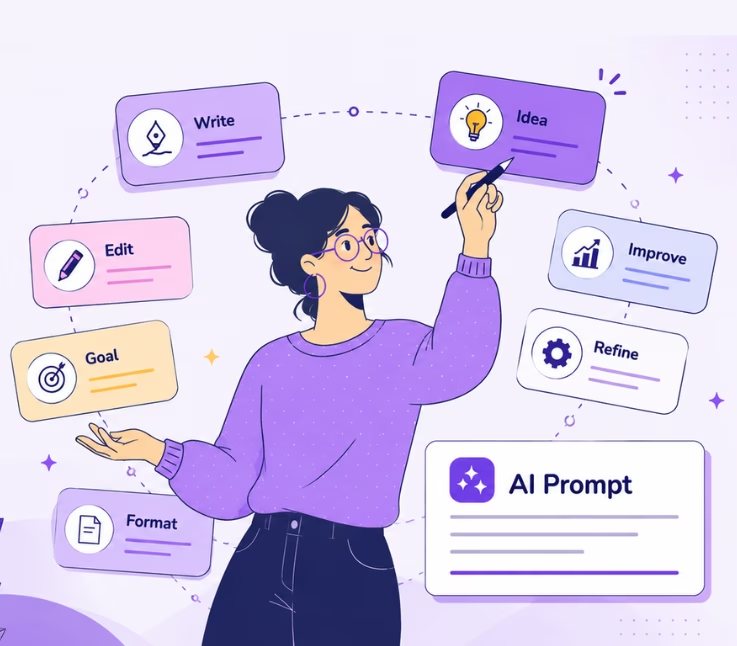
In this guide, you’ll find practical AI prompts for blog writing that help you plan, write, edit, optimize, and repurpose blog content without losing your human voice, including 50+ ready-to-use templates and practical advice for seamless WordPress publishing.
What Are AI Prompts for Blog Writing?
AI prompts for blog writing are clear, specific instructions you give to a generative AI tool, like ChatGPT or WriteRush, to help create blog ideas, outlines, drafts, SEO-optimized content, metadata, and WordPress-ready blog posts. A strong blog prompt typically states the topic, target audience, format, tone, search intent, and SEO requirements.
A good blog writing prompt can help you:
- Generate blog post ideas
- Create SEO outlines
- Write introductions
- Draft full sections
- Improve readability
- Add FAQs
- Create title tags and meta descriptions
- Repurpose old content
- Match your brand voice
The better your prompt, the better your output.
Put simply, AI prompts act as your brief to the AI writing assistant. The better your instructions, the better the result. Instead of vague commands, you guide the AI through the structure, voice, and optimization you need. This makes it possible to generate anything from brainstorming lists to polished drafts, freeing you up to focus on strategy, quality, and your own creative stamp.
Why Bloggers and Marketers Need AI Prompts Now
Increased demand for high-quality blog content and rising SEO competition mean it’s harder than ever to keep up. AI prompts help you scale, stay relevant, and avoid creative burnout.
In the past, blog creation was mostly about ideas and steady effort. Now, Google prioritizes helpful content, brands publish at breakneck speed, and audiences expect more than cookie-cutter advice. That’s where AI prompts step in: they jumpstart your process, tackle research and structuring, support consistency, and help you stay organized.
For bloggers:
- Beat writer’s block with instant inspiration
- Draft faster with section-by-section prompts
- Improve flow, clarity, and engagement
For marketers:
- Build content at scale across campaigns
- Maintain brand voice across large teams
- Optimize for SEO at every stage
For WordPress users:
- Streamline the jump from draft to publish
- Automate meta descriptions, alt text, slugs, and excerpts
- Improve formatting without tedious manual tweaking
For businesses:
- Get more done with fewer resources
- Publish content that drives real organic results
- Systemize blog writing for ongoing growth
AI prompts don’t replace your voice, they supercharge your workflow, so each post is faster, sharper, and more strategic.
The Best AI Blog Writing Prompt Formula
Use this formula:
Role + Topic + Audience + Goal + Keywords + Structure + Tone + Output Format
Example:
“Act as an expert SEO content writer. Write a detailed blog outline about [topic] for [audience]. The goal is to help readers [goal]. Use the primary keyword [keyword] naturally. Include H2 and H3 headings, FAQs, examples, and a practical conclusion. Keep the tone clear, helpful, and beginner-friendly.”
50+ AI Prompts for Blog Writing
The following AI prompts are designed to help you create better blog content faster, from idea generation to final optimization. You can use them for brainstorming topics, building SEO outlines, writing introductions, improving readability, adding FAQs, refreshing old content, and creating search-friendly blog posts that feel natural and useful for readers.
1. AI Prompts for Blog Topic Ideas
Blog topic prompts help you find fresh content ideas that match your niche, audience, and search intent. Instead of guessing what to write next, you can use AI to generate topic angles, content clusters, seasonal ideas, beginner-friendly guides, and problem-solving blog posts that your readers are likely to search for.
Prompt 1:
Act as a content strategist. Give me 20 blog post ideas about [topic] for [target audience]. Include the search intent, suggested title, and why each idea could attract organic traffic.
Prompt 2:
Generate blog topics around the keyword “[keyword].” Group them by beginner, intermediate, and advanced reader intent.
Prompt 3:
Find 10 unique blog angles about [topic] that are not generic. Focus on practical, experience-based, and problem-solving ideas.
Prompt 4:
Create a 3-month blog content calendar for [niche]. Include weekly blog topics, target keywords, search intent, and CTA ideas.
2. AI Prompts for SEO Keyword Research
SEO keyword research prompts help you discover the right words and phrases to target in your article. These prompts can generate primary keywords, secondary keywords, long-tail search terms, NLP keywords, and related questions so your content covers the topic more completely and naturally.
Prompt 5:
Act as an SEO strategist. Generate primary, secondary, long-tail, and semantic keywords for a blog post targeting “[primary keyword].”
Prompt 6:
Create a keyword cluster for “[main keyword].” Include informational, commercial, comparison, and FAQ-style keywords.
Prompt 7:
Suggest NLP and semantic terms I should naturally include in an article about “[topic].”
Prompt 8:
Create a search intent map for “[keyword].” Explain what the reader likely wants, what sections the article should include, and what mistakes to avoid.
3. AI Prompts for Blog Outlines
Blog outline prompts help you organize your article before writing. A strong outline gives your blog a clear structure, improves readability, and ensures you cover the main points readers expect. These prompts are useful for creating H1, H2, and H3 headings that support SEO and user experience.
Prompt 9:
Create a detailed SEO blog outline for “[keyword].” Include H1, H2, H3 headings, FAQs, examples, and a conclusion.
Prompt 10:
Analyze this outline and improve it for search intent, readability, topical depth, and featured snippet potential: [paste outline].
Prompt 11:
Create a beginner-friendly blog outline about [topic] that explains the concept, benefits, examples, steps, mistakes, FAQs, and next actions.
4. AI Prompts for Writing Blog Introductions
Introduction prompts help you start your blog post in a way that grabs attention and explains why the topic matters. You can use these prompts to create intros that highlight the reader’s problem, promise a helpful solution, and encourage them to keep reading.
Prompt 12:
Write 5 blog introductions for an article about “[topic].” Make each one clear, engaging, and focused on the reader’s problem.
Prompt 13:
Write a short blog intro using the PAS framework: Problem, Agitation, Solution. Topic: [topic]. Audience: [audience].
Prompt 14:
Rewrite this introduction to sound more human, helpful, and less generic: [paste intro].
5. AI Prompts for Full Blog Drafts
Full blog draft prompts help you turn a topic or outline into a complete article. These prompts are useful when you want AI to write structured sections, examples, step-by-step explanations, FAQs, and conclusions while keeping the tone clear and helpful.
Prompt 15:
Write a detailed blog post about “[topic]” for [audience]. Use the keyword “[keyword]” naturally. Include practical examples, H2/H3 headings, bullet points, FAQs, and a helpful conclusion.
Prompt 16:
Write a how-to guide about [topic]. Include steps, tools needed, common mistakes, examples, and troubleshooting tips.
Prompt 17:
Write a listicle titled “[title].” Include a short intro, numbered points, examples for each point, and a conclusion.
6. AI Prompts for SEO Blog Optimization
SEO optimization prompts help improve an existing blog post so it has a better chance of ranking. You can use them to check keyword placement, improve headings, add missing subtopics, strengthen internal linking, write better meta descriptions, and make the content more aligned with search intent.
Prompt 18:
Optimize this blog post for the keyword “[keyword].” Improve headings, keyword placement, readability, internal link opportunities, and FAQ ideas without keyword stuffing: [paste article].
Prompt 19:
Suggest missing subtopics for this blog post based on search intent and competitor content gaps: [paste article].
Prompt 20:
Create an SEO title, meta description, URL slug, and 5 alternative headlines for this blog post: [paste topic or article].
Prompt 21:
Find places in this article where I can naturally add the keyword “[keyword]” and related terms: [paste article].
7. AI Prompts for Brand Voice
Brand voice prompts help make your AI-generated content sound more like you or your business. These prompts are useful for adjusting tone, style, personality, and word choice so your blog does not sound robotic, generic, or disconnected from your brand identity.
Prompt 22:
Analyze this writing sample and describe the brand voice: [paste sample]. Then rewrite the following blog section in the same voice: [paste section].
Prompt 23:
Rewrite this paragraph to sound more conversational, confident, and human while keeping the meaning: [paste paragraph].
Prompt 24:
Make this blog section less robotic and more experience-driven: [paste section].
8. AI Prompts for Editing and Readability
Editing and readability prompts help polish your content after the first draft. They can simplify complex sentences, improve flow, remove repetition, fix grammar issues, and make your article easier for readers to understand from beginning to end.
Prompt 25:
Edit this blog post for clarity, flow, grammar, and readability. Keep the tone helpful and natural: [paste content].
Prompt 26:
Simplify this section for a beginner audience without removing important details: [paste section].
Prompt 27:
Improve the transitions between these sections so the article reads smoothly: [paste sections].
9. AI Prompts for AEO and GEO Optimization
AEO and GEO prompts help make your content easier for answer engines, AI search tools, and Google’s AI-powered results to understand. These prompts focus on direct answers, concise definitions, structured sections, FAQs, summaries, and clear explanations that can improve visibility in modern search experiences.
Prompt 28:
Optimize this article for answer engines. Add concise definitions, direct answers, comparison points, FAQs, and structured sections: [paste article].
Prompt 29:
Create short answer blocks for the main questions readers have about “[topic].”
Prompt 30:
Rewrite this section so it gives a direct answer in the first 40–60 words, then expands with examples: [paste section].
Prompt 31:
Create a summary box, key takeaways, and FAQ section for this article to improve AI search visibility: [paste article].
10. AI Prompts for FAQs
FAQ prompts help you answer common reader questions clearly and concisely. They are useful for targeting People Also Ask-style queries, improving topical coverage, supporting RankMath FAQ schema, and giving readers quick answers near the end of your article.
Prompt 32:
Generate 8 FAQ questions and concise answers for a blog post about “[topic].” Match informational search intent.
Prompt 33:
Create FAQ answers under 50 words each for these questions: [paste questions].
Prompt 34:
Write FAQs for RankMath FAQ schema based on this article: [paste article].
11. AI Prompts for Content Refreshing
Content refreshing prompts help you update older blog posts so they stay useful and relevant. You can use them to find outdated information, add new examples, improve SEO sections, include AI-related updates, expand thin content, and better match current search intent.
Prompt 35:
Audit this old blog post and suggest updates for 2026 search intent, AI relevance, examples, FAQs, and internal links: [paste article].
Prompt 36:
Find outdated sections in this article and suggest updated replacements: [paste article].
Prompt 37:
Create a content refresh checklist for this blog post targeting “[keyword].”
12. AI Prompts for Internal Linking
Internal linking prompts help you connect related pages on your website in a natural way. These prompts can suggest anchor text, link placements, and relevant pages to improve site navigation, distribute authority, and help search engines understand your content structure.
Prompt 38:
Suggest internal link opportunities for this blog post. Recommend anchor text and where to place each link: [paste article and list of URLs].
Prompt 39:
Create a natural internal linking plan for a blog about “[topic]” using these existing pages: [paste URLs].
13. AI Prompts for Meta Titles and Descriptions
Meta title and description prompts help you create search snippets that are clear, keyword-focused, and attractive to click. These prompts are useful for improving CTR by making your blog title and meta description more specific, benefit-driven, and aligned with the searcher’s intent.
Prompt 40:
Write 10 SEO titles for a blog post targeting “[keyword].” Keep them clear, clickable, and natural.
Prompt 41:
Write 5 meta descriptions under 160 characters for “[topic].” Include the keyword naturally and add a benefit.
Prompt 42:
Improve this SEO title and meta description for CTR without sounding clickbait: [paste title and description].
14. AI Prompts for Social Sharing
Social sharing prompts help you repurpose your blog content for platforms like LinkedIn, Facebook, X, newsletters, and short-form posts. They allow you to turn one blog post into multiple promotional assets, helping your content reach more people beyond Google search.
Prompt 43:
Turn this blog post into 5 LinkedIn posts, 5 X posts, and 3 Facebook captions: [paste article].
Prompt 44:
Create 10 social media hooks from this blog post: [paste article].
Prompt 45:
Repurpose this blog into a short newsletter summary with a CTA: [paste article].
15. AI Prompts for Blog Images
Blog image prompts help you plan visuals that support your written content. You can use them to create ideas for featured images, infographics, screenshots, diagrams, comparison graphics, and SEO-friendly alt text that improves both user experience and accessibility.
Prompt 46:
Suggest 5 image ideas for this blog post, including featured image, diagrams, screenshots, and infographic concepts: [paste article].
Prompt 47:
Write alt text for these blog images using clear, descriptive language: [describe images].
Prompt 48:
Create an infographic outline summarizing this blog post: [paste article].
16. AI Prompts for Competitor Content Gaps
Competitor content gap prompts help you compare your blog with top-ranking pages and find what your article is missing. These prompts can reveal weak sections, missing examples, unanswered questions, better heading ideas, and opportunities to make your content more complete than your competitors.
Prompt 49:
Act as an SEO competitor analyst. Compare my blog outline with these competitor headings. Identify missing sections, weak areas, and opportunities to make my article more helpful: [paste headings].
Prompt 50:
Find unique examples, templates, or tools I can add to make this article better than competing pages about “[keyword].”
Prompt 51:
Create a content gap table for “[keyword]” showing what competitors cover, what they miss, and what I should add.
Common Mistakes to Avoid When Using AI for Blog Writing
AI can make blog writing faster, but it can also create weak content if you use it without a strategy. Many AI-written articles sound generic because the prompts are too simple, the content is not edited, or the article does not include real experience. To get better results, avoid these common mistakes.
1. Using vague prompts
A vague prompt like “write a blog post about SEO” usually creates a basic article. Instead, include your audience, keyword, tone, goal, article type, and structure.
2. Publishing AI content without editing
AI can create a first draft, but it should not be the final version. Always review the content for accuracy, tone, grammar, flow, and originality before publishing.
3. Ignoring search intent
Ranking is harder if your content does not match what users want. Before writing, check whether the keyword needs a guide, listicle, comparison, tutorial, template, or FAQ-style article.
4. Keyword stuffing
Adding the same keyword too many times makes the content sound unnatural. Use your primary keyword naturally and include related terms, synonyms, and question-based phrases.
5. Creating generic content
AI often gives broad advice unless you ask for specific examples. Add personal insights, screenshots, case studies, expert tips, templates, or real workflows to make the article more valuable.
6. Not fact-checking information
AI may provide outdated or incorrect information. Check statistics, tool features, pricing, legal claims, technical steps, and anything that could change over time.
7. Skipping human experience
Google and readers both value useful, trustworthy content. Add your own examples, lessons, mistakes, recommendations, and first-hand experience wherever possible.
8. Forgetting internal links
Internal links help readers discover related content and help search engines understand your site structure. Add links to relevant guides, tools, service pages, and supporting blog posts.
9. Weak headings and structure
Poor headings make content harder to read and scan. Use clear H2 and H3 headings that explain what each section covers and naturally include relevant keywords when appropriate.
10. Not optimizing the final draft
After writing, optimize the article for SEO title, meta description, URL slug, image alt text, FAQ schema, internal links, readability, and mobile-friendly formatting.
How to Use AI Prompts Without Hurting SEO
Using AI prompts will not automatically hurt SEO. The real risk comes from publishing low-quality, unoriginal, or inaccurate content. AI should help you create better content, not replace your strategy, expertise, or editing process.
Start with search intent
Before using AI, understand what the reader wants. Look at the keyword and decide whether the user wants information, a tutorial, examples, a product comparison, or a ready-to-use template.
Use AI for assistance, not full automation
AI is best for brainstorming, outlines, first drafts, summaries, FAQs, and editing suggestions. The final article should still include your judgment, brand voice, examples, and expertise.
Add original value
Do not publish the same generic advice that AI gives everyone. Add unique tips, real examples, personal experience, expert opinions, screenshots, comparison tables, or original data.
Keep keyword use natural
Use your main keyword in important places like the title, introduction, headings, meta description, and conclusion, but do not force it into every paragraph. Use related phrases to keep the writing natural.
Review for accuracy
Fact-check all important claims before publishing. This is especially important for tools, statistics, AI trends, SEO advice, medical topics, legal topics, financial topics, and technical instructions.
Improve readability
Make the content easy to scan with short paragraphs, clear headings, bullet points, examples, and direct answers. Readers should quickly understand what each section is about.
Avoid duplicate or thin content
Do not create many similar AI articles targeting slightly different keywords. Each article should have a clear purpose, unique angle, and enough depth to satisfy the reader.
Follow Google’s people-first content approach
Write for readers first. The article should answer real questions, solve a problem, and provide a satisfying experience instead of existing only to rank for a keyword.
Add FAQ and structured content
FAQs, summary boxes, comparison sections, and step-by-step instructions help readers and search engines understand your content better. They also support AEO and GEO visibility.
Best Workflow for Writing a Blog Post with AI
A good AI blog writing workflow helps you create content faster without losing quality. Instead of asking AI to write the whole article at once, use it step by step for research, planning, drafting, editing, and optimization.
Step 1: Choose the target keyword
Start with one primary keyword and a few secondary keywords. Make sure the keyword has a clear search intent and fits your audience, niche, and business goal.
Step 2: Analyze search intent
Search the keyword and review what types of pages are ranking. Check whether the top results are guides, lists, templates, tools, examples, or comparison articles.
Step 3: Review competitors
Look at the top-ranking pages and note their headings, FAQs, examples, content length, and missing topics. Use this information to create a better and more complete article.
Step 4: Create an SEO outline
Use AI to build a detailed outline with H1, H2, and H3 headings. Make sure the outline covers the main topic, related subtopics, examples, FAQs, and user questions.
Step 5: Generate the first draft section by section
Do not ask AI to write the entire article in one prompt. Generate one section at a time so you can control quality, tone, depth, and accuracy.
Step 6: Add human expertise
After the draft is ready, add personal experience, real examples, case studies, screenshots, opinions, and practical tips. This makes your content more trustworthy and less generic.
Step 7: Optimize for SEO
Review keyword placement, headings, meta title, meta description, URL slug, image alt text, internal links, and FAQ schema. Keep optimization natural and reader-friendly.
Step 8: Improve AEO and GEO
Add short answer blocks, definitions, summaries, key takeaways, and FAQs. This helps your content perform better in featured snippets, AI search results, and answer engines.
Step 9: Edit for readability
Rewrite long sentences, remove repetition, improve transitions, and make paragraphs easier to scan. The final article should feel smooth, clear, and useful.
Step 10: Publish and monitor performance
After publishing, track impressions, clicks, rankings, and queries in Google Search Console. Use that data to update the article with new keywords, FAQs, and sections over time.
Using WriteRush to Streamline Your AI Blog Writing Workflow
For WordPress users, WriteRush bridges the gap between AI-driven content creation and publish-ready blog posts, no copy-paste needed, no switching tools.
Think of WriteRush as your practical shortcut. Instead of jumping between AI chatbots, SEO tools, and the WordPress dashboard, WriteRush lets you run, fine-tune, and reuse prompt templates right inside WordPress itself. Brainstorm ideas, generate outlines, expand sections, polish SEO titles, add structured metadata, and instantly prepare posts for publishing, all without leaving your editor.
What makes WriteRush especially helpful?
- Prompt chaining: Save and stack your favorite prompts (e.g., topic → outline → intro → SEO meta) for a repeatable flow.
- Direct publishing: Move from draft to formatted, SEO-ready post without cut-paste or reformatting headaches.
- Integrated SEO prompts: Generate slugs, meta descriptions, alt text, FAQs, and links at the tap of a button.
- Team-friendly: Share prompt workflows so your whole team writes and edits consistently.
By having your content and AI tools in one place, WriteRush helps you focus on what matters: creating better blogs, faster, and with less friction every step of the way.
Conclusion
By giving generative AI crystal-clear instructions, whether for ideas, outlines, or SEO tweaks, you unlock faster, more focused blog creation without losing the personal expertise and polish that set great posts apart. The right AI prompts turn blank-page paralysis into a repeatable, reliable workflow from brainstorm to WordPress publish.
Now it’s your turn: Try out these prompt templates and watch your writing process accelerate, or, if you want the smoothest ride, explore how WriteRush brings AI-powered drafting, editing, and publishing right inside WordPress. Ready to create better blogs, faster?
Your next post starts with one good prompt.
FAQs About AI Prompts for Blog Writing
What are the best AI prompts for blog writing?
The best AI prompts include the topic, audience, goal, keyword, tone, structure, and output format. Detailed prompts produce better blog outlines, drafts, intros, FAQs, and SEO suggestions.
Can I use AI to write blog posts?
Yes, you can use AI to help write blog posts. The best approach is to use AI for brainstorming, outlining, drafting, editing, and optimization, then add your own expertise and examples.
Do AI-written blog posts rank on Google?
AI-assisted blog posts can rank if they are helpful, original, accurate, and written for people. Google focuses on content quality, not whether AI was used.
How do I prompt ChatGPT to write a blog post?
Give ChatGPT a clear role, topic, audience, keyword, tone, structure, and goal. For example: “Act as an SEO writer. Write a detailed blog post about [topic] for [audience] using [keyword] naturally.”
Are AI prompts useful for SEO?
Yes. AI prompts can help with keyword research, content outlines, meta descriptions, FAQs, internal links, readability, and content refreshes.
What is the difference between AEO and SEO?
SEO focuses on ranking in search engines. AEO focuses on giving direct, clear answers for answer engines, featured snippets, voice search, and AI-generated responses.
What’s the best AI tool for blog writing?
The best tool depends on your workflow. General chatbots like ChatGPT are flexible, while purpose-built plugins like WriteRush offer integration, prompt templates, and direct WordPress publishing for a smoother, end-to-end experience.
This page was last edited on 12 May 2026, at 11:25 am