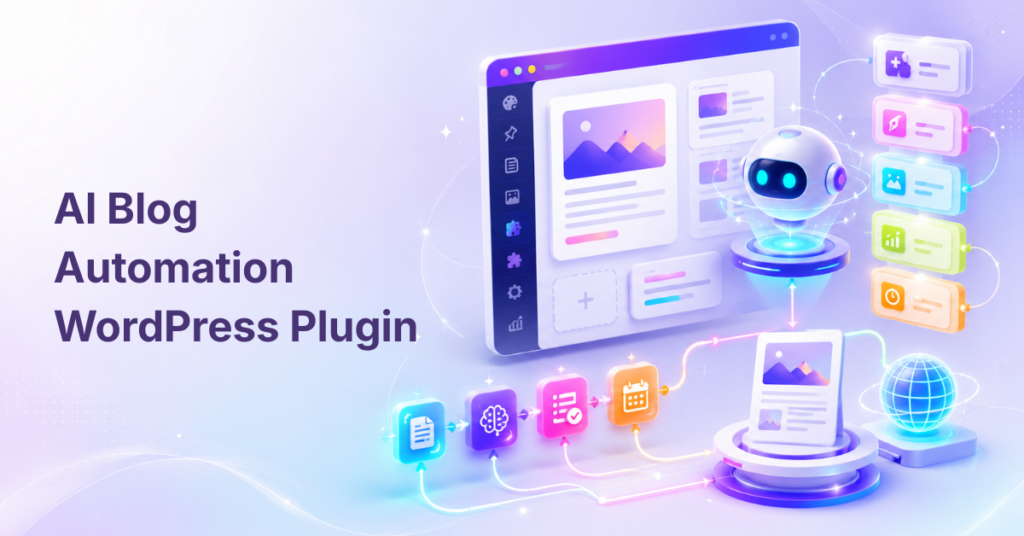
If you manage a WordPress site, whether you’re a blogger, marketer, or business owner, you’ve probably felt the grind: brainstorming ideas, writing draft after draft, tweaking SEO, then pushing “publish” just to start over again next week. Keeping up with today’s content demands can turn a creative passion or growth project into a relentless chore. Miss a few days, and your site starts slipping in search results or losing audience engagement.
Imagine if you could automate the most tedious parts without sacrificing the care and thought that make your content yours. In this guide, you’ll discover how AI content automation for WordPress can help. We’ll break down what it really means, which tools and workflows work best, and, critically, how to keep your content both fast and trustworthy. If you’ve wondered, “Is there a smarter way to keep up without losing quality?” you’re in the right place.
What Is AI Content Automation for WordPress?
AI content automation for WordPress is the use of AI-powered tools, plugins, and automated workflows to generate, optimize, schedule, and update content, such as blog drafts, SEO metadata, product descriptions, and internal links, directly within your WordPress site, typically with human oversight to ensure quality and relevance.
In plain English, it’s about using smart software (think AI writing assistants and WordPress plugins) to handle the repetitive parts of content creation and management. Instead of drafting every blog post from scratch or manually updating hundreds of SEO tags, you set up workflows that take your ideas, prompts, or data and turn them into WordPress-ready drafts, SEO-optimized metadata, or even complete product pages. Automation doesn’t replace your editorial judgment; it helps you work faster, keep up with content schedules, and focus energy on high-value tasks only humans can do.
Why AI Content Automation for WordPress Matters Now
AI content automation is changing how WordPress sites scale, compete, and stay fresh. By automating repetitive writing and publishing processes, creators and teams reduce bottlenecks, slash production costs, and unlock new ways to boost SEO visibility.
Efficiency and Scalability: Instead of being trapped in a growing queue of drafts-to-edit, AI content workflows let you move quickly from keyword idea to WordPress draft. Small teams can publish more, and agencies can support more clients, without ballooning budgets or burning out.
Stronger SEO and Visibility: Google increasingly favors relevant, frequently updated sites. Automated on-page SEO (titles, meta descriptions, internal linking) and the ability to publish new or refreshed content regularly help you build topical authority in your niche.
Better Use of Time and Talent: With the grunt work handled by AI, your focus shifts to strategy, creativity, original research, and final editorial sign-off. Teams can repurpose content into multiple formats like blogs, emails, and social posts, at a pace that previously felt out of reach.
Cost Savings: Automating repetitive tasks means doing more with less. Solo bloggers compete with bigger sites, and businesses grow organic channels without a massive editorial budget. Automation is a lever, not a shortcut to spam.
Ultimately, AI content automation isn’t just about speed; it’s about making modern content operations sustainable, scalable, and resilient as SEO and audience expectations keep rising.
How AI Content Automation Works in WordPress
AI content automation in WordPress works by connecting triggers (like new keywords, scheduled times, or form submissions) with AI writing models and workflow plugins. The output, drafts, metadata, images, or social snippets are sent directly to your WordPress site for review and publishing.
Here’s a simplified workflow:
1. Keyword & NLP Research
AI automation begins with research. Instead of guessing what topics or terms to include, automation tools scan Google trends, competitor content, and search analytics to identify:
- Primary keyword: AI content automation for WordPress
- Semantic keywords: WordPress AI tools, automated WordPress content, AI publishing
- NLP terms: search queries related to AI content workflow, content scheduling
Including these semantic and NLP terms naturally throughout your content improves Google’s understanding and increases ranking chances for related searches.
2. AI‑Generated Drafts
Modern AI tools can generate full draft articles in minutes using the following:
- Topic prompts
- Keyword guidance
- Competitor analysis
Instead of writing 2,000+ words manually, you can input your topic into tools like Postiver or WPGPT and receive the following:
- Structured content with headers
- Readable paragraphs
- Relevant keywords included
This saves hours of work and eliminates writer’s block.
3. On‑Page SEO Optimization
Once a draft is in place, the next step is SEO optimization:
- Title Tag: Includes primary keyword
- Meta Description: Enticing and keyword‑focused
- Headings: Use H1, H2, H3 with semantic variation
- Internal Links: Link to other relevant posts
- External Links: Support claims with authoritative sources
- Schema & FAQ Markup: For rich search appearances
These updates help Google understand your content better and improve indexing and ranking.
4. Automated Publishing & Scheduling
Once optimized, the final step is publishing. Instead of manually scheduling every post:
- AI tools can publish articles at scheduled times
- Featured images and metadata are automatically added
- This maintains a consistent publishing frequency, which search engines favor
Practical Guide to Implementing AI Content Automation in WordPress
Successful AI content automation comes from setting clear goals, choosing the right tools, and building workflows tailored to your process, not blindly automating everything. Here’s how to thoughtfully bring automation into your WordPress site.
Defining Your Automation Goals
Start by asking yourself, where are you losing the most time or momentum? Common bottlenecks include:
- Drafting first versions of posts or pages
- Rewriting and updating old content
- Generating SEO metadata for each post
- Creating product or service descriptions at scale
- Repurposing blogs into social posts or newsletters
Decide which WordPress content types, like blog posts, WooCommerce products, landing pages, FAQs, or support articles, you want to automate. Clear goals make it easier to choose tools and measure success.
Choosing the Right AI Workflow
There are several ways to build your AI-powered content workflow:
- WordPress-native plugins: Offer direct, in-dashboard automation for users who want to avoid complex setup. These are ideal for bloggers, small teams, and non-technical site owners.
- External workflow platforms (like n8n or Zapier): Connect WordPress to AI models, Google Sheets, or other apps. Best for complex multi-app automation or agencies managing diverse workflows.
- AI writing tools with WordPress integration (such as WriteRush): Let you generate SEO-optimized content, guided by your prompts and brand voice, then upload drafts directly to WordPress.
Choosing the right approach depends on your technical comfort, the complexity of your workflow, and how much you want to customize automation steps.
Step-by-Step Example: Automated Blog Draft Workflow
Let’s break down a simple, reliable AI content workflow, blending speed with review:
- You enter a keyword or topic (maybe in a Google Sheet or a form).
- An AI writing tool like WriteRush generates a content brief and draft based on that keyword.
- The workflow (plugin or automation platform) pushes the draft into WordPress as a “draft” post.
- Your SEO plugin automatically adds meta titles and descriptions and suggests internal links.
- A human editor (that’s you or a team member) reviews, edits, and schedules the post.
- Optionally, the workflow can trigger AI to generate and attach a featured image and create social media snippets.
What makes this workflow safe and effective? Every AI-generated post lands in draft mode—and human review is built in at every step.
Best Practices
- Start with drafts, not live posts. Always set publishing workflows to create drafts for human review. This catches factual errors, misaligned tone, or hallucinations.
- Human-in-the-loop review. Assign editorial review roles for every AI-generated post. Review for readability, SEO intent, E-E-A-T, and originality.
- Set prompt and brand guidelines. Use prompt templates that enforce your brand voice and desired content structure. Consistent inputs yield consistent outputs.
- Monitor and tweak. Analyze what works and where quality slips, tune prompts, workflow steps, or plugin settings as you go.
Automation is powerful, but purposeful editorial judgment is what drives trust, traffic, and lasting value.
Exploring AI Content Automation Tools for WordPress
The right tool can transform your workflow from piecemeal to powerfully streamlined. WordPress offers several categories of AI content automation tools, each serving unique needs.
Tool Categories
- AI Writing Plugins: Bring AI-powered writing features directly into your WordPress editor. Great for generating or improving drafts without leaving the dashboard.
- Workflow Automation Plugins: Let you set up “triggers” and automated tasks, everything from drafting a post when a new form is submitted to creating content on a schedule.
- AI SEO Plugins: Use AI to generate titles, meta descriptions, schema markup, and suggest internal links, all critical for SEO content automation.
- External Workflow Platforms (like n8n or Zapier): Build more complex automations that connect WordPress to external AI models, Google Sheets, or email tools.
- AI Writing Platforms with WordPress Integration: Tools such as WriteRush generate structured, SEO-focused content and allow seamless draft transfer to your WordPress site.
Spotlight on WriteRush
WriteRush streamlines the path from idea to draft by turning your keywords into SEO-ready articles directly within WordPress. Need a targeted blog draft? Enter your topic, and WriteRush builds out a structured outline and first draft that you can review, edit, and schedule, all from your dashboard.
For solo bloggers, small teams, or agencies, this removes friction: no more copy-pasting, no learning new APIs, and no worrying if your drafts are “good enough” out of the gate. WriteRush’s guided creation keeps you in control, so AI is a helpful assistant, not a risky autopilot.
Common Pitfalls and How to Avoid Them
- Blind Auto-Publishing: Never let AI publish directly to your live site. Draft mode gives you crucial breathing room for review and editing.
- Skipping SEO Review: AI might generate passable titles or tags, but only human review ensures your posts actually match search intent, E-E-A-T, and helpful content guidelines.
- Over-Automation: Automate the boring stuff, never the final expert insight. Blogs and product pages still deserve original commentary and unique examples that AI can’t fake.
- Weak Prompting: Vague or generic prompts lead to irrelevant, shallow output. Invest time in building prompt templates that embed your brand tone, structure, and requirements.
- Security Oversights: Lock down API keys, carefully manage user permissions, and check what data passes through any plugin or external AI tool.
Automation should elevate your voice and workflow, not undermine your reputation or your site’s security.
Conclusion
Scaling content in WordPress no longer has to mean grueling late nights or sacrificing quality for quantity. With AI content automation, you can transform your workflows, reduce repetitive drudgery, and sharpen your competitive edge without giving up editorial control. The real secret is finding the right balance: automate what’s truly tedious, but keep your expertise and approval as the final step.
Tools like WriteRush make it easy to generate SEO-ready drafts and send them straight to WordPress, so your creative focus stays where it belongs, on value, not busywork. Ready to see what a human-in-the-loop AI workflow can do for your blog or business? Give WriteRush a try and discover how efficient and enjoyable content creation can be.
FAQs About AI Content Automation for WordPress
What is AI content automation for WordPress?
AI content automation for WordPress refers to using AI-powered tools and workflows to create, optimize, and manage WordPress content faster. Typical tasks include generating drafts, SEO metadata, internal links, and product descriptions, with human oversight to maintain quality.
Can AI automatically publish blog posts in WordPress?
Yes, AI can be set up to publish posts automatically, but the best practice is to create drafts for human review before anything goes live. This allows you to fact-check, personalize, and optimize for SEO and quality.
Is AI-generated content bad for SEO?
AI-generated content is not inherently bad for SEO as long as it’s original, high-quality, and matches user search intent. However, mass-publishing low-quality or generic AI content can hurt rankings. Always review and edit AI drafts for compliance with Google’s helpful content guidelines.
What WordPress tasks can AI automate?
AI can automate drafting blog posts or landing pages, generating meta titles and descriptions, creating product descriptions, publishing support articles, suggesting internal links, and refreshing old content, especially repetitive or high-volume tasks.
What is the best AI content automation tool for WordPress?
The best tool depends on your workflow. WordPress-native plugins work well for direct, simple automation; external tools like Zapier or n8n offer flexible multi-app workflows; and AI writing tools with WordPress integration, such as WriteRush, are ideal for guided draft creation and SEO optimization.
Do I need coding skills to automate WordPress content with AI?
No, many modern WordPress AI plugins and automation tools are designed for non-coders. External automation platforms offer drag-and-drop builders, while tools like WriteRush work right inside your WordPress editor.
Should I use a WordPress plugin or an external automation tool?
For straightforward automation inside WordPress, plugins are easier and require less setup. If your workflow needs to connect multiple apps (like Google Sheets, email, or third-party APIs), an external tool like n8n or Zapier is more flexible.
Can AI generate WooCommerce product descriptions?
Absolutely. AI tools can create unique, SEO-optimized descriptions for WooCommerce products in bulk, saving time and improving consistency. Human review is still key to ensure accuracy and brand fit.
How do I keep AI-generated content high-quality?
Use prompt templates that include brand voice and specific instructions. Always review AI drafts for readability, originality, and factual accuracy before publishing. Regularly update your workflows and prompts based on results.
Should I allow AI to publish without human review?
No, direct auto-publishing risks publishing errors, off-brand content, or inaccurate information. The safest workflow keeps humans “in the loop” as the final filter for quality and credibility.
This page was last edited on 19 May 2026, at 12:56 pm