Quick Answer
An auto blog WordPress plugin is a tool that automatically generates or imports content into your WordPress blog using sources like RSS feeds or AI writing engines. This enables faster, scalable content creation and reduces the manual effort required for consistent publishing.
If you’ve ever stared at a blank post editor, watching your publishing schedule slip as ideas dry up, you’re not alone. Consistently filling a WordPress blog with new, relevant, and SEO-friendly posts can drain even the most resourceful creators and small teams. Things get trickier if you’re managing multiple sites, chasing search trends, or dipping into affiliate niches where content velocity really matters.
But what if you could automate parts of this grind—sourcing, generating, and publishing content automatically while still keeping quality under control? In this guide, you’ll learn how an auto blog WordPress plugin can take the heaviest content-lifting off your plate. We’ll cover what these plugins do, how they work, practical setup tips, the risks to watch for, and how AI-powered tools like WriteRush make scaling your blog both easier and smarter.
What Is an Auto Blog WordPress Plugin?
An auto blog WordPress plugin is a software add-on that automates acquiring, creating, and publishing content to your WordPress site. These tools can fetch articles from RSS feeds, generate original posts using AI, or blend multiple content sources for ongoing publication.
In essence, the plugin acts as a bridge between external content sources—like news sites, APIs, or AI writing engines—and your blog. With a few configuration steps, your WordPress site becomes a content hub that stays fresh without daily intervention. Sophisticated plugins let you filter content by keywords, categories, or topics, and even schedule posts to match your ideal publishing rhythm. The result is more consistent organic traffic, easier site management, and time saved for strategy or engagement.
Why Automated Blogging Matters for WordPress Users
Automated blogging is quickly becoming essential for creators who want to publish more, work less, and stay ahead in competitive niches. The demand for fresh, high-quality content never stops, whether you run a personal blog or a content-driven business site.
- Efficiency for All: Auto blog plugins are a lifesaver for solo bloggers, agencies, and affiliate site builders juggling multiple sites. Automation breaks the bottleneck of manual research, drafting, and publishing.
- SEO Advantages: Frequent, topical posts help build content clusters and boost your authority. Scheduled automation ensures your site looks active to search engines, improving chances for higher rankings.
- Content Gaps Solved: When writer’s block strikes or your team is stretched, autoblogging fills those empty slots to keep your audience engaged and your traffic rising.
- Strategic Focus: With repetitive publishing handled, you can spend more time on content promotion, audience interaction, or exploring new monetization angles.
For most WordPress users, the real value is regaining time for higher-impact work—without sacrificing consistency.
How to Set Up and Optimize an Auto Blog WordPress Plugin
Setting up an auto blog plugin on WordPress is straightforward, but making it work reliably—and safely—requires some know-how.
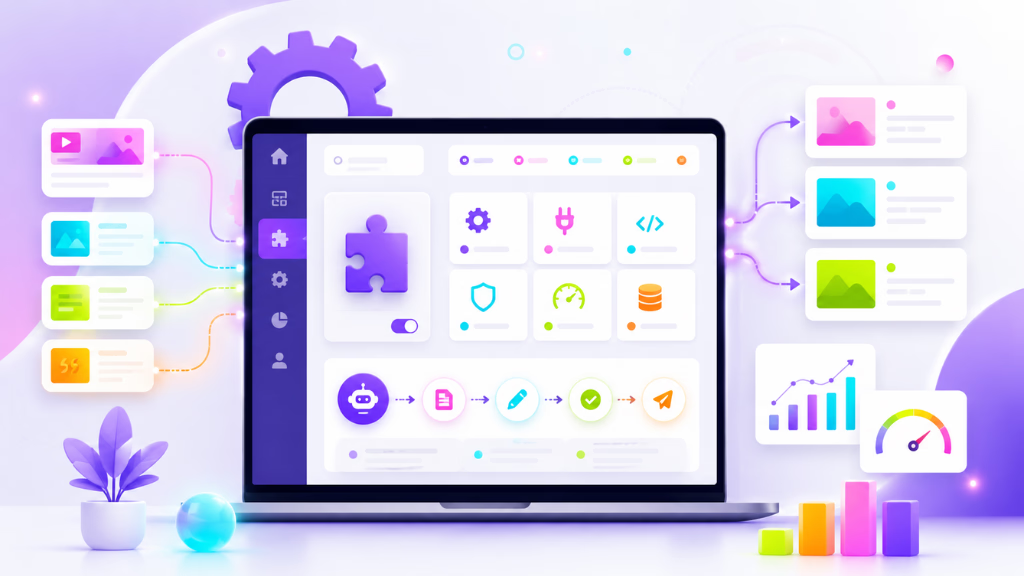
Here’s how seasoned WordPress users typically approach the process:
Plugin Selection:
- AI writing integration (e.g., GPT, ChatGPT, custom prompt support)
- RSS aggregation and parsing
- Internal linking options
- Support for WordPress multisite
- Compatibility with SEO plugins (like Yoast, RankMath)
Installation Steps:
- Download your chosen plugin from the official WordPress repository or vendor site.
- In your WordPress dashboard, go to Plugins > Add New, upload or search for the plugin, then click Install and Activate.
Linking Content Sources:
- For RSS feeds: Paste feed URLs, select categories, and set filters.
- For AI-generated content: Configure prompts, topics, or keywords for the plugin to target. Some plugins (like WriteRush) let you define the style, tone, and length for every post.
Quality Controls:
- Avoid thin or duplicate content by enabling built-in filters or human review queues.
- Customize prompts and source selection to fit your audience and niche.
- Set up moderation or post-approval workflows if quality is paramount.
Scheduling & Automation:
- Set posting frequency (daily, weekly, or custom intervals) to keep your blog active.
- Use scheduled publishing to optimize for peak traffic times.
Integration Workflow:
- Combine your plugin with SEO tools (Yoast, AIOSEO, RankMath) for instant on-page optimization.
- Use contact form plugins or user submission tools for blending user-generated content with automated posts.
A bit of setup up front ensures automation works smoothly, minimizes SEO risks, and supports real blog growth.
AI-Enhanced Automation: How WriteRush Streamlines Auto Blogging
AI has taken auto blogging from copy-pasting to idea generation and smart writing. Modern plugins can do much more than just import RSS feeds—they create fresh, relevant content at the push of a button.
WriteRush is a clear example. With it, you can:
- Use custom prompts to tailor every post to your topic and audience.
- Generate bulk blog posts, then automatically schedule them to publish at ideal times.
- Apply built-in filters for quality and tone, helping you avoid “robotic” or off-brand writing.
- Integrate seamlessly with WordPress and major SEO plugins, so published posts are optimization-ready from day one.
Case in Point:
A niche affiliate blogger recently doubled monthly traffic by mixing AI-generated articles (via WriteRush) with curated content. Scheduled posts kept the site fresh, while human-edited articles maintained quality. This hybrid approach scaled output without sacrificing topic depth or trust.
By combining AI and curation workflows, WriteRush helps both beginners and seasoned publishers unlock the real potential of automated blogging—without the usual risks.
Common Pitfalls and How to Avoid Them
- Duplicate or Thin Content: Too much automation from the same sources, or generic prompts, can create SEO headaches. Review and customize your input sources.
- No Human Oversight: Pure automation can let mistakes or poor quality slip through. Plan for periodic manual review or editing, especially for key content.
- Poor Organization: Failing to map categories, tags, or taxonomies results in messy, hard-to-navigate blogs. Set up proper categorization from day one.
- Missing Integrations: Skipping SEO setup or analytics integration means you won’t know if your automated efforts actually work. Connect your tools to measure performance.
- Ignoring Updates: RSS feeds go stale and AI topics shift. Regularly update your feeds, keywords, and prompts for current relevance.
By keeping these risks in mind and configuring accordingly, you avoid costly mistakes and stay on the right side of search guidelines.
Conclusion
Automating your blog content with a WordPress plugin doesn’t just save time—it changes how you approach growth. When set up thoughtfully, automation keeps your site fresh, boosts organic reach, and lets you focus on strategy or community.
If you’re ready to scale up without scaling your workload, explore tools like WriteRush for a smooth blend of AI-driven creation, flexible scheduling, and SEO-friendly results. Empower your publishing workflow and turn your content challenges into opportunities.
Frequently Asked Questions
What is an auto blog plugin for WordPress?
It’s a plugin that automates importing, generating, and publishing blog content in WordPress, using sources like RSS feeds, APIs, or AI writing engines.
How do WordPress auto blog plugins work?
They pull content from configured sources or generate posts using AI, then publish or schedule them directly on your site, often with options for filtering, categorization, and editing.
Are auto blog plugins safe for SEO?
They can be, if you avoid duplicate content, use unique or well-edited posts, and integrate with SEO plugins. Poor configuration or unchecked automation can risk penalties.
Can I use a plugin to publish affiliate products automatically?
Yes. Many auto blog plugins let you import affiliate feeds, listings, or deals and publish them as posts—just be careful to comply with affiliate program rules and add value.
What are the differences between AI-based and RSS-powered autoblogging?
AI-based plugins generate unique content from scratch using prompts. RSS-based plugins aggregate existing articles from other sites. AI solutions offer more originality; RSS is best for curation.
How do I ensure my blog’s content remains high quality?
Set up quality filters, review automated posts before publishing, and periodically edit or update content. Plugins like WriteRush provide advanced controls for tone, structure, and review.
Is there a risk of Google penalizing automated blogs?
There’s risk if the content is thin, duplicative, or spammy. High-quality, relevant, and well-edited posts—preferably with added value—minimize the risk.
Can these plugins be used for multiple sites?
Yes. Most reputable plugins (including WriteRush) support multisite or can be installed on multiple WordPress sites from a single license or interface.
How does WriteRush help control content style and sources?
WriteRush allows prompt customization, tone adjustment, and workflow controls, letting you decide the topics, style, and even content length for each post.
Are there free auto blog plugins available?
Yes, some plugins offer free plans with limited sources or features. Premium plugins typically provide AI integration, better filtering, and multisite support.
This page was last edited on 19 June 2026, at 5:17 pm