Staring at a blank WordPress editor, struggling to keep up with publishing deadlines, and wishing there was a faster, smarter way? You’re not alone. Bloggers, agencies, and business owners crave more consistent content, but life (and work) often gets in the way. While AI tools promise to kickstart blogging, many fear unleashing a flood of generic or risky content that might damage hard-earned credibility and tank SEO.
The goal isn’t to churn out unchecked AI posts or rely on autopilot. This guide unpacks how to use an AI blog automation WordPress plugin to boost your workflow, speeding up drafts, optimizing for SEO, and supporting scheduling. But the secret sauce? Keeping humans (like you) in control so quality never takes a back seat. Here’s how to blend smart AI automation with editorial review and build a content engine you trust.
What Is an AI Blog Automation WordPress Plugin?
An AI blog automation WordPress plugin is a tool that uses artificial intelligence to help generate, optimize, schedule, and publish blog content directly inside WordPress. These plugins can create outlines, article drafts, SEO titles, meta descriptions, tags, categories, featured image prompts, and internal link suggestions, streamlining repetitive tasks while leaving final review and publication in human hands.
In practice, this means you can turn a topic or keyword into a well-structured draft, polish SEO metadata, and schedule posts, all from your WordPress dashboard. Modern plugins connect AI writing, editing, formatting, and publishing seamlessly. Unlike old-school autoblogging (think RSS scraping or spun content), these tools prioritize unique drafts, search intent, and editorial review, reducing manual work, not editorial standards.
Why WordPress Site Owners Want AI Blog Automation Without the SEO Risk
Most WordPress publishers want to post more often, but between brainstorming, writing, editing, and optimizing, content calendars quickly fall behind. AI plugins offer to automate the hard parts: drafts, outlines, SEO titles, internal links, and scheduling. But if left unchecked, full autopilot can fill your site with bland, error-prone content that undermines both audience trust and Google rankings.
The best approach? Use AI to handle the rote, time-consuming steps, like outlining, metadata, and first drafts, then bring in human review for expertise, accuracy, and final approval. This balance allows you to scale output, maintain quality, and avoid becoming “just another autoblog.” Throughout this guide, you’ll learn which plugin features matter, where AI shines, and how workflows like those supported by WriteRush keep the right mix of automation and editorial control.
How AI Blog Automation Works in WordPress
AI blog automation in WordPress combines smart inputs, structured drafting, SEO support, and flexible publishing, all geared to lighten your load (not lower your standards).
The process typically unfolds like this:
- Topic and Keyword Input:
AI needs good inputs. Start with your audience, target keyword, search intent, or a brief. Specify brand voice and content goals; better prompts mean more relevant results. - Outline and Brief Generation:
The plugin transforms your topic into a logical structure, adding H2s, FAQs, and suggested internal links. This “skeleton” provides a clear roadmap and helps align with search intent. - First Draft Creation:
AI generates the initial long-form content, filling in your structure. Treat this as a rough draft, not a finished post. Editors should enrich the content with examples, data, screenshots, and personal insight. - SEO Metadata Generation:
The tool can suggest SEO titles, meta descriptions, slugs, and FAQ sections. Many plugins integrate with SEO staples like Yoast SEO or Rank Math for seamless field mapping. - Image and Media Support:
Some workflows use AI image tools (like DALL-E or Stable Diffusion) for featured image prompts or alt text. Always review for relevance, accuracy, and licensing. - Internal Linking and Formatting:
AI may recommend related posts or pages for internal links, supporting navigation and SEO. Human review ensures all links add value and context. - Draft, Schedule, or Auto-Publish:
The plugin saves posts as drafts, queues them for scheduled publishing, or (optionally and riskily) auto-publishes directly. Draft-first is usually safest for SEO and quality.
Best AI Blog Automation WordPress Plugins
Choosing the right AI blog automation WordPress plugin depends on what you want to automate. Some tools focus only on writing. Others help with SEO, keyword research, images, outlines, social posts, or full content workflows. The best option is the one that reduces manual work while still giving you control over quality, tone, and publishing decisions.
Below are the top AI blog automation plugins and tools for WordPress, starting with the best overall choice.
1. WriteRush: Best Overall AI Blog Automation WordPress Plugin
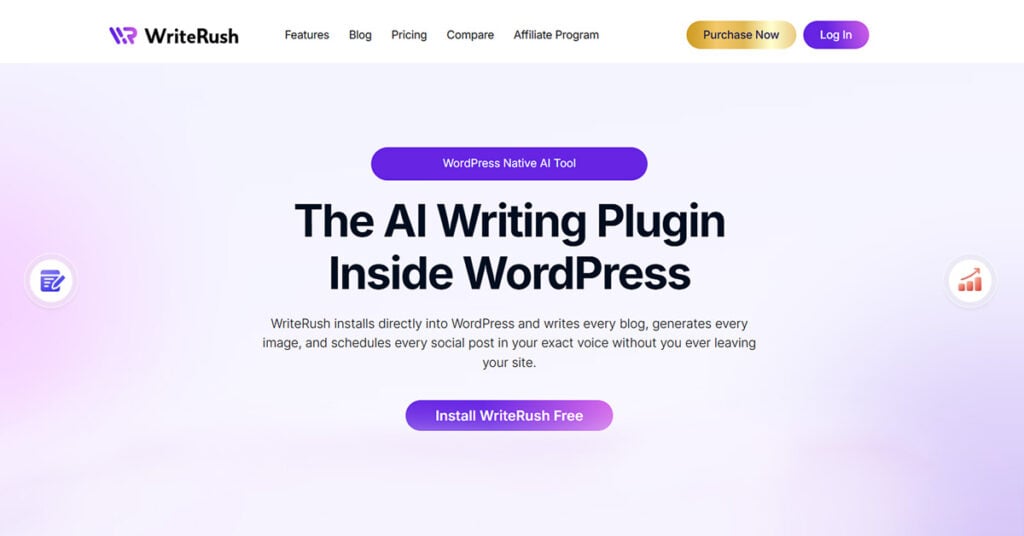
WriteRush is the best AI blog automation WordPress plugin for creators, marketers, agencies, bloggers, and business owners who want to create content faster without leaving the WordPress dashboard.
Unlike generic AI writing tools, WriteRush is built specifically for WordPress content workflows. It helps you move from idea to content planning, SEO structure, blog drafting, image generation, and promotion support in one place. This makes it especially useful for teams that want to reduce tool-switching and manage content creation more efficiently.
With WriteRush, you can generate blog ideas, SEO-friendly titles, outlines, drafts, featured content, social media captions, and brand-focused copy. Its guided workflow makes the process easier for beginners while still giving experienced content teams enough control to refine and improve the output.
Key Features of WriteRush
WriteRush helps with:
- AI blog post generation
- SEO titles and content outlines
- Keyword research support
- Brand voice consistency
- Image generation
- Social media content creation
- WordPress-based content workflow
- Faster content planning and drafting
Why WriteRush Stands Out
The biggest advantage of WriteRush is that it is designed around the real WordPress publishing process. Instead of generating content in a separate AI tool and then copying it into WordPress, you can work directly inside your website environment.
This saves time, keeps your workflow organized, and makes it easier to create content that matches your site’s voice and goals. For bloggers, agencies, and marketers publishing regularly, WriteRush is a strong choice because it supports more than just writing; it helps with the entire content creation journey.
Best For
WriteRush is best for:
- WordPress bloggers
- SEO content teams
- Digital marketing agencies
- Affiliate site owners
- Small businesses
- Freelancers
- Content marketers
- Website owners publishing blogs regularly
Possible Limitation
Like any AI content tool, WriteRush should not replace human editing. You should still review facts, improve examples, add personal insights, and make sure each post matches your brand and audience.
2. GetGenie: Best for SEO-Focused Blog Writing
GetGenie is another popular AI writing plugin for WordPress. It is especially useful for users who want help with SEO blog writing, keyword research, content scoring, and optimization.
Its Blog Wizard helps users create structured blog posts by generating titles, introductions, outlines, and content sections. It also offers SEO analysis features, making it a good option for people who want AI writing and optimization in one place.
Best For
GetGenie is best for bloggers, affiliate marketers, and SEO writers who want a WordPress AI assistant with built-in optimization features.
Main Strength
Its SEO-focused workflow makes it helpful for creating search-friendly blog drafts.
Possible Limitation
It may still require manual editing and content improvement to make articles more original, useful, and brand-specific.
3. AI Engine: Best for Flexible AI Features
AI Engine is a flexible WordPress AI plugin that can be used for different AI-powered tasks, including content generation, chatbot creation, and AI integrations.
It is a good option for users who want more customization and technical control. Developers and advanced WordPress users may like it because it offers several AI features beyond basic blog writing.
Best For
AI Engine is best for advanced users, developers, and site owners who want a more flexible AI setup inside WordPress.
Main Strength
It offers multiple AI use cases, not just blog writing.
Possible Limitation
Beginners may find it less guided compared to dedicated blog automation tools like WriteRush.
4. AI Puffer: Best for All-in-One AI Tools
AI Puffer, formerly known as AI Power, offers a wide range of AI tools for WordPress. It supports content generation, chatbot features, image creation, SEO assistance, automation, and training AI on site data.
This makes it a broad AI plugin for users who want several AI features in one dashboard.
Best For
AI Puffer is best for WordPress users who want writing, chatbot, SEO, and image tools together.
Main Strength
It provides many AI features in one plugin.
Possible Limitation
Because it covers many use cases, the blog automation experience may feel less focused than a tool built mainly for content workflows.
5. Jetpack AI Assistant: Best for Simple AI Writing in WordPress
Jetpack AI Assistant is useful for WordPress users who already use Jetpack and want a simple AI writing assistant inside the editor.
It can help generate content, improve writing, adjust tone, and speed up basic content creation tasks. It is a convenient option for users who want AI support without installing a complex content marketing plugin.
Best For
Jetpack AI Assistant is best for bloggers and small website owners who want simple AI writing help inside WordPress.
Main Strength
It is easy to use and fits naturally into the WordPress editing experience.
Possible Limitation
It may not offer the same depth of SEO, brand voice, workflow, and automation features as a dedicated AI blog automation plugin.
6. Uncanny Automator: Best for Workflow Automation
Uncanny Automator is not only an AI writing plugin. It is more of a WordPress automation tool that connects plugins, apps, and actions together.
With AI integrations, it can help automate tasks like generating summaries, social media posts, SEO descriptions, translations, email content, and more based on WordPress activity.
Best For
Uncanny Automator is best for users who want to automate content-related tasks across different plugins and tools.
Main Strength
It is powerful for creating automation recipes inside WordPress.
Possible Limitation
It is not mainly designed as a full blog writing workflow tool, so users may need to combine it with other plugins for complete blog creation.
7. AI Content Wizard: Best for Basic SEO Article Generation
AI Content Wizard is another option for users who want to generate SEO-friendly articles inside WordPress. It can help with titles, meta descriptions, keywords, structured paragraphs, and content blocks.
It is useful for users who need a straightforward AI content generation tool without a complex setup.
Best For
AI Content Wizard is best for small website owners and bloggers who want simple AI-assisted article creation.
Main Strength
It focuses on creating structured, SEO-ready content drafts.
Possible Limitation
It may not provide the same level of complete workflow support, brand voice control, or promotion features as more advanced tools.
Quick Comparison Table
| Plugin | Best For | Main Strength | Limitation |
|---|---|---|---|
| WriteRush | Full AI blog automation in WordPress | Guided workflow, SEO, brand voice, images, social content | Needs human editing for final quality |
| GetGenie | SEO blog writing | Blog Wizard and SEO optimization | Requires manual polishing |
| AI Engine | Flexible AI features | Custom AI tools and integrations | Less beginner-focused |
| AI Puffer | All-in-one AI toolkit | Content, chatbot, SEO, image, automation tools | Broad rather than blog-specific |
| Jetpack AI Assistant | Simple AI writing | Easy editor-based assistance | Limited advanced workflow features |
| Uncanny Automator | Workflow automation | Connects AI with WordPress actions | Not a dedicated blog writer |
| AI Content Wizard | Basic SEO article generation | Structured content creation | Less advanced automation |
Is AI Blog Automation Safe for SEO?
Automated AI blog content is only as safe as its quality. Google does not automatically ban AI-assisted articles, as long as they are helpful, original, accurate, and written for users, not just algorithms.
Why do low-quality AI blogs get penalized?
- Thin or repetitive content
- Fluffed-up posts that ignore actual search intent
- Hallucinated data or fake citations
- Over-optimized with keywords
- Zero firsthand experience or expertise
- Mass-publishing dozens or hundreds of weak articles at once
To avoid these risks, focus on making each AI-assisted post helpful and unique.
Tips for High-Quality AI Blog Posts
- Add personal experience, expert quotes, product examples, or local context
- Use screenshots, charts, and real data whenever possible
- Provide clear answers aligned with search intent
- Cite real, verifiable sources (double-check all citations)
- Format posts for scannability and snippet readiness
- Internal link to related, authoritative pages
- Regularly refresh outdated or underperforming content
AI Content Quality Checklist
- The main query is answered within the intro paragraphs.
- The draft was reviewed and edited by a human.
- All claims and statistics are verified.
- Every citation is real and relevant.
- The post includes original examples and insights.
- The structure matches what searchers want.
- Titles and meta descriptions are unique.
- Internal links are added and checked.
- No content is directly copied.
- The tone sounds like your brand, not a generic AI.
Key Features to Look for in an AI Blog Automation WordPress Plugin
Not all plugins are created equal. Look for features that support both productivity and quality control.
- Long-Form Draft Generation: The tool should create full articles (intros, body, FAQs, and conclusions) with a clear structure, not just snippets.
- Keyword & Search Intent Support: Allow for input of target keywords, audience, brand voice, and intent for better relevance.
- SEO Metadata Generation: Capability to draft search-ready titles, meta descriptions, and slugs; compatibility with Yoast SEO, Rank Math, and AIOSEO is a plus.
- Draft Mode & Approval Workflow: Save everything as a draft first. Approval steps are essential for brand safety.
- Scheduled Publishing: Automate your content calendar and schedule posts after human review to stay consistent.
- Internal Linking Suggestions: Tools that recommend relevant posts to link to bolster SEO and help users navigate.
- Featured Image Prompts or Generation: Create image prompts, captions, and alt text. Always review licensing and branded fit.
- WooCommerce & Product Content Support: Generate buying guides, product comparisons, or educational posts for e-commerce (while fact-checking accuracy).
- API Model Flexibility & Cost Controls: Support for OpenAI, GPT-4, Claude, Gemini, or other models; options for custom API keys or bundled credits.
- Privacy & Security: Transparent data handling, secure API key storage, user roles, GDPR compliance, and control over content/data sent externally.
A WordPress AI plugin like WriteRush checks many of these boxes, enabling you to automate drafts, outlines, and SEO content without handing over full control or risking quality.
How to Set Up AI Blog Automation in WordPress
Here’s a sample workflow for setting up safe, effective AI blog automation:
- Choose a Plugin: Select an AI writing or automation plugin with strong draft-first support. An option like WriteRush enables AI-powered drafting inside WordPress.
- Connect Your AI Model or Account: Enter API keys for OpenAI, Claude, Gemini, or use bundled credits according to your plugin’s setup process.
- Add Topic, Keyword, Audience, and Tone: Specify your target topic, keyword, desired audience, and the voice you want reflected.
- Generate an Outline: Start with an AI-generated outline. Edit to ensure it aligns with your goals and search intent.
- Generate the Blog Draft: Let the plugin create an initial draft inside your dashboard. Don’t publish yet.
- Create SEO Title, Meta Description, and Slug: Refine AI suggestions for search-friendliness and uniqueness. Ensure compliance with your SEO plugin.
- Add Images and Internal Links: Use AI to suggest images or alt text. Manually confirm all links connect to relevant posts and resources.
- Review, Fact-Check, and Edit: Always read through the draft, improve with first-hand experience, verify all facts and sources, and personalize the post.
- Schedule or Publish: Once the post passes your checklist, schedule it for publishing. Opt for quality consistency over high volume.
Over time, use analytics or Google Search Console to monitor post performance, then loop back, using AI to update, rewrite, or refresh as needed.
Common Mistakes to Avoid
Even the best technology can create problems if used carelessly. Watch out for these AI automation pitfalls:
- Publishing Drafts Without Review: Unchecked content risks errors, hallucinations, or generic fluff.
- Chasing Volume Over Value: Publishing dozens of low-quality posts may violate Google’s guidelines and overwhelm your audience.
- Ignoring Search Intent: AI drafts may miss the mark if you haven’t defined the reader’s true needs.
- Using Fake or Unverified Citations: Never trust auto-generated citations without double-checking their validity.
- Forgetting Internal Links: AI often misses key cross-links that build topical authority and improve navigation.
- Letting Posts Sound the Same: Personalize posts with your brand’s voice, unique examples, and real data.
- Sending Sensitive Data to AI Tools: Avoid sharing proprietary or confidential information in AI inputs without reviewing privacy policies.
- Treating AI as a Complete SEO Strategy: AI can streamline content, but you still need strategy, technical SEO, links, and user experience.
Stay vigilant; AI is a powerful assistant, not a decision-maker.
Where WriteRush Fits Into an AI Blogging Workflow
WriteRush is designed for WordPress users who want to harness AI for drafting, outlining, SEO optimization, and rewrites while keeping final edits and publishing in their hands.
- Generate Drafts Inside WordPress: No more tab-switching between ChatGPT, Google Docs, and your dashboard.
- Speed Up Repetitive Content Tasks: Automate outlining, rewriting, and SEO meta without losing your personal touch.
- Keep Human Review Before Publishing: Every draft enters WordPress as a draft, giving you the chance to improve, fact-check, and approve.
- Support Bloggers, Marketers, and Business Owners: If your goal is to publish smarter, not just more, WriteRush fits right in, helping you balance efficiency with quality.
Conclusion
WordPress AI blog automation doesn’t have to be risky or impersonal. Smart plugins offer a way to draft faster, optimize more intentionally, and publish on schedule, without sacrificing the editorial judgment that keeps both Google and your audience happy. The safest path is draft-first automation, where AI amplifies your process but never replaces your unique perspective.
If you’re looking to speed up blog creation while keeping quality at the forefront, try WriteRush. It helps you automate drafts, outlines, and SEO-focused content, all while making sure every post still gets the human touch it deserves.
Explore WriteRush and start building your draft-first AI blogging workflow today.
FAQs
What’s the safest way to use AI blog automation in WordPress?
Start with a plugin that supports draft-first generation. Let AI handle outlines, drafts, and metadata, then review, edit, and schedule for publishing only after human approval.
Can AI-generated blog posts rank on Google?
Yes, if the content is helpful, original, and accurate. Google’s focus is on quality and value, not just the source or production method.
Do I need an OpenAI API key for these plugins?
It depends. Some WordPress AI plugins require your own API key for models like GPT-4, while others include AI credits in their subscription.
What features matter most in an AI blog automation plugin?
Draft mode, SEO metadata generation, internal linking support, compatibility with SEO plugins, and secure data handling are all essential for safe automation.
Can AI plugins auto-publish blog posts directly?
Some can, but it’s usually best to stick with draft-first workflows. Auto-publishing increases the risk of errors or low-quality content making it onto your site.
How do I keep AI blog posts from sounding generic?
Provide a detailed brief, define your brand voice, add real examples and insights, and always edit drafts before publishing.
Is AI blog automation useful for WooCommerce stores?
Yes, especially for creating buying guides, comparison posts, or seasonal content, but always review product claims, pricing, and recommendations.
Can AI plugins generate featured images for blog posts?
Many integrate with image generation tools like DALL-E or suggest image prompts and alt text. Always review image quality and rights before publishing.
How frequently should I publish AI-assisted blog posts?
Focus on quality over quantity. A few well-reviewed posts per month are safer and more effective than high-volume, unchecked publishing.
Can I use multiple AI models in WordPress blogging?
Some plugins support different models (OpenAI, Claude, Gemini). Choose based on your workflow, cost, and content needs.
This page was last edited on 12 June 2026, at 10:00 am