If you’ve ever searched for “AI plugin” only to end up lost in a maze of tech jargon, random tool lists, or music software you don’t even use, you’re not alone. The world of AI plugins can feel overwhelming. WordPress users, bloggers, content marketers, and business owners all want AI to make their lives easier, but most just want help inside the platforms they actually use. You don’t need “more AI tools.” You need the right AI features, right where your work already happens.
This guide will clear the fog. By the end, you’ll know what an AI plugin is, how it works, which types are out there, how to use one safely, and what to look for, especially if your focus is writing, SEO, and publishing on WordPress. Let’s break it down together, minus the confusion.
What Is an AI Plugin?
An AI plugin is a software add-on that brings artificial intelligence features into another platform, such as WordPress, an IDE, a browser, a music app, or a business tool. AI plugins can generate content, automate tasks, analyze data, connect to external services, and help users work faster within their existing workflow.
In simple terms, think of an AI plugin as a smart helper that “plugs in” to the software you already use, whether that’s your website, blog editor, or even your email system. Instead of forcing you to juggle stand-alone AI tools, an AI plugin brings intelligent automation, writing, or optimization directly into your daily routine, making tech complexity fade into the background.
Why AI Plugins Feel Confusing Right Now
AI plugins mean different things to different people. Some picture WordPress writing assistants. Others want coding help in their IDE, smarter browser extensions, music production tools, or even business workflow automation. At its core, the confusion boils down to this: most users don’t want to add another tool; they want AI seamlessly inside the software they use every day.
This guide will clarify what an AI plugin really is, outline key types, and then focus on the workflows that matter most for WordPress users, bloggers, and content-focused businesses.
How AI Plugins Work Behind the Scenes
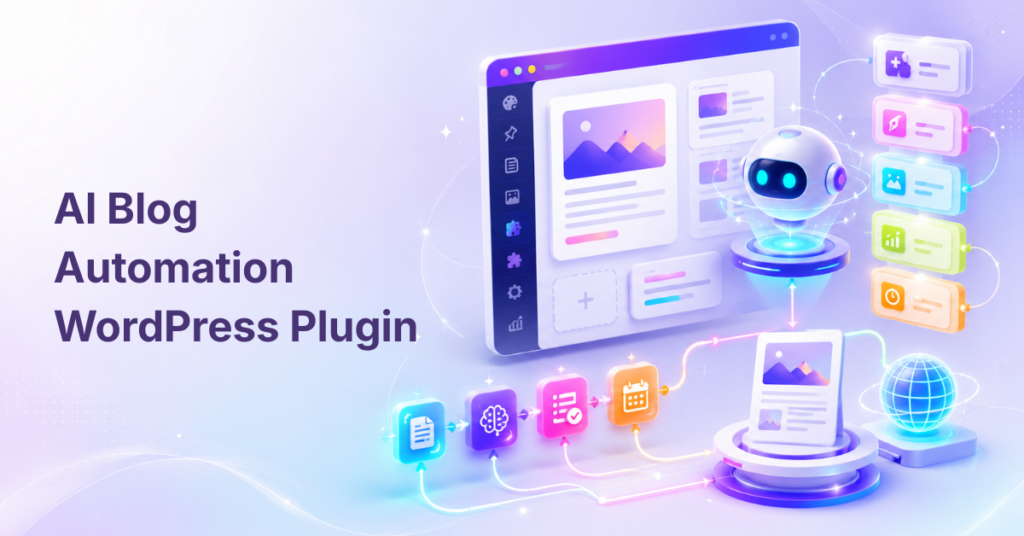
AI plugins work by connecting your preferred software (like WordPress) to advanced AI providers such as OpenAI, Gemini, or Claude. When you interact with the plugin, say, by clicking “Generate Title,” your prompt or command is sent to an AI model, which returns the result. The plugin then displays this output inside your familiar workspace for your review and approval.
The essential workflow includes:
- AI model provider: Tools like OpenAI or Google Gemini power the intelligence.
- API key or credits: You might supply your own API key, or the plugin comes with built-in usage.
- Plugin interface: This sits inside your chosen platform, such as WordPress or a browser.
- Prompt templates or commands: Triggering content, automation, or analysis.
- Output review: You remain in control of edits and approvals.
AI plugins can connect to multiple systems, WordPress dashboards, ChatGPT, business CRMs, IDEs, or even audio workstations, always adding intelligence where you need it. The real value is fitting AI where your workflow already lives, which is why WordPress-native plugins resonate so well with writers and content teams.
Common Types of AI Plugins Across Platforms
AI plugins come in many flavors depending on your workspace. Here are the most popular types and where you’ll find them:

WordPress AI Plugins
These plugins add writing, editing, image, SEO, and automation tools right inside your WordPress site. Common areas include:
- Gutenberg and Classic Editors
- Admin dashboard widgets
- Media Library image features
- WooCommerce product descriptions
- SEO metadata (titles, meta descriptions, alt text)
- Content classification and moderation
They save time and reduce errors by letting you work directly in WordPress without endless copy-pasting.
ChatGPT and AI Assistant Plugins
Here, “plugin” refers to tools that expand AI assistants like ChatGPT or Gemini. Features include:
- Adding retrieval from documents
- Connecting to web services or APIs
- Handling complex workflows (using “Actions” or “function calling”)
- Automating tasks within chat interfaces
The ChatGPT plugin ecosystem has evolved, so expect terms like GPTs, Actions, or API integrations alongside the word “plugin.”
Browser AI Extensions
These are add-ons for browsers (like Chrome or Firefox) that summarize pages, improve writing, check grammar, or help with research, all powered by AI, right in your tab.
Coding AI Plugins
Integrated into IDEs like JetBrains or VS Code, these plugins help with:
- Code completion and explanation
- Refactoring
- Debugging
- AI pair programming
They’re designed to live within your development environment, streamlining the coding process with generative AI support.
Audio and Music AI Plugins
Popular with music producers, these plugins run inside DAWs as VSTs, handling:
- Mixing and mastering
- Vocal isolation and noise reduction
- MIDI or sample generation
- Audio enhancement with brands like Waves, iZotope, or LANDR
Business Automation AI Plugins
These connect AI to CRMs, marketing platforms, support desks, or other business systems, automating repetitive tasks and turning AI into part of larger workflow automations.
What AI Plugins Can Do for Bloggers, Marketers, and Businesses
For digital creators and teams, AI plugins can transform everyday work. Their practical uses include:
- Content generation: Draft blog posts, landing pages, product descriptions, social media blurbs, and newsletters faster.
- Editing and rewriting: Improve clarity, rewrite sections, expand thin content, simplify language, and adjust tone, without switching apps.
- SEO content tasks: Automatically generate SEO titles, meta descriptions, keyword-focused outlines, FAQs, content summaries, and alt text for images.
- Publishing support: Suggest tags or categories, help moderate comments, improve accessibility, and support bulk updates.
- Business productivity: Shorten publishing cycles, increase consistency, and reduce repetitive work, letting small teams do more with less context switching.
AI plugins shine when they work as invisible helpers, always where you want them but never taking over your editorial control.
Why an AI Plugin Matters for WordPress Content Workflows
Publishing on WordPress often means drafting in one tool, pasting into another, fixing formatting, and redoing SEO steps. This constant shuffling slows you down and increases the risk of errors or inconsistent branding.
A WordPress-native AI plugin solves this friction. It lets you:
- Generate, edit, and optimize content without leaving your site
- Work directly inside the Post Editor, Page Editor, or Media Library
- Handle SEO metadata, titles, and summaries in the same interface
- Keep control over what’s published, with easy human review
For example, a WordPress-focused AI content plugin like WriteRush helps bloggers and site owners bring AI writing and optimization directly into their publishing workflow, eliminating the need to switch between separate tools and endless copy-paste.
How to Choose the Best AI Plugin for Your Use Case
Selecting the right AI plugin is about fit, not hype. Start by identifying the platform you actually use, WordPress, browser, IDE, DAW, or business CRM. Then match the plugin to your job:
- Content creation and SEO: Look for plugins that support drafting, rewriting, and metadata generation.
- User experience: Choose a tool that’s beginner-friendly and works inside your usual workflow.
- AI provider support: Check if it uses OpenAI, Gemini, Claude, or others, and whether it needs your API key or has built-in credits.
- Content and SEO controls: Prioritize flexible prompts, brand voice settings, rewrite options, and human review features.
- Trust signals and support: Read documentation and reviews, check for frequent updates, and ensure compatible WordPress versions.
If your main use case is blog writing and WordPress publishing, prioritize a plugin that supports drafting, rewriting, SEO metadata, and editor-friendly workflows. WriteRush fits this category as an AI content writing tool built around publishing tasks, making it a strong example for most content-focused users.
Safety, Privacy, API Keys, and Costs
Safety and privacy are crucial when working with AI plugins. The right plugin should:
- Clearly explain what data are sent to AI providers
- Require only necessary permissions
- Keep admin-level controls where appropriate
- Avoid logging sensitive information
- Let you review all outputs before publishing
Never share passwords, payment details, or private customer information with an AI plugin. Stick to approved business workflows and test first in a staging environment if possible.
API keys: Some plugins require you to provide an OpenAI, Gemini, or Claude API key (which may bill usage separately), while others offer built-in credits or usage-based plans. Your cost depends on the provider, the number of requests, and the features used. Always monitor usage, especially if generating large amounts of content.
Best practices: Always review outputs for accuracy, maintain human approval before publishing, and keep your site backed up. For sensitive projects, start with small, low-risk content before expanding automation.
Using an AI Plugin in a WordPress Content Workflow
A practical WordPress workflow might look like this:
- Plan the article: Use your plugin to brainstorm topics and auto-generate detailed outlines aligned with audience needs.
- Draft the content: Generate section drafts using precise prompts; review and tweak for clarity, tone, and structure.
- Enhance and rewrite: Automatically expand thin sections, simplify jargon, or rewrite transitions, all without leaving the editor.
- Optimize for SEO: Refine SEO titles, meta descriptions, headings, excerpts, and image alt text in dedicated fields.
- Control publication: Confirm everything reads correctly, maintains your brand voice, and fulfills SEO requirements before hitting publish.
A tool like WriteRush is most useful when it supports the full content workflow, not just one-off text generation, but planning, drafting, revising, and publishing directly inside WordPress.
Conclusion
AI plugins have the power to make content creation, SEO, and site management faster and less stressful, especially when they fit naturally into your existing workflows. For WordPress users, the right plugin brings planning, writing, optimization, and publishing together, saving time while keeping human judgment at the core.
If you’re ready to explore a workflow-centric approach, try WriteRush as your WordPress AI writing partner. It’s designed to keep drafting, editing, and optimization close to publishing so you can finally say goodbye to endless copy-paste and focus on work that matters.
AI Plugin FAQs
What is an AI plugin?
An AI plugin is an add-on that brings AI features into existing platforms like WordPress, browsers, IDEs, chat assistants, or music production tools.
What is an AI plugin used for?
AI plugins help with content writing, editing, SEO, automation, coding assistance, image or audio creation, data analysis, and workflow improvement, all from inside the software you already use.
What is the best AI plugin for WordPress?
The best WordPress AI plugin fits your content workflow: look for tools with writing, rewriting, SEO metadata, meta description, alt text, and integrated editor support, and check privacy controls before choosing.
Can an AI plugin write blog posts?
Yes, many plugins can generate blog drafts, outlines, titles, meta descriptions, and summaries, but human review remains essential to ensure accuracy and originality.
Can AI plugins help with SEO?
Absolutely. AI plugins can create SEO-friendly titles, meta descriptions, outlines, content summaries, and alt text, and even make keyword-aware rewrites.
Are AI plugins safe to use?
They are safe when developed responsibly: look for plugins from reputable sources, with transparent privacy policies, clear permissions, and strong human-in-the-loop review.
Do AI plugins cost money?
Some are free, others charge for premium features or require separate API usage fees if using providers like OpenAI, Gemini, or Claude.
Do I need coding skills to use an AI plugin?
Most WordPress and browser AI plugins are made for non-technical users, though developer-focused plugins may ask for more technical know-how.
Are ChatGPT plugins the same as AI plugins?
Not exactly. ChatGPT plugins or “Actions” extend an AI assistant. AI plugins bring AI into platforms like WordPress, browsers, or coding tools.
Should I use an AI plugin or a standalone AI tool?
Standalone AI tools are useful for creative brainstorming. AI plugins work best when you need AI help right inside your main workflow, like publishing in WordPress.
This page was last edited on 11 June 2026, at 5:29 pm