Quick Answer
An AI content generator for WordPress is a tool or plugin designed to create blog posts, page copy, product descriptions, SEO titles, and other website content directly in WordPress. The best options integrate with core WordPress features, support SEO optimization, and enable human review before publishing.
You know the pressure: More blog posts. Better SEO. Faster publishing — all without hiring a newsroom or burning out your team. As a blogger, marketer, or WordPress site owner, keeping up feels like a full-time job (and often, it is). You’ve probably wondered if AI could finally take some pressure off — but generic content, SEO penalties, and clunky copy-paste workflows are real worries.
This guide is for you if you’re trying to choose a WordPress AI content generator that’s actually useful — not a gimmick or a shortcut that backfires. You’ll learn how AI fits directly into WordPress publishing, compare top plugin types and writing tools, and see how to keep quality high without overcomplicating your workflow. Let’s dig in so you can publish better, rank higher, and reclaim some creative energy.
What Is an AI Content Generator for WordPress?
An AI content generator for WordPress is a WordPress plugin or connected writing tool that automatically creates content like blog posts, article outlines, SEO titles, meta descriptions, FAQs, and WooCommerce product descriptions for your WordPress site. Leading solutions use GPT models (like ChatGPT or OpenAI), integrate with editors like Gutenberg and Elementor, and support human-in-the-loop drafting workflows.
You enter a keyword, prompt, or product brief; the AI generates an outline or draft, which you review, edit, and optimize directly inside WordPress. This flow streamlines everything from writing long-form articles to building product pages, filling in SEO metadata, or creating FAQ sections. The best AI content generators don’t just produce words — they solve the real bottlenecks in publishing, quality control, and SEO alignment.
Why WordPress Users Are Using AI Content Generators
WordPress users are turning to AI content generators because the pressure to publish more (without sacrificing quality) has never been higher. Whether you’re managing a blog, an agency, or an online shop, you’re expected to deliver consistent, readable content that drives results. But limited budget, writer’s block, and never-ending SEO demands make this a tall order.
AI offers relief by assisting with brainstorming, drafting, SEO metadata, and formatting — but it’s not a “set it and forget it” solution. In our experience, the most practical use of AI is as a writing co-pilot: it gets the first draft ready, but real success comes from keeping a human editor in charge. The key isn’t just generating text, but fitting seamlessly with how WordPress sites actually work: categories, tags, product pages, Gutenberg blocks, and scheduled publishing. If you’ve ever wasted time copy-pasting from a generic AI tool, you’ll immediately see why WordPress-focused solutions matter.
In this guide, you’ll discover:
- How WordPress AI content generators work (and where they fit in your workflow)
- What separates a useful plugin from a risky one
- How to compare tool types (plugins, SaaS, SEO add-ons)
- How to use AI safely for quality and SEO
- Where tools like WriteRush help move from idea to publish-ready article with fewer hurdles
WordPress AI Plugin vs External AI Writing Tool
WordPress AI content generators come in several flavors, each with pros and cons:
Native WordPress plugins let you draft articles or product copy right from your dashboard. They often support Gutenberg, Classic Editor, custom post types, categories, tags, and WooCommerce integration. The appeal is speed — no copy-pasting, just draft, edit, and schedule. Watch out for compatibility risks, plugin update delays, and how API keys are handled for security.
External AI writing platforms like Jasper or Copy.ai offer rich templates, brand tone controls, multi-channel content, and advanced drafting tools. They’re great if you manage multiple sites or want advanced workflows, but usually require copy-paste or integration steps to bring content into WordPress.
SEO plugins with AI features — think AIOSEO, Rank Math Content AI, or Yoast SEO’s new AI additions — focus on metadata, optimization tips, semantic keyword coverage, and schema. Some can generate paragraphs, but most aren’t built for full article writing.
Marketplaces like WordPress.org or CodeCanyon feature dozens of plugins. Here, evaluate star ratings, update frequency, compatibility, and support responsiveness. Avoid plugins that seem abandoned, have poor support, or questionable reviews.
| Tool Type | Best For | Pros | Cons |
|---|---|---|---|
| WordPress AI plugin | Writing inside WordPress | Faster publishing workflow | Compatibility matters |
| External AI writing tool | Advanced drafting | More writing flexibility | May require copy-paste |
| SEO plugin with AI | Metadata and SEO optimization | Strong SEO fit | May not create full articles |
| Automation tool | Bulk drafting and scheduling | Scales production | Needs strict review |
| Local AI setup | Privacy and cost control | More control | Technical setup required |
In our experience, the best pick depends on your workflow and where bottlenecks pop up: Do you want everything in your dashboard? Is publishing speed or SEO optimization your main pain? Answering these will help you choose.
WordPress.com vs WordPress.org: What You Need to Know
Choosing an AI content generator for WordPress can get confusing fast — especially if you’re not sure whether your site is on WordPress.com or self-hosted WordPress.org. Here’s the deal:
Self-hosted WordPress.org (the “normal” WordPress most users know) gives you almost unlimited plugin freedom. You can install AI writing plugins, SEO add-ons, WooCommerce extensions, and manage API keys or security settings as needed.
WordPress.com hosts your site for you, but plugins are only available on Business or higher-tier plans. Some AI tools connect via SaaS or Jetpack integrations, but many plugins won’t work unless your plan allows custom installs. Always double-check compatibility with your platform and plan before buying or subscribing.
On security and API keys: Most AI plugins use OpenAI, ChatGPT, or similar models. Some require you to bring your own API key (which means you’ll pay for usage separately); others use built-in credit plans or subscriptions. Where your API key is stored matters — for security and privacy, only share API keys with reputable plugins and check admin-only permissions.
Local or private AI models like those run on Ollama appeal to privacy-conscious users and agencies handling sensitive data. The upside is cost control and no third-party data sharing. The downside? Setup is tricky, and model quality may lag the latest GPTs.
If you’re not sure where your WordPress site falls, confirm before shopping for a plugin — otherwise, frustration is almost guaranteed.
Best AI Content Generators for WordPress
The “best” AI content generator depends on how you write, publish, and optimize content. Here’s how some leading options stack up for real-world WordPress work:
1. WriteRush
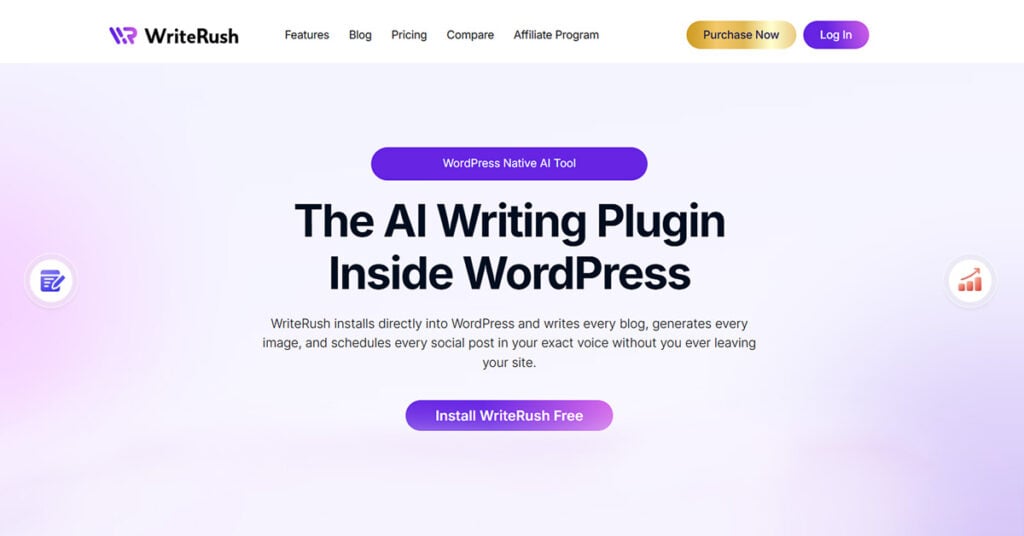
Built specifically for WordPress, WriteRush helps users move from keyword, idea, or product brief to outline, draft, SEO copy, and publish-ready content — all in a workflow that supports human review and fits regular WordPress publishing. Whether you’re blogging, optimizing SEO pages, or updating product copy, WriteRush connects the dots between AI drafting and the controls you need for originality and quality.
2. AIOSEO (All in One SEO)
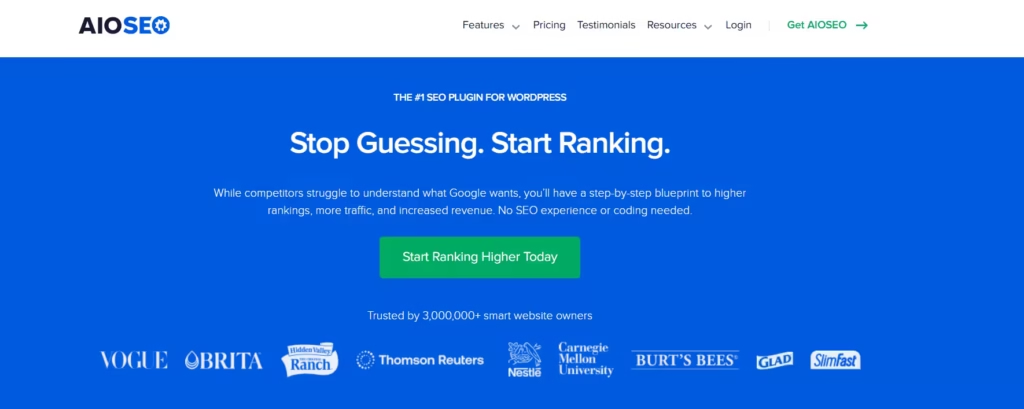
Best known for SEO optimization and metadata, AIOSEO’s AI features focus on generating meta titles, descriptions, and content recommendations. It’s ideal if your main bottleneck is SEO, but it’s not a replacement for full article drafting.
3. Rank Math Content AI
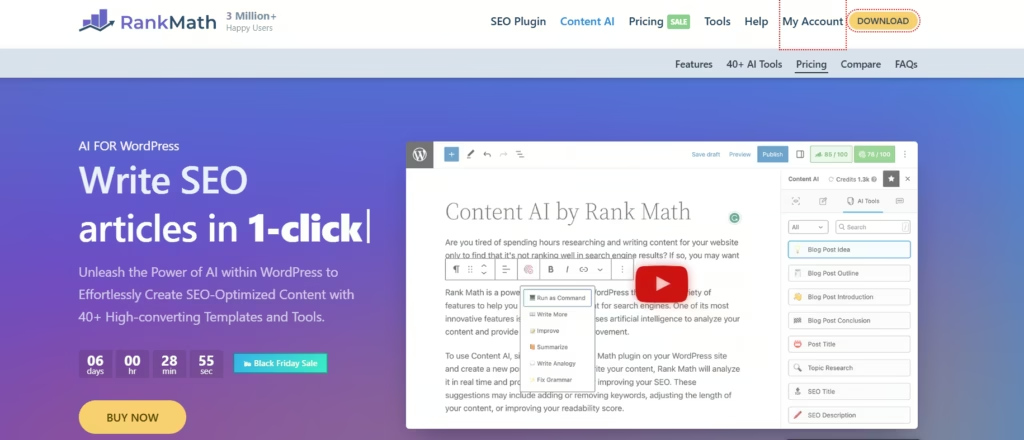
Adds generative content and optimization tips to the popular Rank Math plugin. Handy for SEO writers needing semantic keyword coverage, FAQ blocks, and on-page guidance within WordPress.
4. GetGenie AI

Covers blog content, WooCommerce product descriptions, SEO copy, and competitor analysis within the WordPress dashboard. A strong all-rounder for those focused mainly on blogging and ecommerce.
5. Bertha AI
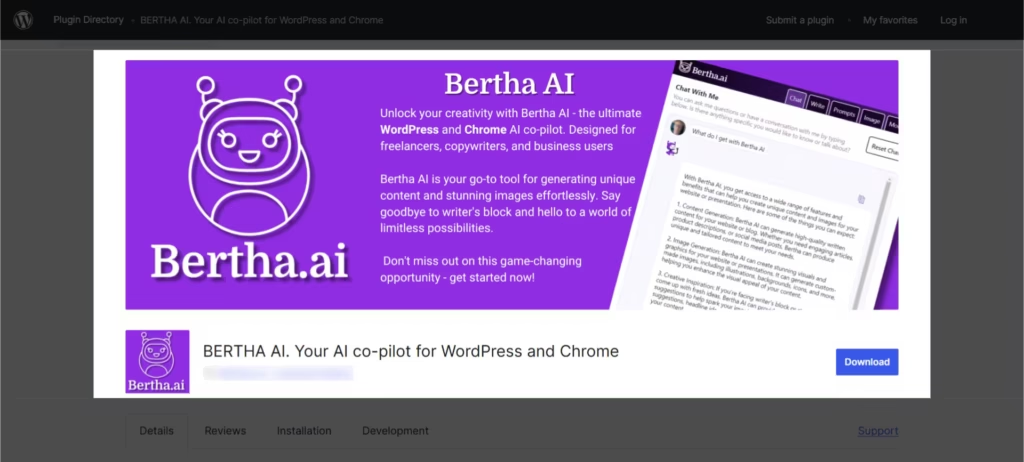
Plugin-first approach for blog, page, and product content. Integrates with editors and WooCommerce. Suits users wanting quick drafts and AI-powered suggestions directly in WordPress.
6. Jasper
A leading SaaS writer supporting blog, product, and brand copy. Not WordPress-native, but powerful for multi-site, multi-format teams. Content usually moved via copy-paste or integration.
7. Copy.ai
Like Jasper, an external platform for marketing copy, blog posts, and product descriptions. Ideal for teams working across channels, but brings extra steps for WordPress publishing.
8. Semrush Writing Assistant
SEO-focused writing tool offering keyword, tone, originality, and readability checks. Works as a SaaS or Google Docs add-on — integrates best for content teams who write first, then upload to WordPress.
9. Yoast SEO AI Features
Yoast is the classic on-page SEO plugin. Recent AI features focus on meta descriptions, titles, and content recommendations — not full blog post drafting.
10. WordPress.org and Marketplace Plugins
Options found on WordPress.org and CodeCanyon often include unique AI or automation features (like local model support or scheduling). Always check update history, compatibility, security, and reviews before installing.
Ultimately, the best solution is the one that fits your workflow and preferences. For most, a hybrid approach — using a plugin like WriteRush for drafting and SEO plugins for optimization — covers all bases.
Key Features to Look For in a WordPress AI Content Generator
The right tool should make content creation not just easier, but also safer, SEO-friendly, and more efficient. Here’s what to prioritize:
- Editor compatibility: Full Gutenberg/block editor support, plus Classic Editor and page builder (Elementor) compatibility as needed.
- SEO titles and meta descriptions: Integrated generation and editing for SERP-friendly metadata. Seamless with Yoast, Rank Math, and AIOSEO is a bonus.
- Keyword and NLP optimization: Built-in suggestions for semantic keywords, headings, and topical coverage.
- FAQ and schema support: Generation of FAQs and FAQ schema for better snippet wins and search visibility.
- Draft-first publishing: Strong controls to generate drafts, not auto-publish. Editorial review and scheduling matter for SEO safety.
- API/model options: Flexibility to use OpenAI, ChatGPT, GPT-4o, bring-your-own-key, built-in credits, or even run local models.
- WooCommerce content features: Ability to generate product descriptions, category copy, comparison tables, and FAQs without duplicating manufacturer blurbs.
- Security and privacy controls: Secure API key storage, admin-only settings, clear user permissions, and an up-to-date plugin.
- Transparent pricing: Clarity on plugin cost, API credits, built-in usage, and potential extra fees for images or advanced features.
From our work with content teams, skipping one of these often adds friction or risk. The best plugins — including WriteRush — are built with these real-world pain points in mind.
How to Use an AI Content Generator in WordPress
AI content creation in WordPress works best with the right process — not shortcuts. Here’s a typical, safe workflow:
- Start with a keyword and intent: Choose your target keyword and clarify what readers are searching for (how-to, review, research, etc.).
- Generate an outline: Use the tool to structure your article with H2 and H3 headings that answer real questions or match user intent.
- Add context and brand info: Feed the AI details on your audience, tone, product, and desired outcomes for more on-brand output.
- Create a draft: Let the AI draft sections or the entire article — but always treat it as a starting point, not the final word.
- Review and edit: Add your own examples, expertise, data, and links. Remove fluff, flag unsupported claims, and check for readability.
- Optimize in WordPress: Update SEO title, meta description, slug, headings, images, internal links, FAQs, and schema as needed.
- Publish, schedule, or update: Only publish after a full human review. Use scheduling for consistency and revisit content to keep it fresh.
With WriteRush, for example, the system supports the idea-to-outline-to-draft workflow while keeping all content in draft mode until you’re happy with it. This lets you harness speed without giving up control or risking low-quality auto-publishing.
Can AI-Generated WordPress Content Rank on Google?
AI-generated WordPress content can rank on Google if it’s original, helpful, and people-first. Google doesn’t penalize AI content by default; instead, it looks for value, accuracy, and expertise. Risks arise if you publish generic or low-value content at scale without review — that’s what triggers SEO problems.
To maximize your chances:
- Start with real search intent and answer the user’s question better than competitors.
- Add specific examples, expert commentary, and practical advice.
- Review for originality, accuracy, and freshness.
- Optimize metadata and structure.
- Keep a human in the loop — always review and edit before hitting publish.
E-E-A-T (Experience, Expertise, Authoritativeness, and Trustworthiness) still applies. AI can accelerate the draft, but ranking requires quality.
How to Avoid Generic AI Content
Avoiding generic content is about input quality, not just editing. In our experience, these tactics make the biggest difference:
- Give better prompts: Specify your audience, product, tone, expertise level, and target keyword before generation. For example, “Write a beginner’s guide to WordPress SEO for ecommerce store owners using WooCommerce.”
- Add original insights: Include first-hand experience, data, observations, or client anecdotes to differentiate your content.
- Edit beginnings and endings: AI tends to default to bland intros and conclusions — rewrite these with a strong hook and clear CTA.
- Fact-check every claim: Confirm statistics, product specs, policies, and SEO advice before publishing.
- Strengthen internal links: Connect your new post to other relevant content on your site to boost topical authority.
A tool like WriteRush supports richer prompts (topic, target audience, tone, context), making unique drafts easier. But in the end, human creativity is the best antidote to sameness.
Should You Auto-Publish AI Content to WordPress?
Auto-publishing AI content to WordPress is possible with many tools, but it’s rarely safe for SEO or trust. The best practice is to auto-generate drafts, then route them through an editorial review before posting. This lets you:
- Catch accuracy or style problems.
- Add unique value or perspective.
- Optimize for SEO and engagement.
- Avoid the penalties of publishing unchecked, mass-produced content.
From a content operations point of view, automation is best used for draft pipeline management, not for skipping essential human review steps. If you care about brand voice, rankings, or user trust, keep a human in the loop.
AI Content Quality Checklist Before Publishing
Before you hit publish on any AI-generated WordPress article, run this checklist:
- Does the article match the search intent and target keyword?
- Are original examples, first-hand experience, or data included?
- Have you added your unique insights or opinions?
- Did you fact-check all statistics, product info, and SEO claims?
- Is the intro specific and engaging? Is the conclusion actionable?
- Are all headings, meta data, slugs, and images optimized for SEO?
- Did you add FAQ sections and schema markup if relevant?
- Do internal links connect to other relevant pages on your site?
- Have you checked for readability and formatting?
- Has a human reviewed all AI output before publishing?
Whether you use WriteRush or any other tool, this checklist helps ensure your content stands out for both users and search engines.
Best AI Content Workflow by User Type
Different users need different features. Here’s how AI content generators fit various WordPress workflows:
Bloggers: Idea generation, detailed outlines, fast first drafts, and formats for FAQs or “how-to” guides are crucial. Prioritize tools that support originality and easy editing inside WordPress.
Content Marketers/SEO Writers: Focus on tools with SEO optimization, meta data generation, semantic keyword suggestions, and integration with Yoast, Rank Math, or AIOSEO for a full workflow.
WooCommerce Store Owners: Product and category descriptions, comparison copy, and FAQ generation are must-haves. Avoid tools that just reword manufacturer blurbs — look for plugins designed for ecommerce content.
Small Business Owners: Look for reliable, easy-to-use plugins enabling draft generation, brand voice customization, approval workflows, and scheduled publishing — all within the familiar WordPress dashboard.
Conclusion
There’s no magic button, but the right AI content generator for WordPress can free you from tedious drafting, help you publish more consistently, and improve the SEO potential of your site. The secret isn’t pure automation — it’s integrating AI with your WordPress workflow and editorial review.
If you’re ready to streamline your idea-to-publish process while keeping quality and SEO in check, it’s worth exploring solutions built for WordPress, like WriteRush. Used thoughtfully, an AI writing workflow can help you publish better content, faster — without sacrificing your voice or your rankings.
FAQs
What is an AI content generator for WordPress?
An AI content generator for WordPress is a tool or plugin that creates blog posts, SEO copy, metadata, FAQs, or product descriptions directly in or for your WordPress site, streamlining content creation workflows.
What’s the best AI content generator for WordPress?
The best option depends on your needs: plugins like WriteRush and GetGenie excel at integrated drafting, SEO plugins like AIOSEO or Rank Math handle metadata, and external tools like Jasper or Copy.ai suit multi-site or advanced workflows.
Can AI-generated WordPress content rank on Google?
Yes, if the content is original, useful, accurate, and reviewed by a human, AI-assisted content can rank well. Avoid mass-produced, thin, or generic articles to prevent SEO issues.
Is AI-generated content bad for SEO?
Not automatically — SEO risk comes from low-value, inaccurate, or overly generic content. Using AI wisely, with human review and optimization, can actually help your SEO.
Should I use a WordPress plugin or external AI writing tool?
Use a plugin for direct in-dashboard writing and publishing, or an external tool for advanced drafting or multi-channel content. Some teams combine both for flexibility.
Do I need an OpenAI API key for WordPress AI content generation?
Some plugins require your own API key (which means paying for usage separately), while others include credits or subscription plans. Always check before installing.
Are there free AI content generator plugins for WordPress?
There are free plugins, but most charge for API usage or advanced features. Always calculate total cost, including API fees or built-in credits, not just the plugin price.
Can AI generate WooCommerce product descriptions and FAQs?
Yes, many tools support product copy and Q&A sections — but always review output for accuracy, originality, and compliance before publishing.
Is it safe to auto-publish AI content to WordPress?
For quality and SEO, it’s better to auto-generate drafts and require human review before publishing any AI-generated content.
How can I make sure my AI content isn’t generic?
Provide detailed prompts, include first-hand or brand-specific context, add examples, and always review or rewrite intros and conclusions for a more original, engaging result.
This page was last edited on 18 June 2026, at 4:30 pm