
You signed up for Creaitor AI with a clear vision: faster blog posts, better rankings, less time staring at a blank editor. Then reality hit. You copied the output into WordPress, lost the formatting, spent another hour editing generic paragraphs, and realized the “shortcut” had added steps to your workflow instead of removing them.
You’re not alone in this. Thousands of WordPress bloggers, content marketers, and site owners are quietly searching for the same thing: an AI content generator that works inside WordPress, produces content Google actually rewards, and fits a real publishing budget.
This guide breaks down the best alternatives to Creaitor AI for WordPress users, evaluated on criteria that genuinely matter. We cover native WordPress integration, SEO output quality, supported content types, and pricing transparency. By the end, you’ll have a clear picture of which tool fits your specific workflow, not just a list of names to Google later.
The Most Common Reasons Users Switch Away from Creaitor AI
The frustrations users report are consistent, practical, and worth naming directly before you go any further.
No native WordPress plugin. Creaitor AI operates entirely in the browser. That means every piece of content you generate requires manual copy-pasting into the WordPress editor, which almost always introduces formatting issues that need fixing before you publish.
Generic output that needs heavy editing. AI-generated content from template-heavy tools often produces structurally predictable text. Users report spending significant time rewriting paragraphs to add specificity, personality, and real insight before the content is ready to publish.
SEO features don’t travel with the content. Any optimization suggestions for Creaitor AI surfaces stay in the browser tab. Once you paste content into WordPress, you’re working without that context unless you manually recreate it inside your SEO plugin.
Pricing unpredictability. Credit-based usage models can become expensive at volume. For bloggers publishing several posts per week, the cost-per-word math doesn’t always make sense compared to alternatives.
No support for WordPress-specific content structures. FAQ schema blocks, Gutenberg-native content insertion, and WooCommerce product descriptions aren’t part of the Creaitor AI workflow, which matters if your site relies on structured content or eCommerce.
These aren’t edge cases. They reflect a fundamental design difference: Creaitor AI was built as a general-purpose copywriting tool, not a WordPress-native content engine.
Creaitor AI Alternatives at a Glance
| Tool | WP Plugin | SEO Features | Long-Form Posts | FAQ / Schema | Meta Generator | Free Plan | Best For |
|---|---|---|---|---|---|---|---|
| WriteRush | Native | Full Suite | Yes | Yes | Yes | Yes | WordPress bloggers and SEO content |
| GetGenie AI | Yes | Full Suite | Yes | Yes | Yes | Limited | SEO research + content |
| AIOSEO AI Content | Yes | Strong | Partial | Yes | Yes | Yes (AIOSEO free) | Existing AIOSEO users |
| Rank Math Content AI | Yes | Strong | Partial | Yes | Yes | Limited | Budget-conscious WP SEO users |
| Bertha AI | Yes | Moderate | Limited | Yes | Yes | Yes | Gutenberg quick copy |
| Jasper AI | Integration only | Strong | Yes | Limited | Yes | No | Enterprise content teams |
| Writesonic | No (indirect) | Strong | Yes | Limited | Yes | Limited | Multi-format marketing content |
| Copy.ai | No | Moderate | Limited | No | Yes | Yes | Marketing copy workflows |
| Scalenut | No | Strong | Yes | Limited | Yes | No | SEO briefs and research-led writing |
The Best Alternatives to Creaitor AI SEO Content Generator for WordPress
Not every WordPress user needs the same AI writing workflow, so the best Creaitor AI alternative depends on whether you want faster blog drafting, stronger SEO optimization, SERP-based outlines, keyword-focused content, or direct publishing inside WordPress.
Below are some reliable alternatives that can help you create optimized content more efficiently while keeping your blog structure, search intent, and readability in focus.
1. WriteRush: Best Native WordPress AI SEO Content Generator
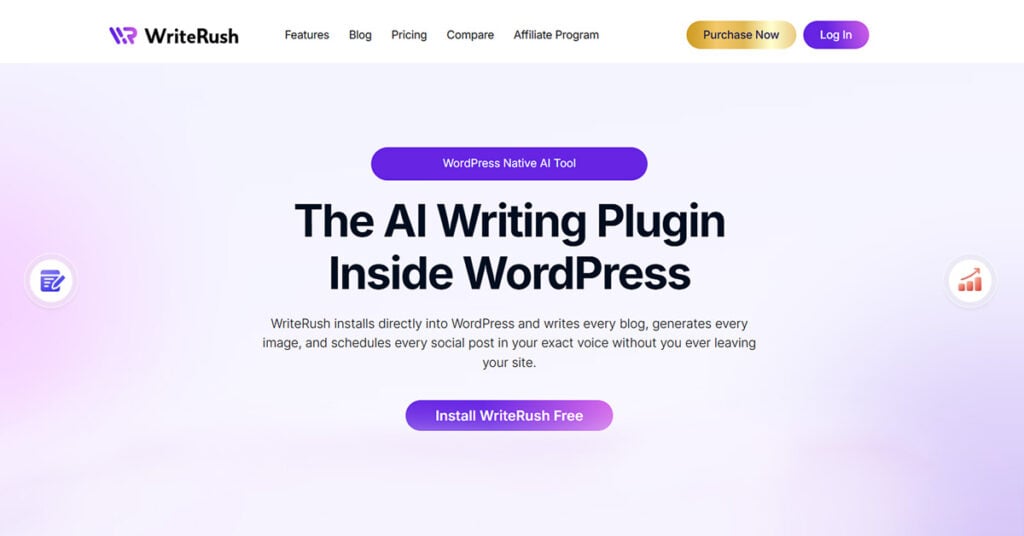
WriteRush is the most direct answer to the frustration that drives most people away from Creaitor AI: it’s a WordPress plugin first, and an AI content tool second. Everything it does happens inside your WordPress dashboard, which means no reformatting, no context-switching, and no metadata loss between generation and publishing.
Where Creaitor AI was built for the browser and later considered how it might connect to WordPress, WriteRush was built for WordPress from the ground up. That design difference shapes every interaction you have with it.
Key features:
- One-click long-form blog post generation directly inside the WordPress editor
- AI-generated meta titles and meta descriptions aligned with your focus keyword
- FAQ block generator with schema markup output, ready for Gutenberg insertion
- Key points and summary sections optimized for featured snippet targeting
- Content type coverage, including blog posts, product descriptions, landing page copy, and social snippets
- Readability and SEO scoring are built into the writing workflow
- Full compatibility with Rank Math, AIOSEO, and Yoast SEO
The SEO features don’t live in a separate tab; you have to reference. They’re part of the generation workflow itself, which means your content arrives in the editor already oriented around your target keyword.
Pros: Completely native WordPress experience, full SEO content suite, zero reformatting required, works directly with your existing SEO plugin stack.
Cons: Requires a WordPress site; it’s not a standalone SaaS tool. If you need to produce content for platforms outside WordPress, you’d need a second tool for that.
Best for: WordPress bloggers, content marketers managing WordPress sites, SEO-focused site owners, and solopreneurs who want to cut publishing time without cutting content quality.
Quick Verdict: If your entire content workflow runs through WordPress, WriteRush is the most complete native alternative to Creaitor AI on this list. It eliminates the core friction points that make browser-based tools inefficient for WordPress publishers.
2. GetGenie AI: Best for SEO Research Combined with Content Generation
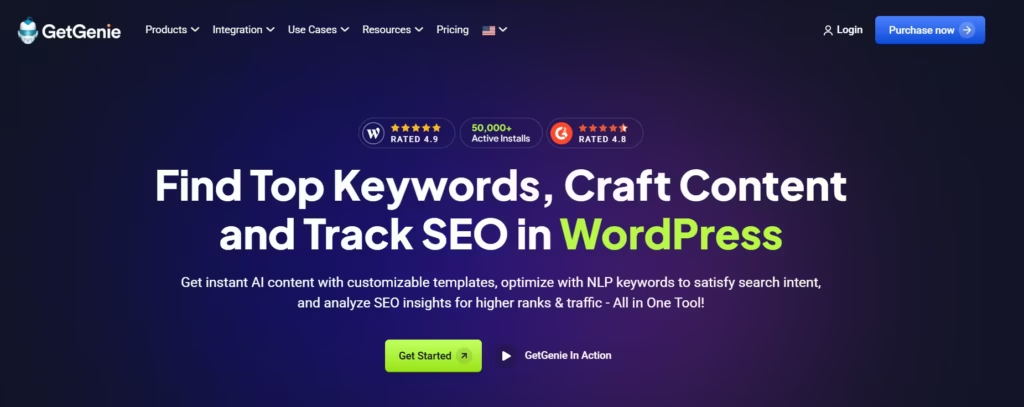
GetGenie AI earns its place on this list by doing something most AI writing tools skip: combining keyword research and competitor analysis with the content generation itself, all inside a WordPress plugin.
Key features:
- SERP analysis and competitor content insights before you write
- NLP-based content scoring that measures semantic depth, not just keyword frequency
- Blog wizard for structured long-form post generation
- WooCommerce product description generation
- Keyword research tool integrated into the writing interface
The research-first workflow makes GetGenie AI particularly strong for SEO specialists who want data to inform their content structure before the AI starts generating.
Pros: Deep SEO research layer, strong competitor content insights, solid long-form generation, WooCommerce support.
Cons: Free tier is limited; full SEO research features require a paid plan. Can feel complex for bloggers who just want to generate and publish quickly.
Best for: SEO-focused content creators who want data-driven generation backed by real SERP intelligence.
Quick Verdict: GetGenie AI is the right choice if your content process starts with keyword research and competitor analysis, and you want all of that inside one WordPress plugin.
3. AIOSEO AI Content: Best for Users Already in the AIOSEO Ecosystem
AIOSEO’s AI content features make the most sense as an upgrade for sites already running AIOSEO as their primary SEO plugin, not as a standalone AI writing solution.
Key features:
- AI title and meta description generator integrated with AIOSEO’s SEO audit tools
- Content suggestions tied to your existing SEO settings and site data
- Schema tools and FAQ block generation through AIOSEO’s schema module
- Seamless access through the AIOSEO sidebar in the WordPress editor
If you’re already inside AIOSEO’s dashboard every day, activating its AI content features adds meaningful capability without adding a new tool to your stack.
Pros: Zero friction for existing AIOSEO users, strong meta generation, excellent schema integration.
Cons: Limited as a standalone writing tool, the long-form generation capability is partial, and the AI writing layer isn’t as deep as purpose-built writing tools.
Best for: WordPress site owners running AIOSEO who want AI content assistance without switching to a new plugin.
Quick Verdict: AIOSEO AI Content is a smart add-on for existing users, but not the strongest primary writing engine if content generation is your core workflow.
4. Rank Math Content AI: Best Budget-Friendly WordPress SEO Content Option
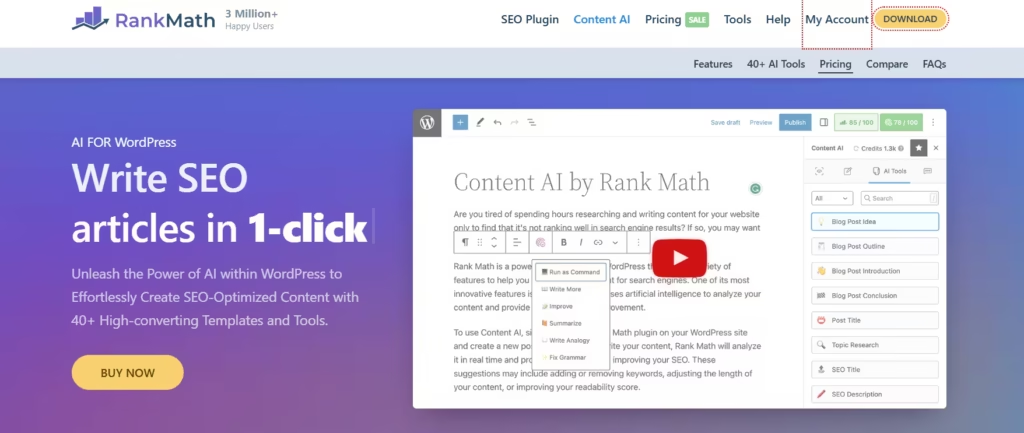
Rank Math Content AI sits inside the Rank Math plugin interface, adding AI-powered suggestions to one of WordPress’s most popular free SEO plugins. It’s the lowest-cost entry point for WordPress users who already rely on Rank Math.
Key features:
- Content AI suggestions in the Rank Math sidebar during editing
- Heading and structure recommendations aligned with target keywords
- Keyword density tracking and NLP-based optimization hints
- AI-generated meta descriptions and SEO title variants
The key caveat: Rank Math Content AI works best as an SEO enhancement layer, not a primary content generation engine. It helps you optimize what you’ve written more than it writes the content for you.
Pros: Affordable, native Rank Math integration, good SEO optimization feedback, low learning curve.
Cons: Not a full long-form content generator, think intelligent SEO assistant rather than an AI writer. Content AI credits are separate from Rank Math’s standard features.
Best for: Bloggers already using Rank Math who want light AI assistance with optimization rather than full content generation.
Quick Verdict: Rank Math Content AI is the right budget move if you’re already a Rank Math user and need an optimization layer, not a writing engine.
5. Bertha AI: Best for Gutenberg-Native Quick Content Creation
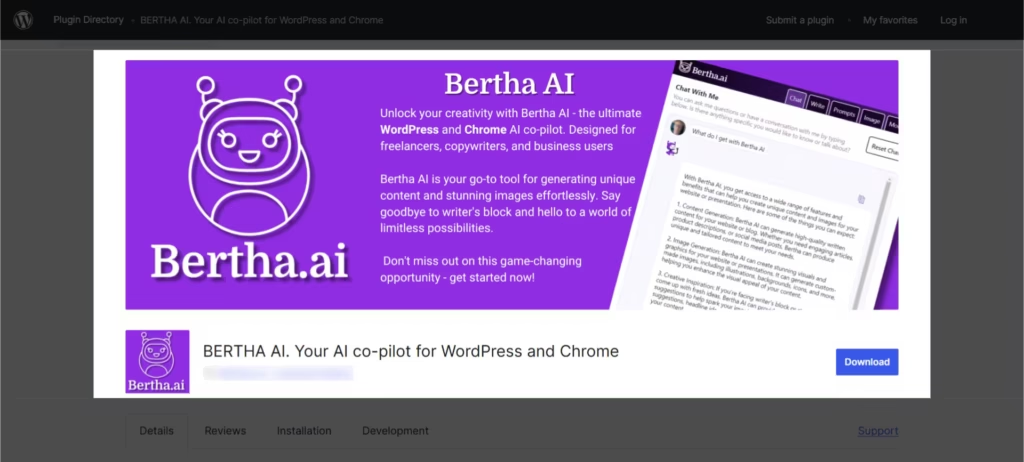
Bertha AI is built specifically for the Gutenberg block editor, making it the strongest option for WordPress developers and site builders who need AI-generated copy at the block level, quickly.
Key features:
- Block-level content generation inside the Gutenberg editor
- Image alt text generation from existing media
- WooCommerce product copy for individual product pages
- Short-form content blocks: headlines, taglines, introductions
Bertha AI’s strength is speed and native block editor compatibility. Its weakness is depth; long-form SEO blog posts aren’t its core use case, and the SEO tooling is lighter than purpose-built SEO writing tools.
Pros: Excellent Gutenberg integration, fast for short-form copy, WooCommerce support, and a clean user experience.
Cons: Limited long-form capability, lighter SEO depth compared to GetGenie AI or WriteRush, and not the best choice for organic traffic growth through blog content.
Best for: WordPress developers and site builders who need quick, block-level copy without building out a full editorial workflow.
Quick Verdict: Bertha AI is excellent for what it’s built for. If your primary goal is fast Gutenberg copy rather than SEO blog traffic, it delivers cleanly.
6. Jasper AI: Best for Enterprise-Scale Long-Form Content Production
Jasper AI is one of the most capable AI writing platforms available, with broad template coverage, strong long-form output quality, and team collaboration features that make it practical at enterprise scale.
Key features:
- Long-form content generation with brand voice settings
- 50+ content templates covering blog posts, ads, email, social, and landing pages
- Team workspace with role-based collaboration
- Surfer SEO integration for content scoring and optimization
The trade-off for that depth is cost and complexity. Jasper AI has no native WordPress plugin. Content is generated in the Jasper interface and requires manual transfer to WordPress. For high-volume content agencies producing hundreds of pieces per month, the output quality may justify that workflow. For solo bloggers or small sites, it’s likely overkill.
Pros: High-quality long-form output, extensive template library, strong brand voice consistency, solid team collaboration.
Cons: No native WordPress plugin, higher pricing tier, requires copy-paste workflow into WordPress, not cost-effective for low-to-mid volume publishers.
Best for: Content agencies and enterprise teams producing high volumes of content across multiple formats and channels.
Quick Verdict: Jasper AI is a powerful tool for the right use case. If you’re running a WordPress blog rather than an enterprise content operation, the cost-to-value ratio won’t be in your favor.
7. Writesonic: Best for Multi-Format Marketing Content Across Channels

Writesonic covers the broadest range of content formats on this list, from blog posts and landing pages to ad copy, email sequences, and social media content. It’s built for marketers managing content across multiple channels, not just WordPress.
Key features:
- Article writer with long-form blog generation capability
- Chatsonic AI chatbot for research and ideation
- Brand voice settings for tone consistency
- Bulk content generation for high-output campaigns
Writesonic doesn’t have a native WordPress plugin. Integration with WordPress exists but is indirect, requiring manual transfer. For publishers whose work is primarily WordPress-based, that friction is real. For marketers juggling multiple platforms, the format breadth may outweigh the integration gap.
Pros: Excellent format variety, strong bulk generation, good brand voice tools, competitive pricing at mid-volume.
Cons: No native WordPress plugin, WordPress integration requires copy-paste or third-party connectors.
Best for: Digital marketers managing content across multiple channels and platforms beyond WordPress.
Quick Verdict: Writesonic is the right choice if your content strategy spans channels. If WordPress is your primary publishing platform, a native plugin will serve you better.
8. Copy.ai: Best for Marketing Copy Workflows and Campaign Content
Copy.ai is purpose-built for conversion-focused short-form copy: product descriptions, ad headlines, email subject lines, and campaign content. It’s not a blog post generator or an SEO content tool in any meaningful sense.
Key features:
- 90+ copywriting templates covering ads, email, social, and product descriptions
- Workflow automations for repeatable content tasks
- CRM integrations and team workspace
- Solid free tier with meaningful generation limits
The free tier is one of Copy.ai’s genuine strengths for budget-conscious users who need marketing copy rather than SEO blog content.
Pros: Strong short-form conversion copy, good template library, solid free tier, workflow automation features.
Cons: Not built for long-form SEO blog content, no WordPress plugin, no schema or FAQ block generation, limited SEO tooling.
Best for: Marketing teams that prioritize campaign copy, ad creative, and email content over SEO blog publishing.
Quick Verdict: Copy.ai is excellent for what it is. If SEO blog content is your primary need, it’s the wrong category of tool entirely.
9. Scalenut: Best for SEO Content Briefs and Research-Led Writing
Scalenut takes a research-first approach to content creation, combining keyword clustering, competitor content analysis, and AI writing into a single workflow. It’s strongest in the briefing and planning phase.
Key features:
- Keyword clustering and content planning tools
- Competitor content analysis for semantic depth benchmarking
- Cruise mode for automated long-form draft generation
- AI content editor with NLP optimization scoring
The gap for WordPress users is the same as with Creaitor AI: no native plugin means manual transfer from Scalenut’s interface into WordPress. For SEO strategists who treat content planning as a separate phase from editing and publishing, that may be acceptable. For hands-on WordPress publishers, it recreates the copy-paste friction you’re trying to escape.
Pros: Deep SEO research capability, strong keyword clustering, useful competitive content benchmarking, solid long-form output.
Cons: No WordPress plugin, requires significant manual transfer to WP editor, better suited to SEO strategists than hands-on publishers.
Best for: SEO specialists who prioritize strategy, research, and content briefing before writing and who work with a separate editor or publishing team.
Quick Verdict: Scalenut is excellent for SEO-led content strategy. If you also want to hit publish without leaving your WordPress dashboard, you’ll need a different tool.
Publish Your Next Blog in Minutes
How to Choose the Right Creaitor AI Alternative for Your Specific Needs
Choosing the right Creaitor AI alternative depends on what you need most: SEO-focused blog writing, faster content production, WordPress integration, team collaboration, or better pricing. Before selecting a tool, compare its features, ease of use, content quality, keyword optimization options, and how well it fits into your existing workflow.
If You’re a WordPress Blogger Focused on Organic Traffic
Your priority is generating high-quality long-form content that ranks without requiring hours of post-generation editing. The tool needs to understand your SEO goals and your publishing environment simultaneously.
Decision criteria: WordPress-native plugin, strong SEO output quality, meta description generation, content scoring, and long-form capability.
Recommended path: WriteRush or GetGenie AI. Install the free tier of your chosen tool, generate one target post, and measure how much editing time the draft actually requires before it’s publishable.
If You Run a WordPress eCommerce or WooCommerce Store
Your content needs are specific: product descriptions at scale, category page copy, FAQ content for product pages, and schema-compatible structured content.
Decision criteria: WooCommerce compatibility, schema block support, bulk generation potential, product-specific tone settings.
Recommended path: GetGenie AI or Bertha AI. Watch specifically for schema markup output quality in product description generation.
If You’re a Marketing Agency Managing Multiple Client Sites
Volume, consistency, and format breadth matter more than WordPress-native integration when you’re managing content across many clients with different needs.
Decision criteria: Team collaboration features, brand voice consistency per client, template variety, and multi-format output.
Recommended path: Jasper AI or Writesonic. Factor in per-seat pricing when evaluating the cost against client content budgets.
If You’re a Solo Business Owner or Solopreneur on a Budget
You need content that performs well organically without spending on a copywriter or an expensive tool. Ease of use and time-to-publish speed matter enormously.
Decision criteria: Free tier availability, minimal learning curve, publishable output quality, quick generation workflow.
Recommended path: WriteRush on the free plan or Rank Math Content AI if you’re already in the Rank Math ecosystem. The goal is to get from idea to published post in the shortest realistic time.
How to Migrate from Creaitor AI to a New Tool Without Losing Momentum
Switching tools mid-content calendar doesn’t have to disrupt your publishing schedule. A structured approach makes the transition clean.
Step 1: Export your Creaitor AI content. Save all previously generated content, any saved templates, and brand voice settings you’ve configured. You may want to reference these when setting up tone preferences in your new tool.
Step 2: Audit what’s already published. Identify which Creaitor-generated posts are performing adequately in search and which have low traffic or weak rankings. Don’t fix what’s working.
Step 3: Set up your new WordPress plugin. Install and activate your chosen alternative directly from the WordPress plugin directory. Configure your SEO plugin integration before generating your first piece of content.
Step 4: Regenerate underperforming content first. Use your new tool to improve the posts that aren’t getting traction before writing new ones. Improving existing content often yields faster ranking gains than publishing fresh posts.
Step 5: Establish your new content workflow. Define the process: generate, review, optimize, publish, and stick to it for the first few posts to identify where the tool saves you time and where you still need a human editing pass.
WriteRush users can install directly from the WordPress plugin directory and begin generating content within minutes of activation, with no external account setup or browser tab switching required.
AI Content and Google’s Helpful Content Guidelines
The biggest concern most people have when switching to an AI content tool is whether Google will penalize the output. It’s a reasonable concern, and it deserves a direct answer.
Google’s Helpful Content system targets content that lacks original insight, real expertise, and genuine usefulness to readers. It does not categorically penalize AI-assisted writing. The quality bar is the same regardless of how the draft was produced.
What this means practically: AI-generated content that’s reviewed by a human, enriched with a first-hand perspective, updated with current data, and structured around real reader questions can rank and compete well. AI-generated content that’s published without review, stuffed with keywords, and stripped of any original viewpoint is what creates compliance risk.
The E-E-A-T framework, like experience, expertise, authoritativeness, and trustworthiness, applies to AI-assisted content exactly as it applies to human-written content. The editing layer is where E-E-A-T gets added: your personal experience, your subject-matter knowledge, your voice on the topic.
Choosing an AI tool with built-in SEO scoring and content quality analysis, like WriteRush, GetGenie AI, or Scalenut, gives you a structural advantage here. These tools flag readability issues, semantic gaps, and over-optimization before you publish, reducing the chance that your content hits the live site in a form Google would flag as low-quality.
On AI content detection: what third-party detectors flag and what Google actually evaluates are not the same thing. Google evaluates helpfulness and quality signals, not authorship. A well-edited AI-assisted post with genuine insight and accurate information is not at risk.
The Bottom Line
Creaitor AI is a capable general-purpose copywriting tool, but it wasn’t built for WordPress, and that gap shows up in everyday publishing workflows. The best alternatives don’t just generate better content. They eliminate the friction between writing and publishing by living where your content actually lives: inside WordPress.
For most WordPress bloggers and content creators, the core need is simple. You want to research, generate, optimize, and publish in one place, without reformatting output or losing SEO context between tools. The tools that deliver that experience are the ones worth your time.
If you’re ready to stop copy-pasting AI output into your editor, install WriteRush from the WordPress plugin directory and generate your first SEO-optimized post directly inside your dashboard, no browser switching required.
Frequently Asked Questions
What is the best alternative to Creaitor AI for WordPress users?
The strongest alternatives for WordPress users are WriteRush, GetGenie AI, and AIOSEO AI Content. WriteRush is the top pick for most WordPress bloggers because it’s a native plugin that generates SEO-optimized content directly inside the dashboard, eliminating the copy-paste workflow that makes Creaitor AI inefficient for WordPress publishing.
Does Creaitor AI have a WordPress plugin?
No. Creaitor AI is a browser-based SaaS tool with no native WordPress plugin. All content generated in Creaitor AI must be manually copied and pasted into the WordPress editor, which is the primary reason WordPress users look for alternatives. The formatting and SEO context set in Creaitor AI doesn’t transfer with the content.
Which AI content generators work natively inside the WordPress dashboard?
Tools with genuine native WordPress integration include WriteRush, GetGenie AI, AIOSEO AI Content, Rank Math Content AI, and Bertha AI. “Native” means the plugin operates inside your WordPress dashboard, content is generated, optimized, and inserted into the editor without switching to an external browser tab.
Is AI-generated content safe for SEO and Google rankings?
Yes, when handled correctly. Google’s guidelines evaluate content quality and helpfulness, not how the content was produced. AI-assisted content that’s reviewed by a human, enriched with original insight, and structured around genuine reader needs can rank effectively. The risk comes from publishing unedited, generic AI output without any human oversight or original perspective.
Are there free alternatives to Creaitor AI for WordPress?
Yes. WriteRush offers a free plan with content generation inside WordPress. AIOSEO’s free tier includes access to some AI content features. Copy.ai has a free plan, though it’s better suited for short-form marketing copy than SEO blog posts. Free plans across all tools include generation limits, so evaluate how many posts per month you need before committing.
What AI tool is best for writing SEO blog posts in WordPress?
For SEO blog posts published directly through WordPress, WriteRush and GetGenie AI are the strongest options. Both generate long-form content with keyword alignment, meta description creation, and content scoring inside the WordPress editor. GetGenie AI adds competitive SEO research to the workflow; WriteRush prioritizes speed and simplicity in the generation process.
How is WriteRush different from Creaitor AI for WordPress?
WriteRush is a native WordPress plugin; Creaitor AI is an external SaaS tool. WriteRush generates and inserts content directly inside the WordPress editor with SEO metadata, FAQ blocks, and keyword optimization built into the workflow. Creaitor AI generates content in a separate browser interface that must be manually transferred to WordPress. The functional gap is primarily about where the work happens and how much manual effort bridges the two environments.
Can AI content tools help with WooCommerce product descriptions?
Yes. GetGenie AI, Bertha AI, and WriteRush all support WooCommerce product description generation. Good AI product description generation includes tone settings that match your brand, feature extraction from product inputs, and SEO title variants optimized for product search intent. Schema markup support is an additional advantage for eCommerce content that targets rich results.
This page was last edited on 4 June 2026, at 4:32 pm