Quick Answer
An AI writer helps create blogs, emails, ads, and SEO content faster using artificial intelligence. It saves time, improves consistency, and supports content creation, while human editing keeps the final output accurate and on-brand.
If you’ve ever stared at a blank page, wondering how you’ll find the time or energy to create another blog post, product description, or email, you’re not alone. Bloggers, marketers, and business owners all know content is crucial, but actually producing it? That’s the hard part. Even seasoned writers run into inspiration droughts or burnout from switching too many deadlines.
An AI writer offers a new way forward, taking your ideas, prompts, or notes and turning them into workable drafts in minutes rather than hours. Yet using AI for writing isn’t about hitting a “generate” button and calling it a day. The real magic lies in understanding how to use these tools wisely, guiding them, editing their drafts, and integrating them into your unique workflow.
In this guide, we’ll explore exactly what an AI writer is, how it works, what it can create, how to use one effectively for SEO and WordPress, and the key best practices to get the most out of this technology, without sacrificing quality, accuracy, or your own voice.
What Is an AI Writer?
An AI writer is a software tool that uses artificial intelligence, natural language processing, and large language models to generate, rewrite, or improve written content based on a user’s prompt. AI writers help create blog posts, emails, product descriptions, social media captions, website copy, and SEO content.
In simple terms, an AI writer predicts and produces text by following the instructions you provide, whether you give it a specific topic, a keyword, a goal, or just a rough outline. These tools can save time and ease writer’s block, but the best results come when you review, edit, and tailor the draft to your needs.
AI Writer vs AI Text Generator
An AI writer and an AI text generator both use language models to produce text, but there are key differences. The term “AI writer” typically refers to tools with templates, editing features, SEO support, and integrations for workflows. In contrast, an AI text generator is a broader term for any tool that outputs text from prompts, with less focus on structure or optimization.
AI Writer vs Chatbot
General chatbots like ChatGPT are flexible and conversational, useful for brainstorming and quick Q&As, but not always tailored for content creation in set formats. Dedicated AI writers, on the other hand, are built with the needs of bloggers, marketers, and publishers in mind, offering specific templates for blog posts, emails, or product descriptions along with workflow tools. For example, services like Grammarly and QuillBot offer both chatbot and structured writing modes, while WriteRush focuses on creating blog-ready drafts inside WordPress.
AI Writer vs Human Writer
AI writers are powerful assistants, not full replacements for humans. While they generate drafts quickly, only a person can bring a nuanced strategy, lived experience, expertise, or a brand’s unique voice. Always plan to review, fact-check, and refine AI-generated content before publishing.
How Does an AI Writer Work?
AI writers combine natural language processing with data-driven language models to generate text that aligns with your goals. The experience feels simple: type a prompt, get a draft but there’s a lot happening under the hood.
- Prompts: Your prompt gives direction. The more detail you give (topic, audience, tone, keywords, examples), the better the draft’s relevance.
- Language Models: AI writers rely on trained models (like GPT) that have digested massive amounts of text across the web. These models learn language patterns, context clues, and how to respond to different instructions.
- Context: AI performance improves when you share the intended audience, style, and content structure. Telling the AI “Write for beginner WordPress bloggers” or “Use a friendly, professional tone” guides it toward better results.
- Human Review: The initial AI draft is rarely perfect. Your expertise, editing, fact-checking, formatting, and personalizing turn AI output into publish-ready content.
AI writers excel when you use them for drafting, ideation, and repetitive writing tasks, while you focus on editing, creativity, and brand alignment.
What Can You Create With an AI Writer?
AI writers are incredibly versatile, supporting a wide variety of content creation needs:
- Blog posts and articles: Draft introductions, outlines, body sections, conclusions, and FAQs.
- SEO content: Generate search-optimized titles, meta descriptions, headings, and briefs.
- Emails and marketing copy: Write newsletters, promotional emails, onboarding sequences, and outreach messages.
- Product and ecommerce content: Create detailed product descriptions, feature bullets, and category copy for stores and WooCommerce sites.
- Social media: Convert blog posts into captions, threads, or post snippets for different platforms.
- Landing pages and website copy: Write headlines, subheadings, product benefits, and calls to action.
- Summaries and repurposed content: Condense reports into quick overviews or rework articles for new channels.
- Scripts and FAQ sections: Support video scripts, explainer content, and help documents.
No matter your content type, AI writers can reduce the effort needed to get words on the page.
Who Should Use an AI Writer?
Anyone producing content regularly can benefit from an AI writer, especially in roles where time, volume, or consistency matter.
Bloggers
For bloggers, AI writers help overcome writer’s block, build consistent publishing schedules, and generate outlines, intros, and FAQ sections. The key is using AI to start quickly, then adding original insights and examples to make your blog stand out.
Content Marketers
Content marketers use AI writers to scale campaign assets, draft briefs, optimize blog posts for SEO, and brainstorm new ideas. In a fast-paced environment, AI delivers the first draft so you can focus on strategy and brand alignment.
WordPress Users
WordPress site owners and creators often lose time moving between writing tools and the WordPress editor. When an AI writer works directly inside WordPress, as with a plugin like WriteRush, it streamlines post creation, lets you draft in context, and cuts down on copy-paste formatting issues.
Small Business Owners
If you’re a founder, solopreneur, or small business operator, an AI writer helps you quickly create website copy, emails, product pages, and newsletters, essential when marketing resources are limited.
Ecommerce Teams
Ecommerce businesses use AI writers to generate product listings, feature bullets, category descriptions, and promotional content at scale. This is especially useful for maintaining large product catalogs without exhausting your team.
Agencies and Freelancers
Agencies and independent writers can use AI tools to handle repetitive content, build outlines for clients, refresh old articles, and manage higher content volumes with confidence.
Benefits of Using an AI Writer
AI writers deliver a range of benefits to busy teams and individuals:
- Faster first drafts: AI removes blank-page paralysis and speeds up outlining and initial copy.
- Consistent production: Regular content creation gets easier, helping you meet publishing schedules and campaign deadlines.
- Content ideation: AI sparks new angles, ideas, and variations you might not consider on your own.
- SEO and structure support: Many AI writers help organize content for search-friendliness, including headings, meta tags, and topic clustering.
- Repurposing and updates: Turning a blog post into social captions, summaries, or FAQ sections becomes much easier.
- Communication for non-writers: Anyone can articulate their value clearly, whether it’s for product descriptions, local pages, or business updates.
Ultimately, AI writers boost productivity and creativity, especially when paired with strong human editing.
Limitations and Risks of AI Writers
Even the best AI writers have important limitations:
- Factual errors: AI can “hallucinate” data or invent credible-sounding but false statements.
- Generic output: Without detailed prompts or review, content may sound repetitive or bland.
- Brand voice mismatch: AI needs guidance and editing to sound like your brand, not everyone else’s.
- Plagiarism concerns: Rarely, AI can echo existing content patterns, so always check for originality.
- SEO risks: Thin, generic content is unlikely to rank and can even harm site reputation.
- Lack of experience: AI can’t share first-hand stories, unique expertise, or insights it hasn’t seen before.
- Overreliance: Publishing unedited AI drafts risks lowering the quality and trust of your site.
The bottom line: AI is a powerful assistant, but human oversight is essential for quality, originality, and authority.
How to Use an AI Writer Effectively
Getting the most from an AI writer means thinking like an editor, not just a consumer of drafts.
- Start with a clear goal: Define why you’re creating this content (inform, explain, sell, answer, compare, rank, etc.).
- Write a specific prompt: The more detail (topic, audience, tone, format, keywords, length) you can offer, the better the draft output.
- Define your audience and tone: Tailor instructions for beginners, experts, marketers, or shoppers and set the right voice, helpful, friendly, formal, or playful.
- Ask for an outline first: Building the structure before the draft ensures logical flow and saves editing time later.
- Edit for accuracy and personality: Always verify facts, add original examples, reword generic sentences, and match your unique style.
- Optimize for SEO: Place main and semantic keywords naturally, organize content for search intent, and use headings, FAQs, and meta descriptions.
- Add human examples and expertise: Your stories, data, screenshots, or comparisons elevate AI drafts into content people trust.
AI writers deliver the best results when you treat their output as a strong first draft that deserves thoughtful refinement.
AI Writer for SEO Content
AI writers can dramatically speed up the creation of SEO content, but the key is intentional guidance.
- Match search intent: Decide if the reader is looking for information, a product, a service, or a quick comparison, and instruct the AI accordingly.
- Build search-friendly content structures: Use H2 and H3 headings, concise introductions, short paragraphs, FAQs, and tables to improve readability and SEO performance.
- Include semantic keywords and entities: Ask for coverage of related terms and topics, not just the main keyword, to build topical authority.
- Optimize for featured snippets: Request clear definitions, list-style answers, or step-based overviews to improve your chances of earning voice search or featured snippet spots.
- Add E-E-A-T signals: Insert your own experience, data, screenshots, quotes, or case studies to boost trust and meet Google’s guidelines.
- Refresh and expand: Use your AI writer to update old articles, add new subtopics or FAQs, and revise meta descriptions as best practices evolve.
AI can handle structure and drafting while you provide the expertise, examples, and insights Google and readers want.
AI Writer for WordPress
For WordPress users, the real power of an AI writer shows when content creation happens right inside your publishing workflow.
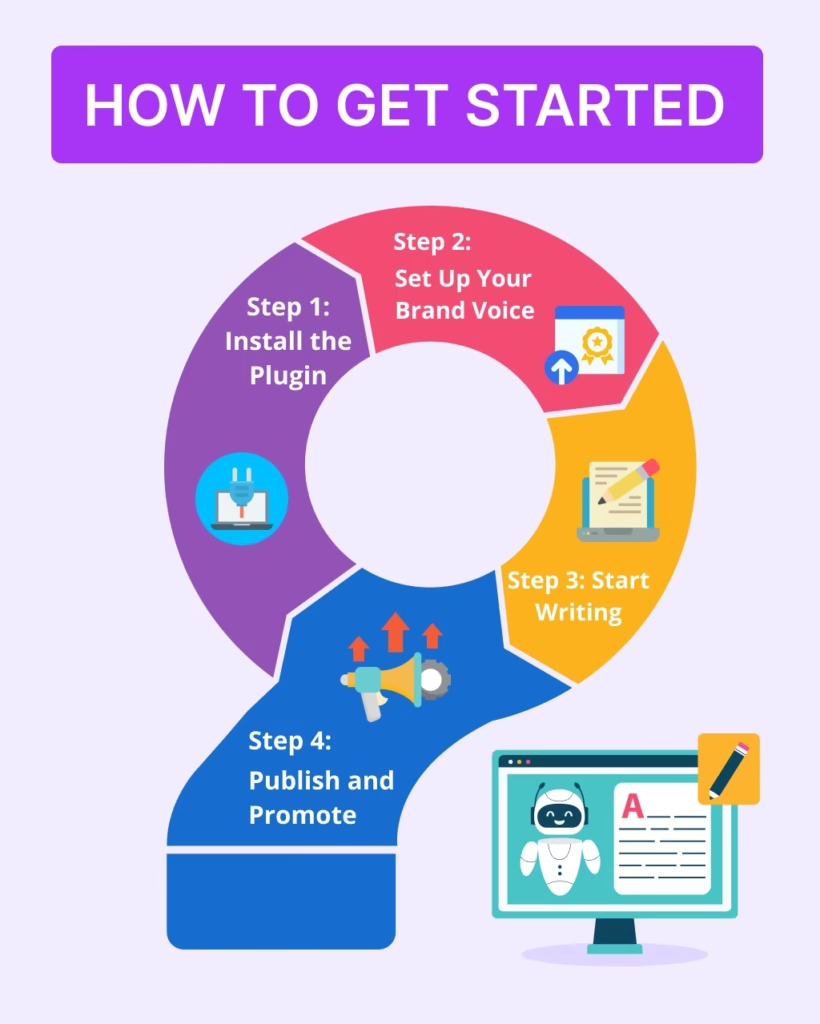
- Create drafts inside WordPress: Generate blog posts, headings, and sections directly in your editor, cutting down on copy-paste hassle and formatting inconsistencies.
- Build complete blog posts: From post ideas to SEO titles, intros, structured H2/H3 sections, conclusions, and FAQs, AI can help speed up every stage.
- Write meta descriptions and SEO snippets: Instantly generate multiple variations to test and optimize for SEO plugins and SERP performance.
- Draft WooCommerce product descriptions: Quickly create or improve ecommerce copy, category explanations, and feature lists.
- Edit before publishing: Always review AI drafts for formatting, links, readability, and accuracy before you hit publish.
- Streamline your publishing workflow: Select a topic, generate an outline, fill out sections with AI, insert your expertise, optimize meta tags, format, and publish, all without switching tools.
If you run a WordPress site, a plugin like WriteRush helps you bring AI-assisted writing directly into your dashboard, so moving from idea to publish-ready draft feels seamless.
How to Choose the Best AI Writer
The right AI writer depends on your goals, workflow, and platform.
- Match the tool to the job: Decide if you need a flexible chatbot, a blog-writing assistant, an SEO content tool, or a WordPress plugin.
- Compare features:
| Tool Type | Best For | Limitation |
|---|---|---|
| AI chatbot | Brainstorming, Q&A | Less structured for publishing |
| AI writer | Blog posts, emails, descriptions | Still needs editing |
| AI SEO writer | Search-focused articles | Can become formulaic |
| Grammar assistant | Polishing, clarity | Not ideal for full content workflows |
| WordPress AI plugin | Content inside WordPress | Varies by plugin features |
| Enterprise AI platform | Governance, brand control | Often expensive or complex |
- Look for workflow support: Check for features like outlines, templates, meta description generation, tone settings, and content freshness tools.
- Consider WordPress compatibility: For WordPress publishers, native plugins (like WriteRush) minimize tool switching and formatting headaches.
- Evaluate quality, privacy, and pricing: Prioritize tools with strong editing experiences, transparent privacy, fair pricing, and responsive support.
The best AI writer is the one that supports your unique publishing goals and fits naturally into your process.
AI Writer Prompt Examples
Effective prompts give your AI writer the direction needed for outstanding drafts. Try these templates:
Write a [type of email] for [audience] about [offer/topic]. Use a [tone] tone, include a clear subject line, a short opening, key benefits, and a simple call to action.
Turn this blog post into five social media captions for [platform]. Use a [tone] style, keep each caption concise, and include a clear takeaway or question.
Create a WordPress blog post draft about [topic]. Include an SEO title, meta description, introduction, H2/H3 structure, body content, FAQ section, and conclusion.
Review this existing article and suggest ways to improve it for freshness, search intent, readability, missing subtopics, FAQs, and stronger examples.
Use these examples as starting points and add your own details for even better outputs.
AI Writer Best Practices
- Use AI for drafts, not final judgment like review, and refine every output.
- Fact-check all information and add trusted sources where needed.
- Supplement with your own expertise, examples, or stories.
- Avoid copying competitor content or relying solely on AI structure.
- Edit for readability, voice, flow, and brand alignment.
- Place keywords naturally, never stuff.
- Use headings, bullets, and FAQs to aid skimming and SEO.
- Check originality and plagiarism risk before publishing.
- Keep content up to date, use AI to refresh as your field or market evolves.
Conclusion
AI writers are changing content creation for bloggers, marketers, business owners, and WordPress users, helping anyone with a story or offer publish more consistently and efficiently. But real results come from treating AI as a writing assistant, not a replacement: use it for ideas, outlines, and drafts, then layer your experience, expertise, and editing for quality that gets noticed in search and by your audience.
If you publish on WordPress and want a smoother way to move from idea to draft to publish-ready content, explore how WriteRush can support your AI-assisted writing workflow.
Frequently Asked Questions About AI Writers
What is an AI writer and how does it work?
An AI writer is a tool powered by artificial intelligence and natural language processing to generate and improve written content from a user’s prompt. It works by predicting text based on language patterns learned from large volumes of data.
Can I use an AI writer for blog posts and SEO content?
Yes, AI writers help generate blog post drafts, SEO outlines, meta descriptions, headings, and FAQs. However, human editing is still required for quality, originality, and search performance.
Are AI writers free to use?
Some AI writers offer free plans or basic generators, while advanced features like long-form content, SEO workflows, or integrations may require a paid subscription.
Will AI writers replace human writers?
No. AI speeds up drafting and structure but can’t fully replace human strategy, creativity, brand voice, and expert insights. Human review is essential before publishing.
Can AI-generated content rank on Google?
AI-assisted content can rank if it’s helpful, accurate, well-structured, and demonstrates expertise. Always prioritize people-first content and follow Google’s quality guidelines.
Is AI-generated content original?
AI can produce unique wording, but the risk of repetition or generic phrasing exists. Check all drafts for originality and enrich them with your own perspective.
What are the risks of publishing AI content without editing?
Unedited AI output can feel generic, contain factual errors, miss brand cues, or even repeat misinformation. Editing ensures quality and aligns content with your goals.
What’s the best AI writer for WordPress users?
The best AI writer integrates with WordPress, supports blog drafting, and offers SEO title/meta generation. Options like WriteRush keep the workflow inside your dashboard.
How do I prompt an AI writer to sound more human?
Include tone and audience details in your prompt, add personal examples or insights, and review the draft for natural language and brand consistency.
What should I check before publishing AI-written content?
Always review for accuracy, originality, search intent, readability, internal/external links, headlines, categories, meta descriptions, and overall usefulness to readers.
This page was last edited on 10 June 2026, at 4:51 pm