

Quick Answer
A blogging workflow is the step-by-step process bloggers follow to plan, create, edit, publish, and promote blog content efficiently. This workflow streamlines ideation, writing, revisions, SEO optimization, and distribution for consistent, high-quality results.
If writing and publishing a blog post feels like spinning plates—brainstorming ideas at midnight, scrambling to fix typos minutes before posting, or getting lost in endless tabs of SEO tools—you’re not alone. The process is rarely as simple as “just write it.” Most bloggers and content teams know the chaos that comes with juggling topic ideas, keeping track of drafts, rushing deadlines, and trying to stand out in Google results.
Getting organized with a blogging workflow is a total game changer. With the right approach, you can save hours, publish better content, and never again wonder, “Did I remember to optimize for search?” In this guide, we’ll walk through proven blogging workflow stages, practical tips for both solo bloggers and teams, and the best tools (including some you might not have tried) to make creating WordPress content not just efficient, but actually enjoyable.
What Is a Blogging Workflow?
A blogging workflow is a structured, repeatable process that guides each blog post from initial idea all the way to publication and post-launch promotion. It typically includes brainstorming, outlining, drafting, editing, SEO optimization, adding visuals, publishing, and distributing the content.
With a strong workflow, bloggers remove guesswork, avoid missed steps (like skipping keyword research or forgetting visuals), and maintain a consistent quality standard. Think of it as your content engine—keeping each post moving smoothly, minimizing bottlenecks, and freeing up more time for creative energy.
Why a Streamlined Blogging Workflow Matters
Starting with a structured blogging workflow means less chaos, faster publishing, and better results. Workflows eliminate repetitive mistakes (like publishing with broken links or missing meta descriptions) and help professionals and teams scale their content with confidence.
For content marketers and WordPress users, an optimized workflow makes it easier to plan, assign, and track content, all while boosting SEO and saving hours each month. From a business perspective, it’s the difference between scattered, inconsistent posts and a dependable, high-performing blog that drives results.
Stages of an Effective Blogging Workflow
Each stage of a blogging workflow solves a unique challenge—from finding the right ideas to publishing posts when your audience is most active. Let’s break down each step and see how to make it work (and work for you).
Idea Generation and Research

Great content begins with strong ideas. Start by tuning into what your audience is searching for—analyze questions on forums, review trending keywords with tools like Google Trends, or brainstorm evergreen topics.
Many bloggers struggle at this stage and end up stuck. In our experience, AI-powered brainstorming tools (such as WriteRush for WordPress users) can quickly surface trending topics or help build out lists of content angles, cutting the time from blank page to actionable outline.
- Use keyword tools to spot high-potential topics and questions.
- Tap into your analytics and comments for insights directly from your readers.
Outlining and Draft Writing

Clarity and structure are key. A thorough outline acts as your roadmap, helping you fill in research gaps and stay focused. Some prefer collaborative outlining tools like Notion or Google Docs, while WordPress users might draft directly in the editor using plugins that support structured content and AI-assisted outlines.
For example, WriteRush offers in-editor outlining and draft generation, allowing writers to sketch, refine, and fill out sections without ever leaving WordPress.
- Break content into intro, body sections, and conclusion.
- Add working titles and key takeaways to keep on track.
Revision, Editing, and Proofreading

To prevent embarrassing mistakes, set aside time for review before publishing. Solopreneurs may read aloud or use grammar checkers (e.g., Grammarly). Multi-author teams often move content through a formal peer review and approval stage.
Notably, AI feedback loops (like those in WriteRush) can automatically highlight readability issues and grammar slips right inside your editor, making the editing phase smoother and more reliable.
- Check facts and links.
- Refine for clarity, flow, and tone.
SEO Optimization and Keyword Integration
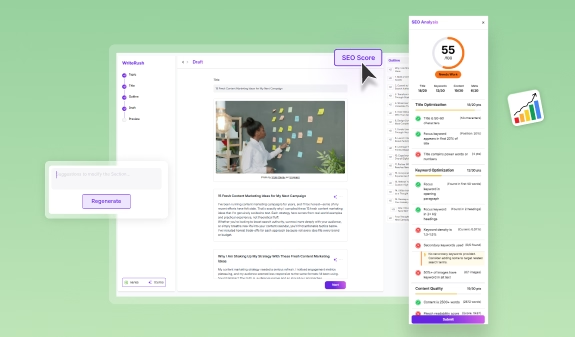
Optimize content as you draft, not as an afterthought. On-page SEO includes keyword placement, crafting engaging headlines, using internal (and external) links, and optimizing meta descriptions.
Having a checklist or an SEO plugin (like Yoast or WriteRush’s built-in SEO scoring) helps flag missed opportunities and keep SEO front of mind.
- Prioritize clarity over keyword stuffing.
- Link to related content for authority and engagement.
Adding Visuals and Enhancing Readability
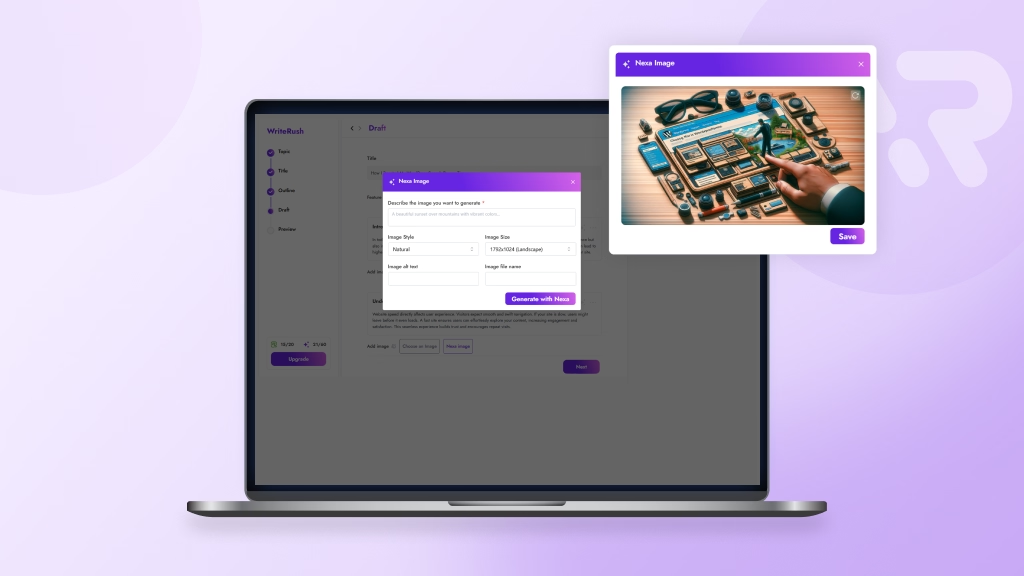
Images, infographics, and videos aren’t just decorative—they break up text and help explain your message. Use original visuals, free image libraries, or create simple graphics with tools like Canva.
Embedding media is simple in most CMS platforms. For WordPress, drag-and-drop or block editors make adding visuals easy. WriteRush, for example, streamlines this by suggesting image placements based on content sections.
- Alt-text for accessibility and SEO.
- Use headings, bullet points, and white space for better readability.
Publishing and Scheduling
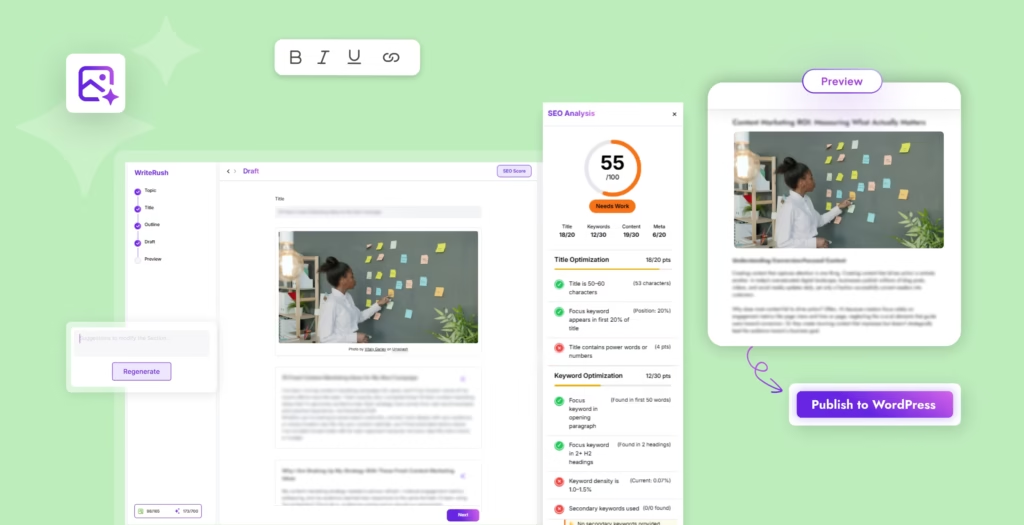
Publishing at the right time helps you reach more readers. Both solo bloggers and teams benefit from scheduling tools or editorial calendar plugins, allowing them to plan ahead and ensure posts go live consistently.
WordPress users can automate much of this, scheduling drafts in advance or publishing to multiple channels with plugins.
- Set reminders or use automation to keep on schedule.
- Review one last time before going live.
Promotion and Distribution
Hitting “publish” isn’t the finish line. Promote your posts on social media, through emails, or via syndication platforms to extend your reach. Even for solo bloggers, automation tools like Buffer or WordPress sharing plugins can reduce manual tasks.
- Draft post-launch emails for subscribers.
- Share new posts multiple times to reach different time zones.
Measuring Performance and Iterating
Track what works and what falls flat. Dive into analytics (like Google Analytics or built-in WordPress dashboards) to review pageviews, engagement, and conversion.
Top bloggers regularly update old posts and tweak processes based on performance data—a step that is often skipped, but crucial for long-term growth.
- Monthly or quarterly workflow reviews keep your process sharp.
- Celebrate wins and adapt to new challenges.
Optimizing Your Blogging Workflow for WordPress
WordPress empowers users to shape blogging workflows that suit their style and scale—if you know how to use its features to your advantage.
- Customize your editor workflow: Use reusable blocks and templates to speed up formatting and keep posts consistent.
- Editorial calendar plugins: Tools like Edit Flow or PublishPress make managing multi-author teams easier, with built-in editorial notes and task assignments.
- Automate where possible: Scheduling, SEO checks, backups, and social sharing can all be automated with the right plugins.
- Integrate AI tools: WriteRush brings brainstorming, outlining, SEO checks, and publishing directly into WordPress, so you’re never jumping between platforms. This makes moving from concept to published post seamless, especially as teams grow.
By adapting these tools and best practices, blogging inside WordPress can go from cluttered to streamlined quickly.
Spotlight: Enhancing Your Workflow with WriteRush
Workflow bottlenecks—like idea paralysis, slow drafting, or endless review cycles—are common roadblocks. That’s where AI content marketing plugins like WriteRush help. For example, instead of switching to separate apps for brainstorming or editing, WriteRush surfaces trending topic suggestions and generates outlines, all inside your WordPress editor.
For multi-author content teams, WriteRush simplifies assigning drafts, requesting approvals, and tracking revisions in a single dashboard. It automates repetitive steps, supports in-editor SEO optimization, and helps keep your entire workflow inside one familiar platform.
Many teams speed up content planning and boost consistency simply by adopting a tool that supports every step—from ideation through to performance review—without the friction of juggling browser tabs.
Common Workflow Mistakes and How to Avoid Them
Even the most experienced bloggers fall into workflow traps. Here’s what to watch for (and how to sidestep them):
- Skipping crucial stages (research, editing) when under deadline pressure. Always block time for these, even if it means posting less often.
- Using too many tools and losing track of drafts. Aim for a simple workflow stack; many find all-in-one plugins in WordPress easier to manage.
- Overlooking automation and doing repetitive steps by hand. Delegate routine work to plugins or AI.
- Ignoring analytics after publishing—missing out on valuable data to guide content improvements.
- Not adapting for your team’s size. Workflow for solos is different from a three-person team or a business with ten writers.
A better approach is to regularly review your process (monthly or quarterly), look for bottlenecks, and iterate as your blog or business grows.
Conclusion
A strong blogging workflow takes the guesswork and stress out of publishing—helping you create better content, save time, and drive your blog forward. Whether you’re flying solo or running a WordPress team, simple processes and thoughtful automation make all the difference. Embrace templates, streamline your steps, and try tools like WriteRush to turn blogging into a repeatable, results-driven habit.
Ready to refine your workflow? Explore how WriteRush can help you write and publish smarter, right inside WordPress.
Frequently Asked Questions
What are the basic steps in a blogging workflow?
A typical blogging workflow includes ideation, research, outlining, drafting, editing, SEO optimization, adding visuals, publishing, promoting, and tracking analytics.
How can I create a blogging workflow that saves time?
Start by mapping your current steps, then identify stages you can automate or batch. Test using templates, plugins, or tools like WriteRush to streamline recurring tasks.
Which tools are best for managing my blogging workflow?
Tools like Google Docs, Notion, Trello, Grammarly, editorial calendar plugins, and AI-supported platforms such as WriteRush are popular for managing different workflow stages within WordPress and beyond.
How do I set up a workflow in WordPress?
Use the built-in block editor for drafting, editorial calendar plugins for scheduling, and workflow plugins to manage drafts, approvals, and publishing tasks. Integrate SEO and analytics plugins to cover all key steps.
How does AI help streamline the blogging process?
AI writing assistants can generate outlines, suggest topics, offer writing feedback, and automate editing or optimization tasks—all helping bloggers publish faster and with fewer errors.
What mistakes should I avoid in my blogging workflow?
Don’t skip critical steps like proofreading, overcomplicate your tool stack, or forget to review analytics. Addressing these issues leads to higher quality and better results.
How do teams collaborate on blog content efficiently?
Use centralized tools or plugins that track assignments, approvals, and drafts. Clear editorial processes and checklists help avoid confusion and missed deadlines.
Can a good workflow improve my SEO results?
Yes. A strong workflow ensures every post is planned, optimized, checked for keywords, and promoted effectively—helping it perform better in search rankings.
How do I track the performance of my blog posts?
Monitor metrics like traffic, engagement, and conversions with Google Analytics or WordPress-specific analytics plugins. Regularly review these stats to guide your content strategy.
Are there workflow templates for WordPress bloggers?
Yes. Many editorial plugins offer built-in templates, and some tools like WriteRush provide pre-made workflow checklists and templates for WordPress users.
This page was last edited on 22 June 2026, at 4:55 pm






