
The Product Description tool helps you create clear, engaging, and platform-ready descriptions for your store products. By adding the product name, context, images, and brand preferences, you can generate a description that highlights the product’s key value and matches your brand voice.
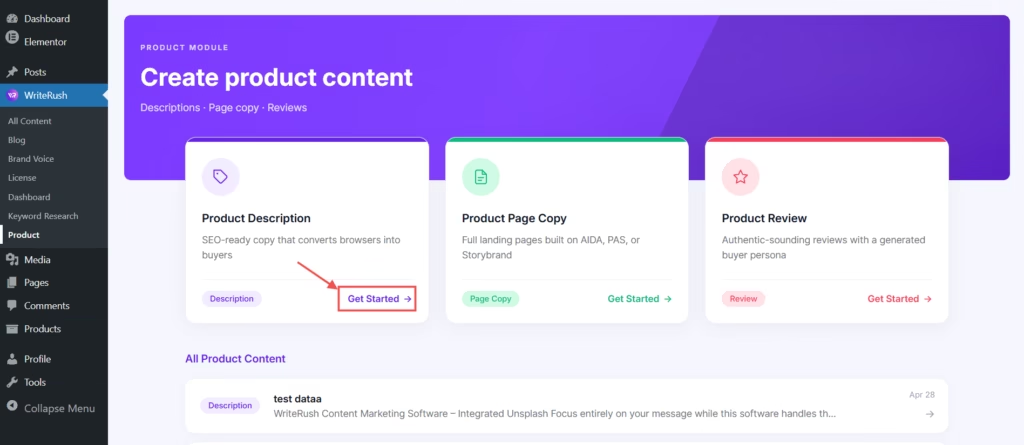
- First, go to WordPress Dashboard > WriteRush and click on Product. Then you can click on the Product Description button.
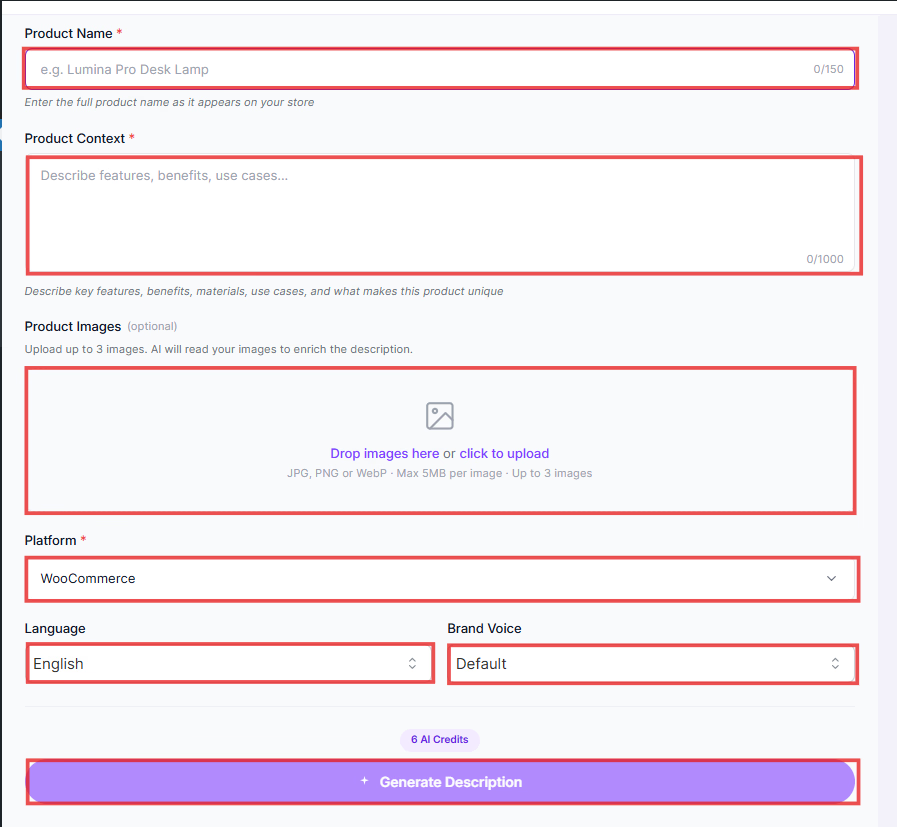
- Here, you need to enter the full Product Name as it appears on your store. Then, you have to describe the Product Context, like key features, benefits, materials, use cases, and what makes this product unique. After that, you can upload the Product Image, and you can upload up to 3 images. Then, you can specify the Platform, choose Language, and select Brand Voice. Finally, click on the Description Generated button.
- On the right side of the page, you can also preview your generated description.
- You can also generate a Short Description and Meta Tags for this product.


