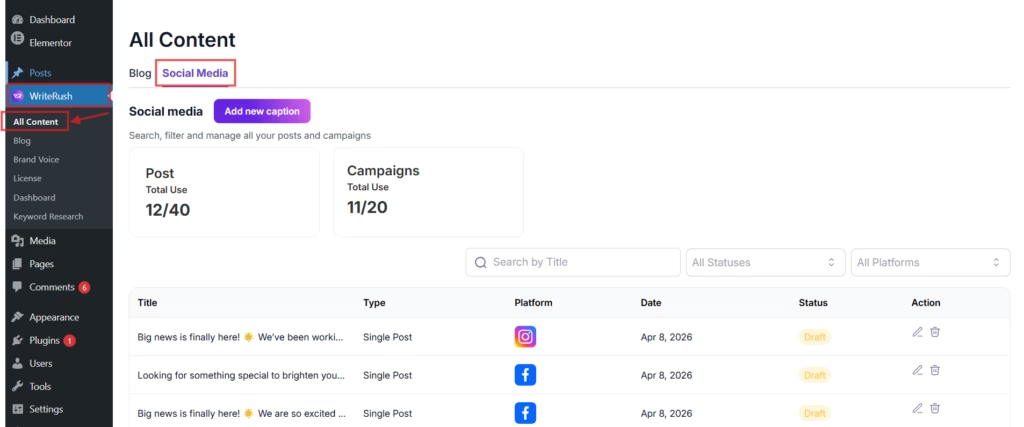
The Social Media Module in WriteRush helps you generate and manage posts for Facebook, LinkedIn, Instagram, X (Twitter), and Pinterest directly from your WordPress dashboard.
You can define the post context, tone, length, and purpose to create engaging, platform-specific captions that match your brand style.
In the next section, you’ll find a step-by-step guide on how to create social media post captions using this module.
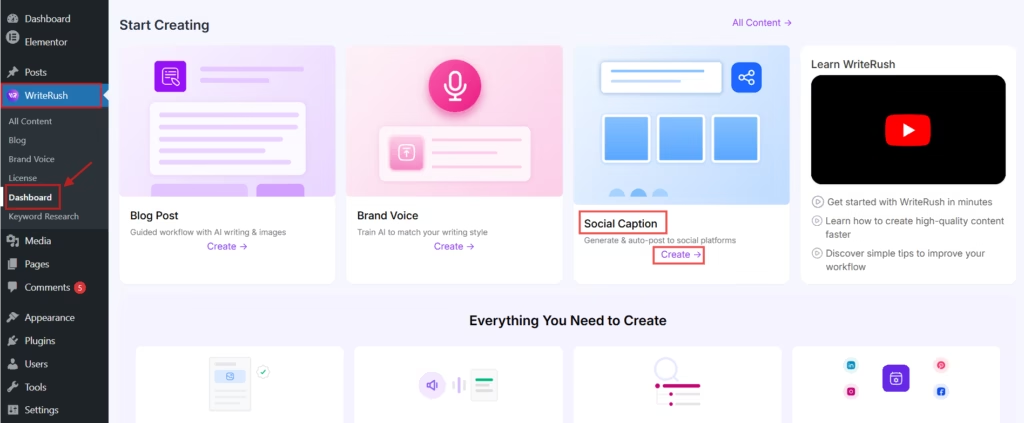
- First, go to WordPress Dashboard > WriteRush and click on Dashboard. Then, under the Social Captions section, click on the Create button.
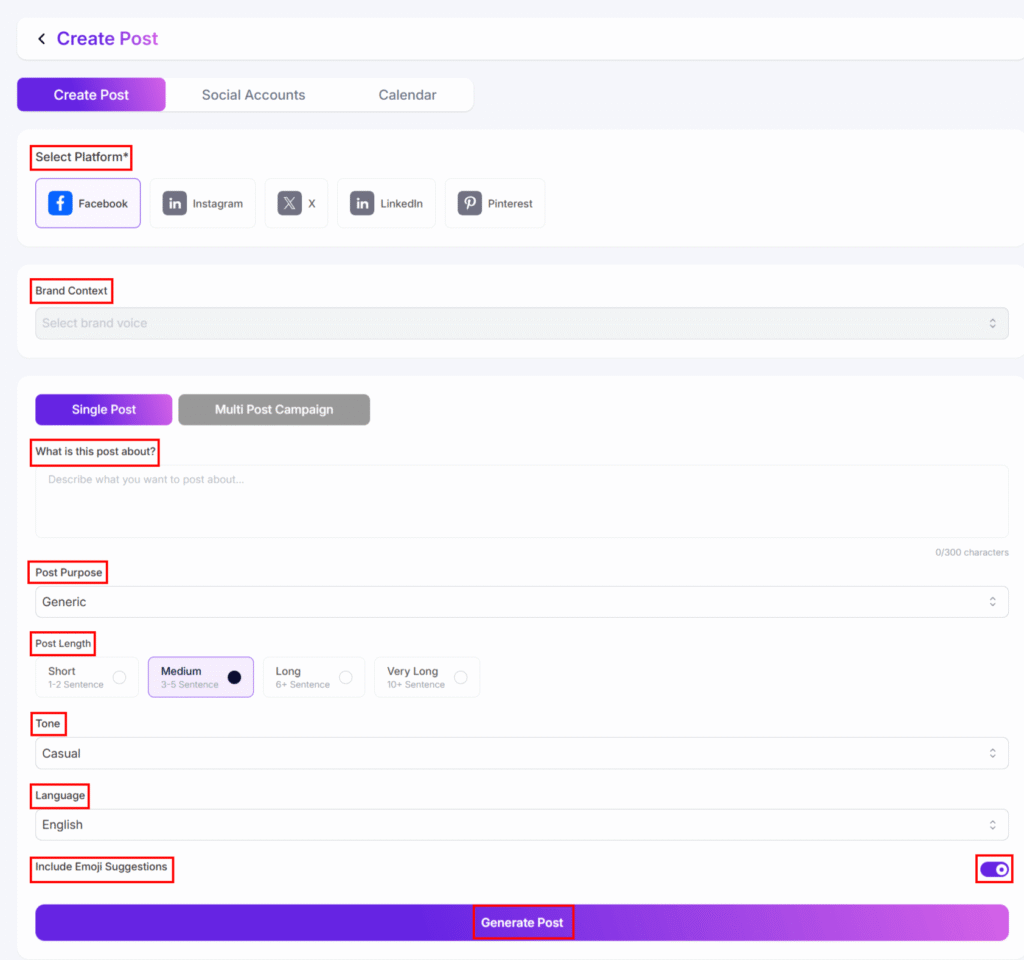
- Next, select your preferred Platform (Facebook, Instagram, X, LinkedIn, or Pinterest) and choose your Brand Voice. You can also define the Post Context, Post Purpose, Post Length, Tone, Language, and whether to Include Emoji Suggestions. When you’re ready, click Generate Post.
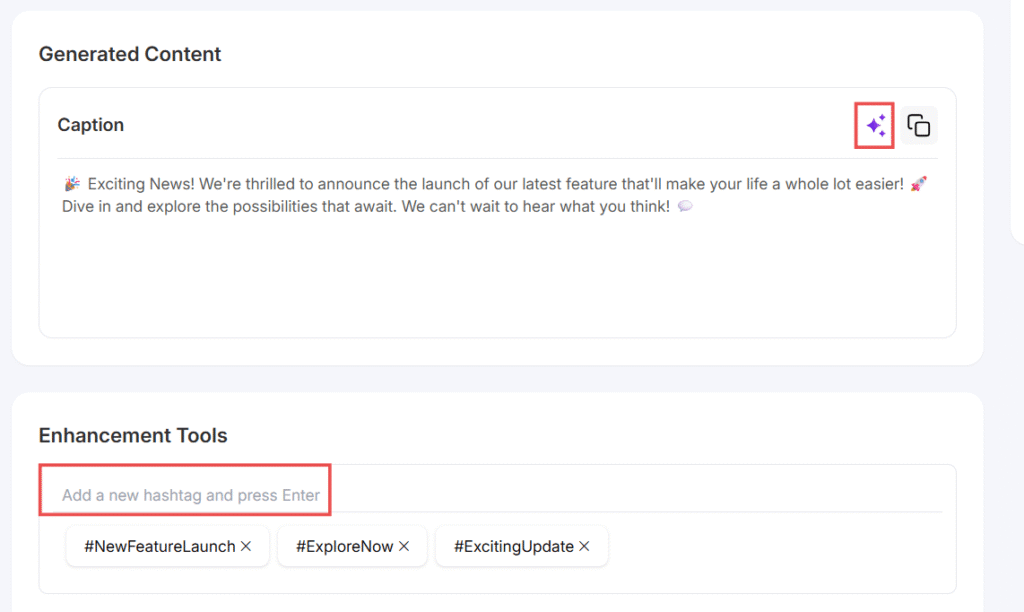
- You will now see the generated caption, which you can edit or regenerate as needed. You can also add new hashtags.
- After that, choose an image from the Media Library or generate one by clicking the AI Image button and providing the required details.
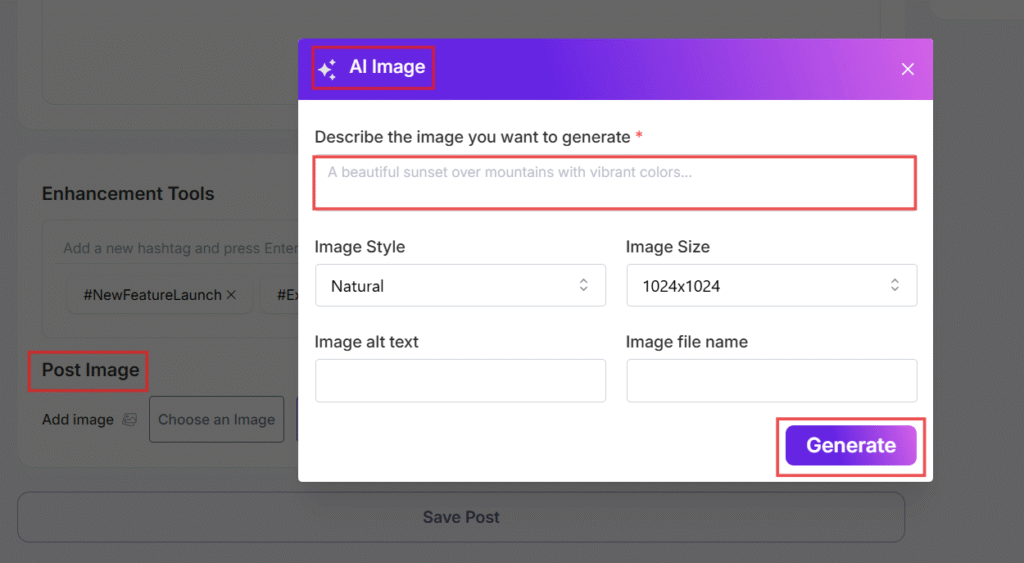
- Finally, click on the Save Post button.
- To view your draft, go to the All Content module, select Social Media, and you will find your saved post.