The Brand Voice Module in WriteRush is designed to help you create content that truly represents your brand.
It acts as a knowledge-based hub where you can train the AI to understand your brand’s unique persona, tone, and communication style.
By adding your brand’s key information, such as audience, tone, writing style, and brand insights, WriteRush learns how your brand communicates and adapts its writing accordingly.
Here you’ll find a step-by-step process to create your brand profile.
- To set up your brand voice, go to your WordPress Dashboard > WriteRush, click on the Brand Voice module.
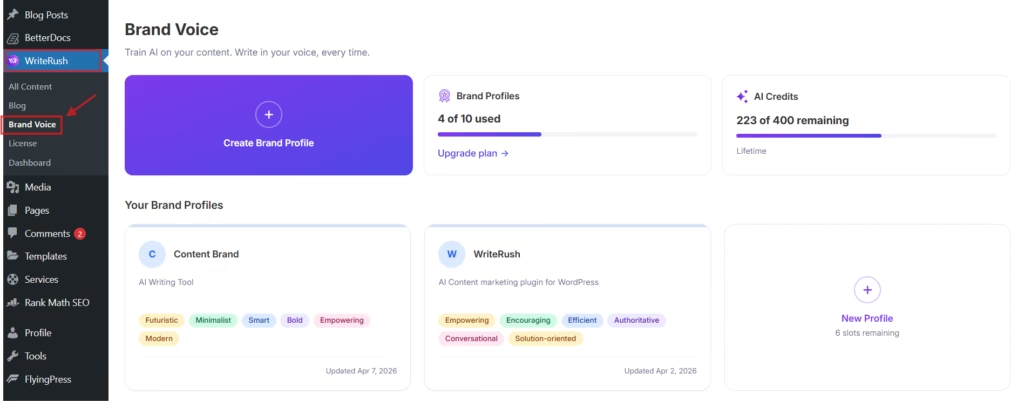
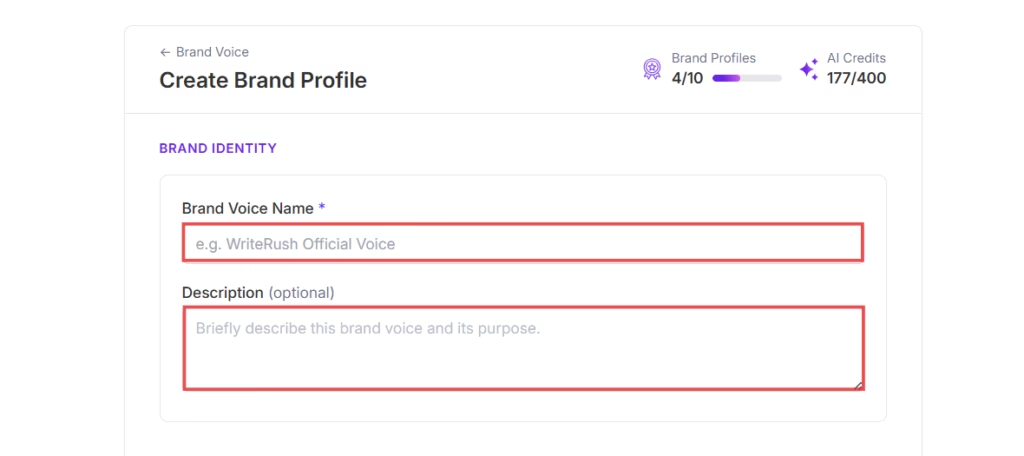
- Click on the Create Brand Profile button, and fill in the required fields of Brand Voice Name and Description.
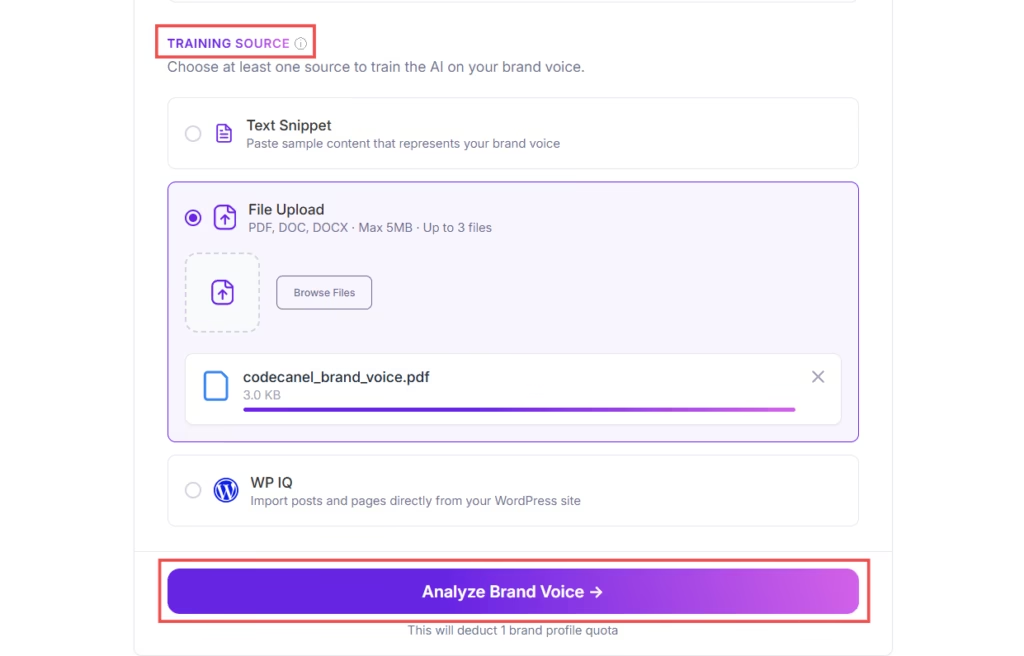
- Now, choose your training source. Select any one option from Text Snippet, File Upload, or WP IQ to define the tone and style of your brand voice to generate content that aligns with your brand’s voice. The character limit for the training source is 10,000.
- If you choose the Text Snippet option, you can provide a description or sample content that reflects your brand’s identity.
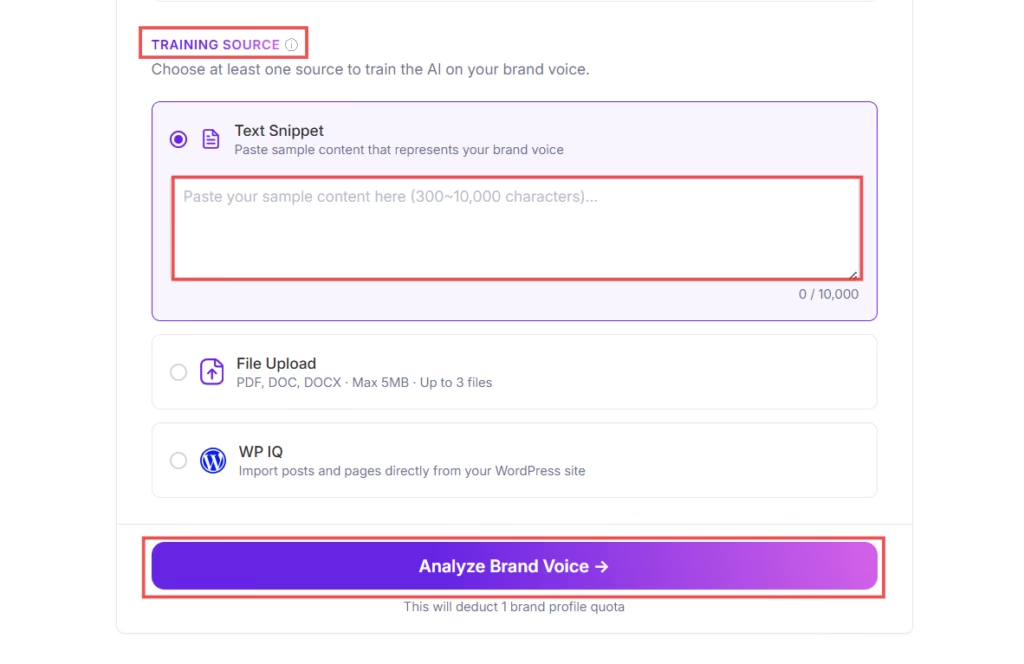
- You can also select the File Upload option, which allows you to upload the required brand documents to train AI. You can add up to 3 files. The file size must be less than 5 MB.
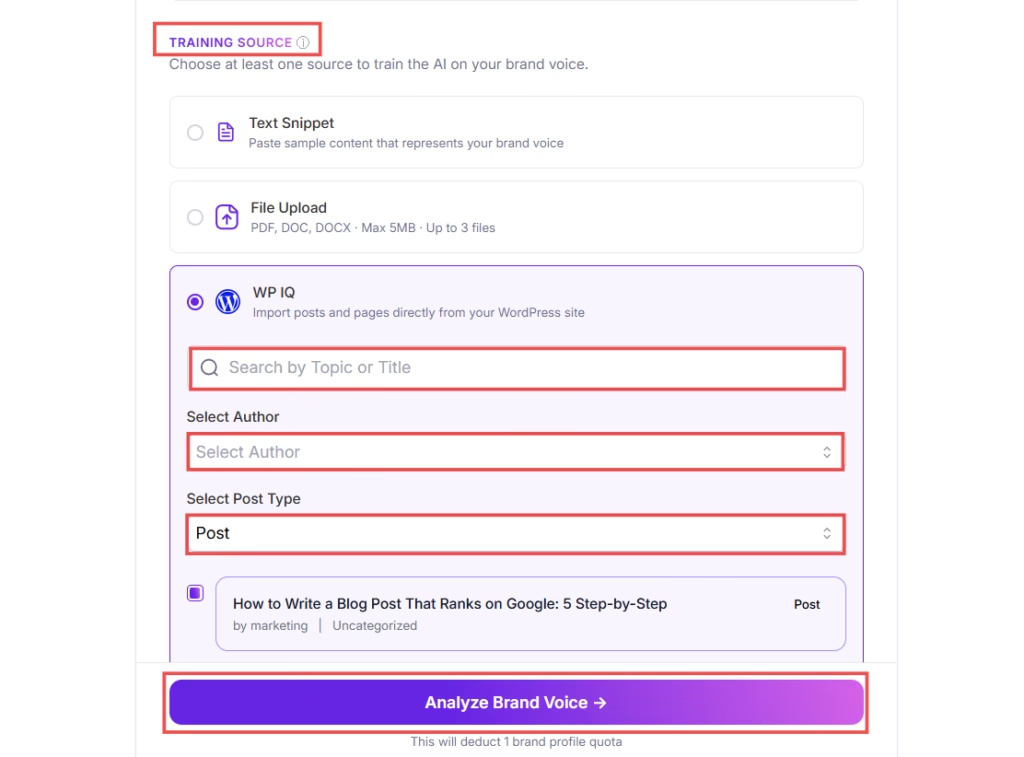
- The best part is, you can choose the WP IQ option to import existing posts and pages directly from your WordPress site to train AI. You can search for Topic or Title, Author, and Post Type, and the related pages/posts will appear. Select the content that represents your brand the best.
- Finally, click on the Analyze Brand Voice button to complete the process.
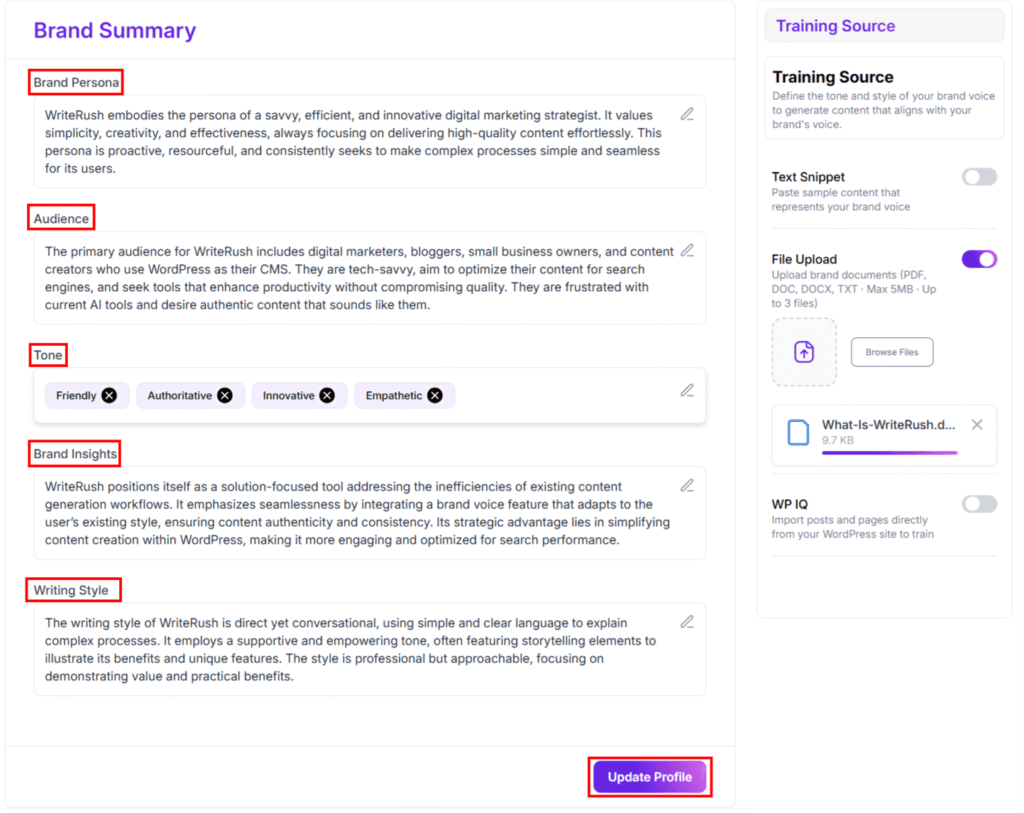
- Now you can see your Brand Summary and update your Brand Profile by editing the Brand Persona, Audience, Tone, Brand Insights, and Writing Style.