From your WordPress admin dashboard, you can create a new page or edit an existing one using Elementor along with WriteRush.
- Navigate to WordPress Dashboard → Pages.
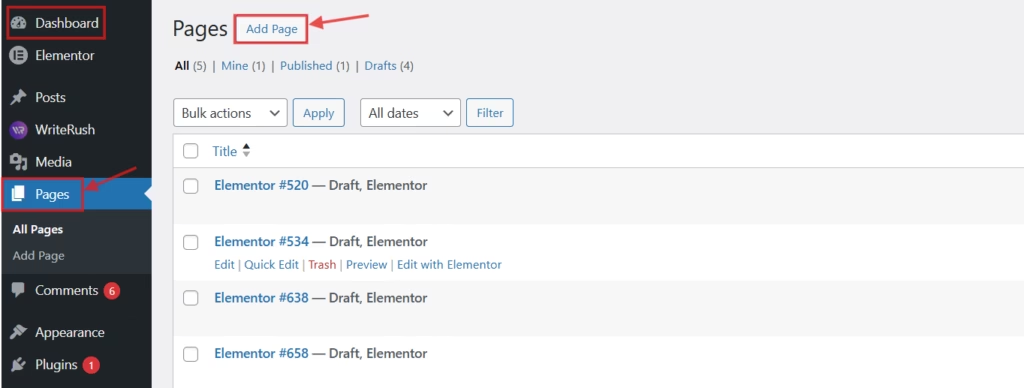
- Click Add New Page, or select an existing page to edit.
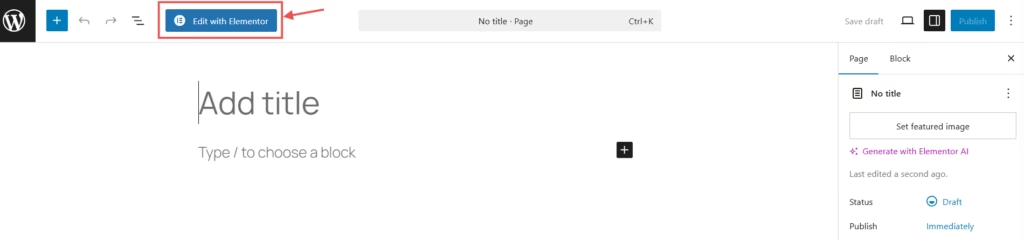
- Click the Edit with Elementor button to open the page builder.
Once you’ve completed the page layout and design, you can start generating content with WriteRush.
To generate content:
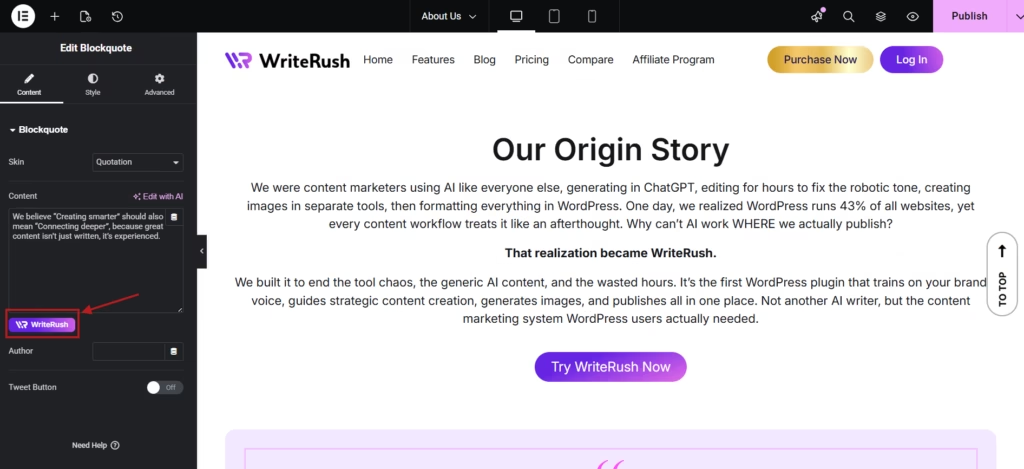
- Go to the text editor field within the section where you want to add content.
- Click on the WriteRush Widget.
- You will see four options: Write, Rewrite, Keep Editing, and Summarize.
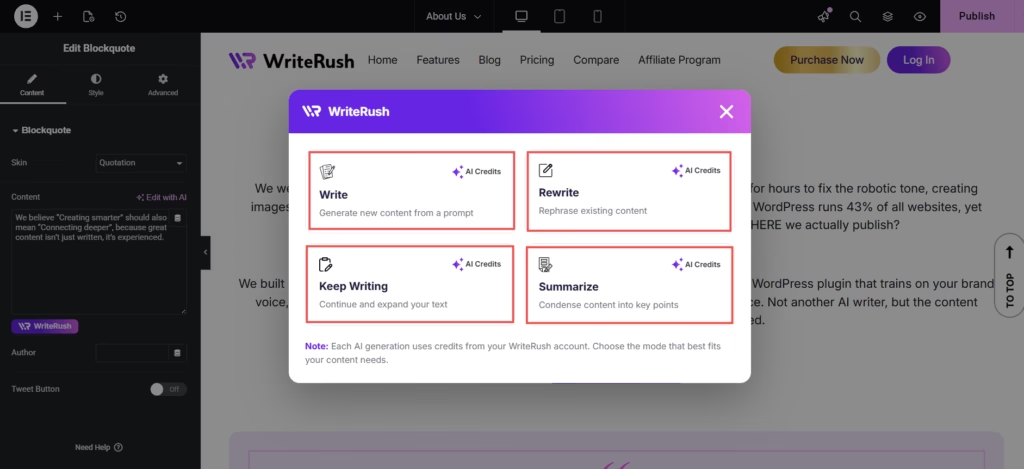
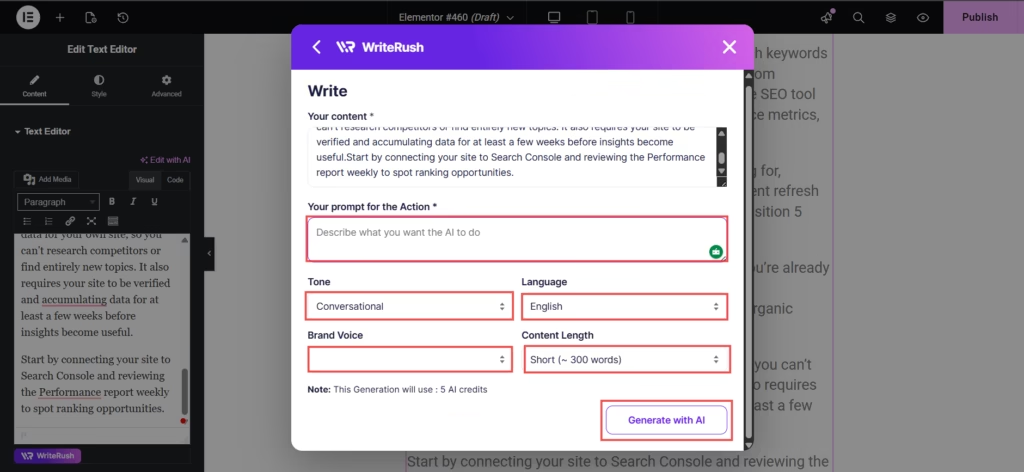
- Write: Generate new content from scratch.
- Rewrite: Improve or modify existing content.
- Keep Editing: Continue refining and improving your content seamlessly.
- Summarize: Generate a concise summary of your selected content.
You can choose your required one; you just need to:
- Enter your instructions or prompts.
- Click Generate with AI.
- Review the generated content.
- You can either regenerate it or click Insert to add it to your page.