The Multi-Post Campaign feature in WriteRush helps you plan, generate, and organize a series of connected posts from a single campaign idea directly within your WordPress dashboard.
You can define the campaign goal, target audience, platforms, tone, and content angle to generate a cohesive sequence of posts that align with your brand voice and campaign objective.
In the next section, you’ll find a step-by-step guide on how to generate a Multi-Post Campaign using this feature.
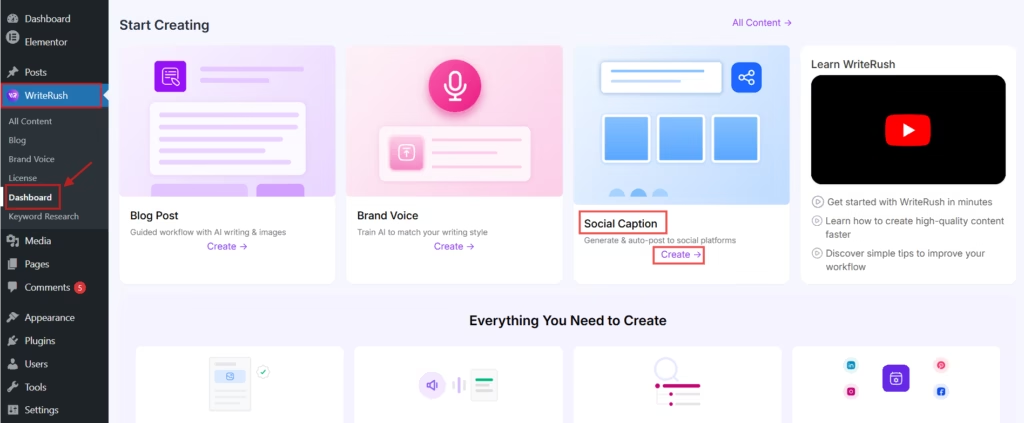
- First, go to WordPress Dashboard > WriteRush and click on Dashboard. Then, under the Social Captions section, click on the Create button.
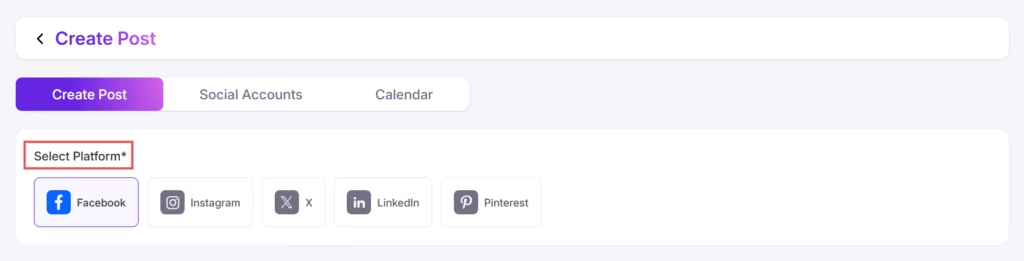
- Next, select your preferred Platform (Facebook, Instagram, X, LinkedIn, or Pinterest) and select your Brand Voice.
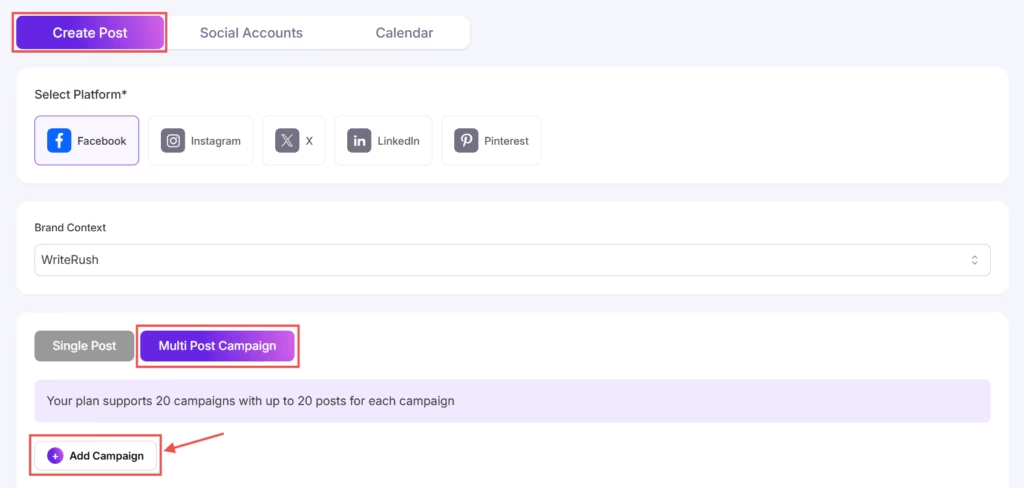
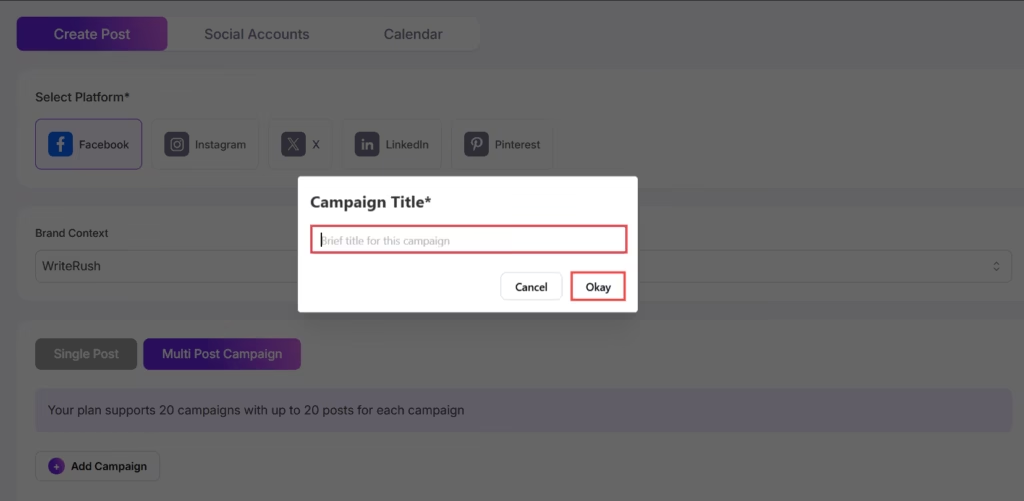
- To get started, click on the Multi-Post Campaign button and then select Add Campaign.
- Next, enter your Campaign Title to help identify and organize your campaign.
- After that, click Add Post to provide the required campaign details based on your content goals. This includes the Content Description, Post Purpose, Post Length, Tone, Language, and whether you want to include emoji suggestions.
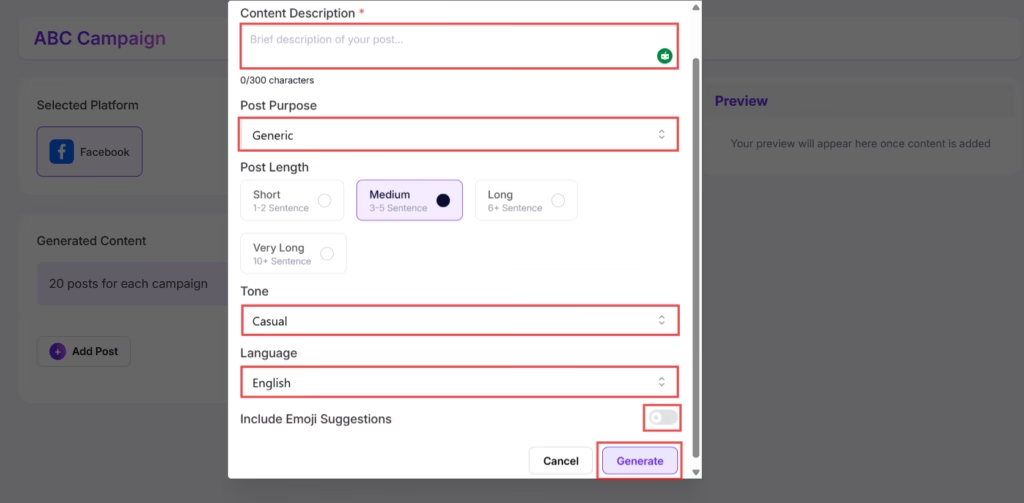
- Once all the information is filled in, click the Generate button to create a post for your multi-post campaign.
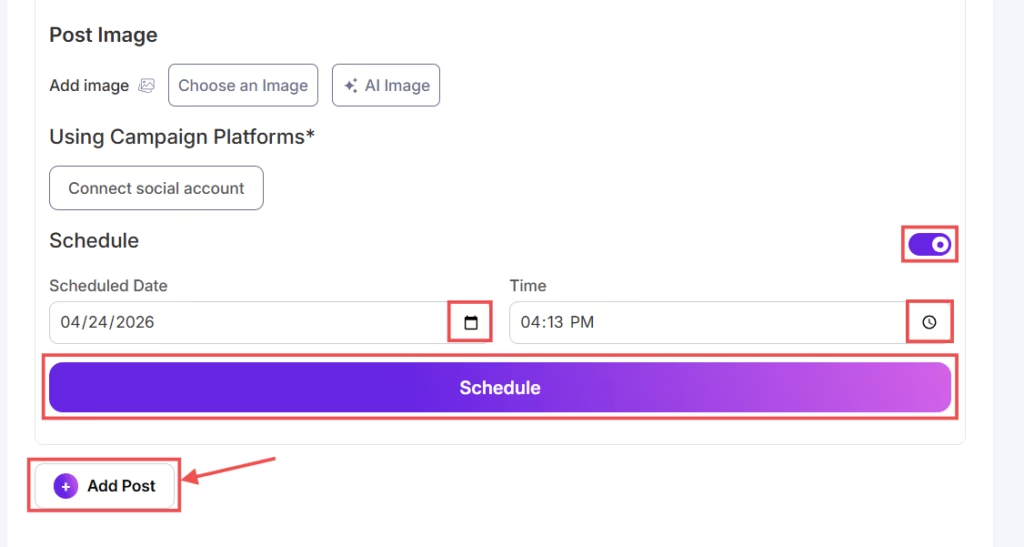
- You can then review the generated post, add hashtags and images, and connect your Facebook account to either publish instantly or schedule the posts.
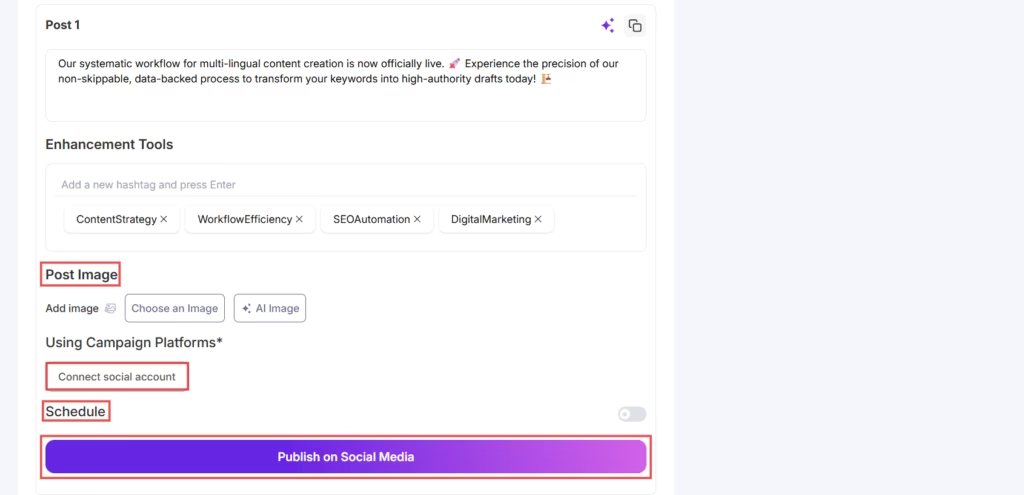
- To publish immediately, click Publish, then repeat the process to add more posts to the same campaign.
- To schedule a post, enable the Schedule option, select your preferred date and time, and click Schedule. You can continue adding and scheduling additional posts within the same campaign.