
If you run a WordPress agency, this will sound familiar: you’re switching multiple client blogs, under pressure to publish more content, more often, without sacrificing brand standards or SEO performance, often on a tight budget. There’s never enough time for manual drafting, and generic outsourced content rarely impresses. Meanwhile, competitors keep raising the bar on content quality and turnaround speeds.
You know automation could help, but you worry: Will AI-generated blog posts sound bland, hurt SEO, or break your workflow? You’re not alone. This guide explains, practically, step by step, how modern AI blog writing plugins for WordPress agencies help scale quality content, all while protecting your client’s brand and rankings.
We’ll cover what these plugins really are, why leading agencies use them, which features matter most, and how to avoid common missteps, so you can confidently choose and use the best solution for your agency.
What Is an AI Blog Writing Plugin for WordPress Agencies?
An AI blog writing plugin for WordPress agencies is a WordPress-native tool that generates, optimizes, and helps publish blog content directly from the dashboard, tailored for agencies managing multiple client sites. These plugins use AI models such as ChatGPT, OpenAI, Gemini, or Claude to draft blog posts, outlines, SEO metadata, and FAQs within the familiar WordPress environment.
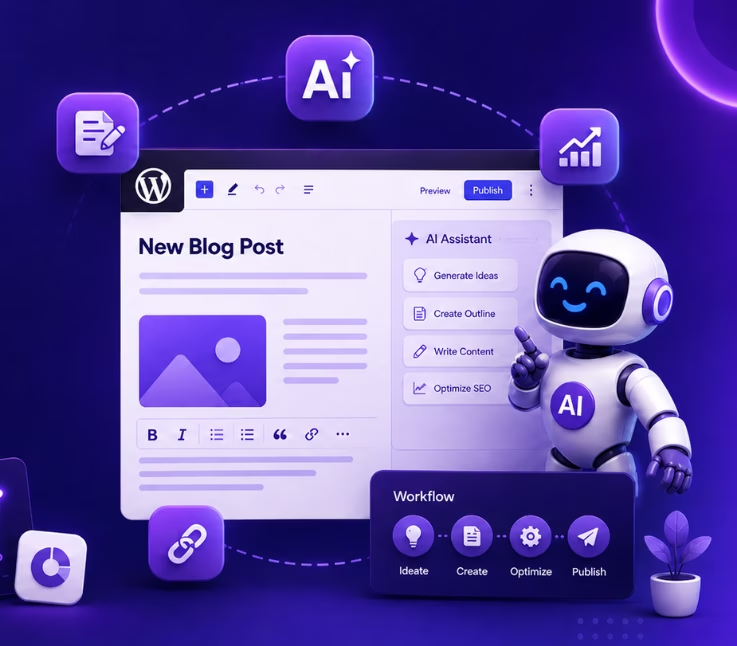
In plain terms, these plugins connect your agency’s WordPress workflow with powerful AI, letting you ideate, draft, and edit blog content right where you publish. Instead of bouncing between writing tools, spreadsheets, and the WordPress editor, your team can create, refine, and collaborate on client blogs all in one place, speeding up delivery, improving consistency, and making bulk production possible. Tools like WriteRush help agencies generate blog outlines, full articles, and meta information natively inside WordPress, so you can focus more on strategy and less on repetitive writing tasks.
Why WordPress Agencies Rely on AI Blog Writing Plugins
- Faster, Scalable Content Production: These plugins let you move from topic to outline to draft in minutes, supporting multiple client sites. Agencies keep up with tight publishing calendars and campaign demands while holding down expenses.
- Built-in SEO and Client Growth: By auto-generating optimized titles, meta descriptions, and keyword-rich structures, plugins support your clients’ organic traffic goals. Every post can be tuned to target search intent and increase visibility.
- Streamlined Workflows: With everything happening inside WordPress, your team can assign drafts, enable reviews, and bulk-generate campaigns, all with fewer interruptions or manual transfers. Tasks move smoothly from ideation to publication.
- Brand Voice and Quality Control: Customizable prompts and human review checkpoints ensure each post feels on-brand for every client. You maintain editorial standards while scaling up delivery.
For example, agencies using tools like WriteRush can create, edit, and optimize posts without switching tabs or risking formatting errors. Team members stay focused, clients receive content faster, and quality never falls through the cracks.
Implementing an AI Blog Writing Plugin in a WordPress Agency Workflow
Adding an AI blog writing plugin transforms your agency’s process by injecting automation at key stages, without sacrificing human oversight or brand consistency. Here’s a five-step framework:
- Prepare the Content Brief:
Start with a focus keyword or campaign goal, outlining your client’s targets and tone. The clearer the brief, the more useful the AI’s initial draft. - Generate Blog Outlines and Ideas:
Use the plugin’s outline tool to break down post structure, spot SEO keywords, and surface the questions readers actually ask. This step saves time and grounds the draft in real search intent. - Create and Edit Drafts Within WordPress:
Draft long-form posts, FAQs, or metadata directly in the dashboard. Assign work to editors who refine AI-generated content, ensuring originality and alignment with the brief. - Optimize SEO, Links, and Images:
Leverage built-in SEO integrations to adjust headers, meta tags, and keyword placement. Add relevant internal links and images, often with just a few clicks, without leaving WordPress. - Facilitate Client Review and Publishing:
Use draft modes and approval tools to share content with clients for feedback. Once approved, schedule or auto-publish the content, then track engagement for future updates.
With plugins like WriteRush, these steps all happen within your existing WordPress workflow, reducing busywork, speeding up delivery, and improving team collaboration without the copy-paste chaos of external AI apps.
Choosing the Right AI Blog Writing Plugin for Your Agency’s Needs
Selecting an AI writing plugin isn’t just about automation; it’s about finding a genuine fit for your agency’s scale, standards, and client needs.
Core Features to Consider:
- Bulk content and campaign generation for managing multiple clients.
- Brand voice controls and prompt templates per client/site.
- Editorial approval, team collaboration, and draft history tracking.
- Seamless SEO plugin compatibility (Yoast, Rank Math, AIOSEO, etc.).
- Flexible connection to OpenAI, Gemini, and Claude APIs via your own key.
- WordPress multisite support and GDPR compliance for privacy.
- Cost transparency with real usage and expense reports.
Plugin vs. Standalone AI Writing Tool:
| Solution | Best For | Pros | Cons |
|---|---|---|---|
| WordPress AI plugin | Agencies & WP-focused teams | Native workflow, no copy-paste | Relies on API integration |
| Standalone AI writing tool | Content teams, freelancers | Advanced templates, multi-channel | Manual import/export to WP |
| SEO plugin with AI features | Metadata & FAQs | SEO synergy, schema tools | Limited blog writing capability |
| Custom AI workflows | Large agencies, technical needs | High scalability & flexibility | Technical setup & cost overhead |
WriteRush Spotlight: AI Blog Writing Inside WordPress
Agencies increasingly favor solutions like WriteRush, which let teams draft, edit, and optimize client blog content right in the WordPress editor, eliminating the need to switch between AI tools and WordPress, and offering collaboration and SEO guidance precisely where they’re needed most.
Common Mistakes to Avoid When Using AI Blog Writing Plugins
- Publishing Unedited AI Drafts
Never publish raw output. Unedited drafts may contain factual errors, SEO gaps, or generic language that weakens client trust and harms rankings. - Ignoring Brand Voice and Client Alignment
Always customize prompts and review drafts so each post matches your client’s unique tone, perspective, and market positioning. - Skipping Fact-Checking and Originality
AI can sometimes hallucinate or recycle ideas. Double-check all facts and ensure the content offers unique value. - Over-Automation Without Human Oversight
AI is best at streamlining routine work, but it can’t replace your agency’s expertise. Keep editorial review and client approval embedded in your workflow. - Neglecting Data Privacy
Understand what data your plugin sends to external APIs. Use privacy-conscious prompts and verify compliance with your client contracts, especially for sensitive industries.
Even robust plugins like WriteRush require thoughtful human involvement to turn AI outputs into client-ready, authoritative blog content.
Conclusion
Scaling quality blog content across multiple WordPress clients doesn’t have to mean longer hours, higher costs, or sacrificing your brand standards. The right AI blog writing plugin gives agencies a reliable way to accelerate content creation, streamline SEO optimization, and strengthen client workflows when paired with thoughtful human editing and client collaboration.
Plugins like WriteRush let your team generate, enrich, and publish client-ready blog content straight from the WordPress editor, minimizing friction and maximizing results. Ready to transform your agency’s content operations? Explore how WriteRush can become a seamless part of your WordPress workflow and help you deliver more, without compromise.
FAQs About AI Blog Writing Plugins for WordPress Agencies
How do AI blog writing plugins work inside WordPress?
AI blog writing plugins integrate directly with your WordPress dashboard, allowing users to generate blog posts, outlines, FAQs, and SEO elements through user-friendly interfaces. Content is created, reviewed, and published, all within WordPress, often with tools for collaboration, editing, and scheduling.
Can agencies use AI writing plugins across multiple client sites?
Yes, most advanced plugins support managing content for multiple sites or WordPress multisite networks. They offer brand voice controls and workflow customizations for each client, making them ideal for agency use.
Do I need my own OpenAI or Gemini API key to use these plugins?
Some plugins require your agency to provide an API key for services like OpenAI or Gemini, allowing you to control costs, user access, and data privacy. Always check plugin documentation for integration requirements.
Is AI-generated content safe for SEO in WordPress?
AI-generated content can rank if it is high-quality, original, and tailored to the user’s search intent. Always review drafts for accuracy, supplement with unique expertise, and follow SEO best practices to comply with Google’s Helpful Content guidelines.
What tasks can AI blog writing plugins help with?
These plugins help agencies create blog outlines, draft articles, generate FAQs, write SEO titles and meta descriptions, insert images, and schedule or auto-publish posts, all within WordPress.
Can AI plugins help maintain a unique brand voice for each client?
Yes—with customizable prompts, template management, and human editing, agencies can use plugins to consistently produce content that reflects each client’s tone and messaging.
Are there risks in using AI plugins for client content?
Risks include publishing unreviewed drafts, data privacy concerns, or producing generic content. Agencies should always fact-check, respect client confidentiality, and keep editorial review a central part of the workflow.
How do agencies control API usage and costs with AI plugins?
Look for plugins with robust usage dashboards, per-client reporting, and admin controls over content history and access, helping agencies manage both expenses and output quality.
Do AI blog writing plugins support SEO plugin integration?
Many leading tools integrate smoothly with SEO plugins like Yoast, Rank Math, or AIOSEO, enabling agencies to optimize every post for maximum search visibility from within the WordPress dashboard.
This page was last edited on 6 May 2026, at 3:20 pm






