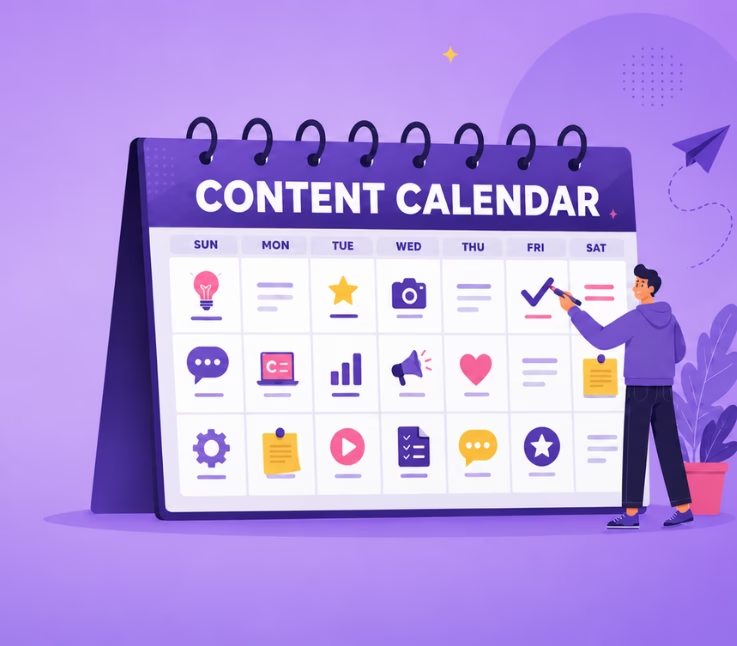
Content calendar creation transforms chaotic publishing into a strategic, repeatable system. Without one, you’re reacting instead of planning, scrambling for topics, missing deadlines, and losing alignment with broader marketing goals. A well-built calendar acts as your single source of truth, keeping writers, designers, and stakeholders synchronized across every channel.
This guide is built for content writers, bloggers, digital marketers, and business owners who want to move from scattered efforts to streamlined execution. You’ll learn how to set clear objectives, choose the right tools, develop a content strategy, and measure what actually matters.
- Define marketing goals that shape your calendar structure
- Select tools and templates that fit your workflow
- Build a flexible calendar that adapts to trends and feedback
- Track performance metrics to continuously improve
By the end, you’ll have a practical framework for content calendar creation that scales with your team and drives real business outcomes.
Understanding the Importance of a Content Calendar
A content calendar isn’t just a scheduling tool; it’s the backbone of effective marketing. According to the Marketing Insider Group, 65% of the most successful B2B marketers have a documented content strategy, compared to just 14% of the least successful. That gap reveals something critical: planning beats improvisation.
Think of your calendar as a GPS for your content journey. It shows where you’re going, highlights upcoming turns, and keeps you from getting lost in reactive publishing. Without it, teams often produce repetitive messaging or neglect high-value topics entirely. Content calendar creation solves this by mapping themes in advance and ensuring diverse, audience-focused output.
A well-structured content calendar is more than a schedule, it’s the backbone of effective marketing that keeps campaigns on track.
The real power lies in visibility. When everyone can see what’s planned, who’s responsible, and when pieces go live, collaboration becomes effortless. That’s the foundation for the organizational benefits we’ll explore next.
Enhancing Organization and Consistency
Consistency builds trust with your audience, and it’s nearly impossible without structure. A content calendar keeps your publishing rhythm steady, whether you’re posting twice weekly or daily across multiple channels. No more last-minute scrambles or awkward gaps in your feed.
Content calendar creation also eliminates the mental overhead of remembering what’s due. When deadlines, topics, and owners live in one visible place, your team spends less time coordinating and more time creating. Research from Smartsheet confirms that calendars save time by providing a clear plan for how and when to publish.
- Maintain a predictable publishing schedule that your audience can rely on
- Reduce cognitive load by centralizing all content details
- Spot scheduling conflicts before they become problems
Boosting Team Collaboration and Efficiency
When multiple stakeholders touch content, writers, editors, designers, approvers, miscommunication is inevitable without a shared system. A content calendar acts as the collaboration hub where everyone sees assignments, statuses, and deadlines at a glance.
Tools like Asana and monday.com offer automatic reminders and notifications so no one misses a deadline. One marketing agency reduced its content turnaround time by 30% simply by moving from scattered email threads to a centralized calendar. That’s the efficiency gain content calendar creation delivers.
- Assign clear ownership for each content piece
- Track progress through defined workflow stages
- Enable real-time updates that keep remote teams aligned
Improving SEO and Audience Engagement
Strategic content calendar creation directly supports your SEO efforts. By planning topics around target keywords and mapping content to audience intent, you ensure every piece serves a purpose in your search visibility strategy. Sporadic publishing, by contrast, creates gaps that competitors happily fill.
Engagement improves when your calendar accounts for audience preferences and timing. Planning allows you to align posts with industry events, seasonal trends, and product launches, moments when your audience is most receptive. The result? Higher click-through rates and longer time on page.
SEO should be embedded into content planning. Identify high-impact keywords and plan how to incorporate them naturally into your content.
Setting Clear Marketing Goals and Objectives
With the organizational foundation in place, the next step in content calendar creation is defining what success looks like. Goals give your calendar direction; without them, you’re just filling slots with content that may or may not move the needle.
Start by asking: What business outcome does this content support? Brand awareness, lead generation, customer retention, and thought leadership all require different content approaches. A SaaS company focused on lead generation might prioritize gated whitepapers and comparison guides, while an e-commerce brand building awareness might lean into social-first video content.
- Brand awareness: Focus on shareable, top-of-funnel content
- Lead generation: Create gated assets with clear CTAs
- Customer retention: Develop educational content and product updates
Your goals should be specific and measurable. “Increase blog traffic” is vague; “grow organic blog sessions by 25% in Q3” gives you a target to plan around. This clarity shapes every decision in your content calendar creation process.
Identifying Your Target Audience
Goals mean nothing if you’re creating content for the wrong people. Audience identification ensures your calendar is filled with topics that resonate, not just topics you find interesting.
Build detailed personas that capture your audience’s challenges, job roles, and content preferences. According to industry research, improving customer retention rates by just 5% can boost revenue by 25% to 95%, proof that understanding your existing audience pays dividends.
| Persona Element | Questions to Answer |
|---|---|
| Demographics | What’s their role, industry, company size? |
| Pain Points | What problems keep them up at night? |
| Content Preferences | Do they prefer long-form guides or quick tips? |
| Buyer Stage | Are they researching, comparing, or ready to buy? |
Your content calendar creation should map content to each persona and buyer stage, ensuring you’re not over-serving one segment while neglecting another.
Aligning Content with Business Goals
Every piece on your calendar should connect to a broader business objective. This alignment prevents “content for content’s sake” and ensures your team’s effort translates into measurable impact.
Map your content themes to specific campaigns, product launches, or seasonal events. Industry experts call this a “Big Rocks” calendar, anchoring major initiatives first, then filling in supporting content around them. Content calendar creation becomes strategic when each asset has a clear role in the larger plan.
- Product launch in Q2? Schedule comparison guides and feature spotlights
- Industry conference in the fall? Plan thought leadership pieces that position your brand
- Seasonal promotion? Create urgency-driven content that supports sales
Choosing the Right Tools and Templates
With goals and audience defined, the next phase of content calendar creation involves selecting tools that match your workflow complexity. The right platform can mean the difference between streamlined collaboration and spreadsheet chaos.
Your choice depends on team size, budget, and integration needs. A solo blogger might thrive with a simple Google Sheet, while an agency managing multiple clients needs robust features like conflict detection, approval workflows, and cross-team visibility.
The best content calendars balance creativity and control, leaving room for brainstorming while providing structure for execution.
Don’t over-engineer your setup. Start with what you need today, then scale as your content operation grows. The goal is a tool that supports content calendar creation without becoming a project in itself.
Exploring Digital Tools for Content Calendars
The content calendar software landscape offers options for every budget and use case. Here’s how the leading tools compare:
| Tool | Best For | Key Strength |
|---|---|---|
| Google Sheets | Small teams, early-stage operations | Free, familiar interface |
| Asana | Teams using project management workflows | Subtasks, editorial templates |
| monday.com | Visual planners, marketing teams | Automations, calendar views |
| CoSchedule | Agencies managing multiple campaigns | Color-coded timelines, integrations |
| Opal | Enterprise teams needing cross-team visibility | AI-assisted planning, presentation exports |
Each tool supports content calendar creation differently. Evaluate based on your must-haves: Do you need approval workflows? Social scheduling? Real-time collaboration across time zones?
Customizing Templates for Your Needs
Templates accelerate content calendar creation by providing a starting structure you can adapt. Most include columns for publish date, title, format, channel, owner, and status, the essentials for any content operation.
Customize your template to reflect your unique workflow. Add columns for target keywords, buyer stage, or promotion tactics. Remove fields you’ll never use. The goal is a calendar that captures exactly what your team needs without unnecessary clutter.
- Include a status column (Draft, In Review, Scheduled, Published)
- Add promotion channels for each piece
- Note relevant holidays or campaign milestones
Developing Your Content Strategy
Tools and templates are containers; your content strategy is what fills them. Effective content calendar creation requires a clear plan for what you’ll publish, why it matters, and how it connects to your goals.
Strategy development starts with research. What topics does your audience care about? What keywords can you realistically rank for? What formats perform best in your niche? These answers shape a calendar that drives results rather than just filling space.
- Research topics and keywords before assigning calendar slots
- Match content formats to audience preferences and channel requirements
- Plan thematic campaigns that build momentum over time
Conducting Topic and Keyword Research
Keyword research grounds your content calendar creation in search demand. Tools like Ahrefs, SEMrush, or even free options like Google Keyword Planner reveal what your audience is actively searching for.
Cluster related keywords into topic groups. This approach lets you create pillar content supported by related pieces, a structure that signals topical authority to search engines. One B2B company increased organic traffic by 40% after restructuring its calendar around keyword clusters.
- Identify primary keywords with meaningful search volume
- Group related terms into content clusters
- Map keywords to specific calendar slots
Selecting Content Types and Formats
Not all content serves the same purpose. Blog posts build organic traffic; videos drive engagement; whitepapers generate leads. Your content calendar creation should include a strategic mix aligned with your goals.
Consider your audience’s preferences and the platforms you’re targeting. LinkedIn favors long-form thought leadership; TikTok demands short, punchy video. Match format to channel for maximum impact.
| Format | Best For | Typical Goal |
|---|---|---|
| Blog posts | SEO, education | Organic traffic |
| Videos | Social, engagement | Brand awareness |
| Whitepapers | Lead generation | Email captures |
| Infographics | Shareability | Backlinks, social reach |
Mapping Out Content Themes and Campaigns
Themes create cohesion across your calendar. Instead of random topics, you’re building a narrative that reinforces your brand positioning and addresses audience needs systematically.
Plan quarterly or monthly themes that align with business priorities. A fitness brand might focus on “New Year Goals” in January and “Summer Ready” in May. Content calendar creation becomes more efficient when each piece supports a larger theme.
- Define 3-4 core themes per quarter
- Assign specific content pieces to each theme
- Leave room for timely, reactive content
Building and Maintaining Your Content Calendar
Strategy defined, it’s time to build your actual calendar. This is where content calendar creation moves from planning to execution, translating ideas into scheduled, assigned, trackable content pieces.
A well-structured calendar balances detail with usability. Include enough information for team members to execute without requiring constant clarification, but avoid overwhelming complexity that makes the calendar itself a burden.
The best calendars leave room for brainstorming and upstream planning while providing structure for execution and alignment.
Structuring Your Calendar Effectively
Your calendar structure should reflect how your team actually works. Most effective calendars include these core elements:
- Publish date and time
- Content title and topic
- Format and channel
- Assigned owner and collaborators
- Status (Draft, Review, Scheduled, Published)
- Target keywords and audience segment
Use views that match different needs. A calendar view shows timing at a glance; a list view helps with detailed planning. Content calendar creation tools like Asana and monday.com support multiple views for this reason.
Scheduling Content and Assigning Responsibilities
Clear ownership prevents content from falling through the cracks. Every piece on your calendar needs an assigned owner responsible for moving it from idea to published asset.
Build in realistic timelines. Content calendar creation fails when deadlines ignore actual production capacity. Factor in writing, editing, design, and approval stages. A blog post that needs custom graphics takes longer than one using stock images.
- Assign primary owners and supporting collaborators
- Set milestone dates for drafts, reviews, and final approval
- Use automations to trigger reminders as deadlines approach
Incorporating Flexibility for Trends and Feedback
Rigid calendars break under real-world pressure. Effective content calendar creation builds in flexibility for trending topics, breaking news, and performance-based pivots.
Reserve 10-20% of your calendar capacity for reactive content. When a relevant trend emerges, you can respond without derailing planned pieces. This balance keeps your calendar strategic while staying relevant.
- Leave buffer slots for timely content
- Review and adjust the calendar weekly or bi-weekly
- Use performance data to inform future planning
Promoting and Distributing Your Content
Creating content is only half the equation; distribution determines whether anyone sees it. Your content calendar creation process should include promotion tactics for every piece, not as an afterthought but as a planned element.
Map distribution channels to each content type. A blog post might get promoted via email newsletter, LinkedIn, and Twitter. A video might prioritize YouTube and Instagram. Planning promotion alongside creation ensures consistent amplification.
- Include promotion channels in your calendar template
- Schedule social posts and email sends alongside content publication
- Repurpose content across formats to maximize reach
Leveraging Social Media and Email Marketing
Social media and email remain the most reliable distribution channels for most content teams. Your content calendar creation should integrate both scheduling promotional posts alongside content publication dates.
Segment your email list to match content with interested subscribers. A product update goes to customers; a thought leadership piece targets prospects. This targeting improves engagement rates and reduces unsubscribes.
- Schedule 3-5 social posts per content piece across platforms
- Segment email sends by audience interest and buyer stage
- Test send times and formats to optimize engagement
Utilizing Influencer and Partner Collaborations
Partnerships extend your content’s reach beyond your owned channels. Identify influencers and complementary brands whose audiences overlap with yours, then plan collaborative content into your calendar.
Guest posts, co-created webinars, and influencer takeovers all fit within your content calendar creation framework. Schedule outreach and collaboration milestones just like you would internal deadlines.
- Identify 5-10 potential collaboration partners per quarter
- Plan outreach 4-6 weeks before desired publication
- Track partnership content performance separately
Monitoring and Analyzing Content Performance
Distribution complete, the focus shifts to measurement. Content calendar creation isn’t a one-time project, it’s an ongoing system that improves through data-driven iteration.
Connect your calendar to analytics tools that track the metrics aligned with your goals. Page views matter for awareness; conversions matter for lead generation. The right metrics depend on what you’re trying to achieve.
Measuring content performance is essential for ensuring your marketing efforts are both effective and efficient.
Tracking Key Performance Metrics
Focus on metrics that connect to business outcomes. Vanity metrics like raw page views can mislead; engagement and conversion metrics reveal actual impact.
| Metric Category | Examples | What It Measures |
|---|---|---|
| Engagement | Time on page, bounce rate, comments | Content quality and relevance |
| Conversion | Form submissions, sign-ups, purchases | Business impact |
| Operational | Time to publish, pieces per month | Team efficiency |
Content calendar creation should include a measurement framework from the start. Define KPIs before publishing, then track consistently over time.
Adjusting Strategies Based on Data Insights
Data without action is just noise. Use performance insights to refine your content calendar creation process, doubling down on what works and cutting what doesn’t.
Review metrics monthly or quarterly. Look for patterns: Which topics drive the most engagement? Which formats convert best? Which channels deliver the highest-quality traffic? Let these answers shape your next planning cycle.
- Identify top-performing content and create similar pieces
- Retire underperforming formats or topics
- Test new approaches based on audience behavior signals
Common Mistakes to Avoid in Content Calendar Creation
Even well-intentioned teams make mistakes that undermine their content calendar creation efforts. Recognizing these pitfalls helps you avoid them before they derail your strategy.
The most common errors stem from either over-ambition or neglect. Planning too much content leads to burnout and quality drops; planning too little leaves gaps that hurt consistency. Finding the right balance requires an honest assessment of your team’s capacity.
Overloading the Calendar with Content
More content isn’t always better. Overloading your calendar creates pressure that leads to rushed work, missed deadlines, and team burnout. Quality suffers when quantity becomes the primary goal.
Start with a sustainable publishing cadence, then increase only when your team can maintain quality. One agency learned this the hard way: tripling their output led to a 40% drop in engagement per piece. Content calendar creation should prioritize impact over volume.
- Assess realistic team capacity before setting publishing frequency
- Build in buffer time for unexpected delays
- Measure engagement per piece, not just total output
Neglecting Regular Updates and Reviews
A calendar that’s never reviewed becomes outdated and irrelevant. Content calendar creation is an ongoing process, not a set-it-and-forget-it task.
Schedule weekly or bi-weekly calendar reviews to assess progress, adjust dates, and incorporate new priorities. Quarterly reviews should evaluate overall strategy and make larger adjustments based on performance data.
- Hold weekly check-ins to review upcoming content
- Conduct quarterly strategy reviews with stakeholders
- Update evergreen content regularly to maintain relevance
Conclusion
Content calendar creation is the foundation that transforms reactive publishing into strategic marketing. Throughout this guide, you’ve seen how clear goals, audience understanding, and the right tools combine to create a system that scales with your needs.
The thread connecting every section is intentionality. From setting measurable objectives to tracking performance metrics, successful calendars are built on purpose, not just filled with content. Your next step? Audit your current process, identify the biggest gap, and address it this week. Whether that’s defining clearer goals, choosing a better tool, or establishing a review cadence, one improvement compounds over time.
Summarizing the Benefits of a Well-Managed Content Calendar
A well-managed content calendar delivers consistency, collaboration, and measurable results. It keeps your team aligned, your audience engaged, and your strategy on track.
- Consistent publishing builds audience trust and SEO authority
- Clear ownership and workflows reduce friction and missed deadlines
- Data-driven iteration improves performance over time
Encouraging Continuous Learning and Adaptation
The best content calendars evolve. As your audience changes, platforms shift, and business priorities adjust, your calendar should adapt accordingly.
Commit to ongoing learning, test new formats, experiment with timing, and stay current on platform algorithm changes. Content calendar creation is a skill that improves with practice and reflection.
- Review performance data monthly and adjust strategy
- Stay informed about platform and industry changes
- Experiment with new content types and distribution channels
Frequently Asked Questions
How Often Should I Update My Content Calendar?
Review your calendar weekly to check progress and make tactical adjustments. Conduct deeper strategy reviews quarterly to assess overall performance and realign with business goals. Content calendar creation works best as an ongoing process, not a one-time setup.
The right frequency depends on your publishing volume and team size. High-volume operations may need daily check-ins; smaller teams might review bi-weekly.
What Are the Best Tools for Content Calendar Management?
The best tool depends on your team size, budget, and workflow complexity. Google Sheets works for small teams starting out. Asana and monday.com suit teams needing project management features. Opal serves enterprise teams requiring cross-team visibility and AI-assisted planning.
Small teams/solopreneurs: Google Sheets, Notion
Growing teams: Asana, monday.com, CoSchedule
Enterprise: Opal, Kapost
Social-focused: Buffer, Sprout Social, Zoho Social
Start with what fits your current needs, then scale as your content calendar creation process matures.
This page was last edited on 4 May 2026, at 12:33 pm