Creating Instagram posts that actually stop the scroll requires more than just snapping a quick photo and hitting publish. You need a strategic approach that combines visual appeal, audience understanding, and consistent branding, all working together to capture attention in a crowded feed.
Whether you’re a content marketer building brand awareness, a blogger growing your following, or a business owner driving sales, this guide walks you through the exact process to create posts that resonate. You’ll learn how to define your goals, develop a cohesive aesthetic, write captions that connect, and optimize everything for maximum engagement.
Crafting Compelling Instagram Posts
Your Instagram posts compete with millions of other images and videos every single day. That’s not meant to discourage you; it’s meant to highlight why intentional content creation matters so much. Random posting without a plan usually leads to inconsistent results and wasted effort.
The good news? Crafting compelling posts isn’t about having expensive equipment or design degrees. It’s about understanding what your specific audience wants to see and delivering it consistently with a recognizable visual style. This guide covers the complete workflow from goal-setting through optimization.
By the end, you’ll have a repeatable system for creating posts that not only look professional but also drive real engagement. You’ll know exactly which tools to use, how to maintain brand consistency, and how to measure what’s actually working.
Essential Tools and Resources for Instagram Post Creation
Before you start creating, you’ll need the right toolkit. The tools you choose can dramatically speed up your workflow and improve the quality of your output. Fortunately, many excellent options exist at various price points.
Having the proper resources in place eliminates friction when inspiration strikes. You won’t lose momentum searching for the right app or struggling with incorrect dimensions.
Overview of Recommended Design Apps and Platforms
Several design platforms can help you create professional-looking Instagram posts without advanced design skills. Canva offers ready-made templates professionally designed for Instagram, with each layout fitting Instagram post dimensions perfectly. You can filter templates by color, theme, or style to match your brand.
Mojo provides hundreds of Instagram templates with flexibility in color choice and design elements. Sketch works well for those who prefer a Mac-based workflow, offering Artboard presets specifically for social media dimensions.
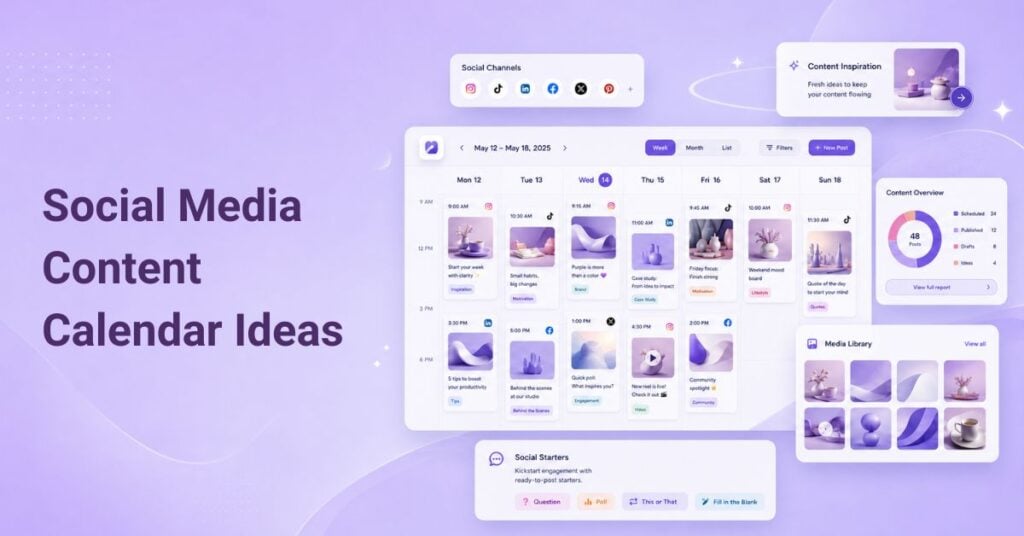
For scheduling and planning, tools like Later help you visually plan your Instagram feed by the grid and schedule posts from your desktop. This lets you see how individual posts will look together before publishing.
Understanding Instagram’s Current Image and Video Specifications
Using the correct dimensions sets your content up for success. Instagram accepts images of any size, but not all dimensions display optimally. For feed posts, you can choose Post Square (1:1 aspect ratio) for the classic look, or Post Portrait (5:6 ratio) for something that fills more screen space.
For image uploads, Instagram accepts JPEG, PNG, HEIC, and WebP formats under 50MB and not exceeding 250 million total pixels. Video clips can be uploaded in MOV, GIF, MP4, MPEG, MKV, and WEBM formats with a maximum size of 1GB.
Carousel posts allow up to 10 photos or videos in a single post. For a seamless swiping experience, consider using multi-page carousel templates that create visual continuity across slides.
Step 1: Define Your Instagram Post Goals and Target Audience
Objective: Establish a clear purpose and audience understanding before creating any content.
Why it matters: Without defined goals, you can’t measure success or make strategic decisions about what to post. Your audience’s preferences should drive every creative choice you make.
Success check: You have documented goals (brand awareness, engagement, sales, etc.) and a written description of your target audience, including their interests and pain points.
Identifying Key Objectives for Your Content Strategy
- List your primary business or personal brand objectives
- Translate those into specific Instagram metrics (followers, engagement rate, website clicks, DM conversations)
- Prioritize no more than 2-3 primary goals to avoid diluted focus
- Set realistic benchmarks based on your current performance
For example, a copywriter might prioritize building authority through educational carousel posts, while an e-commerce brand might focus on product discovery and direct sales. Your goals shape everything from content type to caption style.
Researching Your Audience’s Preferences and Trends
- Review your existing follower demographics in Instagram Insights
- Analyze your top-performing posts from the past 90 days
- Study competitors and accounts your audience follows
- Note content formats, topics, and posting times that generate engagement
Ask yourself honestly: “Is this content worth sharing?” For existing followers, they want things that add value, meaning, and interest to their lives. For new followers, you’re competing with millions of posts to catch their attention. Think carefully about what your audience actually wants to see and interact with.
Step 2: Develop a Cohesive Visual Aesthetic for Your Brand
Objective: Create a recognizable visual identity that makes your posts instantly identifiable.
Why it matters: Maintaining your Instagram grid with a consistent filter or color family helps followers recognize your content immediately. Consistency builds trust and professional credibility.
Success check: When you view your profile grid, posts share a cohesive look through color, style, or treatment, even when content types vary.
Choosing a Consistent Color Palette and Typography
- Select 3-5 brand colors that reflect your personality and resonate with your audience
- Choose 1-2 fonts for text overlays. You could pair two fonts for a dynamic design
- Test your palette across different post types to ensure versatility
- Document your choices for easy reference
Canva and similar tools offer brand color palettes and typography tools that make it easy to find the right font and create consistent arrangements for every post. Once you’ve established your palette, stick to it across all content.
Crafting a Visual Style Guide to Maintain Brand Identity
- Document your color codes, fonts, and logo usage rules
- Save template files with your brand elements pre-loaded
- Include examples of approved and non-approved visual treatments
- Share with anyone who creates content for your account
Having your brand logo strategically appear on posts helps potential customers remember you and gives you credit if images are reposted or shared elsewhere. Your style guide ensures this happens consistently, even when multiple people contribute to your content.
Step 3: Plan Your Content Calendar and Posting Schedule
Objective: Establish a sustainable posting rhythm with content planned in advance.
Why it matters: Planning your feed ahead of time ensures your overall aesthetic stays balanced while you maintain a regular posting cadence. Last-minute scrambling usually produces lower-quality content.
Success check: You have at least one week of content scheduled and can see how posts will appear together on your grid.
Utilizing Content Planning Tools for Efficiency
- Choose a scheduling tool that lets you preview your grid layout
- Batch-create content during dedicated creative sessions
- Queue posts in advance using a posting calendar
- Leave room for timely, spontaneous content when relevant
Tools like Later let you visually plan your Instagram feed by the grid and schedule posts from your desktop. Canva Pro includes a Scheduler feature that lets you queue content directly from the editor after downloading your design.
Timing Your Posts for Maximum Engagement
- Check your Instagram Insights for when your followers are most active
- Test different posting times over several weeks
- Track engagement rates by time slot to identify patterns
- Adjust your schedule based on actual data, not assumptions
Optimal posting times vary significantly by audience. A B2B audience might engage most during lunch breaks, while consumer audiences often peak in the evenings. Your specific data matters more than general guidelines.
Step 4: Create Engaging and High-Quality Visual Content
Objective: Produce visuals that capture attention and communicate your message effectively.
Why it matters: Instagram is a visual platform first. Even brilliant captions can’t save a post with poor imagery. Quality visuals earn the pause that leads to engagement.
Success check: Your images are sharp, properly lit, and visually balanced with appropriate use of text, graphics, and whitespace.
Incorporating Professional Photography and Videography Techniques
- Shoot in good natural lighting whenever possible
- Use the rule of thirds for balanced composition
- Crop creatively, instead of always centering your subject, skew it off-center for visual interest
- Apply light photo-editing (brightness, contrast, saturation) to enhance without over-processing
Unless you’re a super-experienced photographer, you’ll likely need to enhance your photos with filters. Use them consistently, maintaining a family of filters that work together, keeping your grid cohesive while still allowing variety.
Utilizing Graphic Design Elements for Enhanced Visual Appeal
- Add graphics, borders, or illustrations to accentuate photos
- Use pre-made templates to save time while maintaining quality
- Balance visuals, text, and whitespace to avoid overcrowding
- Include animated stickers or text animations for dynamic posts
You can combine multiple design elements and keep your audience engaged; the key is knowing how to balance them. If your image already contains text (like a book cover), you might not want to add much more. Focus instead on surrounding color or subtle accents.
Step 5: Write Captivating Captions and Use Effective Hashtags
Objective: Craft text that complements your visuals and extends reach through strategic hashtag use.
Why it matters: Captions provide context, personality, and calls-to-action that visuals alone can’t deliver. Hashtags help new audiences discover your content.
Success check: Your captions include a clear purpose, are typo-free, and contain relevant hashtags that match your content and audience.
Crafting Captions That Resonate with Your Audience
- Lead with a hook that stops the scroll
- Deliver value through insight, story, or entertainment
- Include a clear call-to-action (comment, save, share, click link)
- Proofread carefully, avoid the bad grammar and spelling mistakes common on Instagram
Be meticulous with your writing. Typos undermine credibility, especially for professional accounts. Layer concise, error-free copy with a clear call-to-action that tells readers exactly what you want them to do next.
Researching and Implementing Relevant Hashtags
- Research hashtags your target audience actually follows
- Mix popular hashtags with niche-specific ones for balanced reach
- Avoid banned or spam-associated hashtags
- Update your hashtag sets regularly based on performance
Hashtags remain valuable for discovery when used strategically. Focus on relevance over volume; a handful of targeted hashtags often outperforms a wall of generic ones.
Step 6: Optimize Your Posts for Instagram’s Algorithm
Objective: Structure your content and engagement approach to work with Instagram’s distribution system.
Why it matters: Understanding how Instagram decides what to show users helps you create content that earns more visibility organically.
Success check: Your posts consistently generate early engagement, and your reach grows over time relative to your follower count.
Understanding Instagram’s Algorithm and Engagement Signals
Instagram’s algorithm prioritizes content based on signals like engagement velocity, relationship strength, and content relevance. Posts that receive quick engagement after publishing typically get shown to more people.
The algorithm also considers how users have interacted with similar content and accounts in the past. Creating content that encourages saves and shares, not just likes, can signal higher value to the algorithm.
Leveraging User Interaction and Feedback for Algorithm Boosts
- Respond to comments quickly, especially in the first hour after posting
- Ask questions in captions to encourage conversation
- Use interactive features like polls and questions in Stories
- Create save-worthy content like tutorials, tips, or reference material
Genuine engagement matters more than engagement hacks. Building real relationships with your audience creates sustainable growth that algorithm changes can’t easily disrupt.
How to Verify the Success of Your Instagram Posts
Measuring results tells you what’s working and what needs adjustment. Without tracking, you’re guessing, and guessing rarely leads to consistent improvement.
Analyzing Post Engagement Metrics and Insights
- Check reach and impressions to understand distribution
- Review engagement rate (likes, comments, saves, shares divided by reach)
- Track profile visits and follows generated by each post
- Monitor website clicks if you’re driving traffic
Instagram Insights provides this data for business and creator accounts. Review metrics weekly to spot trends rather than obsessing over individual post performance.
Adjusting Strategies Based on Performance Data
- Double down on content types that consistently perform well
- Test variations of successful posts to understand what specifically works
- Reduce or eliminate content formats that underperform
- Adjust posting times based on engagement patterns
Data should inform decisions, not dictate them entirely. Sometimes a post serves a strategic purpose (like establishing authority) even if engagement is modest.
Common Mistakes to Avoid in Instagram Post Creation
Knowing what not to do saves you from common pitfalls that derail otherwise solid strategies. These mistakes often stem from good intentions but produce poor results.
Overposting and Spamming Your Audience
Problem: Posting too frequently overwhelms followers and dilutes engagement across posts.
Cause: Believing more content automatically equals more results, or feeling pressure to maintain constant visibility.
Solution: Focus on quality over quantity. A few excellent posts per week usually outperform daily mediocre content. Monitor unfollows, spikes after posting often indicate frequency issues.
Neglecting Visual Consistency Across Posts
Problem: Your profile grid looks chaotic with no recognizable style.
Cause: Posting without a visual style guide or using wildly different filters and treatments.
Solution: Maintain your grid with a consistent filter or at least a consistent family of filters. Preview how new posts will look alongside existing ones before publishing.
Best Practices for Enhancing Your Instagram Presence
Beyond the core steps, these practices help you build a stronger, more engaged community over time.
Encouraging User-Generated Content and Interaction
- Create branded hashtags for customers to use when sharing your products
- Run contests where participants follow, like, and tag friends for entry
- Feature customer photos and testimonials with permission
- Respond to every comment and DM to build relationships
User-generated content provides social proof while reducing your content creation burden. People buy from people, not companies, showing that real customers humanize your brand.
Staying Updated with the Latest Instagram Trends and Features
- Experiment with new features early, and Instagram often boosts new format adoption
- Shake up what you share compared to what followers expect from you
- Follow industry accounts and creators to spot emerging trends
- Test trending audio, formats, and content styles while staying on-brand
For existing followers, they’ve come to expect certain content from your account. Occasionally, surprise them with something different, like an eco-friendly brand showing lifetime impact comparisons instead of just product shots.
Next Steps: Building a Stronger Instagram Content Strategy
Once you’ve mastered the fundamentals, these advanced strategies can accelerate your growth and expand your reach.
Exploring Collaboration Opportunities with Influencers
- Identify creators whose audience overlaps with your target market
- Start with micro-influencers who often have higher engagement rates
- Propose collaborations that provide genuine value to both audiences
- Track results carefully to measure ROI on partnership investments
Collaborations expose your content to established, relevant audiences. Focus on authentic partnerships where the influencer genuinely connects with your brand rather than purely transactional arrangements.
Continuously Innovating Your Content to Stay Fresh and Relevant
- Regularly audit your content performance and retire underperforming formats
- Test new content types quarterly, behind-the-scenes, tutorials, collages, and employee spotlights
- Gather direct feedback from your audience about what they want to see
- Balance consistency with evolution to keep your feed interesting
Creating posts about your employees can humanize your brand, highlight unique skills, achievements, and contributions. Mix product shots with user-generated photos, quick tutorials, and varied content types to keep followers engaged and surprised.
This page was last edited on 29 April 2026, at 5:54 pm