Choosing the best SEO WP plugins can make a big difference in how easily search engines understand, crawl, and rank your website. The right plugin helps you manage SEO titles, meta descriptions, XML sitemaps, schema markup, canonical URLs, redirects, breadcrumbs, internal links, and technical SEO settings without editing code.
But here is the important part: no SEO plugin can rank a weak page by itself.
A plugin can help you optimize your WordPress site, but your rankings still depend on content quality, search intent, authority, page experience, internal linking, and whether your page actually gives users a better answer than competing results. Google’s own guidance focuses on helpful, reliable, people-first content, not content created only to manipulate rankings.
That is why this guide does not only list the most popular SEO WP plugins. It compares each plugin by real use case, so you can choose the right AI writing tool for your website instead of installing too many overlapping plugins.
What Is an SEO WP Plugin?
A WordPress SEO plugin is a tool that helps you optimize your website for search engines directly from your WordPress dashboard. It usually helps with:
- SEO titles and meta descriptions
- Focus keywords and content analysis
- XML sitemaps
- Schema markup
- Canonical URLs
- Open Graph and social previews
- Breadcrumbs
- Robots meta settings
- Redirects
- 404 monitoring
- Internal linking
- WooCommerce SEO
- Local SEO
- Content optimization
A good SEO plugin makes technical optimization easier, but it does not replace a strong content strategy. You still need useful content, clear structure, strong internal links, fast page speed, and answers that match search intent.
Best WordPress SEO Plugins at a Glance
Before choosing a plugin, compare each option based on what your website actually needs. Some WordPress SEO plugins are better for beginners, while others are stronger for agencies, WooCommerce stores, schema markup, AI content workflows, or technical SEO. The table below gives you a quick overview of the best use case, free availability, and main strength of each plugin so you can choose the right tool faster.
| Plugin | Best For | Free Version | Main Strength |
|---|---|---|---|
| Rank Math | Overall SEO features | Yes | AI SEO, schema, sitemap, content analysis |
| Yoast SEO | Beginners and readability | Yes | Real-time SEO and readability guidance |
| AIOSEO | Business, local SEO, and WooCommerce | Yes | Complete SEO toolkit with local SEO and schema |
| SEOPress | Agencies and white-label SEO | Yes | Modular SEO features and white-label control |
| WriteRush | AI SEO content workflow | Yes | AI blog writing, keyword research, outlines, social content |
| The SEO Framework | Lightweight automated SEO | Yes | Fast, clean, unbranded SEO automation |
| Squirrly SEO | Guided AI SEO assistant | Yes | Keyword research, AI guidance, live optimization |
| Slim SEO | Simple automated SEO | Yes | Beginner-friendly setup with minimal configuration |
| WP Rocket | Speed and Core Web Vitals | No | Caching and performance optimization |
| Schema Pro | Advanced schema markup | No | Sitewide structured data automation |
| Redirection | Redirect and 404 management | Yes | 301 redirects and 404 tracking |
| Broken Link Checker | Link maintenance | Yes | Broken link scanning and bulk fixing |
How We Chose These WordPress SEO Plugins
To make this comparison useful, each plugin was reviewed based on the following factors:
- On-page SEO features
- Technical SEO controls
- XML sitemap support
- Schema markup options
- Redirect and 404 handling
- AI SEO or content optimization features
- Ease of use for beginners
- Usefulness for agencies and marketers
- Performance impact
- Best use case and limitations
The goal is not to find one plugin that does everything. The goal is to help you choose the best SEO plugin for your WordPress workflow.
For most websites, the safest setup is:
One primary SEO plugin plus one or two specialist tools only when needed.
For example, you might use Rank Math, Yoast, AIOSEO, SEOPress, The SEO Framework, Squirrly, or Slim SEO as your main SEO plugin. Then you might add WP Rocket for speed, Redirection for redirects, Schema Pro for advanced structured data, or Broken Link Checker for link maintenance.
Avoid installing multiple full SEO plugins at the same time because they can create duplicate meta tags, sitemap conflicts, schema issues, and unnecessary performance problems.
1. WriteRush: Best AI SEO Content Workflow Plugin for WordPress
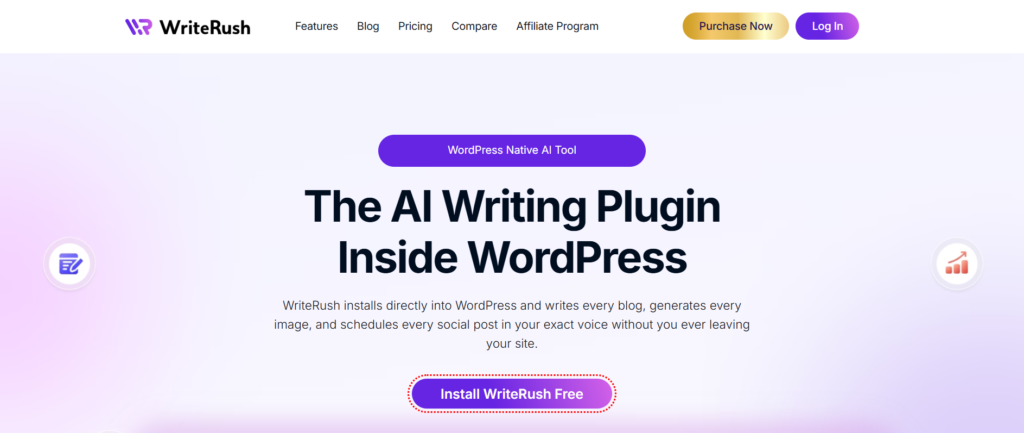
WriteRush is different from traditional SEO plugins. It is not mainly a technical SEO plugin like Rank Math, Yoast, AIOSEO, or SEOPress. Instead, it focuses on AI-powered content creation, SEO outlines, keyword research, blog drafts, brand voice, image generation, product content, and social media content inside WordPress.
That makes WriteRush useful for the content side of SEO.
For example, if your team struggles with blog ideas, SEO-friendly outlines, first drafts, product descriptions, social media captions, or content workflows, WriteRush can help speed up the content production process.
Key Features
- AI blog post generation
- SEO title generation
- Blog outline generation
- Keyword research module
- Brand voice support
- Product description generation
- Product page copy
- Product review generation
- Social media content creation
- Image generation
- Gutenberg and Classic Editor support
- SEO score and content workflow features
Best For
WriteRush is best for bloggers, marketers, content teams, WordPress agencies, and businesses that need to create SEO-focused content faster.
Pros
WriteRush helps with the content workflow before publishing. It can support keyword research, blog planning, drafting, optimization, product content, and social content from inside WordPress.
Cons
WriteRush should not be treated as a replacement for a full technical SEO plugin. You may still need Rank Math, Yoast, AIOSEO, or SEOPress for XML sitemaps, canonical URLs, schema, redirects, and other technical SEO settings.
When to Use WriteRush
Use WriteRush if your biggest SEO challenge is content production, not technical SEO setup. It works best alongside a primary SEO plugin.
2. Rank Math: Best Overall WordPress SEO Plugin
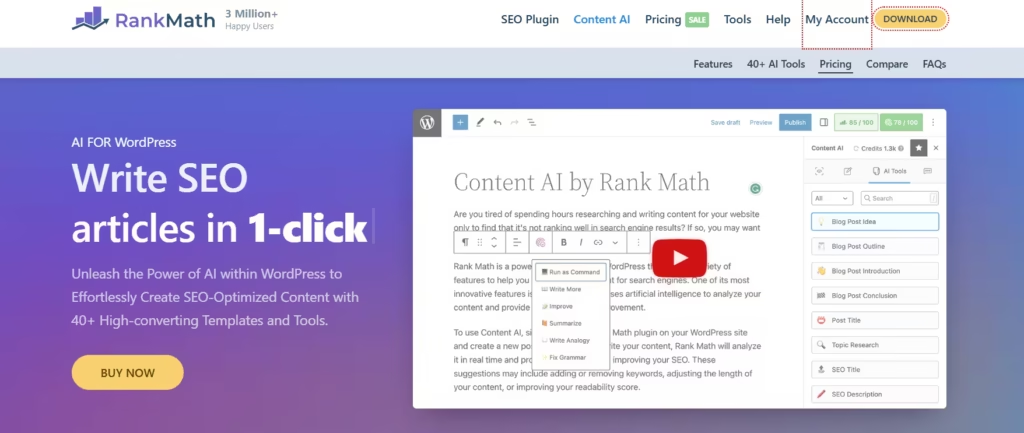
Rank Math is one of the strongest all-in-one SEO plugins for WordPress users who want advanced features without needing too many extra plugins. It includes SEO analysis, schema markup, keyword optimization, XML sitemaps, internal linking features, and AI-powered SEO tools.
Rank Math is especially useful for bloggers, affiliate sites, business websites, and marketers who want deeper control over on-page and technical SEO.
Key Features
- SEO title and meta description optimization
- Focus keyword analysis
- XML sitemap generation
- Schema markup support
- Breadcrumbs
- Redirect manager
- 404 monitor
- WooCommerce SEO
- Local SEO options
- AI SEO and content suggestions
- Internal linking support
Best For
Rank Math is best for users who want a feature-rich SEO plugin with advanced controls. It is a strong option for bloggers, agencies, affiliate marketers, and site owners who want schema, redirects, and content optimization in one place.
Pros
Rank Math offers many advanced features in a clean interface. It can replace several smaller SEO tools because it includes content analysis, schema, redirects, and technical SEO features.
Cons
Beginners may find the number of options overwhelming at first. Some advanced features also require a paid plan or account connection.
When to Use Rank Math
Use Rank Math if you want one powerful SEO plugin that can handle most on-page and technical SEO tasks from a single dashboard.
3. Yoast SEO: Best SEO Plugin for Beginners
Yoast SEO is one of the most widely used WordPress SEO plugins. It is known for its beginner-friendly content analysis, readability checks, schema support, canonical URL handling, and clear real-time optimization guidance.
Yoast is a good choice if you want a simple SEO workflow while writing blog posts or pages.
Key Features
- SEO title and meta description fields
- Readability analysis
- Focus keyphrase optimization
- Schema integration
- XML sitemaps
- Canonical URLs
- Breadcrumbs
- Social previews
- Internal linking suggestions in premium plans
- AI features in premium plans
Best For
Yoast SEO is best for beginners, bloggers, small business owners, and content teams that want simple guidance while editing posts.
Pros
Yoast gives clear suggestions while you write. Its readability analysis is helpful for improving sentence length, transition words, paragraph structure, and overall content clarity.
Cons
Some advanced features are only available in the premium version. Users who want more free advanced features may prefer Rank Math or SEOPress.
When to Use Yoast SEO
Use Yoast if you want a reliable, beginner-friendly SEO plugin focused on content quality, readability, metadata, and basic technical SEO.
4. All in One SEO: Best for Business, Local SEO, and WooCommerce
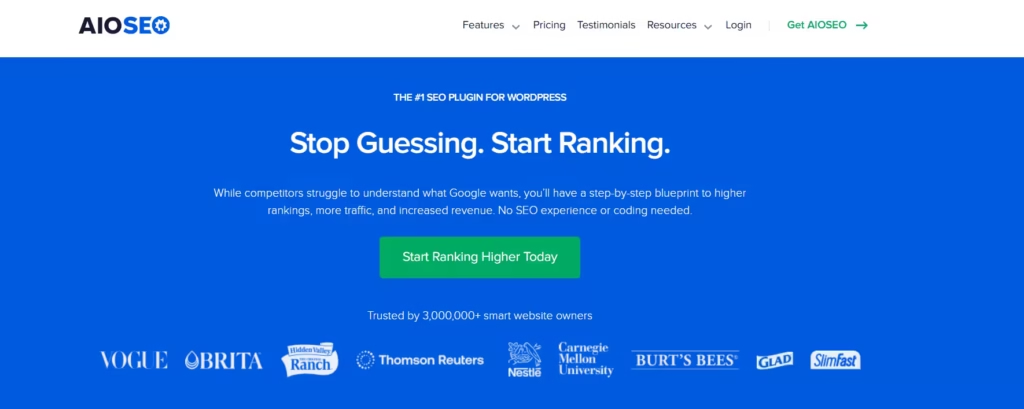
All in One SEO, also known as AIOSEO, is a complete WordPress SEO plugin built for businesses, bloggers, eCommerce stores, and local websites. It includes SEO settings, schema markup, XML sitemaps, local SEO, keyword rank tracking, internal linking automation, SEO audits, and Google Search Console connection features.
AIOSEO is especially useful for business websites that need more than basic blog optimization.
Key Features
- SEO titles and meta descriptions
- XML sitemaps
- Schema markup
- Local SEO
- WooCommerce SEO
- SEO audit checklist
- Robots.txt editor
- Breadcrumbs
- Redirect management
- Internal linking assistant
- Search Console integration
- Author SEO and E-E-A-T support
Best For
AIOSEO is best for business websites, local businesses, WooCommerce stores, service websites, and marketers who want a complete SEO toolkit.
Pros
AIOSEO offers strong business-focused SEO features. The setup wizard makes it easier to configure important settings without needing deep technical knowledge.
Cons
Many advanced features are available in paid plans, so the free version may feel limited for growing websites.
When to Use AIOSEO
Use AIOSEO if your WordPress site needs local SEO, WooCommerce SEO, schema markup, SEO audits, and business-focused optimization features.
5. SEOPress: Best WordPress SEO Plugin for Agencies
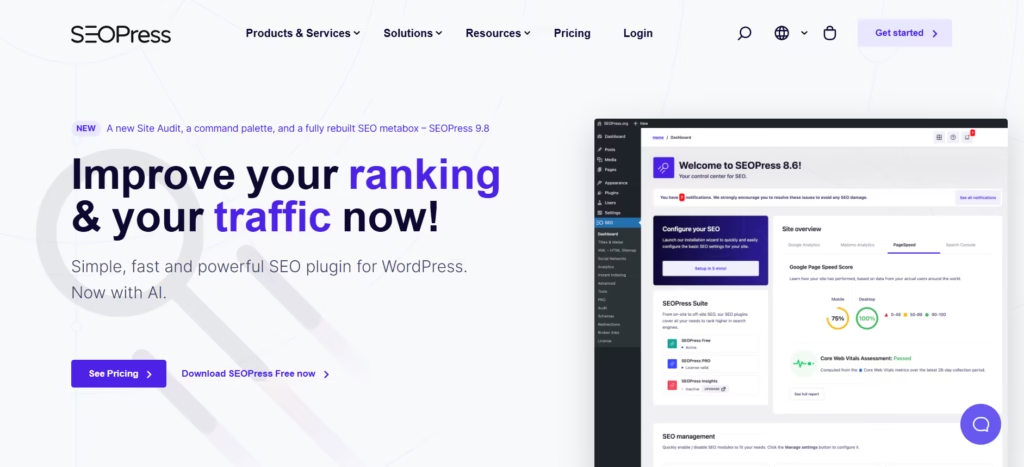
SEOPress is a flexible WordPress SEO plugin that works well for agencies, freelancers, and site owners who want clean SEO controls without unnecessary clutter. It includes metadata optimization, XML sitemaps, schema, redirects, Google Search Console integration, breadcrumbs, image SEO, and broken link features.
SEOPress is also known for its white-label options, making it useful for agencies managing client websites.
Key Features
- SEO titles and meta descriptions
- XML and HTML sitemaps
- Schema markup
- Redirections
- Breadcrumbs
- Image SEO
- Google Search Console integration
- WooCommerce SEO
- Local SEO
- White-label options
- AI metadata features
Best For
SEOPress is best for agencies, freelancers, developers, and users who want a clean, modular SEO plugin.
Pros
SEOPress is flexible and agency-friendly. You can disable features you do not need, which helps reduce clutter.
Cons
The interface may feel less beginner-friendly than Yoast for users who want step-by-step content guidance.
When to Use SEOPress
Use SEOPress if you manage multiple websites, want white-label SEO features, or prefer a clean SEO plugin with modular controls.
6. The SEO Framework: Best Lightweight SEO Plugin
The SEO Framework is a fast, clean, and automated SEO plugin for WordPress. It is designed for users who want strong SEO foundations without ads, clutter, or unnecessary setup screens. Its WordPress plugin page describes it as fast, automated, secure, unbranded, and feature-complete.
This plugin is a good fit for users who want a lightweight alternative to larger SEO suites.
Key Features
- Automated SEO metadata
- Canonical URL support
- Open Graph metadata
- XML sitemap support
- Schema support
- Robots meta settings
- Breadcrumb support through extensions
- Clean, unbranded interface
- Performance-focused setup
Best For
The SEO Framework is best for developers, performance-focused users, and site owners who want automated SEO without too many distractions.
Pros
It is lightweight, clean, and less promotional than many other SEO plugins. It is good for users who already understand SEO and do not need constant writing suggestions.
Cons
It may not offer the same beginner-friendly content scoring experience as Yoast or Rank Math.
When to Use The SEO Framework
Use The SEO Framework if you want a fast, simple, automated SEO plugin with fewer distractions.
7. Squirrly SEO: Best Guided AI SEO Assistant
Squirrly SEO is an AI-powered SEO plugin that focuses on guided optimization. It includes keyword research, live SEO suggestions, technical SEO features, schema, social media tags, robots.txt, canonical links, and AI-driven SEO assistance.
Squirrly is useful for users who want help understanding what to optimize while they write.
Key Features
- Keyword research inside WordPress
- Live SEO assistant
- AI SEO guidance
- Content optimization
- Technical SEO settings
- Schema markup
- Canonical URLs
- Robots.txt support
- SEO audits
- Rank tracking features
- SEO task guidance
Best For
Squirrly SEO is best for entrepreneurs, bloggers, marketers, and small businesses that want a more guided SEO workflow.
Pros
Squirrly gives users step-by-step help instead of only showing settings. This makes it useful for people who want SEO recommendations while creating content.
Cons
Users who prefer a minimal interface may find the guided workflow too busy.
When to Use Squirrly SEO
Use Squirrly if you want an AI SEO assistant that helps with keyword research, optimization tasks, and content improvement inside WordPress.
8. Slim SEO: Best Simple Automated SEO Plugin
Slim SEO is a lightweight SEO plugin designed for users who want automatic SEO setup with minimal configuration. It can handle important SEO tasks such as meta tags, XML sitemaps, schema, redirects, and 404 monitoring depending on the version and setup.
Slim SEO is a good option for small websites that need basic SEO without a complicated dashboard.
Key Features
- Automatic SEO meta tags
- XML sitemap support
- Schema markup
- Breadcrumbs
- Redirect features
- 404 monitoring
- Open Graph metadata
- Simple setup
- Lightweight performance
Best For
Slim SEO is best for beginners, small websites, personal blogs, and users who do not want to spend much time configuring SEO settings.
Pros
Slim SEO is simple and easy to use. It is helpful for users who want SEO basics handled automatically.
Cons
It may not offer the same depth as Rank Math, AIOSEO, SEOPress, or Yoast for advanced SEO campaigns.
When to Use Slim SEO
Use Slim SEO if you want a simple SEO plugin that works quietly in the background with minimal setup.
9. WP Rocket: Best WordPress Plugin for Speed and Core Web Vitals
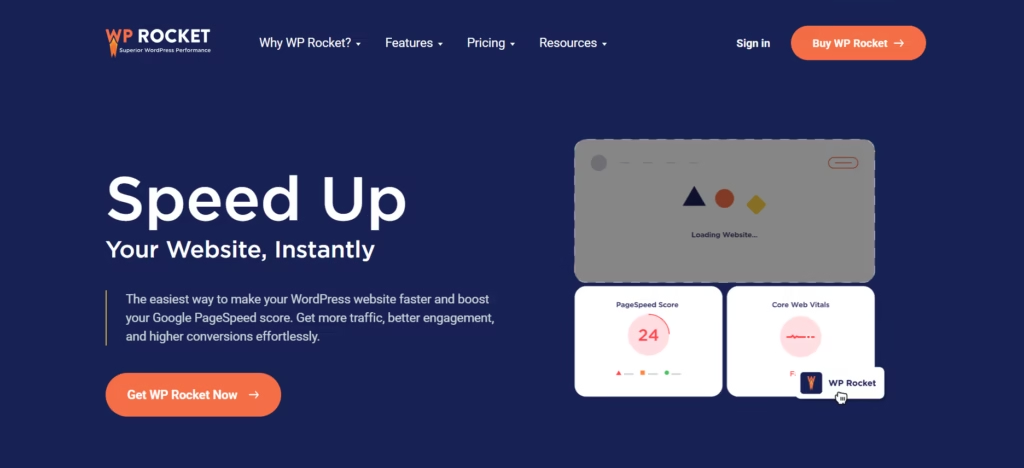
WP Rocket is not a traditional SEO plugin, but it can support SEO by improving site speed, user experience, and Core Web Vitals. It is a premium caching and performance plugin that includes caching, preloading, and optimization features designed to make WordPress websites load faster.
Speed matters because slow websites can hurt user experience, conversions, and crawl efficiency.
Key Features
- Page caching
- Cache preloading
- Browser caching
- File optimization
- Lazy loading
- Database optimization
- eCommerce performance support
- Performance recommendations
- Compatibility with popular themes and plugins
Best For
WP Rocket is best for bloggers, business websites, WooCommerce stores, agencies, and anyone who wants a simpler way to improve WordPress speed.
Pros
WP Rocket is easier to configure than many advanced caching tools. It can help improve loading times without requiring deep technical setup.
Cons
There is no free version. Also, performance optimization should be tested carefully because aggressive settings can sometimes affect layouts, scripts, or third-party tools.
When to Use WP Rocket
Use WP Rocket if your website is slow, has Core Web Vitals issues, or needs a reliable caching plugin.
10. Schema Pro: Best Plugin for Advanced Schema Markup
Schema Pro is a structured data plugin for WordPress. It helps you add schema markup across your website without manually writing JSON-LD code. It allows users to map default data such as title, featured image, author, and date, then apply schema across selected pages or post types.
Schema markup helps search engines better understand your content. It can support rich result eligibility when used correctly.
Key Features
- Sitewide schema automation
- Multiple schema types
- Field mapping
- JSON-LD markup
- Page-level schema targeting
- Article schema
- Review schema
- Product schema
- Course schema
- Recipe schema
- Job posting schema
Best For
Schema Pro is best for websites that need advanced structured data beyond what their main SEO plugin provides.
Pros
Schema Pro is useful for larger websites because you can apply schema rules at scale instead of editing every page manually.
Cons
Many all-in-one SEO plugins already include basic schema. You may not need Schema Pro unless you need more advanced control.
When to Use Schema Pro
Use Schema Pro if schema markup is an important part of your SEO strategy and your current SEO plugin does not provide enough flexibility.
11. Redirection: Best Redirect Manager for WordPress
Redirection is a popular free redirect manager for WordPress. It helps you create and manage 301 redirects, monitor 404 errors, and clean up broken or outdated URLs.
Redirects are important when you delete pages, change URLs, merge content, or update your site structure.
Key Features
- 301 redirect management
- 404 error tracking
- Conditional redirects
- Redirect groups
- Regex support
- Import and export options
- No Apache or Nginx knowledge required
Best For
Redirection is best for websites that frequently update URLs, remove old content, merge blog posts, or need to fix 404 errors.
Pros
It is free, focused, and reliable. It does one important SEO job well.
Cons
Some full SEO plugins already include redirect tools. Installing Redirection may be unnecessary if your main SEO plugin already handles redirects well.
When to Use Redirection
Use Redirection if your SEO plugin does not include a redirect manager or if you need a dedicated tool for managing 301 redirects and 404 errors.
12. Broken Link Checker: Best Plugin for Finding Broken Links
Broken Link Checker helps scan your WordPress site for broken links and broken images. It allows you to find and fix link issues from a central dashboard, which can improve user experience and site maintenance.
Broken links can frustrate users and waste crawl paths, especially on older content-heavy websites.
Key Features
- Internal link scanning
- External link scanning
- Broken image detection
- Bulk link fixing
- Dashboard reporting
- Scheduled scans
- Multisite support
- Link status monitoring
Best For
Broken Link Checker is best for blogs, content-heavy websites, agencies, eCommerce sites, and older websites with many internal and external links.
Pros
It saves time by helping you find broken links automatically instead of checking every page manually.
Cons
Sitewide link scanning can sometimes use server resources, depending on the plugin version and configuration. Schedule scans carefully on large websites.
When to Use Broken Link Checker
Use Broken Link Checker if your site has many blog posts, affiliate links, product pages, or older external references.
Bonus: Internal Link Juicer for Internal Linking Automation
Internal Link Juicer is not a traditional SEO plugin, but it can help with internal linking. It automatically builds internal links between posts based on keyword configuration. The plugin is designed to improve SEO and user experience through better internal link structure.
Internal links help search engines discover related pages and understand topical relationships across your site.
Best For
Internal Link Juicer is best for blogs, affiliate websites, content hubs, and websites with many related articles.
Important Note
Do not over-automate internal links. Keep anchor text natural and make sure links are useful for readers.
Which WordPress SEO Plugin Should You Choose?
The best WordPress SEO plugin depends on your website type, SEO knowledge, and workflow.
| Need | Best Plugin |
|---|---|
| Best for AI content workflow | WriteRush |
| Best beginner-friendly SEO plugin | Yoast SEO |
| Best for business websites | AIOSEO |
| Best for agencies | SEOPress |
| Best overall SEO plugin | Rank Math |
| Best lightweight SEO plugin | The SEO Framework |
| Best guided AI SEO assistant | Squirrly SEO |
| Best simple automated SEO setup | Slim SEO |
| Best for speed optimization | WP Rocket |
| Best for advanced schema | Schema Pro |
| Best for redirects | Redirection |
| Best for broken links | Broken Link Checker |
| Best for internal linking | Internal Link Juicer |
Best SEO Plugin Combination for WordPress
Most websites do not need all of these plugins. A smart SEO setup is usually smaller and more focused.
For Bloggers
Use:
- Rank Math or Yoast SEO
- WriteRush for AI content workflow
- WP Rocket for speed
- Broken Link Checker for maintenance
For Small Business Websites
Use:
- AIOSEO or Rank Math
- WP Rocket
- Schema Pro only if advanced schema is needed
- Redirection if your main SEO plugin does not include redirects
For Agencies
Use:
- SEOPress or Rank Math
- WriteRush for content production
- WP Rocket for performance
- Redirection for URL management
- Broken Link Checker for audits
For WooCommerce Stores
Use:
- AIOSEO, Rank Math, or Yoast WooCommerce SEO
- WP Rocket
- Schema Pro if you need advanced product schema
- Broken Link Checker for product and category link maintenance
For Simple Websites
Use:
- Slim SEO or The SEO Framework
- WP Rocket if speed needs improvement
- Redirection only when URL changes happen
Common Mistakes to Avoid When Using SEO Plugins
SEO plugins can improve your WordPress optimization, but using them incorrectly can create technical issues, duplicate settings, slow performance, and poor content decisions. Before adding more tools or changing SEO settings, review these common mistakes so you can avoid plugin conflicts and build a cleaner, more effective SEO setup.
Installing Multiple Full SEO Plugins
Do not use Rank Math, Yoast, AIOSEO, SEOPress, and Squirrly together as full SEO plugins. Choose one main plugin. Multiple SEO plugins can create duplicate titles, conflicting schema, sitemap issues, and canonical problems.
Ignoring Search Intent
SEO plugins can suggest keywords, but they cannot fully understand whether your content satisfies the searcher. Before publishing, check what users actually want: a comparison, tutorial, pricing guide, checklist, review, or product recommendation.
Over-Optimizing Focus Keywords
Do not repeat your main keyword unnaturally. Use related terms such as:
- WordPress SEO plugin
- SEO plugin for WordPress
- best SEO WP plugins
- on-page SEO plugin
- technical SEO plugin
- schema plugin
- XML sitemap plugin
- AI SEO plugin
- WooCommerce SEO plugin
Forgetting Internal Links
Internal links help users and search engines discover related content. Add links from relevant blog posts, product pages, category pages, and guides.
Ignoring Page Speed
A page can have perfect metadata and still perform poorly if it loads slowly. Use a performance plugin, compress images, reduce unnecessary scripts, and monitor Core Web Vitals.
Final Verdict
Rank Math is the best SEO WP plugin for users who want advanced features, schema, AI SEO tools, redirects, and content analysis in one plugin.
Yoast SEO is the best choice for beginners who want simple content and readability guidance.
AIOSEO is a strong choice for business websites, local SEO, and WooCommerce stores.
SEOPress is ideal for agencies and users who want clean, modular, white-label SEO controls.
WriteRush is best for WordPress users who need AI-powered content creation, keyword research, blog outlines, product copy, and social media content. It is not a replacement for a full technical SEO plugin, but it can be a strong addition to your SEO content workflow.
The best setup is not the one with the most plugins. The best setup is the one that solves your actual SEO problems without slowing down your site or creating conflicts.
Start with one primary SEO plugin, add a speed optimization tool if needed, and only install specialist plugins when they solve a clear problem.
FAQs About WordPress SEO Plugins
What is the best SEO plugin for WordPress in 2026?
The best SEO plugin for WordPress depends on your needs. Rank Math is strong for advanced features, Yoast SEO is beginner-friendly, AIOSEO is useful for business and local SEO, and SEOPress is a good choice for agencies.
Which free SEO plugin is best for WordPress?
Rank Math, Yoast SEO, AIOSEO, SEOPress, The SEO Framework, Squirrly SEO, and Slim SEO all offer free versions. Rank Math is strong for advanced free features, while Yoast is useful for beginners who want readability and SEO guidance.
Can I use two SEO plugins at the same time?
You should avoid using two full SEO plugins at the same time. Running multiple full SEO plugins can create duplicate metadata, schema conflicts, sitemap issues, and canonical problems. Choose one main SEO plugin and add specialist plugins only when needed.
Do WordPress SEO plugins help websites rank?
Yes, WordPress SEO plugins can help improve your site’s SEO setup by managing metadata, sitemaps, schema, redirects, and on-page optimization. However, rankings also depend on helpful content, backlinks, internal links, page speed, user experience, and search intent.
Is Rank Math better than Yoast SEO?
Rank Math offers more advanced features and controls, while Yoast SEO is simpler for beginners and strong for readability guidance. Rank Math may be better for advanced users, while Yoast may be better for users who want a simpler writing-focused workflow.
Is WriteRush an SEO plugin?
WriteRush is an AI-powered WordPress content and SEO workflow plugin. It helps with keyword research, blog outlines, AI drafts, SEO titles, product content, brand voice, and social media content. It should be used alongside a primary SEO plugin for technical SEO.
Do I need a schema plugin if my SEO plugin already has schema?
Not always. Many SEO plugins include basic schema markup. You may need a dedicated schema plugin like Schema Pro only if you want advanced schema types, sitewide schema automation, or more control over structured data.
What is the best SEO plugin for WooCommerce?
AIOSEO, Rank Math, and Yoast WooCommerce SEO are strong options for WooCommerce SEO. The best choice depends on whether you need product schema, category optimization, breadcrumbs, local SEO, or advanced eCommerce controls.
What is the best lightweight SEO plugin for WordPress?
The SEO Framework and Slim SEO are good lightweight SEO plugin options. They are useful for users who want automated SEO features without a heavy interface.
Should I use an SEO plugin and a caching plugin together?
Yes. An SEO plugin handles metadata, sitemaps, schema, and search optimization settings. A caching plugin like WP Rocket helps improve page speed and performance. They solve different problems and can work together when configured correctly.
This page was last edited on 25 May 2026, at 12:23 pm