You launch a WordPress website full of excitement… and then reality hits.
Your site loads slowly.
SEO rankings barely move.
Spam comments appear overnight.
And creating content takes forever.
Sound familiar?
Most WordPress users run into these problems early. The good news is that the platform was designed to solve them. That’s where plugins come in.
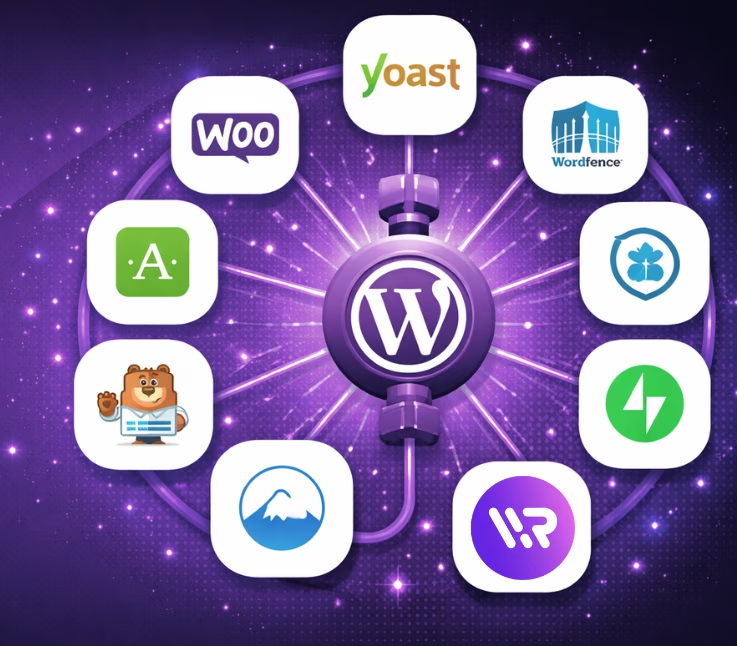
Plugins are what turn a basic website into a powerful platform. They can improve your SEO, secure your site, speed up loading times, collect leads, and even automate parts of your workflow.
But with 60,000+ plugins available, choosing the right ones can feel overwhelming.
That’s why we created this guide.
In this article, you’ll discover the best plugins for WordPress free that can dramatically improve your website. Whether you’re a blogger, business owner, marketer, or beginner, these tools will help you build a faster, smarter, and more powerful site.
Let’s start with the basics.
Why Free WordPress Plugins Are Essential for Every Website
WordPress is powerful right out of the box, but WordPress plugins are what truly unlock its full potential. They allow you to extend your site’s capabilities without writing code or building features from scratch.
With just a few installs from the WordPress plugin directory, you can improve website performance, strengthen security, enhance SEO, and add advanced functionality. That’s why plugins are considered the backbone of most successful WordPress websites.
Here are some of the biggest reasons free WordPress plugins are so valuable.
1. Improve Website Performance
Website speed plays a major role in both user experience and search rankings. Slow pages frustrate visitors and often lead them to leave before the page even loads.
Performance-focused WordPress plugins help solve this problem by optimizing how your site delivers content.
Common performance improvements include:
- Caching plugins that store static versions of pages to load them faster
- Image optimization plugins that compress large images without losing quality
- Database cleanup tools that remove unnecessary data
- Lazy loading features that load images only when users scroll to them
These optimizations can significantly boost website performance, helping pages load faster and improving engagement.
Faster websites often lead to:
- better search engine rankings
- lower bounce rates
- longer visitor sessions
2. Enhance SEO Rankings
Search engine optimization is essential for any website that wants to attract organic traffic.
SEO plugins for WordPress simplify the optimization process by guiding you through important SEO elements directly inside the WordPress dashboard.
These plugins typically help with:
- keyword optimization for posts and pages
- editing meta titles and descriptions
- generating XML sitemaps for search engines
- adding schema markup for rich results
- improving internal linking structure
For bloggers, content creators, and digital marketers, these tools make it much easier to follow SEO best practices without needing advanced technical knowledge.
3. Increase Website Security
Because WordPress powers millions of websites, it can also be a target for hackers and automated attacks. Without proper protection, websites may become vulnerable to malware, brute-force attacks, or spam.
Security-focused plugins add an extra layer of protection by monitoring and safeguarding your website.
Many security plugins provide features such as:
- malware scanning and threat detection
- firewall protection against suspicious traffic
- login security and brute-force protection
- spam filtering for comments and forms
By installing reliable security tools and keeping plugin updates current, you can significantly reduce security risks and keep your website running safely.
4. Add Powerful Features Without Coding
One of the biggest advantages of WordPress is that you can add advanced website functionality without writing code.
Plugins allow you to extend your site’s website functionality in just a few clicks.
Some common examples include:
- Page builder plugins for designing layouts visually
- Analytics plugins for tracking visitor behavior
- Email capture tools for growing mailing lists
- eCommerce plugins for selling products online
- Backup plugins for protecting your site’s data
For beginners and non-developers, this flexibility is what makes WordPress so powerful. With the right plugins, you can build a fully featured website that would normally require a team of developers.
How to Choose the Best Free WordPress Plugins
With thousands of options available in the WordPress plugin directory, choosing the right plugins can feel overwhelming, especially for beginners. While many WordPress plugins offer great functionality, not all of them are reliable, secure, or well-maintained.
Before installing any plugin on your website, it’s important to evaluate a few key factors. Experienced WordPress users often follow a simple checklist to ensure the plugin will improve website functionality without causing performance issues or compatibility problems.
Below are the most important things to look for when choosing the best free WordPress plugins.
Check Plugin Ratings and Reviews
One of the quickest ways to evaluate a plugin is by checking its ratings and user feedback in the WordPress plugin directory.
Plugins with strong ratings typically indicate:
- reliable performance
- responsive developer support
- regular plugin updates
- a good user experience
Take a moment to read a few reviews. Real users often mention issues like bugs, conflicts, or performance problems, which can help you avoid installing problematic plugins.
Look at Active Installations
Another important signal is the number of active installations.
Plugins used by thousands, or even millions of websites tend to be safer and more stable. A large user base usually means:
- bugs are identified and fixed quickly
- developers maintain the plugin actively
- tutorials and documentation are easier to find
For example, many popular SEO plugins, security plugins, and caching plugins have millions of installs because they consistently deliver reliable results.
Ensure the Plugin Is Updated Regularly
WordPress itself receives frequent updates, which means plugins must also stay updated to maintain plugin compatibility.
If a plugin hasn’t been updated in a long time, it may:
- stop working with newer WordPress versions
- create security vulnerabilities
- cause conflicts with other plugins
Before installing, always check the “Last Updated” date and confirm the plugin is tested with the latest WordPress version.
Verify Compatibility With Your Theme and Other Plugins
Sometimes plugins conflict with certain themes or other tools installed on your site. This can affect website performance or even break parts of your website.
To avoid these issues:
- check the plugin’s compatibility notes
- review support threads for reported conflicts
- test the plugin on a staging site if possible
A little testing upfront can save hours of troubleshooting later.
Top Free WordPress Plugins You Should Use in 2026
Now let’s explore the best free plugins every WordPress website should consider.
These plugins are widely trusted and used by millions of websites.
1. WriteRush

WriteRush is an AI-powered WordPress content writing plugin that helps bloggers, marketers, and website owners create SEO-optimized content directly inside the WordPress dashboard. Instead of switching between multiple tools, users can generate blog outlines, draft articles, and optimize content while working within their website.
Key Features
- SERP-Driven Outline Generator: Create blog outlines based on real search engine results to ensure your content aligns with what ranks.
- AI-Powered Outline Creation: Generate structured blog outlines instantly using advanced AI.
- Blog Type Selection: Choose the type of blog you want to create, such as listicles, guides, comparisons, or tutorials.
- Guided Long-Form Blog Workflow: Follow a step-by-step workflow designed to help you produce high-quality long-form articles.
- One-Click Blog Generator: Instantly generate a complete blog draft with a single click.
- Real-Time SEO Score: Track how well your content is optimized for search engines as you write.
- Audience Topic Analysis: Discover content angles and topics tailored to your target audience.
- Advanced Blog Settings: Customize parameters like audience, content purpose, tone of voice, and writing style.
- Smart Title Generation & Regeneration: Create compelling blog titles and regenerate alternatives with AI.
- Brand Voice Training: Train the AI to match your brand voice using text snippets or existing WordPress content.
- Section Regeneration with Custom Prompts: Refine or rewrite specific sections of your blog using targeted prompts.
- AI Image Generation Inside WordPress: Generate and regenerate images directly within the WordPress editor.
- Automatic Images from Unsplash: Instantly add relevant images from Unsplash to your blog drafts.
- Built-In Social Media Post Creator: Easily create and schedule social media posts to promote your content.
- Direct WordPress Draft Publishing: Send fully formatted, publish-ready blogs straight to your WordPress draft.
Why This Plugin Is Useful
Creating consistent content is one of the biggest challenges for website owners. WriteRush helps speed up the process by assisting with content ideation, drafting, and SEO structuring, making it easier to publish high-quality articles regularly.
Many bloggers combine SEO plugins like Yoast SEO or Rank Math with AI writing tools such as WriteRush to streamline their entire content workflow from keyword research to final publishing.
Best Use Case
Perfect for bloggers, content marketers, and businesses that want to produce SEO-friendly blog posts faster without sacrificing quality.
2. Yoast SEO
Yoast SEO is one of the most widely used WordPress SEO plugins available in the plugin directory. It helps website owners optimize pages and blog posts for search engines directly from the WordPress dashboard. Instead of guessing whether your content is SEO-friendly, Yoast provides clear suggestions to improve your on-page optimization.
Key Features
- Keyword optimization suggestions to improve search visibility
- Automatic XML sitemap generation for better indexing
- Readability analysis that checks sentence structure and flow
- Meta title and description management
- Built-in schema markup support for structured data
Why This Plugin Is Useful
SEO can feel overwhelming for beginners. Yoast simplifies the process by guiding users step by step. It analyzes your content, highlights issues, and suggests improvements so your pages are easier for both readers and search engines to understand.
Best Use Case
Ideal for bloggers, content creators, and businesses that want a reliable tool to improve search rankings without needing advanced technical knowledge.
3. Rank Math
Rank Math is a modern WordPress SEO plugin designed to make advanced optimization accessible to everyone. It integrates seamlessly with the WordPress dashboard and offers a powerful setup wizard that configures many SEO settings automatically.
Key Features
- Built-in keyword tracking and optimization suggestions
- Automated SEO analysis of pages and posts
- Advanced schema generator for rich search results
- Integration with Google Search Console
- SEO scoring system to guide improvements
Why This Plugin Is Useful
Rank Math combines powerful SEO features with an easy interface. Many website owners prefer it because it includes several advanced tools that would normally require multiple plugins.
Best Use Case
Great for website owners, bloggers, and marketers who want deeper SEO insights and more control over their optimization strategy.
4. All-in-One SEO
All in One SEO (AIOSEO) is another trusted plugin that helps improve the visibility of WordPress websites in search engines. It provides a complete SEO toolkit designed for both beginners and experienced users.
Key Features
- Automatic sitemap management
- Local SEO tools for businesses
- Built-in WooCommerce SEO support
- Rich snippet and schema markup integration
Why This Plugin Is Useful
AIOSEO simplifies many technical SEO tasks, allowing website owners to focus on creating content while the plugin handles optimization behind the scenes.
Best Use Case
A solid choice for beginners, bloggers, and small businesses that want an easy-to-manage SEO solution.
5. Wordfence Security
Wordfence Security is one of the most popular WordPress security plugins available in the plugin directory. It protects websites from malware, brute-force attacks, and other common threats.
Key Features
- Powerful website firewall protection
- Malware and vulnerability scanning
- Login security and two-factor authentication
- Real-time threat detection and alerts
Why This Plugin Is Useful
Because WordPress powers millions of websites, it can sometimes attract hackers. Wordfence adds a strong layer of protection that monitors suspicious activity and blocks potential attacks.
Best Use Case
Ideal for business websites, online stores, and blogs that want reliable security protection.
6. Sucuri Security
Sucuri Security focuses on monitoring and protecting WordPress websites from security risks. It provides detailed visibility into what’s happening on your site so issues can be detected early.
Key Features
- Malware detection and scanning
- Activity auditing from the WordPress dashboard
- Security alerts and notifications
- Website blacklist monitoring
Why This Plugin Is Useful
Sucuri acts like a security monitoring system for your site. It tracks changes, detects unusual behavior, and helps prevent potential threats before they cause damage.
Best Use Case
Especially useful for websites that handle sensitive data or customer information.
7. LiteSpeed Cache
LiteSpeed Cache is a powerful caching plugin that dramatically improves website performance. It reduces the time required to load pages by storing optimized versions of your site.
Key Features
- Advanced server-level caching
- Built-in image optimization tools
- Lazy loading for faster page rendering
- Database optimization features
Why This Plugin Is Useful
Page speed is a critical ranking factor for search engines. Faster websites also create better user experiences, which can reduce bounce rates and increase engagement.
Best Use Case
Works best for websites hosted on LiteSpeed servers that want maximum performance improvements.
8. WP Super Cache
WP Super Cache improves WordPress performance by generating static HTML versions of your pages. These files are served to visitors instead of loading the entire dynamic WordPress system each time.
Key Features
- Simple page caching system
- CDN compatibility
- Cache preloading for faster delivery
- File compression options
Why This Plugin Is Useful
It’s lightweight, reliable, and easy to configure. Even beginners can install it from the plugin directory and quickly improve their website speed.
Best Use Case
Perfect for blogs and smaller websites that want a simple caching solution.
9. UpdraftPlus
What the Plugin Does
UpdraftPlus is one of the most trusted WordPress backup plugins. It automatically saves copies of your website files and database so you can restore them if something goes wrong.
Key Features
- Automated scheduled backups
- Cloud storage integration (Google Drive, Dropbox, etc.)
- One-click restoration
- Complete database backups
Why This Plugin Is Useful
Accidents happen, servers crash, updates fail, or files get corrupted. Having a reliable backup ensures you can restore your website quickly without losing important data.
Best Use Case
Essential for every WordPress website, regardless of size.
10. Elementor
What the Plugin Does
Elementor is a visual page builder plugin that allows users to design WordPress pages without writing code. It provides a drag-and-drop interface directly inside the WordPress dashboard.
Key Features
- Drag-and-drop website builder
- Responsive design controls for mobile optimization
- Large template library
- Real-time visual editing
Why This Plugin Is Useful
Elementor makes professional website design accessible even for beginners. You can build landing pages, blog layouts, and custom sections visually.
Best Use Case
Great for freelancers, bloggers, and businesses that want full control over page design.
11. WPForms
What the Plugin Does
WPForms helps you create professional contact forms and lead capture forms without coding. It integrates easily with the WordPress dashboard and supports many business use cases.
Key Features
- Drag-and-drop form builder
- Built-in spam protection
- Email notifications
- Pre-built form templates
Why This Plugin Is Useful
Forms allow visitors to contact you, request quotes, or join your mailing list. WPForms simplifies this process while maintaining strong usability.
Best Use Case
Ideal for business websites, service providers, and bloggers who want to collect leads.
12. Contact Form 7
What the Plugin Does
Contact Form 7 is one of the oldest and most widely used WordPress form plugins. It allows you to create and manage simple contact forms.
Key Features
- Flexible form creation
- Spam filtering tools
- Email integration options
Why This Plugin Is Useful
It’s lightweight and highly customizable, which is why many developers still rely on it for simple form solutions.
Best Use Case
Best for basic websites that need straightforward contact forms.
13. MonsterInsights
MonsterInsights connects your WordPress website to Google Analytics and displays traffic data directly in the WordPress dashboard.
Key Features
- Real-time analytics dashboard
- Visitor behavior tracking
- eCommerce analytics reports
- Performance insights for pages and posts
Why This Plugin Is Useful
Understanding how visitors interact with your website helps you improve marketing strategies and content performance.
Best Use Case
Ideal for bloggers, marketers, and businesses that want deeper insights into their website traffic.
14. Smush
Smush automatically compresses images to improve website performance without reducing image quality.
Key Features
- Bulk image optimization
- Lazy loading to speed up pages
- Image resizing tools
- Automatic compression
Why This Plugin Is Useful
Images are often the biggest factor slowing down websites. Smush helps reduce file sizes while keeping visuals sharp.
Best Use Case
Perfect for blogs, portfolio sites, and photography websites with many images.
15. WooCommerce
WooCommerce is the most popular WordPress eCommerce plugin. It turns a standard WordPress website into a fully functional online store.
Key Features
- Product catalog and inventory management
- Secure payment integrations
- Order tracking and management
- Customizable checkout experience
Why This Plugin Is Useful
WooCommerce powers millions of online stores worldwide and integrates seamlessly with many other WordPress plugins.
Best Use Case
Perfect for businesses, entrepreneurs, and creators who want to sell products or services online.
16. WooCommerce Product Options

WooCommerce Product Options enables store owners to offer customizable products through features such as conditional logic, dynamic pricing, and live product previews. It’s ideal for businesses selling personalized or made-to-order items, including custom cakes, gifts, and merchandise, allowing customers to tailor products to their preferences while viewing real-time price updates. This streamlined customization process can enhance the shopping experience, increase conversions, and boost average order value.
Features
- Unlimited product options with a wide range of field types
- Flexible pricing rules, including fixed, percentage-based, and custom pricing
- Advanced conditional logic for dynamic option displays
- Instant price updates as customers make selections
- Built-in upsell and product add-on capabilities
Why This Plugin Is Useful
WooCommerce Product Options makes it easy to offer personalized products by letting customers choose options and add-ons directly on the product page. This creates a smoother buying experience and helps increase sales through product customization.
Best Use Case
Perfect for WooCommerce stores that sell customizable or personalized products.
How Many WordPress Plugins Should You Install?
A common myth is that installing many plugins automatically slows down WordPress.
That’s not always true.
What matters more is plugin quality and optimization.
Most websites safely run 15–25 plugins without performance issues.
The key is choosing reliable plugins and avoiding duplicates.
Tips for Managing WordPress Plugins Safely
Installing the best free plugins for WordPress can greatly improve your website’s functionality, but managing them properly is just as important. Poorly maintained plugins can slow down your site, create compatibility issues, or even introduce security vulnerabilities.
The good news is that a few simple habits can keep your WordPress website running smoothly.
Keep Plugins Updated Regularly
Plugin developers frequently release updates to improve features, fix bugs, and patch security issues. Keeping your WordPress plugins updated ensures they remain compatible with the latest version of WordPress and your theme.
You can easily manage updates from the WordPress dashboard, where notifications appear whenever a plugin needs attention.
Regular updates help:
- maintain website performance
- improve plugin compatibility
- reduce potential security risks
Remove Plugins You No Longer Use
Inactive plugins may seem harmless, but they can still create vulnerabilities if left installed for long periods.
If you’re no longer using a plugin, it’s best to delete it completely rather than simply deactivating it.
Cleaning up unused plugins helps:
- keep your WordPress installation lightweight
- reduce potential security risks
- avoid unnecessary conflicts between plugins
Install Plugins from Trusted Sources
Always download plugins from reliable sources like the WordPress Plugin Directory or well-known developers.
Trusted plugins typically have:
- strong user ratings
- thousands of active installations
- regular plugin updates
- responsive developer support
Checking these indicators before installing a plugin helps ensure your site stays stable and secure.
Test New Plugins Before Using Them on a Live Website
Sometimes plugins conflict with themes, hosting environments, or other plugins already installed on your site.
Before activating a new plugin on a production website, it’s a good idea to test it first.
For example, many website owners test plugins on:
- a staging site
- a development environment
- a local WordPress setup
This approach helps identify plugin compatibility issues early and prevents unexpected problems on your live website.
How AI Tools Are Changing WordPress Content Creation
Plugins help manage functionality, but content creation is still one of the biggest challenges for website owners.
Writing blog posts, optimizing them for SEO, and publishing consistently can take hours.
This is why many modern bloggers are turning to AI-powered tools integrated directly into WordPress.
These tools help with:
- generating blog outlines
- creating article drafts
- improving SEO structure
- speeding up publishing workflows
For example, many content creators now combine SEO plugins, caching tools, and analytics plugins with AI writing assistants that operate inside the WordPress dashboard.
This combination allows bloggers to focus more on strategy and creativity rather than spending hours writing every article manually.
Final Thoughts
Plugins are the backbone of the WordPress ecosystem.
The right plugins can transform a basic website into a powerful platform that ranks in search engines, loads quickly, captures leads, and even runs a full online store.
Start by installing the essentials:
- an SEO plugin
- a security plugin
- a caching plugin
- a backup solution
- an analytics tool
Once these foundations are in place, you can expand your site’s capabilities as your website grows.
With the right combination of WordPress plugins and modern content tools, building and scaling a successful website becomes much easier.
Frequently Asked Questions (FAQs)
What are the best free WordPress plugins?
Some of the best free WordPress plugins include Yoast SEO, Rank Math, Elementor, UpdraftPlus, Wordfence, and WooCommerce. These plugins improve SEO, security, website speed, and functionality.
Are free WordPress plugins safe?
Most free plugins in the official WordPress plugin directory are safe to use. However, always check reviews, active installations, and update history before installing.
How many plugins should a WordPress site use?
Most WordPress sites run between 15 and 25 plugins. The number matters less than the quality and performance of the plugins you choose.
Can too many plugins slow down WordPress?
Yes, poorly coded or unnecessary plugins can slow down your website. Installing optimized and well-maintained plugins helps avoid this problem.
Where can I download free WordPress plugins?
Free plugins can be downloaded directly from the official WordPress plugin directory through the WordPress dashboard.
This page was last edited on 15 June 2026, at 11:43 am