

You open a blank WordPress post editor. You know what you need to write. You even have the keyword. But the cursor blinks, and an hour later, you’re still staring at a half-finished introduction.
Most WordPress site owners know this feeling intimately. Publishing consistently is one of the hardest parts of running a content-driven site, not because ideas are scarce, but because execution is brutal. Researching, outlining, drafting, optimizing, and formatting, it compounds fast, especially when you’re managing it alone or across multiple sites.
An AI blog content generator for WordPress has changed this equation. But here’s the problem nobody talks about: most comparisons lump together tools that work with WordPress and tools that work inside WordPress. That distinction matters more than almost anything else when you’re choosing one.
This guide cuts through the noise. You’ll get a clear breakdown of the top tools, what each one actually does well, what it genuinely costs to use, and, critically, which ones live inside your WordPress dashboard versus which ones ask you to copy-paste your way through a disjointed workflow.
What Is an AI Blog Content Generator for WordPress?
An AI blog content generator for WordPress is a plugin or integrated tool that uses artificial intelligence, typically large language models like GPT-4 or Claude, to generate blog post drafts, outlines, titles, meta descriptions, and images directly inside your WordPress dashboard, reducing content creation time from hours to minutes.
Think of it as having a research assistant, ghostwriter, and SEO editor working simultaneously inside the tool you already use every day. The best implementations don’t just produce text, they structure that text around your target keyword, maintain heading hierarchy for on-page SEO, and surface meta fields without requiring you to leave the editor.
How These Tools Actually Work
Most AI blog generators follow a similar pipeline: you input a keyword or topic, the AI generates a structured outline, and then expands each section into a full draft. Under the hood, large language models like GPT-4 or Claude predict the most useful next word at each step, guided by your prompt and any context you provide.
The critical distinction most comparisons skip is the difference between native WordPress plugins and external AI tools. A native plugin runs inside your dashboard, formatting stays intact, SEO metadata is accessible, and your workflow never breaks. An external tool like a standalone web app requires you to generate content, copy it, paste it into WordPress, reformat everything, and manually add meta information.
That friction has a real cost. Call it the copy-paste tax, the time lost to context switching, reformatting, and manually reconnecting your content to your SEO plugin. It sounds minor until you’re doing it for every post, every week.
WordPress.org vs. WordPress.com: A Compatibility Reality Check
Before evaluating any tool on this list, confirm which version of WordPress you’re running.
This is the gap almost every comparison article misses, and it causes genuine frustration for users who buy a plugin only to discover it won’t install on their site.
| Platform | Plugin Support |
|---|---|
| WordPress.org (self-hosted) | Full plugin access |
| WordPress.com Business or Commerce | Plugin access available |
| WordPress.com Free, Personal, or Premium | Plugin installation not supported |
Nearly every AI blog generator on this list is built for WordPress.org (self-hosted). They rely on plugin installation via the WordPress plugin directory or direct upload. WordPress.com restricts this access except on Business and Commerce plans.
If you’re on a lower WordPress.com tier and want access to any of these tools, you’ll need to upgrade your plan or migrate to self-hosted WordPress first.
Why WordPress Users Are Turning to AI Content Tools in 2025
The content publishing landscape has changed faster than most site owners’ workflows have. More posts, longer posts, and more frequent updates, the demand side of SEO content has grown significantly while the supply side (writing hours in a day) has stayed exactly the same.
The Content Volume Problem Has Outgrown Manual Writing
The three audiences feeling this most acutely are solo bloggers fighting publishing frequency, agencies managing content across multiple client sites, and SMB owners who need an SEO content presence without a dedicated writing team.
A realistic manual workflow for a single 1,500-word post, like research, outline, draft, optimize, and format, takes approximately four to six hours. AI-assisted workflows bring that down to 45 to 90 minutes. Across twelve posts a month, that’s a meaningful difference in what a single person or small team can realistically produce.
The SEO Pressure Behind the Demand
Consistent publishing matters for search because it creates more indexed content, more ranking opportunities, and over time, stronger topical authority. AI tools help with the volume side of that equation.
But this is not a license to publish low-quality content at scale. Google’s ranking systems evaluate helpfulness and accuracy regardless of production method. The volume advantage AI provides only compounds if the content it produces is genuinely good. More on this in the SEO section below.
How to Evaluate an AI Blog Content Generator for WordPress Before You Commit
Before looking at specific tools, it helps to have a clear evaluation framework. Most comparison articles judge tools on features alone, a useful starting point, but not the full picture.
The 6 Criteria That Actually Matter
| Criterion | Why It Matters |
|---|---|
| Native WordPress Integration | Eliminates copy-paste friction; preserves formatting and SEO metadata access |
| Output Quality | Draft quality determines editing time, the hidden variable in total cost |
| SEO Feature Depth | Integration with Rank Math, Yoast, or built-in SEO scoring changes ranking outcomes |
| Pricing Model | Subscription vs. API-key, calculate cost-per-post, not just monthly fees |
| Editor Compatibility | Gutenberg vs. Classic Editor, not all plugins support both |
| Brand Voice Control | Tone settings and style customization prevent generic-sounding output |
Understanding the Quality Tiers
To make the tool comparisons below more useful, here’s a simple framework that reflects how much editing each tool realistically requires:
- Draft Generators: Fast output, requires substantial editing. Best for idea acceleration and first drafts you’ll heavily revise.
- Assisted Writers: Guided output with structure. Moderate editing needed. Best for semi-automated workflows.
- Publish-Ready Generators: Minimal editing required. Best for teams with volume demands and built-in SEO layers.
One important note: no AI tool produces zero-edit output. This framework describes the editing burden, not a claim of full automation. Every post benefits from a human review step.
The 7 Best AI Blog Content Generators for WordPress
Choosing the right AI blog content generator for WordPress depends on your workflow, content goals, SEO needs, and publishing frequency. Some tools are best for quick blog drafts, while others focus on SEO optimization, content structure, keyword research, or direct WordPress publishing.
Below are seven strong options that can help you create better blog content faster, reduce manual writing time, and keep your WordPress site updated with fresh, search-friendly articles.
1. WriteRush: Best for Native WordPress AI Blogging with Built-In SEO
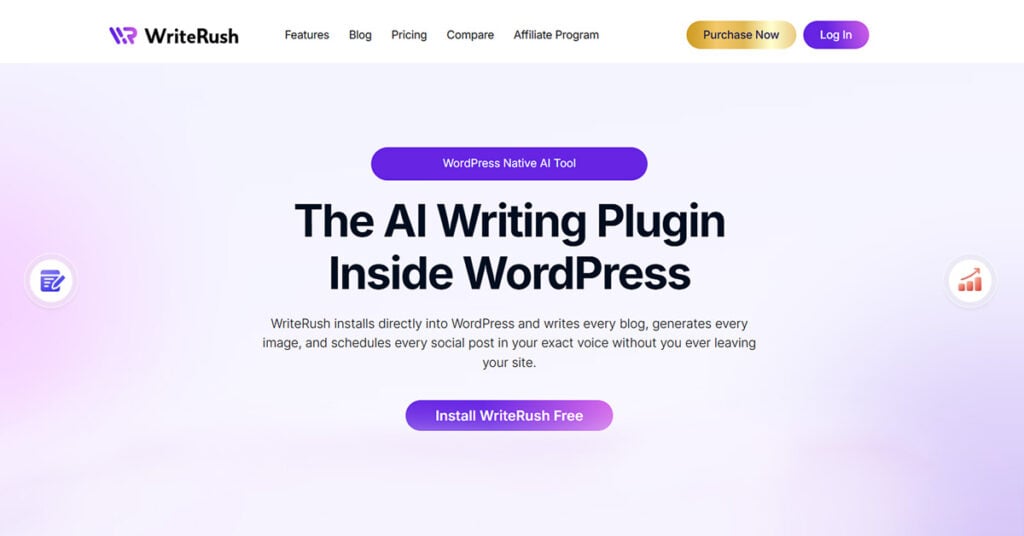
Quality Tier: Publish-Ready Generator
WriteRush is built specifically for WordPress users who want the entire content workflow, including ideation, drafting, SEO optimization, and publishing, to happen inside their dashboard. There’s no external platform, no copy-paste, and no formatting loss between generation and publication.
What It Does
The core workflow starts with a keyword or topic input, moves through an AI-generated outline, produces a full draft in the WordPress editor, and surfaces SEO signals, meta title, meta description, and keyword placement without requiring a context switch to another tool. The output is structured around your focus keyword from the start, not retrofitted with keywords after generation.
This matters because “SEO-aware generation” is different from “SEO optimization added afterward.” When the AI structures headings, paragraph flow, and meta fields around your target keyword during generation, the result reads more naturally and requires far less post-production cleanup.
Why It Stands Out for WordPress Users
WriteRush is compatible with both the Gutenberg block editor and Classic Editor, a detail that matters more than it sounds if you have an established site running on a theme built for Classic Editor. The SEO layer is built into the generation process, not bolted on after, and the plugin is designed specifically for the WordPress ecosystem rather than being a generic AI tool with a WordPress connector added as an afterthought.
Honest Assessment
- Strengths: Native workflow, SEO integration, output quality for blog-length content
- Limitations: Designed specifically for blog content, not a general-purpose AI writing suite for landing pages, ad copy, or social media
- Best for: WordPress site owners, bloggers, and content teams who want a seamless, SEO-integrated AI writing experience without leaving their dashboard
Quick Verdict: The strongest choice for WordPress users who want native integration, built-in SEO, no workflow friction, and no copy-paste tax.
2. GetGenie: Best for Keyword Research + Content in One Workflow

Quality Tier: Assisted Writer
GetGenie earns its spot by combining two steps most AI tools treat separately: keyword research and content generation happen in the same plugin, reducing the number of tools in your workflow.
What It Does
Beyond drafting, GetGenie includes NLP-based content scoring that benchmarks your draft against competitor content for the same keyword. The blog wizard walks you through keyword input, SERP analysis, outline generation, and full draft creation as a single connected sequence. It also supports WooCommerce product descriptions, a differentiating capability for e-commerce WordPress sites.
Why It Stands Out
For content marketers who want data informing their drafts, GetGenie’s research-to-draft pipeline is genuinely useful. You’re not guessing at what should be in the article; the NLP scoring tells you what competitor content covers and where gaps exist.
Honest Assessment
- Strengths: Research-to-draft pipeline, NLP content scoring, competitor analysis
- Limitations: More complex interface than most tools; steeper learning curve for non-technical users
- Best for: SEO-focused content marketers and bloggers who want data-informed AI drafts
Quick Verdict: A strong pick if keyword research and content creation are currently two separate steps in your workflow and you want to merge them.
3. AI Engine (Meow Apps): Best for Developers and Custom AI Workflows
Quality Tier: Draft Generator
AI Engine takes a fundamentally different approach: maximum flexibility powered by your own OpenAI API key, with no subscription to a third-party AI content platform.
What It Does
You bring your own API key from OpenAI, and the plugin handles communication from your WordPress dashboard. It supports GPT-4, GPT-4o, and other models, and extends beyond content generation into chatbot building, image generation, and fine-tuning options. The development community around the AI Engine is active, with a consistent plugin update cadence.
Why It Stands Out
The API-key model means you pay only for what you generate, at roughly $0.002 to $0.06 per 1,000 tokens, depending on the model. A 1,500-word post costs a few cents in API fees. For high-volume sites or technical users who want to control exactly which model they use and how it’s prompted, this flexibility is significant.
Honest Assessment
- Strengths: Flexibility, cost efficiency at scale, developer-friendly, model control
- Limitations: Requires an OpenAI account and API key setup; no guided content workflow; outputs require significant editing
- Best for: Developers, technical WordPress users, or agencies wanting a fully configurable AI layer
Quick Verdict: Maximum control at minimum tool cost, but only worth it if you’re comfortable with API setup and don’t mind heavier editing.
4. AIOSEO with AI Features: Best for SEO-First Content Optimization
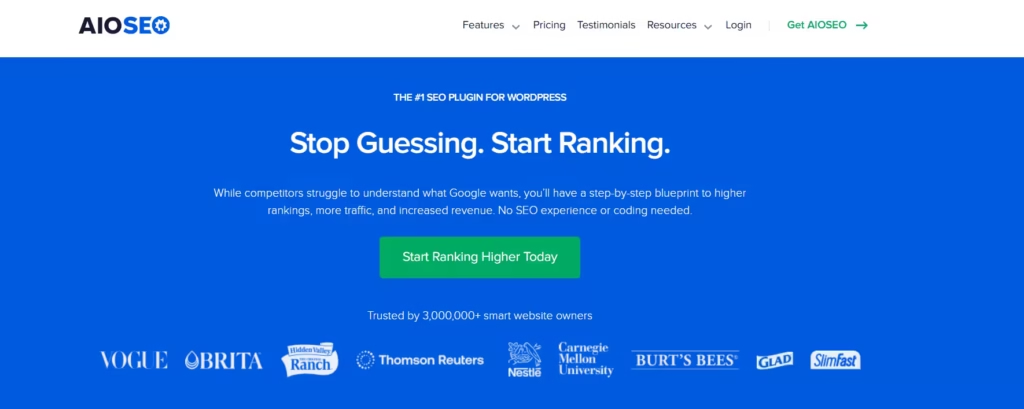
Quality Tier: Assisted Writer
All in One SEO is already installed on more than three million WordPress sites. Its AI features work as an enhancement to an existing SEO infrastructure rather than a standalone content generation tool.
What It Does
AIOSEO’s AI capabilities cover title suggestions, meta description generation, and content optimization recommendations, all inside the WordPress editor with Gutenberg and Classic Editor support. TruSEO analysis, schema markup, and Google Search Console integration are part of the same plugin, making it an unusually cohesive SEO toolset.
Why It Stands Out
The adoption barrier is low if you’re already using AIOSEO. You’re not adding a new plugin to your stack, you’re unlocking AI features in a plugin your site already trusts. The SEO foundation is solid; the AI features make it faster to use.
Honest Assessment
- Strengths: SEO credibility, established plugin ecosystem, AI as an enhancement to an existing workflow
- Limitations: AI writing features are supplementary, not full-post generators. It primarily optimizes what you write rather than writing for you.
- Best for: WordPress users already running AIOSEO who want AI-assisted optimization without switching platforms
Quick Verdict: If you’re already on AIOSEO and want AI acceleration without adding another plugin, this is a natural next step, just don’t expect full post generation.
5. WP Wand: Best Budget Option for API-Powered Generation
Quality Tier: Draft Generator
WP Wand offers one-click blog post generation using your own OpenAI API key, with bulk generation capability and multilingual support, at a cost-per-post that subscription tools can’t match.
What It Does
At approximately $0.025 per 1,000 words through the OpenAI API, generating a 1,500-word post costs roughly $0.04 to $0.08. That’s a fraction of what subscription tools charge. WP Wand also supports bulk generation (100+ posts) and 42+ languages, making it one of the few native WordPress options with serious multilingual capability.
Why It Stands Out
For programmatic SEO use cases like including location pages, FAQ clusters, and product variant descriptions, the bulk generation capability with extremely low per-post cost is a genuine differentiator. International and multilingual WordPress sites have almost no other native plugin options at this price point.
Honest Assessment
- Strengths: Extremely low cost-per-post, bulk generation, multilingual support
- Limitations: Output quality requires more editing than premium tools; no built-in SEO optimization layer; bulk generation creates thin-content risk if unmanaged
- Best for: Budget-conscious bloggers, programmatic SEO practitioners, and international or multilingual sites
Quick Verdict: Best value-per-post on this list, but budget in editing time, because you’ll need it.
6. Jasper AI (with WordPress Integration): Best for Brand Voice and Long-Form Teams
Quality Tier: Publish-Ready Generator
Jasper is an enterprise-grade AI writing platform with some of the most sophisticated brand voice training available. It’s the right choice when voice consistency across a high-volume content operation matters more than staying inside WordPress.
What It Does
Jasper’s brand voice training, style guides, team collaboration features, and campaign workflow tools are built for content teams producing at scale. Integration with Surfer SEO means content optimization is part of the generation process. The long-form document editor handles structured templates for complex content types.
Why It Stands Out
No other tool on this list matches Jasper’s brand voice capabilities. For agencies and enterprise marketing teams producing content across multiple brands, the ability to train the AI on your specific style and maintain that consistency across hundreds of posts is genuinely valuable.
Honest Assessment
- Strengths: Brand voice consistency, output quality, team collaboration, enterprise features
- Limitations: Not a native WordPress plugin, requires Jasper’s external platform plus a connector or copy-paste step. The highest price point on this list is $59 to $99+ per month.
- Best for: Content agencies, enterprise marketing teams, and brand-driven operations where voice consistency outweighs cost and workflow friction
Quick Verdict: The best tool on this list for brand consistency, but you’re paying a premium and accepting the copy-paste tax as part of the deal.
7. Divi AI: Best for WordPress Users Already in the Divi Ecosystem
Quality Tier: Assisted Writer
Divi AI is only relevant if you’re already running the Divi page builder, but if you are, the integration depth is unmatched.
What It Does
Divi AI generates page content, section copy, and blog post text directly inside Divi’s visual editor. The context-aware generation reads existing page content to maintain consistency across sections, reducing the generic quality problem that plagues simpler prompt-to-text tools. Image generation is included in the same interface.
Why It Stands Out
The combination of text and image generation inside a visual editor, with context awareness that adjusts output based on surrounding content, is genuinely useful for page-building workflows. It handles blog post generation as a secondary capability alongside its primary function of generating page sections.
Honest Assessment
- Strengths: Deep Divi ecosystem integration, context-aware generation, and image generation included
- Limitations: No standalone utility outside Divi. Blog post generation is secondary to page-builder use cases.
- Pricing: Included with Divi subscription ($89/year or $249 lifetime)
- Best for: WordPress users already running Divi who want AI content without adding another plugin
Quick Verdict: A natural addition for Divi users, irrelevant for everyone else.
Head-to-Head Comparison: AI Blog Content Generators for WordPress
Here’s a quick side-by-side comparison of the top AI blog content generators for WordPress to help you choose the right tool based on your content goals, workflow, SEO needs, and publishing process.
Instead of focusing only on content generation, this comparison looks at important factors like WordPress integration, SEO support, outline creation, ease of use, customization, and overall value for bloggers, marketers, and website owners.
| Tool | Gutenberg | SEO Integration | Pricing Model | Quality Tier |
|---|---|---|---|---|
| WriteRush | Yes | Built-in | Subscription | Publish-Ready |
| GetGenie | Yes | NLP scoring | Freemium | Assisted Writer |
| AI Engine | Yes | Manual | API (pay-per-use) | Draft Generator |
| AIOSEO AI | Yes | Core feature | Freemium + Paid | Assisted Writer |
| WP Wand | Yes | Minimal | API (pay-per-use) | Draft Generator |
| Jasper AI | No (native) | Via Surfer SEO | $59+/month | Publish-Ready |
| Divi AI | No | Minimal | Divi subscription | Assisted Writer |
What AI-Generated Content Actually Costs (The Math Nobody Shows You)
The listed price of an AI content tool is almost never the real cost. Total cost includes the tool subscription or API fees plus the editing time each tool’s output realistically requires.
The Subscription Model: Predictable Cost, Premium Features
Subscription tools like Jasper charge a flat monthly fee regardless of how much you publish. At $59/month and eight posts published, you’re paying roughly $7.40 per post. At 20 posts per month, that drops to about $2.95 per post. The higher the volume, the more the economics improve.
What you’re paying for beyond generation: brand voice training, team seats, SEO integration, and a more polished output that requires less editing time.
The API-Key Model: Low Per-Post Cost, Hidden Variables
API-key tools charge based on tokens, roughly the number of words processed. GPT-4o runs at approximately $0.005 per 1,000 input tokens and $0.015 per 1,000 output tokens. A 1,500-word post costs $0.05 to $0.15 in API fees, depending on model choice and prompt complexity.
The hidden variable: complex prompts, longer context windows, and image generation can push API costs higher than expected. Budget a small buffer above your estimate, especially for longer posts.
The Real Cost Equation: Include Editing Time
Here’s the variable almost nobody accounts for: your time spent editing.
A draft generator might save $50 per month in subscription costs but add two to three hours of editing per post. At a conservative freelance editing equivalent of $50 per hour, a two-hour editing session represents $100 of hidden cost per post, far exceeding the subscription savings.
True cost-per-post = tool cost + (editing hours x your time value).
This is what makes output quality directly relevant to ROI. A native, SEO-integrated tool that reduces editing burden has a lower true cost than a cheaper tool that hands you an unpolished draft.
| Tool | Monthly Cost (Est.) | Quality Tier | Editing Burden | True Cost Impact |
|---|---|---|---|---|
| WriteRush | Subscription | Publish-Ready | Low | Lower true cost per post |
| Jasper | $59–$99 | Publish-Ready | Low-Medium | High subscription, lower editing |
| AI Engine | ~$0–$5 (API) | Draft Generator | Higher | Cheapest tool, editing adds up |
| WP Wand | ~$1–$10 (API) | Draft Generator | Higher | Best for bulk with review process |
| GetGenie | Freemium | Assisted Writer | Medium | SEO features reduce post-edit time |
Is AI-Generated Content Good for SEO? (The Honest Answer)
Google’s position as of 2024 and 2025 is clear: content is evaluated on quality and helpfulness, not production method. AI-generated content is not penalized for being AI content; it’s penalized for being unhelpful, thin, or manipulative.
Google’s documentation puts it directly: their focus on content quality rather than how content is produced is a long-standing view. What the Helpful Content System targets is content created primarily to manipulate search rankings rather than genuinely serve readers.
The E-E-A-T Framework Applied to AI Content
E-E-A-T stands for Experience, Expertise, Authoritativeness, and Trustworthiness. Here’s what it means in practice for AI-generated WordPress blog posts:
- Experience: AI has no lived experience. Add first-person observations, specific examples, or case details only a human contributor can provide.
- Expertise: AI summarizes existing knowledge but struggles with novel insight. Add your own perspective, opinion, or industry-specific knowledge that isn’t already everywhere.
- Authoritativeness: AI helps with content volume; authority still requires topical depth, consistent publishing, and legitimate backlinks built over time.
- Trustworthiness: AI models hallucinate, they present inaccurate information confidently. Always verify statistics, quotes, and specific claims against primary sources.
What Makes AI Content Rank vs. What Makes It Fail
| Ranking Signals AI Helps With | Ranking Risks to Manage |
|---|---|
| Content length and comprehensiveness | Factual inaccuracies and hallucinations |
| Heading structure and keyword placement | Generic, surface-level analysis |
| Publishing frequency and content volume | Lack of unique insight or perspective |
| Meta description and title optimization | Duplicate-feeling content across similar posts |
| Internal linking suggestions | Unnatural keyword density |
The Human Layer: What You Must Add to AI-Generated Blog Posts
- Original data, real examples, or quotes from your industry or niche
- An author bio with genuine credentials
- Fact-checked statistics linked to primary sources
- A personal opinion or perspective that differentiates your content
- Updated information AI may not have, especially on rapidly evolving topics
How to Generate a Blog Post with AI Inside WordPress: A Step-by-Step Workflow
This workflow uses WriteRush as the demonstration tool because it keeps every step inside WordPress; no context switching is required.
What You’ll Need:
- A WordPress.org installation (or WordPress.com Business/Commerce plan)
- WriteRush plugin installed and activated
- A target keyword or topic identified
Estimated time: 20–45 minutes per post
Step 1: Enter Your Target Keyword or Topic
Open WriteRush from your WordPress dashboard. Enter your primary keyword and any secondary keywords, then select your target audience, content tone, and desired post length.
Entering the keyword at this stage, before generation begins, means the AI structures the entire post around search intent from the start, rather than inserting keywords into a generic draft afterward.
Step 2: Review and Approve the AI-Generated Outline
WriteRush generates a structured outline with an H1 to H2 to H3 hierarchy based on your keyword. Review it for logical flow, coverage gaps, and alignment with your content strategy. Add, remove, or reorder sections before proceeding.
This is where your editorial judgment matters most. The AI provides a sound structure; you provide the strategic layer that reflects your audience and angle.
Step 3: Generate the Full Draft
Approve the outline and trigger full draft generation. WriteRush populates each section with AI-written content that maintains heading structure and keyword placement, and it appears directly in the WordPress editor. No copy-paste, no reformatting.
Step 4: Run SEO Optimization
With the draft in place, review SEO signals: focus keyword usage, meta title, meta description, and readability. WriteRush’s built-in SEO layer surfaces optimization suggestions without leaving the editor. If you have Rank Math or Yoast installed, WriteRush is designed to work alongside both.
Step 5: Add the Human Layer
Fact-check specific claims and statistics. Add one to three original insights, examples, or opinions unique to your experience or brand. Insert internal links to relevant existing content. Review the introduction and conclusion for brand voice consistency.
This step is non-negotiable. It’s what separates content that builds an audience from content that blends into the background.
Step 6: Generate and Optimize a Featured Image
Use WriteRush’s image generation or integrate with DALL-E for an AI-generated featured image. Optimize the alt text for accessibility and SEO before uploading.
Step 7: Schedule or Publish
Set a publish date and time or publish immediately. Every step of this workflow has taken place inside your WordPress dashboard.
Full workflow summary: Keyword input → Outline review → Draft generation → SEO optimization → Human layer → Image → Publish. Average time: 30–45 minutes.
How to Stop Your AI Blog Content from Sounding Generic
Generic AI output is almost always a prompt quality problem, not a model quality problem. When you give an AI minimal context, “write a blog post about content marketing,” it produces a minimal, surface-level response. That’s not the model failing. That’s the input failing.
Why AI Content Sounds Generic (and What to Do About It)
The more specific and contextual your input, the more specific and useful your output. Most users skip the context step entirely, which is why most AI content reads like every other AI content.
The 5 Inputs That Transform AI Output Quality
- Your audience definition: Who specifically are they? What do they already know? What frustrates them?
- Your brand voice: Formal or conversational? Data-driven or narrative? Paste examples from your existing content.
- Your unique angle: What’s your specific take on this topic that differs from standard advice?
- Competitive context: What does existing content on this topic get wrong or underserve?
- Desired outcome: What should the reader be able to do, decide, or understand after reading?
Prompt Engineering Basics for Blog Content
Here’s what a low-context vs. high-context prompt actually looks like:
Generic prompt:
Write a blog post about email marketing.
Specific prompt:
Write a 1,500-word blog post for e-commerce store owners sending their first email campaign. They’re intimidated by segmentation and automation. Use a friendly, practical tone. Focus on three quick wins they can implement today.
The second prompt produces measurably better output, more focused, more practical, and more audience-aware, using the same underlying AI model.
Using WriteRush’s Tone and Style Settings
WriteRush’s tone customization, audience targeting, and style input fields address the generic content problem at the tool level. Instead of requiring users to craft complex prompts, these settings provide structured ways to give the AI the context it needs before generation begins.
Filling in these fields before generating takes two minutes and produces noticeably more on-brand, audience-specific output than skipping them.
The 5-Minute Human Edit That Changes Everything
After any AI generation, a focused five-minute edit targeting four things makes a significant difference:
- Rewrite the opening hook in your own voice
- Add one original insight not in the AI draft
- Fact-check one statistic with a primary source link
- Personalize the conclusion
This “final mile” edit is what separates forgettable AI content from content that actually builds an audience over time.
Bulk Post Generation: When It Works and When It Backfires
Bulk AI content generation is a legitimate strategy in the right context, and a serious SEO risk in the wrong one.
When Bulk Generation Is a Legitimate Strategy
- Programmatic SEO: Location pages, product variants, and FAQ clusters where content is inherently templated, and scale is the objective
- Content refreshes: Updating a large volume of outdated posts with new information and structural improvements
- Supporting content: Generating a cluster of supporting articles around a pillar topic to build topical authority
When Bulk Generation Creates More Problems Than It Solves
Publishing 50 thin, similarly structured posts in a week is one of the fastest ways to trigger Google’s Helpful Content filters. The warning signs of thin content risk: identical post structure across all articles, no original insight, keyword stuffing, and no internal linking strategy.
The rule of thumb: bulk generation requires bulk quality control. A human review step is non-negotiable at any volume.
A Responsible Bulk Content Framework
- Define the content type, programmatic vs. editorial
- Build a minimum-quality checklist and apply it to every post before publishing
- Stagger publishing to avoid unnatural traffic or indexing spikes
- Monitor Google Search Console for quality signals within 30 days of publishing
- Update or consolidate posts that don’t gain traction within 90 days
Common Mistakes WordPress Users Make with AI Blog Generators
Many WordPress users install an AI blog generator expecting it to handle the entire content process automatically. While AI can speed up writing, outlining, keyword placement, and content formatting, it still needs human direction to produce useful results.
Common mistakes include using vague prompts, publishing AI content without editing, ignoring SEO structure, skipping fact-checking, and not matching the content with the brand’s tone or audience needs. To get the best results, WordPress users should treat AI as a writing assistant, not a complete replacement for strategy, research, and final content review.
Publishing AI Drafts Without a Human Review Step
Treating AI output as final copy is the most common mistake. The consequences are real: factual errors, hallucinated statistics, generic phrasing, and missed brand voice. Build a minimum-viable editing checklist and apply it to every post before publishing.
Choosing a Tool Based on Price Alone
The editing time variable makes cheap tools expensive at scale. Calculate the true cost per post, including estimated editing hours at your time value, before committing to any tool.
Using an External Tool Instead of a Native WordPress Plugin
The copy-paste tax is real: formatting breaks, SEO metadata doesn’t transfer, and context switching disrupts flow. Prioritize tools with genuine WordPress dashboard integration wherever possible.
Ignoring WordPress.com Compatibility Before Purchase
Many users discover post-purchase that their tool requires WordPress.org. Confirm your WordPress setup type before evaluating any tool; refer to the compatibility section earlier in this guide.
Skipping the SEO Layer Entirely
Generating content without keyword targeting, proper heading structure, or meta description optimization wastes the potential of every post. Use a tool with built-in SEO guidance, or run every AI draft through a dedicated SEO plugin before publishing.
Publishing Identical-Structure Content at Volume
Google can recognize template-generated content patterns. Vary structure across posts, add unique elements, and prioritize topical depth over sheer volume.
Conclusion
AI blog content generators have moved well beyond novelty. For WordPress site owners, they represent a genuine workflow shift, the difference between publishing twice a month when inspiration strikes and building a consistent, optimized content calendar that compounds into organic traffic over time.
The key takeaways from this guide:
- Native integration matters. Tools that live inside your WordPress dashboard eliminate the copy-paste tax that quietly kills productivity.
- Confirm your WordPress setup first. Most tools require WordPress.org or a qualifying WordPress.com plan; check before evaluating.
- True cost equals tool price plus editing time. Quality tiers determine how much human effort each tool actually requires at scale.
- AI content and SEO are compatible when the content is genuinely helpful, accurate, and user-first. Production method is not what Google penalizes.
- Generic output is a prompt problem. Better inputs produce dramatically better outputs. Your context and expertise are the differentiating factors.
The tools are better than they’ve ever been. The content strategy still belongs to you.
If you’re a WordPress user who wants a native, SEO-integrated AI writing experience that keeps your entire workflow inside your dashboard, try WriteRush and generate your first AI blog post in under 30 minutes.
Frequently Asked Questions
What is the best AI blog content generator for WordPress?
The best tool depends on your workflow and priorities. For native dashboard integration with built-in SEO, WriteRush is a strong choice. For agencies focused on brand voice, Jasper AI offers sophisticated voice training. For budget-conscious users comfortable with API setup, WP Wand or AI Engine offer very low cost-per-post generation. See the comparison table above for a full breakdown by use case.
Does Google penalize AI-written blog posts?
No. Google’s ranking systems evaluate content quality and helpfulness, not how content was produced. AI-generated content that is accurate, genuinely useful, and written for human readers can rank as effectively as manually written content. What Google penalizes is thin, unhelpful, or manipulative content, regardless of its origin.
What’s the difference between a WordPress AI plugin and a tool like ChatGPT?
A WordPress AI plugin runs inside your dashboard, with no context switching, no copy-pasting, and often with direct connections to your SEO metadata and editor. ChatGPT is a powerful general-purpose tool, but it requires you to generate content outside WordPress and manually import it. For serious content workflows, native plugins offer significant advantages in speed and formatting integrity.
Can AI generate a complete blog post, or just sections?
Modern AI blog generators can produce complete posts, from headline and introduction through body sections, conclusion, and meta description, in a single generation cycle. Quality varies by tool and input context. Most effective workflows use AI for the full draft and a human to refine the output, rather than treating AI output as immediately publishable.
Is there a free AI blog content generator for WordPress?
Several tools offer free tiers with limitations. GetGenie has a freemium model. AI Engine and WP Wand are free plugins that require your own OpenAI API key, with generation costs that often come to just cents per post. Most production-quality tools with strong SEO integration are paid, but API-key plugins offer near-free generation costs for lower-volume sites.
Do AI blog generators work with WordPress.com?
Most AI blog generator plugins require WordPress.org (self-hosted WordPress). WordPress.com supports plugin installation only on Business and Commerce plans. If you’re on a lower WordPress.com tier, your plugin options are restricted. For full access to the tools in this guide, WordPress.org or a qualifying WordPress.com plan is required.
How do I connect my OpenAI API key to WordPress?
For API-key plugins like AI Engine or WP Wand: install the plugin, navigate to its settings page in your WordPress dashboard, and paste your OpenAI API key from your OpenAI account at platform.openai.com. The plugin handles all API communication from that point. No coding is required.
This page was last edited on 3 June 2026, at 5:57 pm






