
If you’re a blogger, marketer, or WordPress creator, you probably know this scene all too well…
You sit down with every intention to write a new blog post. You open a new tab “just to check one thing.
Then another.
And another.
Before you realize it, almost an hour has disappeared into competitor blogs, quick keyword searches, SERP checks, and second-guessing your entire outline. You’re still staring at an empty draft, wondering how something so simple became so overwhelming.
Because content creation today isn’t just writing. It’s research, SERP analysis, outlining, drafting, editing, optimizing, designing, and somehow staying consistent on top of everything else you’re managing.
But here’s the truth:
You don’t need a big team, a big budget, or endless hours to produce high-quality content consistently. You just need the RIGHT tools!
Managing content on WordPress is no longer just about writing blog posts. Today, marketers need tools that can help with keyword research, blog writing, SEO optimization, content briefs, product descriptions, internal linking, publishing workflows, and even AI-powered content updates. That’s why choosing the right WordPress AI content marketing tool matters.
In this guide, we compare the best AI tools for WordPress users, bloggers, agencies, small businesses, and content teams who want to create better content faster and improve organic traffic.
Ready? Let’s dive in.
What Are WordPress AI Content Marketing Tools?
WordPress AI content marketing tools are software or plugins that help users plan, write, optimize, and manage content with artificial intelligence. These tools support keyword research, AI blog writing, SEO optimization, meta descriptions, product descriptions, content briefs, and content updates.
For bloggers, agencies, marketers, and small businesses, AI content tools for WordPress make content creation faster and easier. They help improve search visibility, save time, and support a stronger WordPress SEO and content marketing strategy.
Why Bloggers & Marketers Are Switching to WordPress AI Plugins
Let me paint a quick picture.
Imagine you’re planning a blog about “best summer hiking spots.” Normally, you’d:
- Research keywords
- Check what’s ranking
- Outline your post
- Write it
- Edit it
- Add images
- Optimize for SEO
- Publish
That’s easily 5–7 hours of work.
But with a solid AI plugin, you can generate an outline in 30 seconds, convert it into a full draft instantly, optimize it with on-page insights, create images, craft social captions, and publish without leaving WordPress.
That’s why AI is becoming a non-negotiable tool.
But the key isn’t using any AI tool; it’s picking the right one that matches your content goals, workflow, and writing style.
So if you’ve ever felt stuck staring at a blinking cursor, you’re definitely not alone, and that’s exactly why finding the best WordPress AI content marketing plugin matters.
Now, let’s look at how we actually picked the tools worth your attention.
How We Selected the Top 11 Tools
When you search for the best WordPress AI content marketing tools, you’ll find dozens of AI tools claiming to be “the smartest,” “the fastest,” or “the most powerful.” But as creators ourselves, we know that fancy claims don’t always reflect real-world performance.
So instead of relying on hype, we tested each plugin based on what actually matters to bloggers, marketers, agencies, and everyday WordPress users.
To create a list that’s actually useful (not just a generic “here are tools”), these plugins were evaluated based on:
- Content generation quality
- SEO and SERP-based analysis
- Workflow integration inside WordPress
- Time-saving automation features
- Ease of use for non-technical users
- Value for money
- Support, updates, and reliability
Ready to meet the tools that truly earn the title of the best WordPress AI content marketing plugin? Let’s dive into the plugins that truly stand out in 2025.
Top 11 WordPress AI Content Marketing Tools
AI content plugins can completely transform how you create inside WordPress. Instead of relying on multiple tools, these plugins help you research, write, optimize, and publish more efficiently.
Here are the top 11 WordPress AI content marketing tools to consider:
1. WriteRush: A New Kind of All-in-One Content Workspace
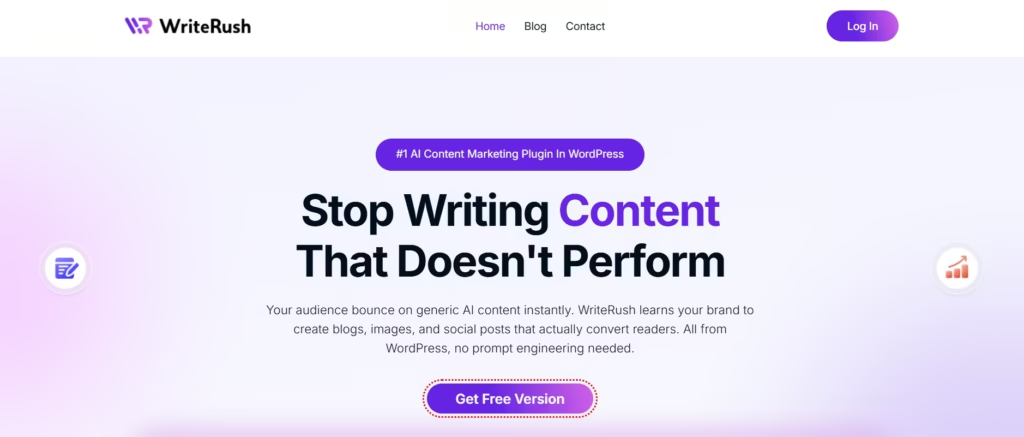
WriteRush is an innovative AI-powered content marketing plugin for WordPress, designed to optimize and streamline the entire content creation and marketing workflow. If you’re tired of juggling between multiple tools, such as keyword research tools, SERP analyzers, content generators, image platforms, and social media schedulers, WriteRush centralizes these functions in one easy-to-use plugin, making your content creation process faster and more efficient. Whether you’re a blogger, content marketer, or small business owner, WriteRush offers the tools you need to craft high-quality, SEO-optimized content in less time, all from within your WordPress dashboard.
Instead of relying on multiple tools just to create one piece of content, WriteRush centralizes your entire workflow into a single, streamlined workspace. With WriteRush, you can:
Key Features of WriteRush
- SERP-Based Outline Generator: Analyze top-ranking content on Google and automatically generate SEO-optimized outlines based on real user search intent.
- AI-Powered Outline Generation: Automatically create full outlines for your articles, tailored to fit your specific content strategy. Customize them to suit your needs, whether you’re writing blogs, guides, or other long-form content.
- Blog Type Selection: Choose the type of blog post you want to create, from informational articles to product reviews or listicles, and WriteRush will generate content that matches the chosen format.
- Guided Long-Form Blog Workflow: Follow a structured, step-by-step process for creating long-form content. WriteRush breaks down the writing journey into manageable stages, from drafting to final edits.
- Topic Analysis for Your Target Audience: Gain insights into trending topics and audience interests before writing. WriteRush helps you understand what your readers care about, so your content is always on point.
- Define Advanced Blog Parameters: Set parameters like audience, tone, purpose, writing style, and more, to ensure your content matches your unique brand and strategy.
- Title Generation & Regeneration: Generate multiple SEO-friendly titles for your blog posts and regenerate until you find the one that perfectly fits your content.
- Brand Voice Training: Train WriteRush to understand your unique brand voice by using existing WordPress content or writing samples. This ensures consistency in your content’s tone and style across all posts.
- Section Regeneration with Custom Prompts: Instead of rewriting entire articles, regenerate only the specific sections you want to improve with custom prompts. This saves time and makes your editing process more efficient.
- AI Image Generation and Regeneration Inside WordPress: Create custom images, featured graphics, and visuals directly inside the WordPress editor. Need to tweak an image? Do it within WriteRush without leaving WordPress.
- Auto Image Insertion from Unsplash: Easily add relevant images to your content with a single click, directly from Unsplash, to enhance your blog posts without leaving the editor.
- Social Media Post Generator: Automatically convert your blog posts into social media captions for platforms like Facebook, LinkedIn, Instagram, or X. WriteRush helps you create perfectly formatted posts in seconds.
- One-Click Blog Generator: Generate a full blog post in one click, complete with SEO-friendly text and formatting, allowing you to go from idea to draft in no time.
- Elementor Widget: Seamlessly integrate WriteRush with the popular Elementor page builder for an intuitive content creation experience that fits right within your design workflow.
- Gutenberg Block: Use WriteRush’s block in the WordPress Gutenberg editor to easily generate and customize content while keeping it fully compatible with WordPress’s native block-based editor.
- Classic Editor Compatibility: WriteRush works with the classic WordPress editor for users who prefer the traditional editing interface.
- Publish-Ready Content to WordPress Draft: Send your fully created blog posts directly to your WordPress drafts. From there, you can edit, schedule, or publish your content with ease.
- SEO Score Display: WriteRush shows you the SEO score for your content, ensuring that your articles are optimized for better search engine rankings.
- Streamlined Social Media Scheduling: Plan, create, and schedule your social media posts in advance. WriteRush helps you create and organize campaigns without using third-party tools.
- Keyword Research: Find primary keywords, secondary keywords, long-tail search queries, and related topics before creating content. WriteRush helps you plan SEO-focused blog posts, product pages, and website content based on real search intent.
- Product Module: Create product descriptions, product page copy, product reviews, feature lists, and promotional content faster. WriteRush helps WordPress, WooCommerce, and affiliate users write clear, persuasive, and SEO-friendly product content.
Pricing
WriteRush offers a simple lifetime pricing model, meaning you pay once and keep access forever, with no monthly fees.
The plans start with the Launch tier at $79, which includes all essential features for individual creators. For users who need higher limits, the Growth plan at $199 offers more blogs, brand voices, and AI credits. Heavy users and agencies can choose the Infinity plan at $499, which provides the highest content limits and maximum flexibility.
Read More: Best AI Content Marketing Plugin for WordPress
2. Bertha AI: A Simple AI Writing Tool for Fast Content Creation
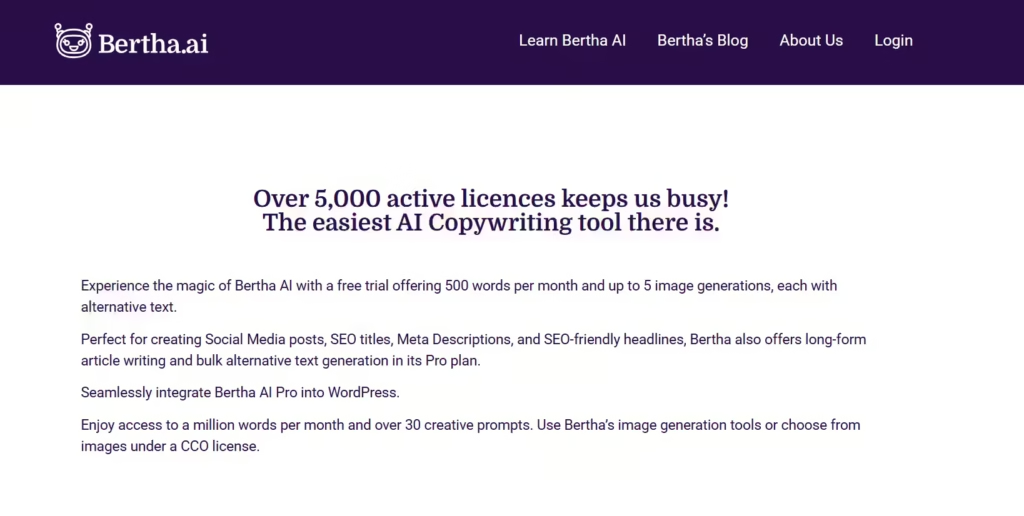
Bertha AI is one of the first AI writing tools built specifically for WordPress. It works directly inside the WordPress editor and also supports page builders like Elementor and Divi. With Bertha, you can create website copy, blog content, product descriptions, and other short-form text without leaving your editing screen.
This plugin is a good fit for bloggers, marketers, and website owners who want to write faster while keeping a steady writing style. Since Bertha works natively inside WordPress, you can generate or edit content as you build your pages, which makes the workflow simple and beginner-friendly.
Highlights of Bertha AI
- Works inside Gutenberg and popular page builders, including Elementor and Divi
- Offers over 100 templates for blogs, CTAs, product descriptions, and more
- Includes a built-in AI image generator for simple visuals
- Helps produce SEO-friendly text with tone and word count options
Limitations to keep in mind
- Free plan comes with limited credits
- Outputs can feel repetitive if used heavily
- Editing control is limited, and you may need to regenerate sections instead of refining them
Pricing
Free version available
Starter plan: around 20 dollars per month
Pro plan: around 45 dollars per month
Agency plan: around 150 dollars per month
3. GetGenie: An AI Writing and SEO Tool for Optimized Content

GetGenie is a WordPress AI assistant built for creators who want writing support along with helpful SEO guidance. It lets you research keywords, analyze competitors, review SERP insights, and generate optimized outlines before you start drafting. This makes it a strong choice for bloggers, marketers, and website owners who want search-ready content without switching tools.
Its interface is clean, and the workflow feels structured, giving you a clear path from research to writing inside the editor.
Highlights of GetGenie
- AI tools for writing blog posts, product descriptions, and landing pages
- Keyword suggestions and content scoring are built into the editor
- SERP analysis to compare top-ranking competitors
- AI-generated outlines based on your target keywords
- Readability and optimization tips while writing
Limitations to keep in mind
- Template-based outputs can sometimes feel repetitive
- Does not include built-in visual creation or social publishing tools
- Some features require higher plans to unlock
Pricing
Starter plan: 19 dollars per month
Writer plan: 49 dollars per month
Pro plan: 99 dollars per month
4. OptimizeCamp: AI Visibility & Content Gap Analyzer for WordPress
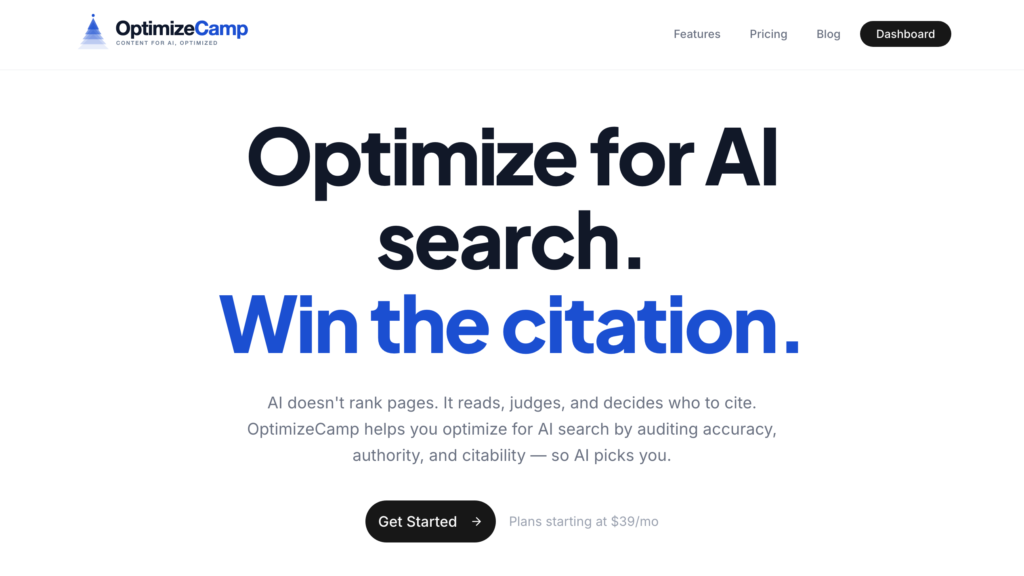
OptimizeCamp is an AI-focused content optimization tool designed to help WordPress creators improve how their content performs in modern AI search environments like ChatGPT, Gemini, and other LLM-powered systems.
While most tools focus on writing or traditional SEO, OptimizeCamp helps you understand what your content is missing compared to top-ranking competitors and how to fix it.
Key Features of OptimizeCamp
- AI visibility audit: Analyze how well your content is structured for AI search and LLM understanding
- Content gap detection: Identify missing topics, sections, and subtopics that competitors are covering
- Topical coverage scoring: See how comprehensive your article is compared to others
- Competitor-based insights: Discover where competitors provide deeper or clearer explanations
- Actionable recommendations: Get specific suggestions to expand and improve your content
- Built for bloggers and marketers: Works especially well for guides, list posts, tutorials, and comparison articles
Pricing
OptimizeCamp offers a simple subscription-based pricing model. The plans start with the Creator tier at $39/month, which includes 15 audits per month. For users who need deeper analysis and higher limits, the Pro plan at $99/month offers 60 audits per month. Teams and agencies can choose the Agency plan at $249/month, which provides 200 audits per month.
5. AutoWP: An Automation-Focused Plugin for High-Volume Content Publishing
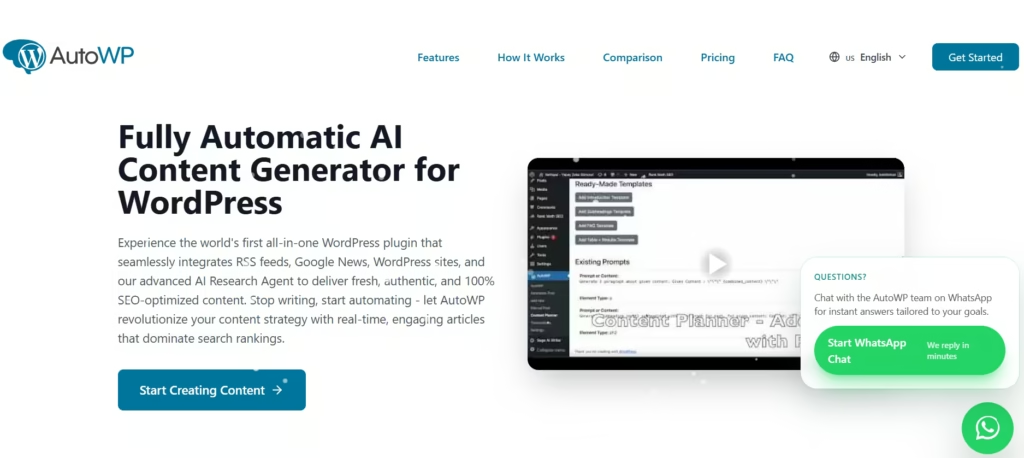
AutoWP is built for website owners who want to automate large amounts of content without writing everything manually. Instead of creating posts one by one, you set your rules, choose your sources, and let the plugin generate and publish content automatically. This makes it ideal for niche sites, autoblogs, news-style websites, and anyone managing high-volume publishing.
You can import content, use AI to rewrite or expand it, and schedule posts to go live on autopilot. It removes a lot of manual work and helps keep your site active with consistent updates.
Highlights of AutoWP
- Automated content creation and publishing
- AI rewriting, expanding, and summarizing tools
- Works well for niche sites, autoblogs, and news-style updates
- Auto-indexing and social sharing support
- Helps maintain consistent posting schedules with minimal effort
Limitations to keep in mind
- Not meant for creators who prefer manual writing
- Generated posts may require edits for tone or accuracy
- Limited creative control for detailed storytelling
- Best suited for volume, not brand-focused content
Pricing
Free plan: 0 pounds per month
Golden plan: 14.99 pounds per month
Pro plan: 99.99 pounds per month
6. WP Radiant: An AI Writing Plugin for Blogs and WooCommerce Stores
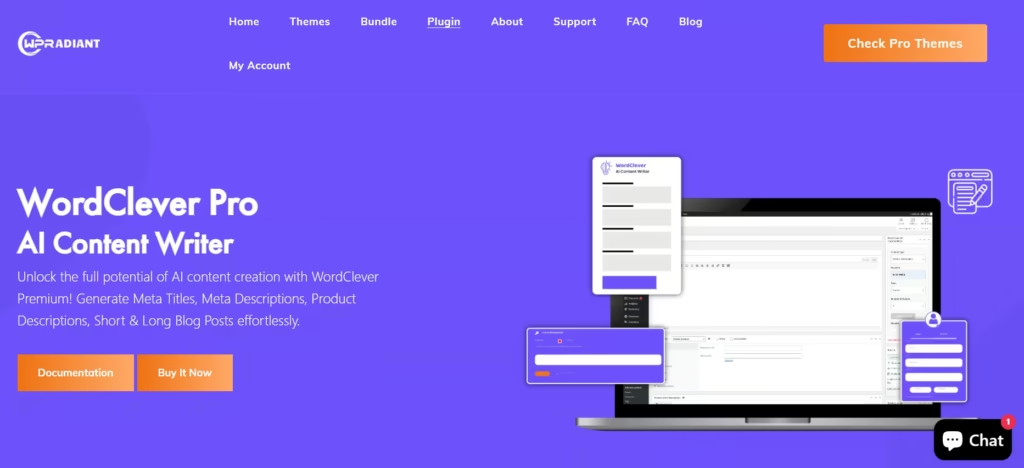
WP Radiant is a WordPress AI plugin designed for creators who manage both content and online stores. It helps you write blog posts, craft product descriptions, create category text, and generate short marketing copy directly inside WordPress. This makes it especially useful for WooCommerce store owners who need content for both their blog and product pages.
The plugin offers a simple interface, making it easy to generate or refine content without switching between multiple tools. WP Radiant focuses on writing assistance rather than deep SEO or automation, which keeps it lightweight and easy to use.
Highlights of WP Radiant
- AI support for blogs, product descriptions, and category pages
- Works directly inside WordPress for quick content creation
- Helpful for WooCommerce store owners who need consistent updates
- Clean and beginner-friendly interface
Limitations to keep in mind
- Free version has limited content requests
- Lacks advanced SEO features and in-depth research tools
- Not suitable for high-volume automated publishing
- Limited control for long, structured content drafts
Pricing
Pro Plan: $5/month
Advance Plan: $15/month
Enterprise Plan: $50/month
7. Writesonic (WordPress Integration): A Fast Template-Based Generator for Quick Content

Writesonic is known for its large library of ready-made templates, and the WordPress integration brings those templates directly into your editor. It helps you generate blog posts, landing pages, product descriptions, ads, and other marketing content quickly, using structured prompts that guide the writing process.
This plugin is ideal for users who want fast results without spending too much time planning or structuring their drafts. You simply pick a template, enter a few details, and Writesonic generates the content for you. It’s especially useful for agencies or marketers who need to produce multiple pieces of content every day.
The focus here is speed. Writesonic helps you create drafts fast, but you may need to adjust the output if you want a more personalized tone or detailed structure.
Highlights of Writesonic
- Large collection of templates for blogs, ads, and website copy
- Direct integration with WordPress for quick publishing
- Easy-to-use interface with guided prompts
- Helpful for agencies and marketers who need fast turnaround content
Limitations to keep in mind
- Template outputs can feel generic without manual editing
- Limited control over structure compared to outline-focused tools
- Works best for short and mid-length content rather than long-form depth
Pricing
Free trial available
Paid plans start at around 49 dollars per month
Annual plans start at around 39 dollars per month
8. Yoast SEO: The Essential Optimization Plugin for WordPress Content
Yoast SEO is not an AI writing tool, but it remains one of the most important plugins for anyone serious about content performance. After you create your draft with an AI plugin, Yoast helps you optimize it for search engines and readability so your content stands a better chance of ranking.
The plugin checks your content for keyword usage, sentence clarity, structure, internal links, and overall readability. It also guides you with clear suggestions that are easy to follow, making it useful for beginners and experienced writers alike.
Yoast has become a standard part of the WordPress workflow because it focuses on the final step: ensuring your content is polished, optimized, and ready to perform.
Highlights of Yoast SEO
- Readability analysis to improve clarity and structure
- On-page SEO suggestions based on your target keyword
- Internal link recommendations
- Schema markup and technical SEO support
- Helps maintain SEO best practices for every post
Limitations to keep in mind
- Not an AI tool, so it does not create content
- Some advanced features require the premium version
- Can feel basic if you already use a full SEO platform like Ahrefs or Semrush
Pricing
Premium plan: around 99 dollars per year for one site
9. Rank Math Content AI: An AI-Assisted SEO Tool for Stronger Optimization
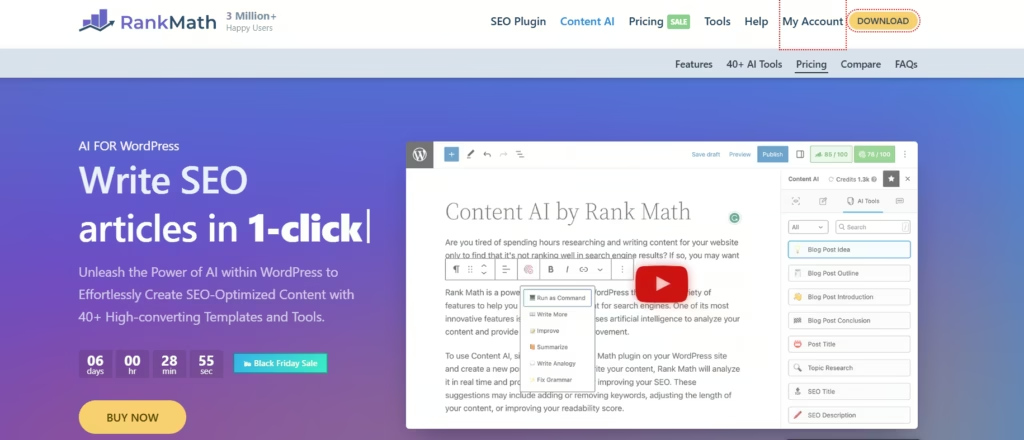
Rank Math Content AI is an extension of the popular Rank Math SEO plugin. Instead of generating full articles, it focuses on helping you improve the content you already have. It provides keyword suggestions, content scoring, heading ideas, and improvements that make your writing more search-friendly.
This makes Rank Math Content AI a good choice for bloggers, marketers, and website owners who want AI support specifically for SEO, structure, and keyword optimization rather than full content generation.
Highlights of Rank Math Content AI
- AI-powered keyword and topic suggestions
- Content scoring to help improve SEO strength
- Heading ideas and structure recommendations
- Helpful for blogs, landing pages, and product descriptions
- Works directly inside the WordPress editor
Limitations to keep in mind
- Not designed for full content generation
- Requires Rank Math PRO for access
- SEO suggestions may need manual fine-tuning
- Limited creative assistance compared to writing-focused tools
Pricing
Content AI access starts at around 59 dollars per year
Included with Rank Math PRO
10. Rytr: Free AI Writer, Content Generator & Writing Assistant
Rytr is a lightweight but powerful AI writing assistant designed to help you create content quickly without needing a complex setup. Unlike heavier WordPress AI tools, Rytr focuses on simple, fast, and beginner-friendly content generation using templates, tones, and guided prompts. While it isn’t built specifically for deep SEO optimization or advanced AI workflows, it’s a great option for creators who want clean drafts and short-form copy without spending money upfront.
This makes Rytr a solid choice for bloggers, social media managers, small business owners, and creators who need an easy-to-use, budget-friendly AI writing tool for quick posts, captions, product descriptions, and idea generation.
Highlights of Rytr
- Free plan available with generous monthly credits
- 40+ templates for blogs, ads, emails, and social content
- Multiple tones and writing styles
- Fast short-form content generation
- Simple, beginner-friendly interface
Limitations to keep in mind
- Not optimized for full long-form blog posts
- No advanced SEO or SERP-driven intelligence
- Lacks WordPress-native integration
- Outputs may require more manual editing
Pricing
Rytr offers a free plan, while premium plans start at around $9 per month, making it one of the most affordable AI writing assistants available.
11. AI Engine: A Flexible All-In-One AI Toolkit for WordPress
AI Engine is one of the most versatile and customizable WordPress AI plugins available. Instead of being just a content generator, it acts as a complete AI toolkit inside your WordPress dashboard. With options for AI writing, custom chatbots, embeddings, translations, image generation, and “bring-your-own-API-key” flexibility, AI Engine allows you to build your own AI-powered workflows the way you want.
This makes AI Engine a great choice for WordPress users who want more control, especially agencies, developers, and advanced creators who prefer a highly customizable AI system rather than a single-purpose writing tool.
Highlights of AI Engine
- AI writing assistant for posts, pages, and custom content
- Custom chatbots trained on your website content
- Image and prompt generator inside WordPress
- Bring-your-own-API support for OpenAI and other models
- Offers tools like playgrounds, embeddings, and automation
- Highly flexible for creators and developers
Limitations to keep in mind
- More complex than beginner-friendly plugins
- Requires API keys for full functionality
- Not focused on deep SEO or SERP insights
- Some features may feel overwhelming for non-technical users
Pricing
AI Engine offers a free version on WordPress.org, while premium plans start at around 49 dollars per year, depending on the features and number of sites.
Now that you’ve seen what each plugin can do, the next step is figuring out which one fits your workflow best.
So let’s zoom out for a moment and compare them side by side to help you spot your best WordPress AI content marketing plugin.
Quick Comparison: Best WordPress AI Content Marketing Tools
Now that you’ve seen how each plugin stacks up, the real question is what you need most like speed, SEO power, creativity, automation, or flexibility. Every WordPress AI tool shines in a different way, so choosing the right one comes down to your workflow and content goals.
Use the comparison below to quickly spot the perfect match for your writing, marketing, or publishing needs.
| Plugin | Best For | Key Strength |
|---|---|---|
| WriteRush | All-in-one content workflow | Research, SERP insights, writing, visuals, brand voice, social publishing |
| Bertha AI | Simple writing tasks | Fast drafts inside WordPress with basic templates |
| GetGenie | SEO-driven content creation | Keyword research, SERP analysis, and optimized content outlines |
| AutoWP | Autoblogs & high-volume publishing | Automated content creation and scheduled posting |
| WP Radiant | WooCommerce & store content | Product descriptions, category text, and store-focused writing |
| Writesonic | Agencies & bulk content needs | Large template library for quick multi-format content |
| Yoast SEO | Final SEO optimization | Readability, on-page SEO, and structure checks |
| Rank Math Content AI | SEO scoring & improvements | AI keyword suggestions and content scoring inside the editor |
| Rytr | Budget-conscious creators | Free AI writing tool for quick drafts |
| AI Engine | Developers & advanced users | Highly customizable AI toolkit |
Once you match your goals with the right features, the answer becomes surprisingly clear, and you’ll know exactly which tool deserves to be your go-to best WordPress AI content marketing plugin.
Best WordPress AI Content Marketing Tools by Use Case
Different WordPress users need AI tools for different reasons. Some need faster blog writing, some need better SEO optimization, and others need WooCommerce product copy, agency workflows, or content repurposing. Here are the best WordPress AI content marketing tools by use case.
Best AI Tool for WordPress Bloggers
WriteRush is a strong choice for WordPress bloggers who need help with keyword research, blog writing, SEO-friendly outlines, introductions, article sections, FAQs, and content updates. It can help bloggers create content faster while keeping articles focused on search intent and user value.
Best AI Tool for WordPress SEO
Rank Math Content AI is useful for WordPress users who want SEO suggestions directly inside their content workflow. It can help with keyword usage, content optimization, headings, and SEO recommendations, making it a good option for improving on-page SEO.
Best AI Tool for Agencies
For agencies managing multiple WordPress websites, WriteRush can help speed up content production for blogs, landing pages, product descriptions, product reviews, and SEO content. It is useful for teams that need to create keyword-based content at scale while still allowing human editing and quality control.
Best AI Tool for WooCommerce Product Content
WooCommerce store owners can use WriteRush to create product descriptions, product page copy, product reviews, feature lists, and category content. This makes it easier to improve product pages and create SEO-friendly copy for online stores.
Best AI Tool for Small Business Websites
Bertha AI is useful for small business owners who need quick website copy, service descriptions, blog ideas, and basic marketing content. It can help non-technical users create simple content for WordPress pages without spending too much time writing from scratch.
Best AI Tool for Content Repurposing
Writesonic is helpful for turning blog ideas into different content formats, such as social media captions, ad copy, email copy, and short-form marketing content. This makes it useful for WordPress users who want to reuse blog content across multiple channels.
Best AI Tool for AI Chatbots on WordPress
AI Engine is a good option for WordPress users who want to add AI-powered features to their website, such as chatbots, AI assistants, and OpenAI-based content generation. It is especially useful for site owners who want more technical AI functionality inside WordPress.
Best AI Tool for Basic SEO and Readability
Yoast SEO is a popular choice for WordPress users who want help with readability, SEO titles, meta descriptions, focus keywords, and basic on-page optimization. It is especially helpful for beginners who want simple guidance while editing posts.
Best AI Tool for Content Optimization
GetGenie can help with AI writing, SEO analysis, content scoring, and competitor-based content suggestions. It is useful for WordPress users who want to improve blog structure, optimize content, and create search-focused articles.
Best AI Tool for Short-Form Marketing Copy
Rytr is useful for creating short-form content such as captions, emails, product blurbs, and quick marketing copy. It can be helpful for WordPress users who need simple AI writing support for smaller content tasks.
How to Choose the Best WordPress AI Content Marketing Tool
Choosing the best WordPress AI content marketing tool depends on your website goals, content workflow, budget, and team size. Some tools are better for blog writing, while others focus on SEO optimization, keyword research, WooCommerce product copy, or full content automation.
For example, WriteRush is useful for WordPress users who want support with keyword research, AI blog writing, product descriptions, product page copy, product reviews, and SEO-focused content creation.
WordPress Compatibility
The tool should work smoothly with your WordPress workflow. Some AI content tools for WordPress come as plugins, while others work as web-based platforms that help you create content before publishing it on your site. Choose a tool that makes it easy to create, edit, optimize, and publish WordPress content without extra manual steps.
If your main goal is to create content directly for your website, you may also want to compare the best AI writing plugins for WordPress to find tools that fit your publishing workflow.
WriteRush can be a helpful option if you want to prepare SEO-friendly content for WordPress blogs, landing pages, and product pages.
SEO Features
A good AI SEO tool for WordPress should help with meta titles, meta descriptions, headings, readability, search intent, internal linking, and content structure. These SEO features can make your blog posts more search-friendly and easier for users to read.
WriteRush supports SEO-focused content creation by helping users create keyword-based blog posts, product descriptions, and optimized content sections.
Keyword Research Support
Look for tools that support keyword-based content creation. The best WordPress AI content marketing tools should help you find primary keywords, secondary keywords, long-tail search queries, semantic keywords, and content ideas. This is important if you want to create content that matches what people are actually searching for.
With WriteRush, users can create content around relevant keywords and search-focused topics for better content planning.
Content Quality
AI-generated content should be clear, useful, and easy to edit. Avoid tools that create generic or repetitive content. The best AI writing tools for WordPress should help you produce helpful blog posts, landing page copy, product descriptions, and marketing content that still sounds natural after human editing.
To get better results, avoid common AI writing mistakes such as publishing unedited drafts, ignoring search intent, using generic examples, or missing factual checks.
WriteRush can help speed up the first draft while still allowing you to refine the final content for accuracy, tone, and brand voice.
AI Editing Features
Choose a tool that offers AI editing options such as rewriting, improving readability, expanding short sections, summarizing long content, fixing tone, and creating better introductions or conclusions. These features help you improve existing WordPress blog posts and update old content for better SEO performance.
If your AI-generated draft sounds robotic, you can follow practical tips on how to humanize AI-generated content before publishing it on WordPress.
A tool like WriteRush can support content improvement by helping you rewrite and expand sections for stronger search intent coverage.
Pricing
Pricing matters, especially for bloggers, small businesses, and agencies. Compare free plans, monthly pricing, word limits, user seats, SEO features, and available templates. The cheapest tool is not always the best option if it lacks important features like keyword research, content optimization, or product copy support.
When comparing tools, check whether WriteRush gives you the content features you need for blog writing, product copy, and SEO content creation.
Ease of Use
The tool should be simple enough for your team to use without a long learning curve. A clean dashboard, ready-made templates, clear content workflows, and easy export options can save time. This is especially helpful for WordPress beginners and small content teams.
WriteRush is worth considering if you want an AI content tool that supports multiple writing tasks in one place.
Team Collaboration
If you manage content with writers, editors, SEO specialists, or clients, choose a tool that supports team collaboration. Useful features include shared projects, content briefs, approval workflows, role-based access, and organized content folders.
These features are valuable for agencies and growing marketing teams. For agencies using WordPress, WriteRush can help speed up repetitive content tasks like blog drafts, SEO content, and product copy creation.
Content Templates
Content templates can speed up repetitive writing tasks. Look for templates for blog posts, SEO outlines, meta descriptions, product descriptions, landing pages, email copy, social media posts, FAQs, and product reviews. These templates help you create different types of WordPress content faster.
WriteRush is useful here because it supports different content needs, including blog writing, product descriptions, product page copy, and product reviews.
WooCommerce and Product Copy Support
If you run an online store, choose an AI product description generator for WordPress or a tool that supports WooCommerce content. It should help you write product descriptions, category descriptions, product page copy, feature lists, comparison content, and review-style articles. This can save time and improve the quality of your product pages.
WriteRush can be especially helpful for WordPress and WooCommerce users who need product descriptions, product page copy, and product review content.
Why Use AI Content Marketing Tools for WordPress?
Using AI content marketing tools for WordPress can help you create, optimize, and manage content more efficiently. These tools support everything from blog writing and keyword research to SEO optimization, product descriptions, content repurposing, and publishing workflows.
Faster Blog Writing
An AI blog writer for WordPress can help you create blog ideas, outlines, introductions, article sections, FAQs, and conclusions faster. Instead of starting every post from scratch, you can use AI to prepare the first draft and then edit it for accuracy, tone, and brand voice.
For users who want to create blog drafts faster, an AI blog writer can help generate ideas, outlines, introductions, article sections, and FAQs while still giving you room for human editing.
Better SEO Optimization
Many WordPress AI content marketing tools can help improve SEO by suggesting keywords, headings, meta titles, meta descriptions, semantic terms, and content structure. This makes your content easier for readers to understand and more search-friendly.
Keyword-Based Content Creation
With the right AI content tools for WordPress, you can create content around primary keywords, secondary keywords, long-tail search queries, and related topics. This helps you target searches like AI content generator for WordPress, AI SEO tools for WordPress, and best AI tools for WordPress content writing naturally within your content.
You can also improve your results by learning how to prompt AI to write like a human, especially when you want your WordPress content to sound natural, helpful, and less generic.
Easier Product Description Writing
For WooCommerce stores and product websites, an AI product description generator for WordPress can help write product descriptions, product page copy, feature lists, category descriptions, and review-style content. This saves time while keeping your product content clear, persuasive, and SEO-friendly.
Content Repurposing
AI tools can help turn one WordPress blog post into social media captions, email newsletters, short summaries, FAQs, video script ideas, and product blurbs. This allows you to get more value from every piece of content you publish.
Improved Publishing Workflow
AI can support your content workflow by helping with content briefs, outlines, drafts, editing, SEO checks, internal linking suggestions, and content updates. This makes the WordPress publishing process smoother and more organized.
You can also use content planning tools to organize topics, map keywords, manage publishing schedules, and keep your WordPress content strategy consistent.
Support for Small Teams and Agencies
AI marketing tools for WordPress are especially useful for small businesses, bloggers, agencies, and lean content teams. Small teams can create more content with fewer resources, while agencies can speed up client blog writing, SEO updates, product copywriting, and content planning.
WordPress AI Content Marketing Trends in 2026
AI is becoming a bigger part of WordPress content marketing, from writing blog posts to optimizing old content and improving website visibility. In 2026, WordPress users are using AI not only to create content faster but also to improve SEO, update existing pages, and repurpose content across different channels.
AI-Assisted WordPress Editing
AI-assisted editing helps WordPress users improve drafts faster. It can rewrite weak sections, improve readability, adjust tone, expand short paragraphs, and make content more useful for readers. This is helpful for bloggers, agencies, and small teams that want to publish polished content without spending too much time editing manually.
AI-Generated Website Copy
AI-generated website copy is useful for creating homepage sections, service pages, landing pages, product descriptions, calls to action, and about page content. Instead of writing every section from scratch, WordPress users can use AI writing tools to create a strong first draft and then edit it for brand voice, accuracy, and clarity.
AI-Powered SEO Recommendations
AI-powered SEO tools can suggest keywords, headings, meta titles, meta descriptions, internal links, and content improvements. These recommendations help WordPress users create content that matches search intent and gives readers the information they are looking for.
AI Content Optimization
AI content optimization helps improve both new and existing WordPress content. It can identify missing topics, suggest related search queries, improve structure, add FAQs, and make the content more complete. This is especially useful for updating old blog posts that already rank but need fresh information to gain more traffic.
AI Search Visibility
As AI search engines and answer engines become more common, WordPress content needs to be clear, helpful, and easy to summarize. AI search visibility focuses on creating content that can appear in Google AI Overviews, ChatGPT answers, Perplexity, Bing Copilot, and other AI-powered search experiences.
Automated Content Updates
Automated content updates are becoming important for websites with many blog posts or product pages. AI can help identify outdated information, suggest new sections, update FAQs, improve meta descriptions, and refresh old content based on current search trends.
AI Chatbots Trained on Website Content
More WordPress websites are using AI chatbots trained on their own website content. These chatbots can answer customer questions, guide visitors to relevant pages, recommend products, and reduce repetitive support tasks. This can improve user experience and keep visitors engaged for longer.
Content Repurposing for Social Media and Email
AI makes it easier to turn one WordPress blog post into multiple content formats. A single article can become social media posts, email newsletters, short summaries, video script ideas, LinkedIn posts, and product blurbs. This helps marketers get more value from every piece of content they publish.
Let’s wrap things up with a final thought.
Final Thoughts
AI content marketing plugins are changing the way creators use WordPress. The days of jumping between research tools, writing apps, SEO checkers, and design software are finally fading. These plugins bring everything closer to where you already work, cutting out the chaos and giving you a smoother, more focused workflow.
Each tool in this list solves a different problem. Some help you manage your entire process, others focus on SEO support, some make drafting easier, and others handle automated publishing. Whatever your workflow looks like, there is a plugin that fits it. Choose the one that matches your needs, and you will spend less time juggling tools and more time creating content that performs.
Whether you are using AI for blog writing, SEO, product descriptions, or full AI writing for WordPress, the best results come from combining AI speed with human strategy, editing, and search intent analysis.
Frequently Asked Questions (FAQs)
1. What is the best AI content writing tool for WordPress?
There is no single “best” plugin for everyone. WriteRush is great for an all-in-one workflow, GetGenie is strong for SEO, AutoWP is ideal for automation, and Bertha AI is simple for quick drafts. The best choice depends on your workflow and goals.
2. Can AI plugins really improve SEO and help content rank?
Yes, AI plugins can improve SEO by helping with keyword research, SERP analysis, optimization tips, readability improvements, and structured outlines. Plugins like GetGenie, Rank Math Content AI, and Yoast SEO are specifically designed to boost search performance.
3. Are AI content plugins safe to use for Google search and blogging?
Yes. Google does not penalize AI content by default. What matters is quality, accuracy, originality, and helpfulness. As long as you review and refine the output, AI plugins are completely safe to use.
4. Which AI plugin creates the most human-sounding content?
Plugins that include brand voice learning or section-based refinement tend to create the most natural content. WriteRush and Jasper (external) are often considered the closest to human-like writing.
5. Do AI content plugins replace human writers?
No. AI speeds up writing, research, and editing, but human insight is still needed for accuracy, creativity, storytelling, and strategy. AI tools assist writers, not replace them.
6. Are free AI content plugins worth using, or should I choose a paid one?
Free versions are helpful for testing features, but they usually come with limits on words, features, or SEO tools. Paid plans are better for consistent publishing, long-form content, and professional workflows.
This page was last edited on 18 May 2026, at 4:43 pm